How do we target two backends? ↩
We're already using sdl3, but if I want to target wasm, then the simplest thing to do is to tweak our cargo file. Right now, it's stupidly simple:
[package]
name = "mikumikutower"
version = "0.1.0"
edition = "2024"

[dependencies]
sdl3 = { version = "0", features = ["image", "mixer", "build-from-source"] }
But, there's no way for SDL3 to compile for anything besides a native target. So, we need to tweak things so that it's not included in the build process when we do that. Thankfully, the documentation about resolving dependencies explains how we can setup a dependency that's only configured for a specific target. So, the question becomes, how do we target wasm?
The target in the rust book
says we can target wasm32-unknown-unknown, and that's a triplet, of arch… Uh. And…
it's a target triplet1
which typically targets a machine, vendor, and operating system. In most normal programs you'd see something like x86_64,
or maybe an arm kind of target of the architecture, like x86_64-linux-gnu. But for a basic
wasm target, with no particular requirements and a restricted set of things, unknown-unknown works fine enough.
With that in mind, we can update the toml file to prefix the dependencies with the target to ensure that the libraries are only included when we're targeting specific "machines":
[target.'cfg(not(all(target_family = "wasm", target_os = "unknown")))'.dependencies]
sdl3 = { version = "0", features = ["image", "mixer", "build-from-source"] }

[target.'cfg(all(target_family = "wasm", target_os = "unknown"))'.dependencies]
wasm-bindgen = "0.2"
js-sys = "0.3"
web-sys = { version = "0.3", features = [
    "Window",
    "Document",
    "HtmlCanvasElement",
    "console",
    "CanvasRenderingContext2d",
]}
I'm just copying some of the features from the paint example here to try to get a basic hello world going. To test if those changes in the toml file worked, check!
$ cargo check
Updating crates.io index
 Locking 19 packages to latest Rust 1.90.0 compatible versions
  Adding bumpalo v3.20.3
  Adding cfg-if v1.0.4
  Adding futures-core v0.3.32
  Adding futures-task v0.3.32
  Adding futures-util v0.3.32
  Adding js-sys v0.3.100
  Adding once_cell v1.21.4
  Adding pin-project-lite v0.2.17
  Adding proc-macro2 v1.0.106
  Adding quote v1.0.45
  Adding rustversion v1.0.22
  Adding slab v0.4.12
  Adding syn v2.0.117
  Adding unicode-ident v1.0.24
  Adding wasm-bindgen v0.2.123
  Adding wasm-bindgen-macro v0.2.123
  Adding wasm-bindgen-macro-support v0.2.123
  Adding wasm-bindgen-shared v0.2.123
  Adding web-sys v0.3.100
Finished `dev` profile [unoptimized + debuginfo] target(s) in 1.69s
That's the SDL3 build working as expected, and then the wasm one?
$ cargo build --target wasm32-unknown-unknown
  Downloaded wasm-bindgen-shared v0.2.123
  Downloaded wasm-bindgen-macro v0.2.123
  Downloaded wasm-bindgen v0.2.123
  Downloaded js-sys v0.3.100
  Downloaded wasm-bindgen-macro-support v0.2.123
  Downloaded web-sys v0.3.100
  Downloaded 6 crates (932.3KiB) in 0.45s
   Compiling wasm-bindgen-shared v0.2.123
   Compiling unicode-ident v1.0.24
   Compiling proc-macro2 v1.0.106
   Compiling quote v1.0.45
   Compiling rustversion v1.0.22
   Compiling bumpalo v3.20.3
   Compiling pin-project-lite v0.2.17
   Compiling futures-task v0.3.32
   Compiling futures-core v0.3.32
   Compiling cfg-if v1.0.4
   Compiling slab v0.4.12
   Compiling once_cell v1.21.4
error[E0463]: can't find crate for `core`
  |
  = note: the `wasm32-unknown-unknown` target may not be installed
  = help: consider downloading the target with `rustup target add wasm32-unknown-unknown`

For more information about this error, try `rustc --explain E0463`.
error: could not compile `cfg-if` (lib) due to 1 previous error
warning: build failed, waiting for other jobs to finish...
error: could not compile `unicode-ident` (lib) due to 1 previous error
error: could not compile `futures-task` (lib) due to 1 previous error
error: could not compile `pin-project-lite` (lib) due to 1 previous error
error: could not compile `futures-core` (lib) due to 1 previous error
error: could not compile `slab` (lib) due to 1 previous error
error: could not compile `once_cell` (lib) due to 1 previous error
I do really appreciate that the rust compiler gives me massive hints like, run this dummy:
rustup target add wasm32-unknown-unknown
Which then breaks in a more expected and suggestive way to guide our next actions:
$ cargo build --target wasm32-unknown-unknown
   Compiling proc-macro2 v1.0.106
   Compiling wasm-bindgen-shared v0.2.123
   Compiling unicode-ident v1.0.24
   Compiling futures-core v0.3.32
   Compiling cfg-if v1.0.4
   Compiling slab v0.4.12
   Compiling pin-project-lite v0.2.17
   Compiling once_cell v1.21.4
   Compiling futures-task v0.3.32
   Compiling quote v1.0.45
   Compiling rustversion v1.0.22
   Compiling futures-util v0.3.32
   Compiling wasm-bindgen v0.2.123
   Compiling syn v2.0.117
   Compiling wasm-bindgen-macro-support v0.2.123
   Compiling wasm-bindgen-macro v0.2.123
   Compiling js-sys v0.3.100
   Compiling web-sys v0.3.100
   Compiling mikumikutower v0.1.0
error[E0463]: can't find crate for `sdl3`
  --> src/lib.rs:21:1
   |
21 | extern crate sdl3;
   | ^^^^^^^^^^^^^^^^^^ can't find crate

error[E0282]: type annotations needed
   --> src/backend_sdl3.rs:244:40
    |
244 | ...allowed_extensions.contains(extension) {
    |                       ^^^^^^^^ cannot infer type of the type parameter `Q` declared on the method `contains`
...
253 | ...desired_id = filename[0..filename.len() - extension.len() - 1].parse::<usize>();
    |                                                        --- type must be known at this point
    |
help: consider specifying the generic argument
    |
244 |                 if !allowed_extensions.contains::<Q>(extension) {
    |                                                +++++

Some errors have detailed explanations: E0282, E0463.
For more information about an error, try `rustc --explain E0282`.
error: could not compile `mikumikutower` (lib) due to 2 previous errors
Since the code hasn't changed at all around which backend to initialize, the error pops up, as expected.
Or at least, the first extern guy makes sense to me, looking at the other line, the contains
is broken because of a type inference issue.
if let Ok(globbed) = glob_directory(&user_wav_folder, Some("*"), GlobFlags::CASEINSENSITIVE)
{
    for path in &globbed {
        ...
        let Some(extension) = path.extension().map(|os_str| os_str.to_str()).flatten()
        else {
            continue;
        };
        if !allowed_extensions.contains(extension) {
I think I see why, and again, it's the same thing we've already identified. The extension is a
type that's coming from the globbing. And the globbing is coming from SDL3, so it broke. To fix this, we need
to do some conditional guarding, so in the lib.rs file where we declare our various modules, we can just drop
a cfg above the modules and extern keywords:
#[cfg(not(all(target_family = "wasm", target_os = "unknown")))]
pub mod backend_sdl3;

#[cfg(not(all(target_family = "wasm", target_os = "unknown")))]
extern crate sdl3;
This changes our error to then point us over to the code here:
pub fn init_backend(game_options: &GameOptions) -> Box<dyn Backend> {
    // There is only one backend to init right now but this is where we could
    // do fun #if(config) type things in the future if need be!
    use crate::backend_sdl3::BackendSDL3;
    Box::new(BackendSDL3::new(game_options))
}
You can probably see why this breaks, but the rust compiler is pretty kind in explaining it to us like we're 2 years old and have the IQ of a caveman stuck in an ice block:
error[E0432]: unresolved import `crate::backend_sdl3`
  --> src/backend.rs:22:16
   |
22 |     use crate::backend_sdl3::BackendSDL3;
   |                ^^^^^^^^^^^^ could not find `backend_sdl3` in the crate root
   |
note: found an item that was configured out
  --> src/lib.rs:6:9
   |
 5 | #[cfg(not(all(target_family = "wasm", target_os = "unknown")))]
   |          ---------------------------------------------------- the item is gated here
 6 | pub mod backend_sdl3;
   |         ^^^^^^^^^^^^
I do appreciate this clarity though. If we wrap the SDL3 backend code up with a guard, then we can change the error to be mad about not having a backend instead, which is true, we haven't made a wasm backend yet!
pub fn init_backend(game_options: &GameOptions) -> Box<dyn Backend> {
    #[cfg(not(all(target_family = "wasm", target_os = "unknown")))]
    {
        use crate::backend_sdl3::BackendSDL3;
        Box::new(BackendSDL3::new(game_options))
    }
    // TODO: return a wasm backend here!
}
error[E0308]: mismatched types
  --> src/backend.rs:19:52
   |
19 | pub fn init_backend(game_options: &GameOptions) -> Box<dyn Backend> {
   |        ------------                                ^^^^^^^^^^^^^^^^ expected `Box<dyn Backend>`, found `()`
   |        |
   |        implicitly returns `()` as its body has no tail or `return` expression
   |
   = note: expected struct `Box<(dyn Backend + 'static)>`
           found unit type `()`
So. Time to stub things out. This will be over a hundred lines of nonfunctioning stubby nonsense. But,
we'll get the shape right at least and most importantly, we should get a compiled output we could tweak
and use. Since I don't really know how to do any of the stuff our backend needs, we'll just stub things
out a whole bunch and deal with it later. So, something like the Audio interface, which we
spent some time in the last post
refactoring, looks like this when it's all stripped down:
pub struct WasmSounds {}

impl WasmSounds {
    fn new(_game_options: &GameOptions) -> Self {
        WasmSounds {}
    }
}

impl Audio for WasmSounds {
    fn play_sfx(&mut self, _id: SfxId) -> AudioResult<()> {
        Ok(())
    }
    fn load_sfx(&mut self, _sound_id: SfxId) -> AudioResult<()> {
        Ok(())
    }
    fn play_music(&mut self, _id: MusicId) -> Result<(), Box<dyn std::error::Error>> {
        Ok(())
    }

    /// Calling this method with the same id multiple times will only load the music once.
    fn load_music(&mut self, _id: MusicId) -> AudioResult<()> {
        Ok(())
    }
    fn load_bg_music(&mut self) -> Vec<AudioResult<MusicId>> {
        let ids = Vec::new();
        ids
    }
    fn music_duration_seconds(&self, _id: MusicId) -> AudioResult<Duration> {
        Ok(Duration::from_millis(0))
    }

    fn prepare(&mut self) -> Vec<AudioResult<()>> {
        let stream_failures = vec![];
        stream_failures
    }
}
Technically, I don't need to create a new function to satisfy the Audio interface, but
I like how it made copying some other code simpler. Though, I didn't do this while tossing together the
asset loader implementer skeleton:
struct AssetLoaderWasm {}

impl AssetLoader for AssetLoaderWasm {
    fn ensure_texture_spritesheet_loaded(&mut self, _id: TextureId) {}
}
I imagine that our actual implementation of this maybe just spawns up an image tag in the browser and thus triggers the load, but anyway, we can figure that out later. The rendering of these assets has the basic structure that actually has a little bit of meat:
struct RendererWasm {
    commands: Vec<RenderCommand>,
}

impl RendererWasm {
    fn process_commands(&mut self) {
        for cmd in self.commands.drain(..) {
            match cmd {
                RenderCommand::DrawRect {
                    texture_id: _,
                    source: _,
                    destination: _,
                } => {
                    // TODO draw the texture with wasm.
                }
            }
        }
    }
}

impl Renderer for RendererWasm {
    fn name(&self) -> String {
        "WASM Renderer".to_string()
    }

    fn clear(&mut self, _color: Color) {}

    fn present(&mut self) {
        self.process_commands();
    }

    fn send_command(&mut self, cmd: RenderCommand) {
        self.commands.push(cmd);
    }
}
Technically, I don't have to make the commands list, but we might as well save ourselves the work now and come back later. We've still got a couple more structs to pitch, we could set up the logic for the game loop, like calling update, swapping scenes, initializing audio and looking for the shutdown flag, but since we're just trying to get a basic test up. Let's just spit out hello world wasm style:
pub struct EventLoopWasm {}

impl BackendEventLoop for EventLoopWasm {
    fn run(&mut self, game: &mut Game, game_context: &mut GameContext) {
        // Look it's wasm!
        web_sys::console::log_1(&"hello wasm".into());
    }

    fn new_renderer(&self, _game_options: &GameOptions) -> Box<dyn Renderer> {
        let r = RendererWasm { commands: vec![] };
        Box::new(r)
    }

    fn create_asset_loader(&self, _game_options: &GameOptions) -> Box<dyn AssetLoader> {
        let a = AssetLoaderWasm {};
        Box::new(a)
    }

    fn create_audio(&self, game_options: &GameOptions) -> Box<dyn Audio> {
        let s = WasmSounds::new(game_options);
        Box::new(s)
    }
}
And then, finally, we can declare the actual backend wrapper:
impl BackendWasm {
    pub fn new(_game_options: &GameOptions) -> Self {
        BackendWasm {}
    }
}

impl Backend for BackendWasm {
    fn create_event_loop(&self, _game_options: &GameOptions) -> Box<dyn BackendEventLoop> {
        let e = EventLoopWasm {};
        Box::new(e)
    }
}
and then return to the library code to declare our conditional module:
#[cfg(not(all(target_family = "wasm", target_os = "unknown")))]
pub mod backend_sdl3;
and the call to construct the backend becomes configured in the same way:
pub fn init_backend(game_options: &GameOptions) -> Box<dyn Backend> {
    #[cfg(not(all(target_family = "wasm", target_os = "unknown")))]
    {
        use crate::backend_sdl3::BackendSDL3;
        Box::new(BackendSDL3::new(game_options))
    }

    #[cfg(all(target_family = "wasm", target_os = "unknown"))]
    {
        use crate::backend_wasm::BackendWasm;
        Box::new(BackendWasm::new(game_options))
    }
}
The best thing is that it compiles!
$ cargo build --target wasm32-unknown-unknown
   Compiling web-sys v0.3.100
   Compiling mikumikutower v0.1.0
    Finished `dev` profile [unoptimized + debuginfo] target(s) in 2.95s
Granted, it isn't runnable yet, as the wasm file itself is just a binary and looks sort of like
0061 736d 0100 0000 019d 0229 6000 0060
037f 7f7f 0060 027f 7f00 6001 7f00 6001
7f01 7f60 027f 7f01 7f60 037f 7f7f 017e
6005 7f7f 7f7f 7f00 6004 7f7f 7f7f 0060
047f 7e7f 7f00 6004 7f7c 7f7f 0060 047f
7f7f 7f01 7f60 057f 7f7d 7f7f 0060 057f
7f7f 7f7f 017f 6005 7f7f 7c7f 7f00 6005
...
7070 696e 672d 6670 746f 696e 742b 0f72
6566 6572 656e 6365 2d74 7970 6573 2b08
7369 676e 2d65 7874
497407 lines of hex display in sublime text later. Not useful. So, we need to understand how to
make wasm actually run in the browser. Thankfully, there's a tutorial over here on the wasm-bindgen pages that we can probably learn from. Since I'm not doing any
bundling, we'll just want the --target web type build. Thankfully, that's just one
cargo call away:
cargo install wasm-bindgen-cli
and then we just run the wasm-bindgen on the wasm output, with the right target and tell it to shove it somewhere:
wasm-bindgen \
    target/wasm32-unknown-unknown/debug/mikumikutower.wasm \
    --out-dir web/pkg \
    --target web
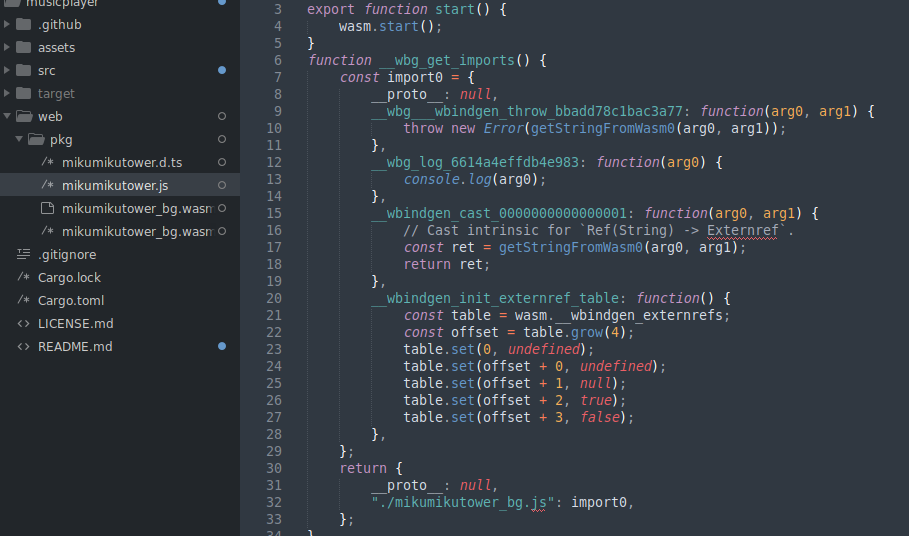
Woohoo! And now let's go with the worlds tiniest example just to see if it worked or if it's totally borked. Ah, wait, we need to re-run that because I haven't actually configured the "main" of the wasm stuff according to these tutorials. We need to add in
#[cfg(target_arch = "wasm32")]
use wasm_bindgen::prelude::*;

#[cfg(target_arch = "wasm32")]
#[wasm_bindgen(start)]
pub fn start() {
    console_error_panic_hook::set_once();

    let options = GameOptions::default();
    let mut game = Game::new();

    run(&options, &mut game);
}
and that will give us a useful error (from that console_error_panic_hook guy) and try to run up the game when we trigger this start method. Rerunning the wasm-bindgen after a cargo build, it all still works and then we're off to add in a small HTML blob to test over a simple python fileserver:
<!DOCTYPE html>
<html>
<body>
<script type="module">
import init from "./pkg/mikumikutower.js";

await init();

console.log("loaded");
</script>
</body>
</html>
and then… the moment of truth… here we go…

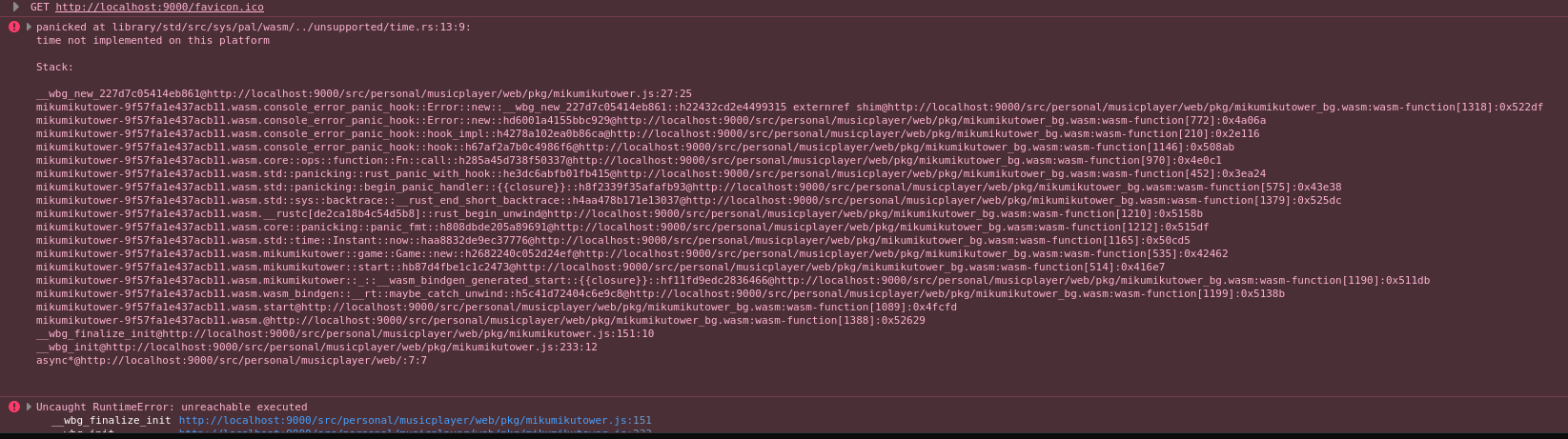

What the hell? It's really really surprising to me that of all things, the standard time
library for rust isn't supported. I mean, maybe not as, not, actually, yes, as surprising
as when you discover that rust doesn't have a built in random module. Alright, so, how tied
to Instant are we?
$ rg Instant
web/pkg/mikumikutower.d.ts
22: * Instantiates the given `module`, which can either be bytes or

src/backend_sdl3.rs
19:use std::time::Instant;
71:    free_at: Option<Instant>,
130:    fn is_free(&self, now: Instant) -> bool {
134:    fn claim(&mut self, entry: &SoundData, now: Instant) -> Result<(), Box<dyn Error>> {
145:        let now = Instant::now();

src/game.rs
11:use std::time::Instant;
14:    start_time: Instant,
99:            start_time: Instant::now(),
that's not really that bad at all. Especially when you consider that one of the files being reported is in the sdl3 backend which won't be compiled here at all. So, it's just the use of the Game struct that forces us to have this error on our hands.
impl Game {
    pub fn new() -> Self {
        Game {
            start_time: Instant::now(),
            prev_tick: 0,
            next_tick: 0,
            tick_loops: 0,
            lag: 0,
            next_draw_tick: 0,
            should_draw: false,
            scene: None,
        }
    }

    pub fn update(&mut self, game_context: &mut GameContext) {
        // For now let's just do 60hz, we can swap this to vsync mode later on in life.
        // https://gameprogrammingpatterns.com/game-loop.html#stuck-in-the-middle
        let ns_per_update = 1_000_000_000 / 60;
        // completely arbitrary but would control how much lag is acceptable
        let max_loops_per_update = 10;
        let current = self.start_time.elapsed().as_nanos();
        let elapsed = current - self.prev_tick;
        ...
Hmm… from this little snippet, the now happens, but also we then mainly use it to get
the elapsed time. If I grep for the usage of start_time, is that what we're
always doing?
$ rg start_time
    src/game.rs
    14:    start_time: Instant,
    99:            start_time: Instant::now(),
    121:        let current = self.start_time.elapsed().as_nanos();
    133:            self.prev_tick = self.start_time.elapsed().as_nanos();
    153:        let current = self.start_time.elapsed().as_nanos();
    161:        while self.start_time.elapsed().as_nanos() >= self.next_draw_tick {
Besides the one instance of the now(), we're always grabbing out the nanoseconds from the duration
we get back from the elapsed method. as_nanos always returns a u128 so the question
becomes: could we rewrite the code to somehow take what we use instant for from the backend so that on reasonable
and non-fucked targets we can use Instant and on weird-bizarro-world hellscapes like wasm we can
do… whatever the hell we should use as a replacement?
It sounds reasonable to me, the only issue would then be the creation of the game struct itself. If we just pass in the time from outside, then we can remove the dependency easily enough.
 pub struct Game {
-    start_time: Instant,
+    start_time: u128,
     // counters to track game updates on a fixed interval with catch up
     prev_tick: u128,
     next_tick: u128,
@@ -94,9 +94,9 @@ impl GameContext {
 }

 impl Game {
-    pub fn new() -> Self {
+    pub fn new(start_time: u128) -> Self {
         Game {
-            start_time: Instant::now(),
+            start_time,
             prev_tick: 0,
             next_tick: 0,
             tick_loops: 0,
As you might expect, this breaks all the points we call .elapsed, and so we now
need to replace those with a call to the backend. Luckily, both places in the game methods
take in a context
pub fn update(&mut self, game_context: &mut GameContext) {
And that game context is the prime place to drop in a "clock" struct of some kind. Let's keep things focused on the code we have to replace. Really, we just need to know how long its been since the clock started. So if we're keeping things very very simple, then the clock trait is just this:
pub trait Clock {
    fn elapsed_since_start(&self) -> u128;
}
With that defined, I can update the context to include one of these nebulous things
and update the code so that the Game struct can compile:
pub struct GameContext {
    pub renderer: Option<Box<dyn Renderer>>,
    pub mouse_context: MouseContext,
    pub screen_size: (u32, u32),
    pub next_scene: Option<Box<dyn Scene>>,
    pub asset_loader: Option<Box<dyn AssetLoader>>,
    pub audio: Option<Box<dyn Audio>>,
    pub shutdown_flag: bool,
    pub clock: Option<Box<dyn Clock>>,
}
Maybe I should call this thing backend context at some point and move it around.
Alright, clock made, let's use it! The original Instant#elapsed can be replaced like so:
-let current = self.start_time.elapsed().as_nanos();
+let clock = game_context.clock.as_ref().expect("a clock must be initialized to update");
+let current = clock.elapsed_since_start();
and the ticking just uses the same function in a similar way:
-self.prev_tick = self.start_time.elapsed().as_nanos();
+self.prev_tick = clock.elapsed_since_start();
Doing this in the other places that grep found for us fixes those compilation errors, and then provides us with a new one:
error[E0061]: this function takes 1 argument but 0 arguments were supplied
  --> src/main.rs:6:20
   |
 6 |     let mut game = Game::new();
   |                    ^^^^^^^^^-- argument #1 of type `u128` is missing
   |
note: associated function defined here
  --> src/game.rs:99:12
   |
99 |     pub fn new(start_time: u128) -> Self {
   |            ^^^
help: provide the argument
   |
 6 |     let mut game = Game::new(/* u128 */);
   |                              ++++++++++
The error code is the main function, which won't be used by the wasm code as far as I know, so we can probably just tweak this code to maybe not even care about the backend at all?
fn main() {
    let options = GameOptions::default();
    -let mut game = Game::new();
    +let now = Instant::now().elapsed().as_nanos();
    +let mut game = Game::new(now);
    mikumikutower::run(&options, &mut game);
}
So, then, everything will explode in the SDL3 build because we don't have a clock yet. But that's easy enough to fix! We can update the backend trait to expose the way to get a new clock:
pub trait Backend {
    fn create_event_loop(&self, game_options: &GameOptions) -> Box<dyn BackendEventLoop>;
    fn create_clock(&self) -> Box<dyn Clock>;
}
The clonk and the implementation of the backend for the SDL3 code is stupid simple to get everything working again:
struct StandardClock {
    start: Instant,
}

impl StandardClock {
    fn new() -> StandardClock {
        Self {
            start: Instant::now()
        }
    }
}

impl Clock for StandardClock {
    fn elapsed_since_start(&self) -> u128 {
        self.start.elapsed().as_nanos()
    }
}

impl Backend for BackendSDL3 {
    fn create_clock(&self) -> Box<dyn Clock> {
        Box::new(StandardClock::new())
    }
and then the setup code just calls it so that the expect won't fail.
pub fn run(game_options: &GameOptions, game: &mut Game) {
    let backend = init_backend(game_options);
    ...
    let clock = backend.create_clock();
    ...
    game_context.clock = Some(clock);
    ...
}
Although, with this change…
$ rg start_time
src/game.rs
14:    start_time: u128,
99:    pub fn new(start_time: u128) -> Self {
101:            start_time,
start_time is now only set from new, passed into the struct, and then
never used again. So actually, that change we did to pass down the clock in the first
place can probably be ignore entirely. So, I can revert that, delete the field, and
then we can rebuild the wasm to see if we can get a different error from the runtime
(we should see my "Expected a clock plz" type error)
$ cargo build --target wasm32-unknown-unknown
   Compiling mikumikutower v0.1.0
error[E0046]: not all trait items implemented, missing: `create_clock`
  --> src/backend_wasm.rs:64:1
   |
64 | impl Backend for BackendWasm {
   | ^^^^^^^^^^^^^^^^^^^^^^^^^^^^ missing `create_clock` in implementation
   |
  ::: src/backend.rs:11:5
   |
11 |     fn create_clock(&self) -> Box<dyn Clock>;
   |     ----------------------------------------- `create_clock` from trait

For more information about this error, try `rustc --explain E0046`.
error: could not compile `mikumikutower` (lib) due to 1 previous error
Wups. Right, we need a clock in the wasm world. Looking through more example code, I see that there is the use of performance here that looks plausibly useful:
#[wasm_bindgen(start)]
fn run() {
    let window = web_sys::window().expect("should have a window in this context");
    let performance = window
        .performance()
        .expect("performance should be available");

    console_log!("the current time (in ms) is {}", performance.now());

    let start = perf_to_system(performance.timing().request_start());
    let end = perf_to_system(performance.timing().response_end());

    console_log!("request started at {}", humantime::format_rfc3339(start));
    console_log!("request ended at {}", humantime::format_rfc3339(end));
}

fn perf_to_system(amt: f64) -> SystemTime {
    let secs = (amt as u64) / 1_000;
    let nanos = (((amt as u64) % 1_000) as u32) * 1_000_000;
    UNIX_EPOCH + Duration::new(secs, nanos)
}
Though converting a 64 to a… SystemTime… Hm. Well. We'll see if the fact that the browser only exposes millisecond level precision will bite us in the butt or not. Anyway, stealing the code above we can create the wasm clock:
struct WasmClock {
    start: u128,
}

fn milli_to_nano(milliseconds: f64) -> u128 {
    let nanos = (((milliseconds as u64) % 1_000) as u128) * 1_000_000;
    nanos
}

impl WasmClock {
    fn new() -> Self {
        let window = web_sys::window().expect("no browser window found");
        let milliseconds = window.performance().expect("no performance in browser defined").now();
        let nanos = milli_to_nano(milliseconds);
        WasmClock {
            start: nanos,
        }
    }
}

impl Clock for WasmClock {
    fn elapsed_since_start(&self) -> u128 {
        let window = web_sys::window().expect("no browser window found");
        let now = window.performance().expect("no performance in browser defined").now();
        let now = milli_to_nano(now);
        let nanos = now - self.start;
        nanos
    }
}
And then with that wired in, similar to the SDL3 one was, I can rerun the build:
$ cargo build --target wasm32-unknown-unknown
   Compiling mikumikutower v0.1.0
    Finished `dev` profile [unoptimized + debuginfo] target(s) in 0.13s
$ wasm-bindgen target/wasm32-unknown-unknown/debug/mikumikutower.wasm --out-dir web/pkg --target web
Then refresh my browser and…
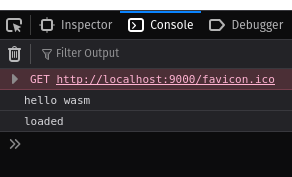
It works! And our game code runs and doesn't explode in a single update.
fn run(&mut self, game: &mut Game, game_context: &mut GameContext) {
    // Look it's wasm!
    web_sys::console::log_1(&"hello wasm".into());

    let scene = game.scene.as_mut();
    if let Some(scene) = scene {
        scene.init(game_context);
    }

    // initialize the audio pool if the scene has queued things up
    let audio = game_context.audio.as_mut();
    if let Some(audio) = audio {
        let _ = audio.prepare();
    }

    // TODO: this is where we need to do the closure callback dance.
    game.update(game_context);
    if let Some(mut next_scene) = game_context.next_scene.take() {
        next_scene.init(game_context);
        game.scene = Some(next_scene);
        game.reset_for_next_scene();
        let audio = game_context.audio.as_mut();
        if let Some(audio) = audio {
            audio.prepare();
        }
    }
    game.draw(game_context);
    if game_context.shutdown_flag {
        // break; TODO restore break or something?
        return;
    }
}
So that seems positive. Granted, we don't have any of the rendering, audio, or shutdown flag or anything like that going on. But it's a pretty major step that the thing compiles at all and doesn't break on the non-wasm specific code! We're now successfully targeting two backends, so I'll just make a Makefile to run both builds at once so that we don't break the builds by accident.
all: wasm native

wasm:
    cargo build --target wasm32-unknown-unknown
    wasm-bindgen target/wasm32-unknown-unknown/debug/mikumikutower.wasm --out-dir web/pkg --target web
    cp -r assets web/assets

native:
    cargo build

clean:
    rm -rf target/ web/
And now we're good to go.
.jpg)
The Wasm event loop ↩
Luckily for us, we've got an example here on how to use the recursive request animation frame to use the canvas API as the backend event loop. Let's start small though, let's just get a canvas drawn to the screen first.
fn window() -> web_sys::Window {
    web_sys::window().expect("no global `window` exists")
}

fn document() -> web_sys::Document {
    window()
        .document()
        .expect("should have a document on window")
}

fn body() -> web_sys::HtmlElement {
    document().body().expect("document should have a body")
}

impl BackendWasm {
    pub fn new(game_options: &GameOptions) -> Self {
        let document = document();
        let canvas = document
            .create_element("canvas")
            .expect("could not create canvas")
            .dyn_into::<web_sys::HtmlCanvasElement>()
            .expect("could not dyn_into HtmlCanvasElement");
        document
            .append_child(&canvas)
            .expect("could not add canvas to body");
        canvas.set_width(game_options.window_width);
        canvas.set_height(game_options.window_height);
        canvas
            .style()
            .set_property("border", "solid")
            .expect("cant style canvas");
        canvas
            .style()
            .set_property("background", "black")
            .expect("cant style canvas"); 2
        BackendWasm {
            // I'll probably need to add canvas or an Rc<canvas> in here...
        }
    }
}
And then build the code…
error[E0599]: no method named `style` found for struct `HtmlCanvasElement` in the current scope
   --> src/backend_wasm.rs:116:16
    |
116 |         canvas.style().set_property("border", "solid").expect("cant style canvas");
    |                ^^^^^ method not found in `HtmlCanvasElement`
Ah. If I look at the docs I can see that it says quite plainly:
This API requires the following crate features to be activated: CssStyleDeclaration, HtmlElement
And so, an update to the toml file ahoy:
web-sys = { version = "0.3", features = [
    "Window",
    "Document",
    "HtmlCanvasElement",
    "CanvasRenderingContext2d",
    "console",
    "Performance",
    "CssStyleDeclaration",
]}
and then it compiles, one make later and a refresh in the browser
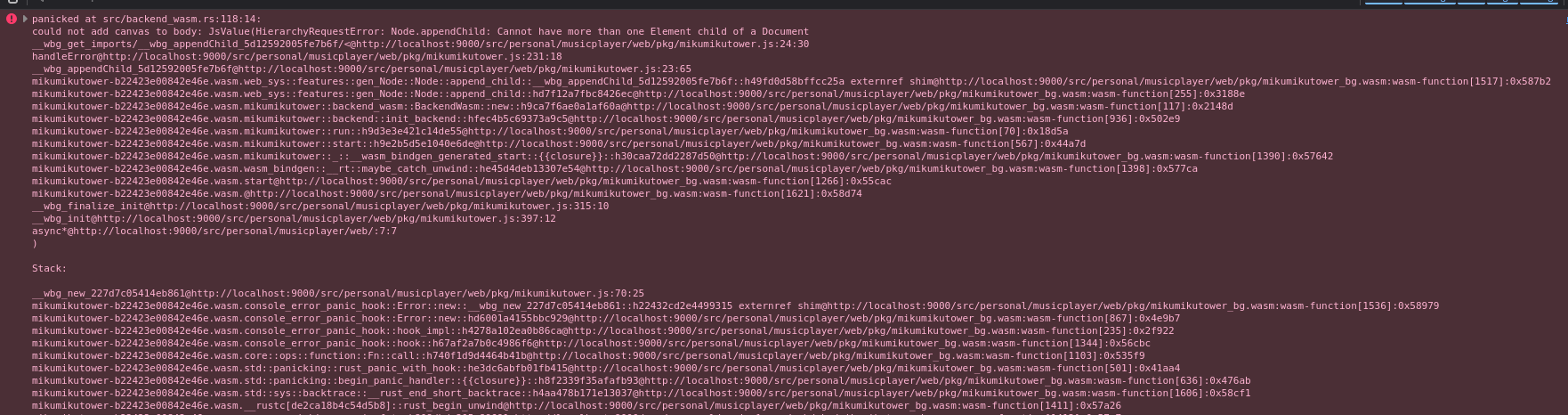
Erm. Oh. I tried to append a child to the document when really, I mean to append it to the body
-document()
+body()
    .append_child(&canvas)
    .expect("could not add canvas to body");
Houston, we have a canvas! Now, the hard part. I spent at least an hour staring at and trying to get some form of this example compiling to no avail. The main reason for my failures was trying to follow the compiler's advice and then being led far far far far far far far far astray from where I needed to be. When I added the example code from the above link in, I started getting errors like this.
-request_animation_frame(callback.borrow().as_ref().unwrap());
+request_animation_frame(<Rc<RefCell<Option<ScopedClosure<'static, (dyn FnMut() + 'static)>>>> as Borrow<Borrowed>>::borrow(&callback).as_ref().unwrap());
The rust compiler telling me "oh hey be specific, try adding in use std::borrow::BorrowMut;"
was a terrible idea. I thought it was weird when I saw the compilation message, but then was like,
"well, maybe the rust compiler knows something I don't about the weird JS closure nonsense going on
and it needs extra help?" Well that was a mistake. But, finally, after a lot of banging and gnashing
of teeth, this simple example worked and I tossed
it up onto pastebin for potentially other people to find.
let f: Rc<RefCell<Option<Closure<dyn FnMut()>>>> = Rc::new(RefCell::new(None));
let g = f.clone();
let h = g.clone();

let mut i = 0;
let closure = Closure::wrap(Box::new(move || {
    if i > 300 {
        body().set_text_content(Some("All done!"));
        return;
    }

    // Set the body's text content to how many times this
    // requestAnimationFrame callback has fired.
    i += 1;
    request_animation_frame(h.borrow().as_ref().unwrap());
}) as Box<dyn FnMut()>);
*g.borrow_mut() = Some(closure);
My crappy variable names are from the original example mostly, cleaning it up so that it's more self evident about the strange and bizarre way you have to do self references in rust is this:
let self_referencing_function: Rc<RefCell<Option<Closure<dyn FnMut()>>>> =
    Rc::new(RefCell::new(None));
let srf_handle = self_referencing_function.clone();

let mut i = 0;
let closure =
    Closure::wrap(Box::new(move || {
        if i > 300 {
            body().set_text_content(Some("All done!"));
            return;
        }

        i += 1;
        request_animation_frame(srf_handle.borrow().as_ref().expect(
            "closure dropped before expected self referenced callback expected it",
        ));
    }) as Box<dyn FnMut()>);
*self_referencing_function.borrow_mut() = Some(closure);
request_animation_frame(
    self_referencing_function
        .borrow()
        .as_ref()
        .expect("code drift! closure just made is suddenly gone!"),
);
Is this actually any more useful? No. This code still needs a good amount of commenting I think since what it's doing is sort of confusing and twisted because rust and javascript are sort of like this:

Rust really doesn't like self referential structures most of the time. So, we have to do a three
part dance to make this work. First, we have to declare an empty Option because
then the reference count Rc has something to hold onto and say, "heres the thing!".
Then, we declare a handle to it so that we can refer to this (currently empty) thing we're keeping
a count of. After that handle is made, then we can actually fill in the Option with
the value itself. Said value being the closure, which needed to refer to itself in order to do the
recursive callback to request_animation_frame. But it can't refer directly to itself,
and so it has to user the handle, which after this assignment, will then contain itself.
Follow all that? Add in the fact that we're taking ownership of the borrowing lifetime and such
through the RefCell and then we get all the ugly syntax of .borrow().as_ref()
to deal with. Ugh. But, that said, the good news is that this actually compiles, and if we run it
then we do see that entire body gets overwritten and the text appears. So that's good.
I don't care about counting i though, I care about the game being in the loop. So, let's
watch the compiler get made at us! We all know that it's going to get mad about ownership, and as
expected
Compiling mikumikutower v0.1.0
error[E0521]: borrowed data escapes outside of method
   --> src/backend_wasm.rs:261:17
    |
224 |       fn run(&mut self, game: &mut Game, game_context: &mut GameContext) {
    |                         ----  - let's call the lifetime of this reference `'1`
    |                         |
    |                         `game` is a reference that is only valid in the method body
...
261 | / request_animation_frame(srf_handle.borrow().as_ref().expect(
262 | |     "closure dropped before expected self referenced callback expec...
263 | | ));
    | |  ^
    | |  |
    | |__`game` escapes the method body here
    |                    argument requires that `'1` must outlive `'static`

error[E0521]: borrowed data escapes outside of method
   --> src/backend_wasm.rs:261:17
    |
224 |       fn run(&mut self, game: &mut Game, game_context: &mut GameContext) {
    |                                          ------------  - let's call the lifetime of this reference `'2`
    |                                          |
    |                                          `game_context` is a reference that is only valid in the method body
...
261 | /  request_animation_frame(srf_handle.borrow().as_ref().expect(
262 | |      "closure dropped before expected self referenced callback expec...
263 | |  ));
    | |   ^^
    | |   |
    | |___`game_context` escapes the method body here
    |      argument requires that `'2` must outlive `'static`
The main issue is that we've got borrows coming in to the event loop because of our signature:
fn run(&mut self, game: &mut Game, game_context: &mut GameContext)
But if we change it to take ownership like this:
fn run(&mut self, mut game: Game, mut game_context: GameContext)
then the whole thing compiles without a problem! Granted, this means that we do have to tweak the usage of our variables slightly, like this:
-scene.init(game_context);
+scene.init(&mut game_context);
And similar for calls to game.update, next_scene.init, and game.draw,
but then we can test in the browser again! Granted, the asset loader implementation isn't made yet, but we're
taking baby steps here and confirming that everything works or not is important!
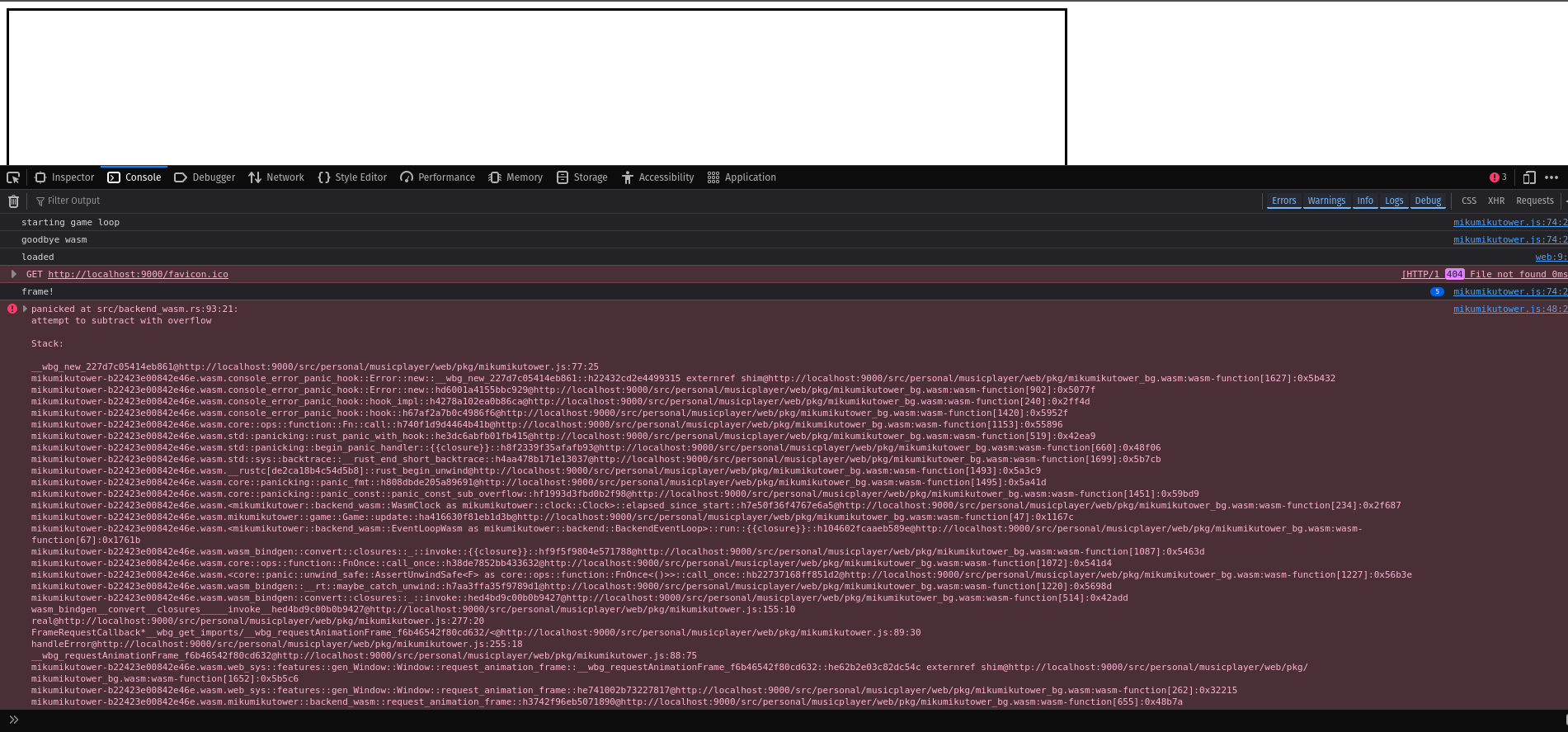
Dangit. But hey, it is running! So, what's this error from?
fn elapsed_since_start(&self) -> u128 {
    let window = web_sys::window().expect("no browser window found");
    let now = window
        .performance()
        .expect("no performance in browser defined")
        .now();
    let now = milli_to_nano(now);
    let nanos = now - self.start;
    nanos
}
Ah, the clock. Ok, well let's log it. Maybe I've got the wrong understanding of things, or the code that we copied from the examples on the web_sys website are out of date again?
web_sys::console::log_1(&format!("frame elapsed_since_start {now} - {0}", self.start).into());
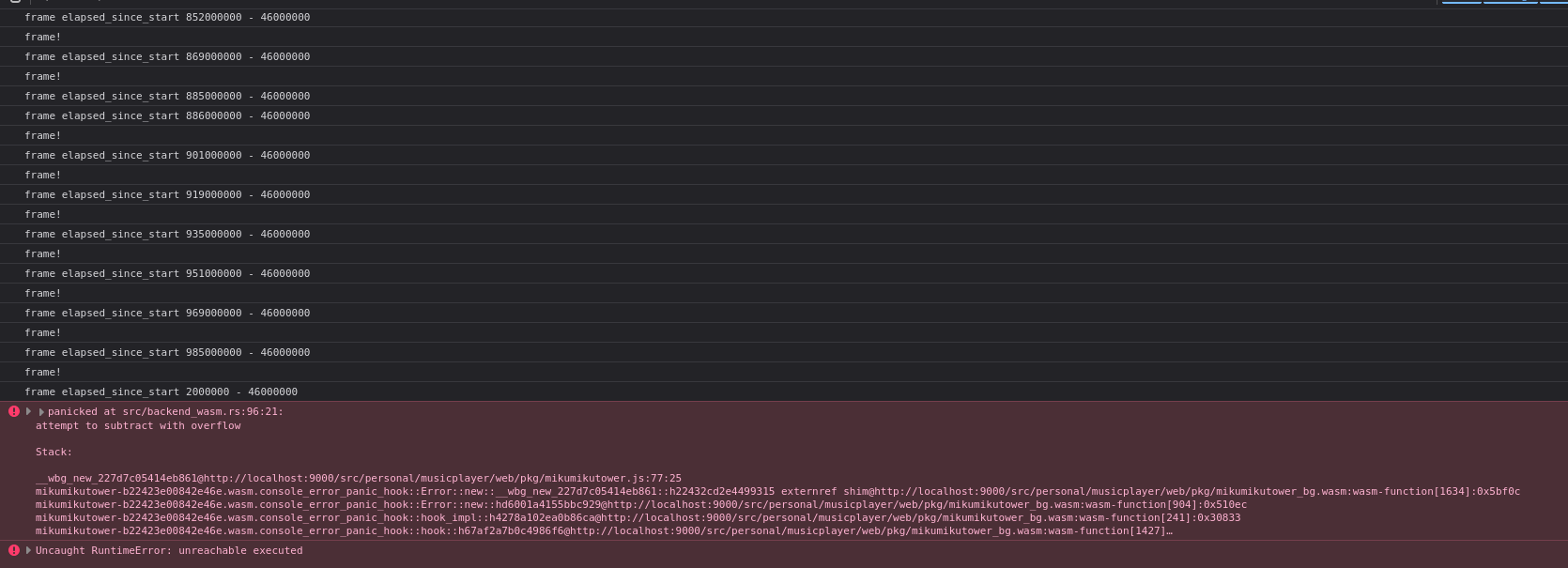
Hm. Well then. Copy it out for further inspection. The (n) we can see as the game ticking multiple times while it was waiting for the request_animation_frame to circle back to us. That's normal. What's not normal is that we wrapped around:
frame elapsed_since_start 885000000 - 46000000
frame elapsed_since_start 886000000 - 46000000 (3)
frame elapsed_since_start 901000000 - 46000000 (4)
frame elapsed_since_start 919000000 - 46000000 (4)
frame elapsed_since_start 935000000 - 46000000 (4)
frame elapsed_since_start 951000000 - 46000000 (4)
frame elapsed_since_start 969000000 - 46000000 (4)
frame elapsed_since_start 985000000 - 46000000 (4)
frame elapsed_since_start 2000000 - 46000000
Going from 985000000 to 2000000 seems odd. Like an overflow…
Though also, these numbers seeem stupidly big and wrong. Like, it hasn't been that many milliseconds
since I opened the tab, it's been like, half a second or so. Well, the other example from
the github pages was suspect, let's take a closer look at the millisecond conversion I copied out because
that seems like the most likely culprit:
fn milli_to_nano(milliseconds: f64) -> u128 {
    let nanos = (((milliseconds as u64) % 1_000) as u128) * 1_000_000;
    nanos
}
The milliseconds value comes from the monotonic clock known as performance which is counting up in milliseconds from when you navigated to the page. As I can see when I refresh and tap it into the console in the browser.
performance.now()
862
That is a tiny number. And I just want that tiny number to be converted into nanoseconds which
should be as simple as multiplying by a million. So… why did that example code do a % 1000
exactly? I don't see the point? Let's just fix it:
fn milli_to_nano(milliseconds: f64) -> u128 {
    (milliseconds * 1_000_000.0) as u128
}
And then…
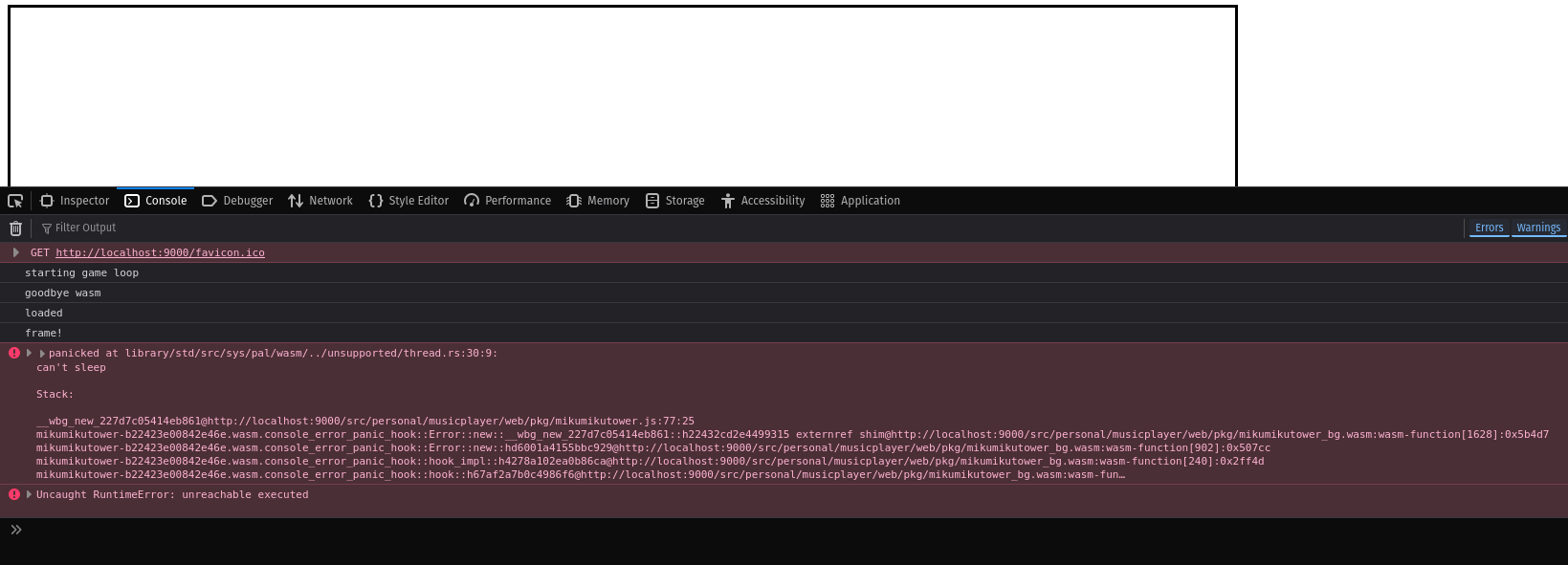
Cool. So it's working again. The error you see in the above is something I noticed happens when I navigate away from the page and then back. At first I assumed the "can't sleep" error has something to do with the wasm not expecting to be shuffled off to the background or something. But, if I look at the stack trace, I see a bunch of crap like this:
mikumikutower-b22423e00842e46e.wasm.core::panicking::panic_fmt::h808dbde205a89691@http://localhost:9000/web/pkg/mikumikutower_bg.wasm:wasm-function[1496]:0x5a4c2
mikumikutower-b22423e00842e46e.wasm.std::thread::sleep::h641cf8f03ec57ac2@http://localhost:9000/web/pkg/mikumikutower_bg.wasm:wasm-function[1446]:0x59b2e
mikumikutower-b22423e00842e46e.wasm.mikumikutower::game::Game::draw::h99ab079e0f493b6f@http://localhost:9000/web/pkg/mikumikutower_bg.wasm:wasm-function[61]:0x15db0
This seems to suggest that draw is calling thread sleep and then the wasm core is panicking. Sigh. Is this another one of those browser things like we had with the clock? Yes, yes it is. Dang it. I mean, sure it makes sense, Javascript only has one thread. But man really? It's also a little confusing because I see a sleep method here but maybe I'm just looking at a random library from a google search and not the real thing. Anyway, I suppose we could fix this in the same way as before. Just move the call behind the backend and let it do what it wants.
In the case of SDL3, yes, I want to sleep, there's nothing to draw! In the case of the Wasm? I think I could
just do nothing. The request_animation_frame loop going on is already going to be putting the whole game to
sleep in some respects, so the whole "let the os take some time back" is already taken care of for us.
The only question left to answer is, where do we put it? I'm inclined to put it in the Clock because
I'm lazy and don't want to make a brand new struct that has to be implemented and wired in both places. Does
it make a ton of sense? No. Maybe not. But also, it sort of makes some degree of warped sense to my brain that
the clock has to do with time, sleeping is waiting for time to pass, and so…
// in backend_sdl3.rs
impl Clock for StandardClock {
    fn elapsed_since_start(&self) -> u128 {
        self.start.elapsed().as_nanos()
    }
    fn sleep(&self) {
        // Arbitrary constant for now.
        ::std::thread::sleep(Duration::from_millis(2));
    }
}

// in backend_wasm.rs
impl Clock for WasmClock {
    fn elapsed_since_start(&self) -> u128 {
        ...
    }
    fn sleep(&self) {
        // do nothing. the request animation frame loop sleeps for us.
    }
}

// in game.rs
fn draw(...) {
    ...
    if !self.should_draw {
        clock.sleep();
        return;
    }
    ...
}
And no more error! Ok! We've got the event loop running! Now we just need to start filling in the rest of the blanks. That includes input, images, and audio. Where to start…
"Textures" ↩
While it's tempting to go for input first because it should be a small amount of code, to test that the input is working as expected, I'd probably want to actually see the results of the interactions. And to do that, we need visuals. 3
Luckily for me, I just did a pure JS game with the canvas for the LCOLONQ MicroGame jam. So I know that we can just load up some img tags and then pass them to the drawImage method on the canvas to get things taken care of in a 2d context. That means that, honestly, the only real question about the asset loading is: how do I tell if an image is loaded?
We could rely on the SDL3 texture loading to be purely synchronous, but in the case of images on the web, that's not really the case. I remember that there are callbacks one can use to find out when such things are ready to go or not, but I'm not actually sure if I'll need to bother to be honest. I'm pretty sure, based on our stubs all working, that if I don't have a texture, nothing bad will actually happen because our trait for such things has a signature like this:
pub trait Renderer {
    fn name(&self) -> String;
    fn send_command(&mut self, cmd: RenderCommand);
    fn clear(&mut self, color: Color);
    fn present(&mut self);
}

pub enum RenderCommand {
    DrawRect {
        texture_id: TextureId,
        source: Rect,
        destination: Rect,
    },
}
But there's only one way to find out if such assumptions hold! So, online there's a handy documentation page telling me that there's a function with a name any Java enthusiast would cream to: draw_image_with_html_image_element_and_sw_and_sh_and_dx_and_dy_and_dw_and_dh and in that documentation, it plainly states that to include it, you need a couple of features enabled in web_sys:
"HtmlImageElement",
"OffscreenCanvasRenderingContext2d",
This also tells me that as far as TextureId to ? goes, the ? is HtmlImageElement
and so we can start piecing our backed together. Let's just set up the asset loader first. The trait we're implementing
is stupidly simple:
use crate::constants::TextureId;

pub trait AssetLoader {
    fn ensure_texture_spritesheet_loaded(&mut self, sheet_id: TextureId);
}
And this translates over to wasm world pretty well. We can fill out what the struct needs,
which is a way to create elements (document), a place to store the images we're loading (div),
and then a map for the rust code to pull back the created image files without having to bother
the javascript side of things. Plus, less expecting if we don't have to iterate
the dom to find the data we need each time. These three DOM related fields plus a small configuration
value for where to load the assets from should do the trick!
The only trick of course is that the asset loader and the renderer don't actually know much about each other in our design. Rather, if we follow what we did with SDL3, we'll want to create a sort of overall context object that the various bits of the backend share
struct WasmContext {
    document: Rc<Document>,
    storage: Rc<HtmlDivElement>,
    texture_id_to_image: HashMap<TextureId, HtmlImageElement>,
}

struct AssetLoaderWasm {
    base_path: PathBuf,
    wasm_context: Rc<RefCell<WasmContext>>,
}
And then we just need to implement the trait. The idea is simple, check to see
if we've loaded it before or not, and if not, then create an img
tag and add it to the dom storage as an invisible element. There's not too much
to say about this:
impl AssetLoader for AssetLoaderWasm {
    fn ensure_texture_spritesheet_loaded(&mut self, id: TextureId) {
        let context = &mut *self.wasm_context.borrow_mut();

        if let Some(_) = context.texture_id_to_image.get(&id) {
            web_sys::console::log_1(&format!("texture id {} already loaded", id.0).into());
            return;
        }
        web_sys::console::log_1(&format!("loading texture id {}", id.0).into());
        let img = context
            .document
            .create_element("img")
            .expect("could not create img")
            .dyn_into::<HtmlImageElement>()
            .expect("could not dyn_into HtmlImageElement");
        img.set_name(&format!("texture-{}", id.0));
        let path = id_to_relative_path(id);
        let path = self.base_path.join(path);
        img.set_src(&pathbuf_to_url(&path));
        context.storage.append_child(&img);
        context.texture_id_to_image.insert(id, img);
    }
}
Except that our id_to_relative_path method returns a PathBuf and
we need to turn that into a server route! I imagine there might be a better way to do this or
some built in I don't know about, but hey, what works, works:
fn pathbuf_to_url(p: &PathBuf) -> String {
    let mut s = String::new();
    let len = p.iter().count();
    for (index, path_part) in p.iter().enumerate() {
        s.push_str(&path_part.to_string_lossy());
        if index < len - 1 {
            s.push_str("/");
        }
    }
    s
}
And that doesn't compile yet. Mainly because we haven't updated the event loop creation, but that's easy:
fn create_event_loop(&self, _game_options: &GameOptions) -> Box<dyn BackendEventLoop> {
    let document = document();
    let div = document
        .create_element("div")
        .expect("could not create div")
        .dyn_into::<HtmlDivElement>()
        .expect("could not dyn_into HtmlDivElement");
    div.style()
        .set_property("display", "none")
        .expect("couldnt hide div to load images into");
    body()
        .append_child(&div)
        .expect("could not add canvas to body");

    let wasm_context = Rc::new(RefCell::new(WasmContext {
        document: document.into(),
        storage: div.into(),
        texture_id_to_image: HashMap::new(),
    }));
    let e = EventLoopWasm {
        canvas: self.canvas.clone(),
        wasm_context: wasm_context,
    };
    Box::new(e)
}
Then we can see, in glorious console logging fashion, that things are working:
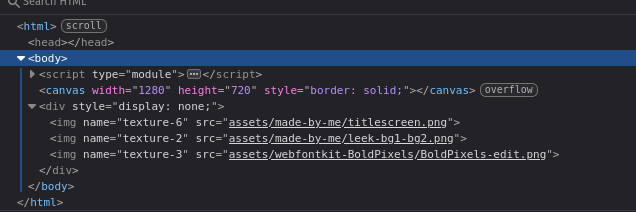
and the console log looks much the same:
starting game loop mikumikutower.js:94:21
loading texture id 6 mikumikutower.js:94:21
loading texture id 2 mikumikutower.js:94:21
loading texture id 3 mikumikutower.js:94:21
loaded web:9:9
frame! mikumikutower.js:94:21
frame!
Now, about actually using these assets. Retrieving the image back out by id is simple:
impl WasmContext {
    fn get_image(&self, id: TextureId) -> Option<&HtmlImageElement> {
        let Some(html_image_element) = self.texture_id_to_image.get(&id) else {
            return None;
        };
        if !html_image_element.complete() {
            return None;
        }
        Some(html_image_element)
    }
}
The only gotcha here is that we've got an extra step that the SDL3 one never cared about.
We use .complete() to tell if the image has actually finished loading or not.
Technically, the complete can also come back true if it failed to load the file and then
we'll have all sorts of problems, but so long as I get the file paths right, it all should
be okay. I think.
Next, the renderer code should be simple given the existence of draw_image_with_html_video_element_and_dw_and_dh and I imagine we might have some issues around the actual destination rectangle, but for now, let's just see what we get when we try to use it:
struct RendererWasm {
    wasm_context: Rc<RefCell<WasmContext>>,
    commands: Vec<RenderCommand>,
}

impl RendererWasm {
    fn process_commands(&mut self) {
        for cmd in self.commands.drain(..) {
            match cmd {
                RenderCommand::DrawRect {
                    texture_id,
                    source,
                    destination,
                } => {
                    let ctx = &mut *self.wasm_context.borrow_mut();
                    if let Some(html_image_element) = ctx.get_image(texture_id) {
                        let (sx, sy, sw, sh) = (source.x, source.y, source.width, source.height);
                        let (dx, dy, dw, dh) = (
                            destination.x,
                            destination.y,
                            destination.width,
                            destination.height,
                        );
                        let result = (*ctx.canvas).draw_image_with_html_image_element_and_sw_and_sh_and_dx_and_dy_and_dw_and_dh(
                            html_image_element,
                            sx,
                            sy,
                            sw,
                            sh,
                            dx,
                            dy,
                            dw,
                            dh,
                        );
                        // TODO log bad call
                    }
                }
            }
        }
    }
}
And running compile…
error[E0599]: no method named `draw_image_with_html_image_element_and_sw_and_sh_and_dx_and_dy_and_dw_and_dh` found for struct `HtmlCanvasElement` in the current scope
   --> src/backend_wasm.rs:410:52
    |
410 | ... = (*ctx.canvas).draw_image_with_html_image_element_and_sw_and_sh_and_dx_and_dy_and_dw_and_dh(
    |       --------------^^^^^^^^^^^^^^^^^^^^^^^^^^^^^^^^^^^^^^^^^^^^^^^^^^^^^^^^^^^^^^^^^^^^^^^^^^^^ method not found in `HtmlCanvasElement`
Huh.
This API requires the following crate features to be activated: HtmlImageElement, OffscreenCanvasRenderingContext2d
I already updated my toml file and that didn't fix the issue. What am I missing here.
Oh! This is defined on the OffscreenCanvasRenderingContext2d, not the canvas!
Where do I get that from? Ah, there's an example
to pull from:
let context2d = (*ctx.canvas)
        .get_context("2d")
        .unwrap()
        .unwrap()
        .dyn_into::<web_sys::CanvasRenderingContext2d>()
        .unwrap();
And then we just do the long method call on that, great! And now we recompile and…
418 | ...   sx,
    |       -- expected `f64`, found `isize`
419 | ...   sy,
    |       -- expected `f64`, found `isize`
420 | ...   sw,
    |       -- expected `f64`, found `isize`
421 | ...   sh,
    |       -- expected `f64`, found `isize`
422 | ...   dx,
    |       -- expected `f64`, found `isize`
423 | ...   dy,
    |       -- expected `f64`, found `isize`
424 | ...   dw,
    |       -- expected `f64`, found `isize`
425 | ...   dh,
    |       -- expected `f64`, found `isize`
Ok! A bit of casting never hurt anyone, right? Add in a bunch of as f64s,
compile again. This time it works, and then the moment of truth…
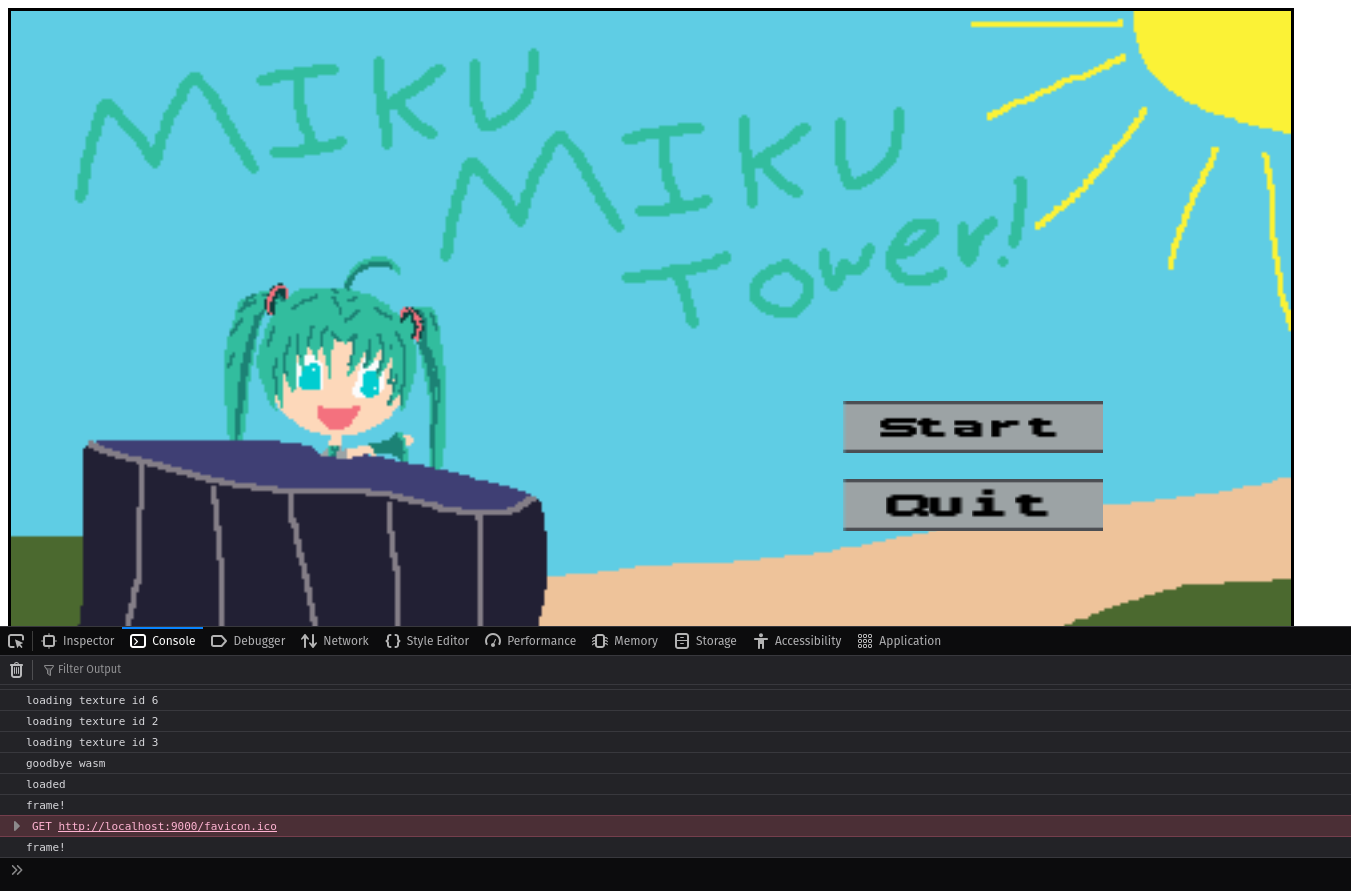
Holy shit it worked. Excuse me for a moment. 4 Ok back. Woah! Better than expected too! I was fully expecting the rectangles and things to have problems and need to do a lot more than that, but hey, look! The images are all loaded up in the browser and the renderer is rendering!
Well, almost, technically we've got one other method to implement:
impl Renderer for RendererWasm {
    fn clear(&mut self, _color: Color) {
        ???
    }
    ...
}
This is simple though. the regular canvas examples show we've got a method for this. And the wasm follows the same sort of structure:
fn clear(&mut self, _color: Color) {
    let ctx = &mut *self.wasm_context.borrow_mut();
    let context2d = (*ctx.canvas)
        .get_context("2d")
        .unwrap()
        .unwrap()
        .dyn_into::<web_sys::CanvasRenderingContext2d>()
        .unwrap();
    context2d.clear_rect(
        0.0,
        0.0,
        (*ctx.canvas).width().into(),
        (*ctx.canvas).height().into(),
    );
}
The prolific use of unwrap here is from my copying the example code nearly verbatim. We can
make those into more useful errors via expect. But the same principle applies. This doesn't
change anything about display though, so let's move onto the next part of the engine porting!

Input processing ↩
Now that we have visuals, it will be easier to see when the input processing is working or not. This particular game only made use of the mouse, so the number of events we cared about were pretty small. Looking at the SDL3 code, we had these events being processing:
for event in self.event_pump.poll_iter() {
    match event {
        Event::Quit { .. }
        | Event::KeyDown {
            keycode: Some(Keycode::Escape),
            ..
        } => break 'running,
        Event::MouseMotion {
            mousestate, x, y, ..
        } => {
            game_context.mouse_context.update(
                mousestate.left(),
                mousestate.right(),
                Some((x, y)),
            );
        }
        Event::MouseButtonDown {
            mouse_btn, x, y, ..
        } => {
            game_context.mouse_context.update(
                mouse_btn == MouseButton::Left,
                mouse_btn == MouseButton::Right,
                Some((x, y)),
            );
        }
        Event::Window { win_event, .. } => match win_event {
            WindowEvent::Resized(w, h) => {
                game_context.screen_size = (w as u32, h as u32);
            }
            _ => {}
        },
        _ => {}
    }
}
We can probably ignore the quit event, if someone closes the browser than it will clean up and begone on its own I suspect. The window resize event feels like I'd want to watch the canvas for any sort of interesting things that might happen to it and then update accordingly, and then same for the two mouse motion events. In javascript that's not really hard, we have onmouse* type event listeners.
There's an example here
that shows how to even use a couple of them. But the problem is that there can be only one owner of
the game context. And right now, it's the closure created by the request_animation_frame loop. I suppose
one, sort of oddball, thing to do would be to just Rc and RefCell something
like the press code in the examples, and then in the event loop update the owned GameContext
with that.
If I add in this code above the loop, it works fine and logs the mousedown event when I click:
// setup input processing
let context = (*self.canvas)
    .get_context("2d")
    .unwrap()
    .unwrap()
    .dyn_into::<web_sys::CanvasRenderingContext2d>()
    .unwrap();
let pressed = Rc::new(std::cell::Cell::new(false));
{
    let pressed = pressed.clone();
    let closure = Closure::<dyn FnMut(_)>::new(move |event: web_sys::MouseEvent| {
        // event.offset_x() as f64, event.offset_y() as f64
        web_sys::console::log_1(&format!("mousedown {:?}", event).into());
        pressed.set(true);
    });
    self.canvas
        .add_event_listener_with_callback("mousedown", closure.as_ref().unchecked_ref())
        .unwrap();
    closure.forget();
}
But what if I try to use pressed in the moved closure? Then I get the expected "move"
error from the compiler. And so, we swap from Cell to RefCell and then
do some ugly cloning and intentional memory leaking via forget:
let context = (*self.canvas)
    .get_context("2d")
    .unwrap()
    .unwrap()
    .dyn_into::<web_sys::CanvasRenderingContext2d>()
    .unwrap();
let left_pressed = Rc::new(RefCell::new(false));
let right_pressed = Rc::new(RefCell::new(false));
let mouse_coordinates = Rc::new(RefCell::new(None));
{
    let left_pressed = left_pressed.clone();
    let right_pressed = right_pressed.clone();
    let mouse_coordinates = mouse_coordinates.clone();
    let closure = Closure::<dyn FnMut(_)>::new(move |event: web_sys::MouseEvent| {
        match event.button() {
            0 => {
                *left_pressed.borrow_mut() = true;
            }
            2 => {
                *left_pressed.borrow_mut() = false;
            }
            _ => {}
        }
        *mouse_coordinates.borrow_mut() = Some((event.x() as f32, event.y() as f32));
    });
    self.canvas
        .add_event_listener_with_callback("mousedown", closure.as_ref().unchecked_ref())
        .unwrap();
    closure.forget();
}
{
    let left_pressed = left_pressed.clone();
    let right_pressed = right_pressed.clone();
    let mouse_coordinates = mouse_coordinates.clone();
    let closure = Closure::<dyn FnMut(_)>::new(move |event: web_sys::MouseEvent| {
        match event.button() {
            0 => {
                *left_pressed.borrow_mut() = false;
            }
            2 => {
                *right_pressed.borrow_mut() = false;
            }
            _ => {}
        }
        *mouse_coordinates.borrow_mut() = Some((event.x() as f32, event.y() as f32));
    });
    self.canvas
        .add_event_listener_with_callback("mouseup", closure.as_ref().unchecked_ref())
        .unwrap();
    closure.forget();
}
Man this is ugly code. But hey, I now have the click status and click location of the mouse! Which means within the closure for the animation frame I just do this:
game_context.mouse_context.update(
    *left_pressed.borrow(),
    *right_pressed.borrow(),
    *mouse_coordinates.borrow(),
);
and then I'm able to click a button and it actually works:
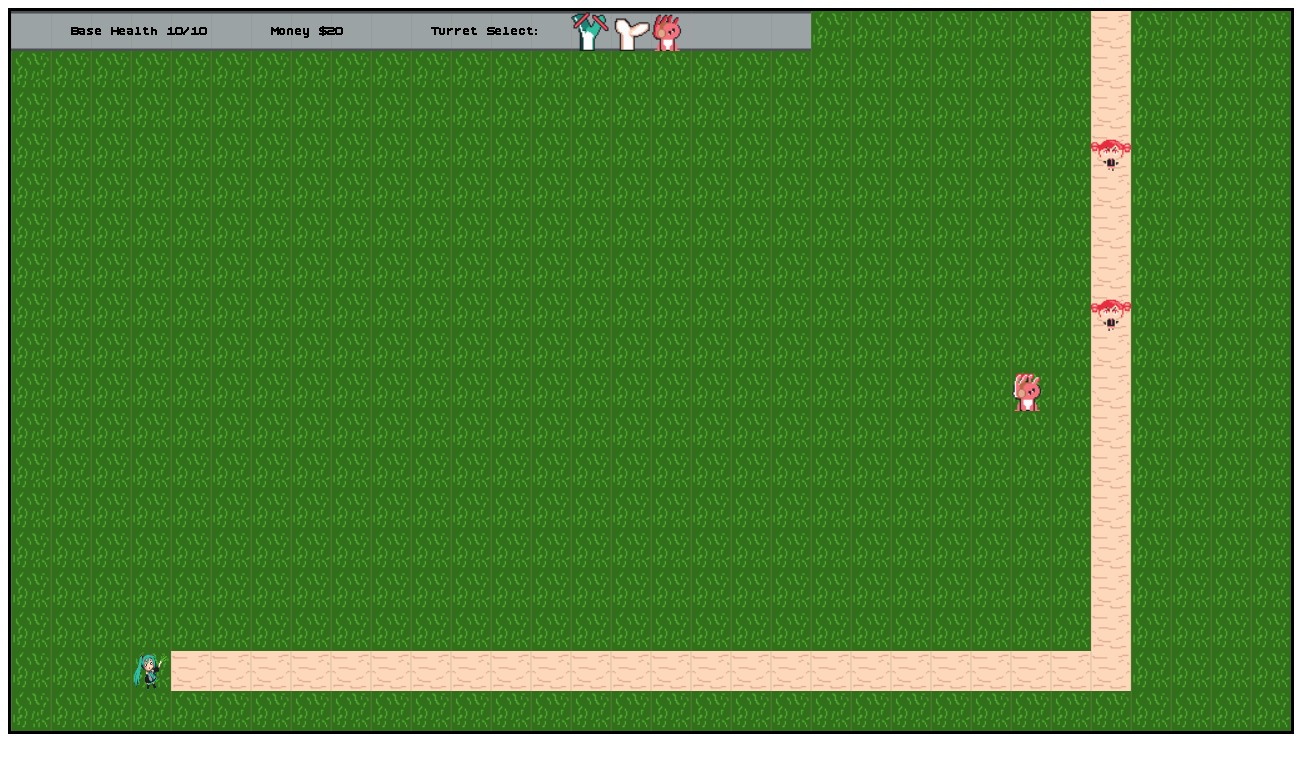
Which is pretty damn impressive considering I know that it's definitely janky and
giving my an x and y that is not normalized to within the canvas. But, putting
that aside for a second, if we add in the mousemove event, then we can see the
hover effects too:
{
    let mouse_coordinates = mouse_coordinates.clone();

    let closure = Closure::<dyn FnMut(_)>::new(move |event: web_sys::MouseEvent| {
        *mouse_coordinates.borrow_mut() = Some((event.x() as f32, event.y() as f32));
    });
    self.canvas
        .add_event_listener_with_callback("mousemove", closure.as_ref().unchecked_ref())
        .unwrap();
    closure.forget();
}
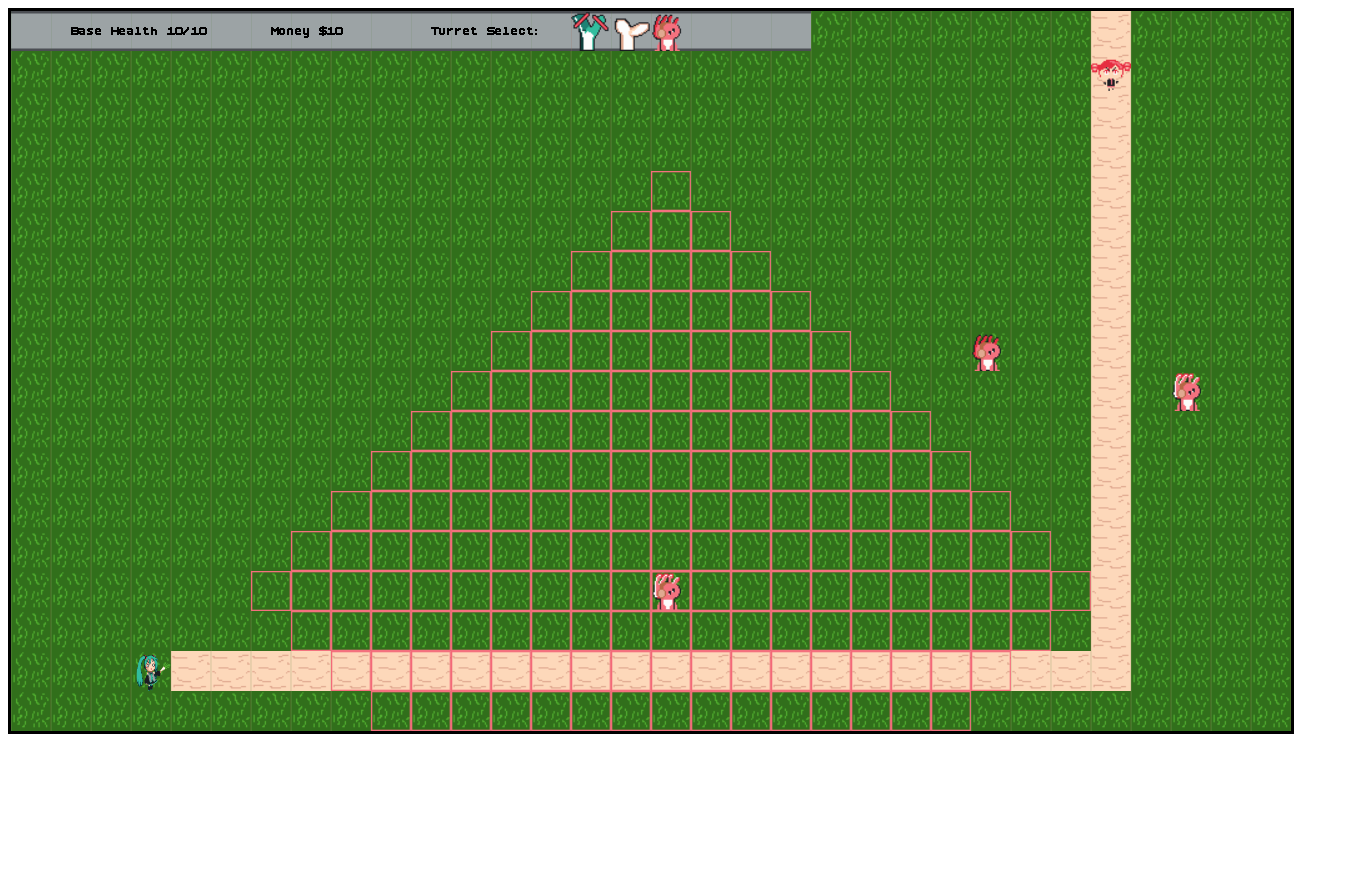
Besides my dislike of how ugly the code is, this is working. And so, we just need to normalize the canvas events location properly and then we can technically move onto the audio part of the wasm backend.
let rect = canvas.get_bounding_client_rect();
let x = (event.client_x() as f64 - rect.left())
    * (canvas.width() as f64 / rect.width());

let y = (event.client_y() as f64 - rect.top())
    * (canvas.height() as f64 / rect.height());
*mouse_coordinates.borrow_mut() = Some((x as f32, y as f32));
This is the same sort of code we'd write up in javascript, all we're doing is finding the canvas's rectangle, substracing its position from the mouse, and then scaling it by the aspect ratio of the canvas to deal with any potential css styling that might be stretching things. I'm not styling anything right now, but who knows, maybe we'll add some in and well, better safe than sorry.
Speaking of scaling, we still need to deal with the resize event don't we. We've got the mouse working as expected, we're ignoring the 'quit' event because I assume that the tab being closed will free up everything and release whatever memory the wasm was using back to the browser, and so the only thing left to do is the resize. The documentation on MDN says that the event only fires off the window. So, let's attach a closure to the window then!
let resize_time = Rc::new(RefCell::new(false));
{
    let resize_time = resize_time.clone();
    let closure = Closure::<dyn FnMut(_)>::new(move |event: web_sys::Event| {
        *resize_time.clone().borrow_mut() = true.into();
    });
    window().set_onresize(Some(closure.as_ref().unchecked_ref()));
    closure.forget()
}
With a simple boolean, I can easily update our loop to check to size if we need to peak figure out if the canvas was resized or not and update our screen size appropriately:
let canvas = self.canvas.clone();
let closure =
    Closure::wrap(Box::new(move || {
        ...
        if *resize_time.clone().borrow() {
            *resize_time.borrow_mut() = false;
            game_context.screen_size = (canvas.width() as u32, canvas.height() as u32);
        }
        ...
Granted, right now the canvas doesn't actual change size when you resize the window, but if I force it by editing the attributes, and then resize the document, the textures and everything do rescale and the buttons all work as expected. So, it works! Even if it sort of feels like this code will never truly be called in practice. Ah well.
With that though, we're done with the click processing and you can now play the game in silence if you want. But, who wants to do that? 5
Audio! ↩
The only remaining part of the backend we haven't implemented for WASM yet is the sound parts. When we work with plain HTML5, I've used this little sound class to easily control loading and playing sound effects and the like:
class Sound {
    constructor(path) {
        this.audio = new Audio(path);
        this.canPlay = false;
        const ref = this;
        this.audio.addEventListener("canplaythrough", (event) => {
            ref.canPlay = true;
        });
    }

    play() {
        if (this.canPlay) {
            this.audio.muted = false;
            this.audio.play();
        }
    }

    mute() {
        this.audio.muted = true;
    }
}
To get access to an Audio type, I imagine there's something about
the toml file we'll need to tweak, let's see.
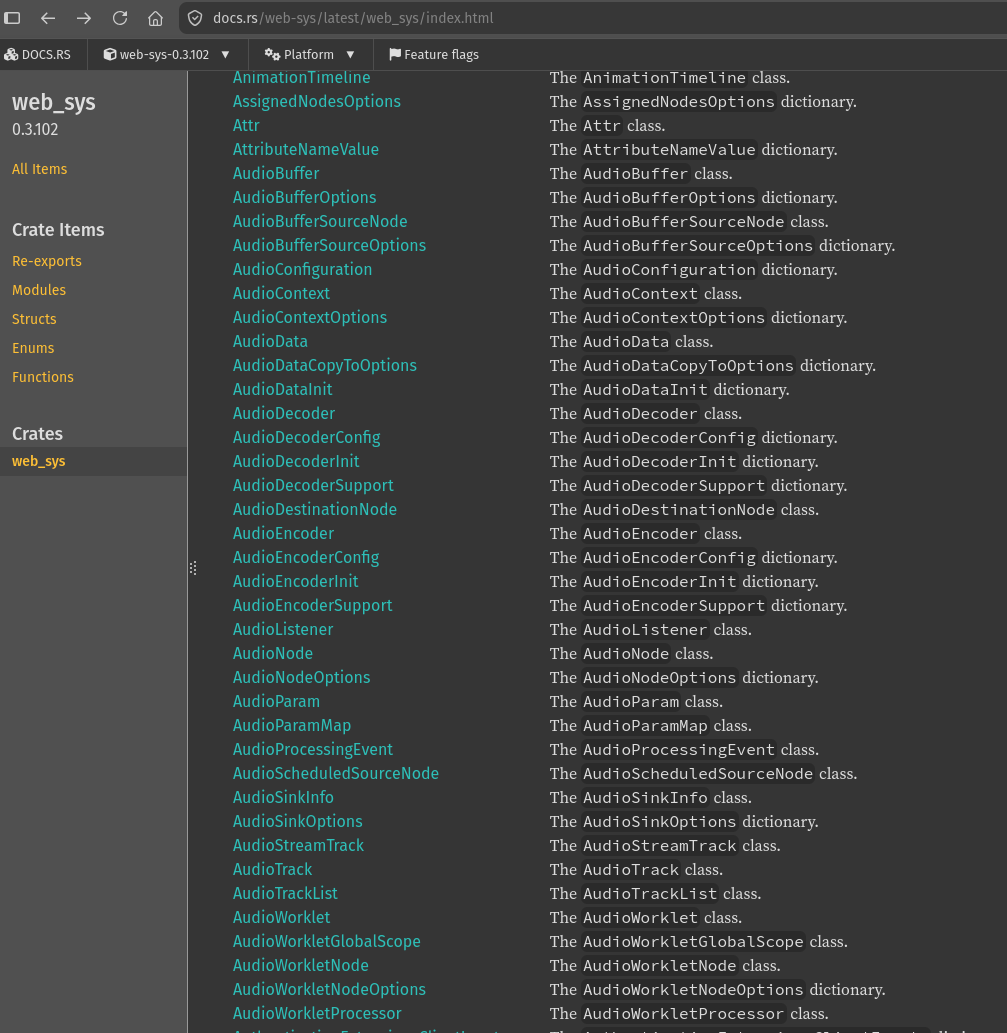
This does not seem to be the right thing. Or at least, it doesn't start
with Audio. After a bit more searching and staring at MDN, I finally found that
the javascript Audio is actually just the audio tag itself. Which then led us
over to the right place, of using HtmlAudioElement, which of course requires one
to update the features list in the cargo file to include its name:
web-sys = { version = "0.3", features = [
    ...
    "HtmlAudioElement",
]}
But after a quick recompile, we can start figuring out our loading code. Similar to the images, we can just run a hash map of sound or music ids to the audio element, and then toss said loaded elements into a div that the user can't see.
pub struct WasmSounds {
    sound_by_id: HashMap<SfxId, HtmlAudioElement>,
    music_by_id: HashMap<MusicId, HtmlAudioElement>,
    base_path: PathBuf,
    storage: HtmlDivElement,
}

impl WasmSounds {
    fn new(game_options: &GameOptions) -> Self {
        let path = game_options.assets_path.clone();
        let storage = document()
            .create_element("div")
            .expect("could not create div")
            .dyn_into::<HtmlDivElement>()
            .expect("could not dyn_into HtmlDivElement");
        storage
            .style()
            .set_property("display", "none")
            .expect("couldnt hide div to load audio into");
        body()
            .append_child(&storage)
            .expect("could not add audio storage to body");

        Self {
            base_path: path,
            sound_by_id: HashMap::new(),
            music_by_id: HashMap::new(),
            storage,
        }
    }
}
Part of me thinks maybe we should toss the hashmaps into the backend next to the image
related code, but I don't think I need to share this in the same way as the renderer
needed access, so, let's just see how far we get with it like this… Implementing the
load_sfx method is pretty similar to the image related work.
fn load_sfx(&mut self, sound_id: SfxId) -> AudioResult<()> {
    if let Some(_) = self.sound_by_id.get(&sound_id) {
        web_sys::console::log_1(&format!("sound id {} already loaded", sound_id.0).into());
        return Ok(());
    }

    web_sys::console::log_1(&format!("loading sound id {}", sound_id.0).into());
    let document = document();
    let audio = document
        .create_element("audio")
        .expect("could not create audio")
        .dyn_into::<HtmlAudioElement>()
        .expect("could not dyn_into HtmlAudioElement");

    let path = sfx_id_to_relative_path(sound_id);
    let path = self.base_path.join(path);
    audio.set_src(&pathbuf_to_url(&path));

    let result = self.storage.append_child(&audio);
    if let Ok(_) = result {
        self.sound_by_id.insert(sound_id, audio);
        web_sys::console::log_1(
            &format!("texture loaded for texture id {}", sound_id.0).into(),
        );
    } else if let Err(e) = result {
        web_sys::console::log_1(
            &format!(
                "error loading texture id {} {:?}",
                sound_id.0,
                e.as_string()
            )
            .into(),
        );
    }
    Ok(())
}
I suppose, because I don't have the WasmContext in scope, that I have to grab a handle to the document
directly with the helper function we stole from bindgen, and that that might be slow, but let's just make sure this
all works before we start cleaning things up. I can see the audio appearing when I load the page, which is great,
but I won't say it's "working" until I can actually play one of these.
fn play_sfx(&mut self, sound_id: SfxId) -> AudioResult<()> {
    let Some(audio) = self.sound_by_id.get(&sound_id) else {
        web_sys::console::log_1(&format!("sound id {} not loaded", sound_id.0).into());
        return Ok(());
    };
    let _ = audio.play();
    Ok(())
}
This plays, though not without the user clicking first. Which is pretty normal in the web world and I can't
really get around that, so, it is what it is and we'll just let the result go to _ and call it
a day. It's not really game breaking if the audio doesn't play the first boop noise when you click a button
after all.
Music is going to be a similar story, except for one important difference. Sound effects are super short,
so we didn't really need to bother pausing anything that might be playing. But with the background audio,
especially on the game over screen, we need the other 'track' to pause or else we'll have overlapping
music which sounds awful. So, play_music is slightly different from the sound effects version:
fn play_music(&mut self, id: MusicId) -> Result<(), Box<dyn std::error::Error>> {
    let Some(audio) = self.music_by_id.get(&id) else {
        web_sys::console::log_1(&format!("sound id {} not loaded", id.0).into());
        return Ok(());
    };
    // We need to pause anything that might be playing.
    for audio in self.music_by_id.values() {
        let _ = audio.pause();
        audio.set_current_time(0.0);
    }

    // audio isn't particularly critical if it doesn't work, so swallow errors
    // an obvious error will occur in the console if the player hasn't clicked yet
    // in the canvas which allows the audio to play in the first place.
    let _ = audio.play();
    Ok(())
}
That's one difference down. The other one, which is a bit harder to think about, is the fact that in the native version, we scan the directory of files to determine what we can load up as background music for the player, but in the web version that's obviously not a thing we can do without a "real" server. So we're going to have to sacrifice that behavior and instead do some hard-coding instead. 6
fn load_bg_music(&mut self) -> Vec<AudioResult<MusicId>> {
    let mut ids = Vec::new();
    let music_folder = PathBuf::new().join("audio").join("cc-vocaloid");
    let document = document();
    // These are unfortunately hardcoded in the wasm world, it is what it is.
    for id in [MusicId(1), MusicId(2)] {
        web_sys::console::log_1(&format!("loading sound id {}", id.0).into());
        let audio = document
            .create_element("audio")
            .expect("could not create audio")
            .dyn_into::<HtmlAudioElement>()
            .expect("could not dyn_into HtmlAudioElement");

        let path = music_folder.clone().join(format!("{}.mp3", id.0));
        let src = self.base_path.join(path);
        let path = pathbuf_to_url(&src);
        audio.set_src(&pathbuf_to_url(&PathBuf::from(path)));

        let result = self.storage.append_child(&audio);
        if let Ok(_) = result {
            self.music_by_id.insert(id, audio);
            web_sys::console::log_1(&format!("texture loaded for texture id {}", id.0).into());
            ids.push(Ok(id));
        } else if let Err(e) = result {
            web_sys::console::log_1(
                &format!("error loading texture id {} {:?}", id.0, e.as_string()).into(),
            );
            ids.push(Err(format!(
                "error loading texture id {} {:?}",
                id.0,
                e.as_string()
            )
            .into()));
        }
    }
    ids
}
This is still pretty similar to the SDL3 version, just we don't glob a folder to get the entries to iterate over, and instead it's just based on whatever I feel like uploading to the server. I'm only including 2 tracks because I don't really want to host a bunch of music myself. But theoretically, someone could recompile or tweak the build and have it figure things out from there. I could make it more customizable by moving the list of playable tracks up to the Javascript layer rather than the rust, but I'd prefer to try to keep the wrapper code as light as possible.
Anyway. The only remaining methods to implement are the duration and prepare ones. Duration is simple:
fn music_duration_seconds(&self, id: MusicId) -> AudioResult<Duration> {
    let Some(audio) = self.music_by_id.get(&id) else {
        return Ok(Duration::from_millis(0));
    };
    Ok(Duration::from_secs(audio.duration() as u64))
}
Really the only thing the changed much here is that the audio duration method returns its values in seconds,
while the SDL3 stuff spoke milliseconds. Not a big change, and Duration handles it all the same anyway. Not
that it matters, as the music_duration_seconds code isn't actually used anywhere in the wasm
backend, which is probably a good thing considering that comes from the time module, which we've already
confirmed is a bad time in wasm and not implemented. So, I mean, honestly I could just return the stub here
and call it a day, but eh, I figure we'll implement it now in case I randomly add something that needs it
later and don't want to wonder why I didn't do it before.
That said, the prepare method was mostly specific to the SDL3 setup because in that backend
we have a number of tracks that we're opening up and each one needs to be opened with the correct audio
format. If you don't open them with the right frequency or format, you end up with high pitched or too fast
or just bizarre and weird sounding audio instead of what you expected. The browser is handling all those
low level details for us, so the wasm backend doesn't actually need to do anything here. Anything that prepare
would have done is done just be loading and fetching all the audio and adding it to the backend storage.
So, the implementation for wasm is just:
fn prepare(&mut self) -> Vec<AudioResult<()>> {
    vec![]
}
I suppose I'll add a comment into there, but hey, that's it and good to go! That's all the audio parts implemented! And to clear up that annoying little error on the first sound play, we can just do the old trick of forcing the users to click once by adding a button to start the game in the index file for the game:
<!DOCTYPE html>
<html>
<body>
<script type="module">
    import init from "./pkg/mikumikutower.js";
    async function go() {
        await init();
        console.log("loaded");
    }
    window.go = go;
</script>
<button onclick="window.go()">start game</button>
<br/>
</body>
</html>
Simple, and now the game works!
We're done! ↩
And that's it. We're done! The Backend trait and all its supporting pieces are implemented
and the game is compiled to wasm! Looking at the web folder, the total size is 23.7MB, which is with the
debug build, I should probably see how large or small it is when I compile with --release on… 23.1MB
we've saved a whole 600 kilobytes! Amazing.

Since it's relatively small, I'll upload the full game here so you can play it if you're bored and don't want to run it natively for some reason. I think that there's some sort of jank involved with navigating away and coming back after a while, not sure if its the clock or what. But for someone who wants to play the game and sit there and enjoy it while doing other things on a different screen, it's probably fine.
Anywho. I thought that making something compile down to wasm would be a lot harder than it turned out to be. I guess that goes to show that you can't let the fear of doing something new keep you from trying. Granted, a lot of the code feels like I could improve it in various ways, and there's probably some weird bugs lurking that I don't know about, but I think the fact that I can make my next game and have it target either native or the browser is pretty awesome. Especially when you consider I don't need anything heavy like electron to do it! A world where we don't have to have half a gig of bloat downloaded to run little tool sure is nice to think about. Even if it feels like most companies ship electron apps despite the bloated cost to the user's RAM and all the other things bad about it.
Anyway, there's still more refactoring to do on this little framework of mine, but we'll see if we get a new dev log out of that in the future or if I just roll it into creating the next game in the 20 games challenge. At this point, I've got 8 games done, or 9 if you want to count the microgame I made in 4 hours for LCOLONQ's game jam.7 And we're learning a lot, though I think I really need to branch out into blender models, shaders, or scripting engines to really flex things. Although, perhaps we should get a better font solution done first. We'll see what happens next, but I hope you enjoyed reading this and maybe it will inspire you to try out some web assembly yourself!
See you later!