The problem ↩
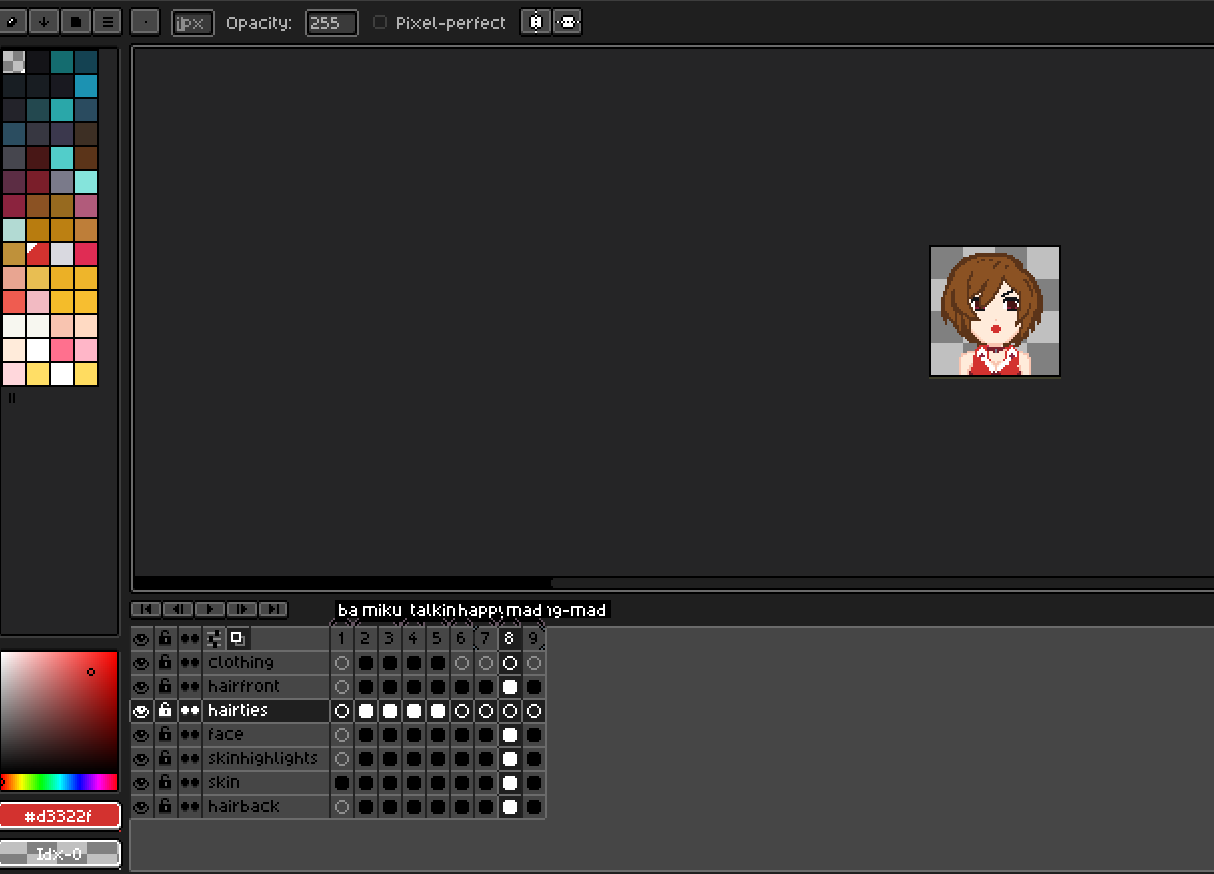
What you can see above in that screenshot is a spritesheet I'm working on for the next project. The way that things work is that I tag the frames of a sheet with names and states, then a little build file I have extracts those to produce a manifest file that includes JSON objects like this:
... buncha stuff and root level fields here ...
{
  "id": 4,
  "name": "portrait",
  "asset_path": "portrait.png",
  "frames": [
    {
      "x": 0, "y": 0, "w": 64, "h": 64, "duration_ms": 100
    }, ...
  ],
  "tags": [
    ...
    {
      "name": "talking-idle", "from": 1, "to": 2
    },
    {
      "name": "miku", "from": 1, "to": 4
    },
    {
      "name": "talking-mad", "from": 3, "to": 8
    },
    {
      "name": "yell", "from": 3, "to": 3
    },
    ...
  ]
}
...
I'm eliding a bunch of extra noise here, but you can see that there's a tags field and
within it are objects that name and cover which pieces of data in the frames field correspond
with the given tag. All of this is then used later on in life in the games via the highlighted bit of
code below:
fn draw_character_slot(
    slot: Option<&Character>,
    placement: Rect,
    renderer: &mut dyn Renderer,
    catalog: &AssetCatalog,
) {
    let Some(character) = slot.as_ref() else {
        return;
    };
    let Some(src) = catalog
        .get_sprite_in_state(&character.name, character.state.as_str())
        .map(|s| s.get_rect())
    else {
        return;
    };
    renderer.send_command(RenderCommand::DrawRect {
        texture_id: character.texture_id,
        source: src,
        destination: placement,
    });
}
So you can see how we could look for a tag named miku, find the tag range from 1 to 4 in the JSON,
then filter that range down by talking-idle to discover which frames specifically correspond
to that character's state. Simple enough right? Yup! Works great!
Problem is this mess:
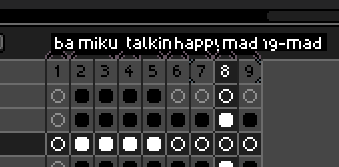
Maybe I'm just using the wrong tool for the job here, but libresprite has 0 way for me to click through or expand the tags being used in its interface. There are open issues about this with suggestions on how to change the interface to fix this sort of problem since 2015
And yet, here we are. In 2026.

Trying to work around it ↩
I've been using libresprite long enough to notice the "scripts" folder in the menu:
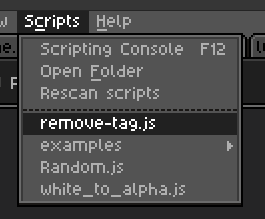
And as you can see, my first instinct was to see if I might be able to do something there. Unfortunately, the SCRIPTING documentation doesn't document anything I can use. Hell, it's really just a java-doc sort of style explanation of classes and they leave you to your own devices to piece together that something like this will do anything:
app.command.RemoveFrameTag();
There's temptations like activeSprite and activeFrameNumber in the docs,
but looking around at the tag there's nothing there to select a specific tag. You can do things
like GotoPreviousFrameWithSameTag but that literally just changes the frame you're on,
it has nothing to do with selecting a specific tag. So essentially, nothing in the LibreSprite UI or in
it scripting API was going to make it possible for me to remove a tag that I couldn't click.
Which is unfortunate because when you make a new frame, it seems to inherit some of the tags sometimes or something weird like that? Because the reason I launched this quest was because I noticed my manifest had miku pegged to frames 1-8 when she was really only frames 1-5.
Thankfully, since I wrote that build script I mentioned, I knew that there were some crates out there in the rust world that could manipulate the ASE files.
- asefile lets you read the binary files and extract information
- asesprite-loader lets you read the binary and extract merged image data
- asesprite-io lets you read and write asesprite files
"Great!" you say, that last one sounds perfect!

On closer inspection of the documentation you can see that it provides a number of helpers to build frames, cels, and change pixels:
use aseprite::*;

let mut file = AsepriteFile::new(32, 32, ColorMode::Rgba);
let layer = file.add_layer("Background");
let frame = file.add_frame(100);
let pixels = Pixels::new(vec![0u8; 32 * 32 * 4], 32, 32, ColorMode::Rgba).unwrap();
file.set_cel(layer, frame, pixels, 0, 0).unwrap();
But hey, you know what it doesn't let you do?
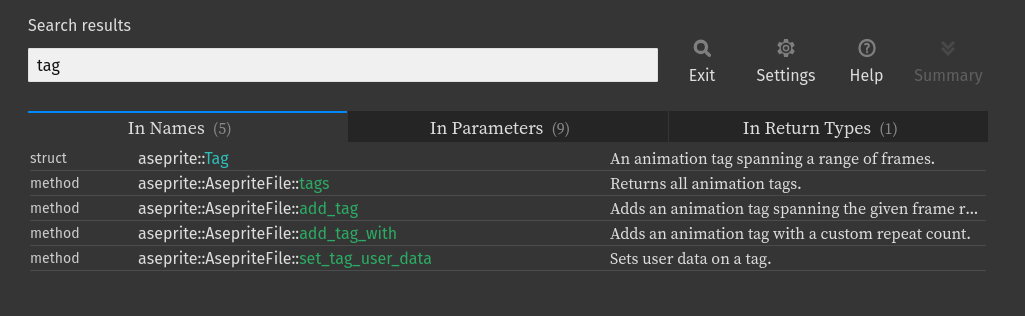
Modify an existing tag. Or change the tags available in a file. That tags method
returns an immutable list of tags to the caller. You can't change something that's already
been added. Very good API. Very nice.

My solution ↩
But obviously I wouldn't be blogging about this if I hadn't figured out a work around to share with the wild internet denizens that might stumble upon this in the middle of the night. So, congrats, you're in luck! And it's not even the obnoxious solution of "just iterate everything in one file and add only the non-filtered stuff to a new one!".
Even though the tags method is immutable, if you inspect the source of the crate you'll
spot a useful method private to the crate:
pub(crate) fn tags_mut(&mut self) -> &mut Vec<Tag> {
    &mut self.tags
}
Now, I'm not really sure why this method is private to the crate. It seems like it'd be really really useful for anyone hoping to manipulate an existing ase file. But since the code is open source, we can clone the repository and just
pub fn tags_mut(&mut self) -> &mut Vec<Tag> {
    &mut self.tags
}
Snip!

Now its public. Then, we can write a little cargo toml file:
[package]
name = "aes-tag-tweaker" 1
version = "0.1.0"
edition = "2024"

# tags_mut is pub(crate) only, but we need it exposed to filter tags. So, local version:
[dependencies]
aseprite-io = { version = "0.3.0", path = "../../../opensource/aseprite-io" }
to point to our local package version (who I have bumped the version to 0.3.0 since I changed something), and then we can finally create a tool that can do what we want. Remove a tag that matches a given criteria:
use aseprite::AsepriteFile;
use std::env;
use std::fs;
use std::path::Path;

fn main() {
    let mut args = env::args();
    let mut file_path = None;
    let mut tag_name = None;
    let mut from_frame: Option<usize> = None;
    let mut to_frame: Option<usize> = None;
    let mut out_name = "out.ase".to_owned();
    args.next(); // Skip program name.
    while let Some(argument) = args.next() {
        match &argument[..] {
            "-file" => file_path = args.next(),
            "-name" => tag_name = args.next(),
            "-from" => {
                from_frame = args
                    .next()
                    .map(|string| string.parse().expect("Could not parse frame range (from) as number"))
            }
            "-to" => {
                to_frame = args
                    .next()
                    .map(|string| string.parse().expect("Could not parse frame range (to) as number"))
            }
            "-out" => out_name = args.next().expect("expected output file argument"),
            unknown => eprintln!("Unknown flag {unknown}"),
        };
    }
    let Some(file) = file_path else {
        panic!("pass a file with -file");
    };
    let Some(tag_name) = tag_name else {
        panic!("pass a tag name with -name");
    };
    let Some(from_frame) = from_frame else {
        panic!("pass a tag from range with -from");
    };
    let Some(to_frame) = to_frame else {
        panic!("pass a tag from range with -to");
    };
    let data = fs::read(Path::new(&file)).expect("could not load ase file");
    let mut file = AsepriteFile::from_reader(&data[..]).unwrap();

    eprintln!("{:?}", file);

    let tags = file.tags_mut();
    tags.retain(|tag| {
        let retain_true = !(tag_name == tag.name && tag.from_frame == from_frame && tag.to_frame == to_frame);
        eprintln!("keeping {} ({}-{})? {}", tag.name, tag.from_frame, tag.to_frame, retain_true);
        retain_true
    });

    eprintln!("{:?}", file);

    let mut output = fs::File::create(out_name).expect("could not create output file");
    file.write_to(&mut output)
        .expect("could not write file contents to output file");
}
Is this the best way to do it? Should you eprintln everywhere in a little script that you might
use once in a blue moon? Should you just call expect in the match loop if you're going to just
panic anyway? Eh, questions for someone trying to build a tool that would ever be installed via crates.io and
not just one you run cargo build --release for and then symlink it into your /usr/bin for easy
access.
The important thing is that I can now do this:
aes-tag-tweaker -name miku -from 0 -to 7 -file ~/src/personal/mikumikutactics/spritesheets/portrait.tmp.ase
AsepriteFile { width: 64, height: 64, color_mode: Rgba, layers: 7, frames: 9, tags: 9, cels: 49 }
keeping background (0-0)? true
keeping miku (0-7)? false
keeping yell (3-3)? true
keeping talking-mad (3-8)? true
keeping meiko (5-8)? true
keeping talking-neutral (5-6)? true
keeping happy (5-5)? true
keeping talking-mad (7-8)? true
keeping mad (7-7)? true
AsepriteFile { width: 64, height: 64, color_mode: Rgba, layers: 7, frames: 9, tags: 8, cels: 49 }
And then open the corresponding out.ase file created wherever I just ran this and see that yes
indeed, the tags are now fixed and I don't have delete every single tag within the libresprite ui in order
to kill off one bad range. Bad UI, crushed! And I'll see you later when I finish the next game in
the 20 games challenge!