What's our scope here ↩
So what are these "small" bite sized chunks of gaming primitives I want to nail down? I'm glad you asked! First off, we'll be gutting our previous code base for the tower defense game we made and keeping the core framework around for testing ideas and hanging new code on. We spent a lot of time investigating and really understanding how the core game loop worked in the 4th section of the previous game's log and we're not going to throw any of that away.
But all the level and game logic that made the tower defense game a tower defense game? Yeah, we're going to delete all of that.
In it's place, the things I really want to make sure we get sorted out so that we can never have to think about them ever again, are:
- Game error handling
- Scene transitions
- Text Layout
- Sprite Loading
Not necessarily in that order. There's some other stuff that's related to the above that we might get into, but remember what I said about trying to not be too pressured to blow the scope of things and make too much? Yeah. Let's keep things slim for now. The other thing that I think we should also do is write some dang tests. I didn't write tests last time, despite making the game very friendly to testing, and so it would be nice to validate that configuration by putting it to the, ha ha, test.
I might add or delete things from the list as we go and the ideas take hold of our soul, but we'll handle that later. For now, let's do the quick clean up I mentioned:
Trimming the towers ↩
This will be a short section. I really just want to talk about one commit and then the follow up to it. Commit 71223f0b95f02a6abd81ba604935e08f226d0f76
 Cargo.toml                        |    4 +-
 Makefile                          |    4 +-
 README.md                         |   27 +-
 assets/made-by-me/titlescreen.ase |  Bin 6741 -> 9032 bytes
 assets/made-by-me/titlescreen.png |  Bin 6797 -> 8780 bytes
 index.html                        |    4 +-
 src/backend_wasm.rs               |    2 +-
 src/game.rs                       |   13 +-
 src/game_options.rs               |    2 +-
 src/main.rs                       |    6 +-
 src/scene/game_over.rs            |  138 -------
 src/scene/level.rs                | 1065 ---------------------------------------------------
 src/scene/mod.rs                  |    3 -
 src/scene/shutting_down.rs        |   81 ----
 src/scene/title_screen.rs         |   45 +--
 15 files changed, 24 insertions(+), 1370 deletions(-)
As you can see, most of this is deleting code. As proud as I am about the game over screen in the tower defense game,
I'm expecting to want to have something different this time. We also don't need a "level" file anymore because that
had all the tower defense game logic in it. While I'm typically a fan of breaking things up into smaller files, it does
make deleting things easy when you can just say "ah yeah I don't need that whole scene anymore" and run rm it.rs.
The small places where you see additions is mostly just doing tiny little tweaks like this:
 impl Default for GameOptions {
     fn default() -> Self {
         Self {
-            name: "Miku Miku Tower".to_owned(),
+            name: "Miku Miku Tactics".to_owned(),
because we changed the name of the cargo package and updated all the references appropriately. Besides the cuts and the renaming, the only other real change is in the README and the titlescreen image. I'll be using different images, fonts, and sounds for this game I think, so we'll cut back on the credits until I have new stuff to put in there. The title image isn't going to last for long, but I was having a giggle:

Since "tactics" in my mind means Fire Emblem and Final Fantasy, it seems only appropriate that Miku gets a helmet and sword. Also, Miku's twintails are important, so the helmet obviously needs to have hair holes for them to poke out. Although the idea of there being long twintail tubes of metal for them to be protected in is also pretty funny. But before I get too carried away with such ideas, let's refocus.
Right now the current font handling in the game is using a bitmap font and some jank. When we set it up in section 11 of the previous post, I noted that it wasn't the time to deal with this and we used our spritesheet we made from an itch io font. I'd like to try out using the SDL3 TTF module today at some point, and I'm thinking that we're going to hopefully finally deal with the beast known as fonts in a way that I don't have to be afraid of it anymore.
So on that note, if I update our cargo toml features list for SDL to this:
sdl3 = { version = "0", features = ["image", "mixer", "build-from-source", "ttf"] }
Then I start getting this error on my machine when I run the build:
-- Could NOT find harfbuzz: Found unsuitable version "harfbuzz_VERSION-NOTFOUND", but required is at least "2.3.1" (found harfbuzz_LIBRARY-NOTFOUND)
...
Could NOT find Freetype (missing: FREETYPE_LIBRARY FREETYPE_INCLUDE_DIRS)
  Call Stack (most recent call first):
    /usr/share/cmake-3.22/Modules/FindPackageHandleStandardArgs.cmake:594 (_FPHSA_FAILURE_MESSAGE)
    /usr/share/cmake-3.22/Modules/FindFreetype.cmake:162 (find_package_handle_standard_args)
    CMakeLists.txt:359 (find_package)
The reason being that I don't have the right development headers for a TTF library for SDL to use. The first line is from higher up in the output of the failed compilation attempt, and that got me curious about what harfbuzz is, so I did a quick apt search:
$ apt search harfbuzz
Sorting... Done
Full Text Search... Done
gir1.2-harfbuzz-0.0/jammy-security,jammy-updates,now 2.7.4-1ubuntu3.2 amd64 [installed,automatic]
  OpenType text shaping engine (GObject introspection data)

libghc-gi-harfbuzz-dev/jammy 0.0.3-3 amd64
  HarfBuzz bindings

libghc-gi-harfbuzz-doc/jammy,jammy 0.0.3-3 all
  HarfBuzz bindings; documentation

libghc-gi-harfbuzz-prof/jammy 0.0.3-3 amd64
  HarfBuzz bindings; profiling libraries

libharfbuzz-bin/jammy-security,jammy-updates 2.7.4-1ubuntu3.2 amd64
  OpenType text shaping engine (utility)

libharfbuzz-dev/jammy-security,jammy-updates 2.7.4-1ubuntu3.2 amd64
  Development files for OpenType text shaping engine
Oh, look at that! a -dev library!
$ sudo apt install libharfbuzz-dev
No packages being removed or anything conflicting from what I can tell here. And so, a quick run of my makefile and we're green again:
$ make
cargo fmt
cargo build --target wasm32-unknown-unknown
    Finished `dev` profile [unoptimized + debuginfo] target(s) in 0.02s
wasm-bindgen target/wasm32-unknown-unknown/debug/mikumikutactics.wasm --out-dir web/pkg --target web
cp -r assets web/assets
cp index.html web/index.html
cargo build
   Compiling sdl3-ttf-sys v0.6.1+SDL-ttf-3.2.2
   Compiling sdl3 v0.18.4
   Compiling mikumikutactics v0.0.0 (/home/peetseater/src/personal/mikumikutactics)
    Finished `dev` profile [unoptimized + debuginfo] target(s) in 1.30s
One of the somewhat tricky things, in my opinion, about using the SDL3 rust bindings is that
the online version of the documentation is not built with all features enabled. So, if you're
looking on docs.rs for sdl3 you don't actually see the
new ttf module that's enabled by the feature we just added. Thankfully, the local cargo doc
command creates a local version for us that does:
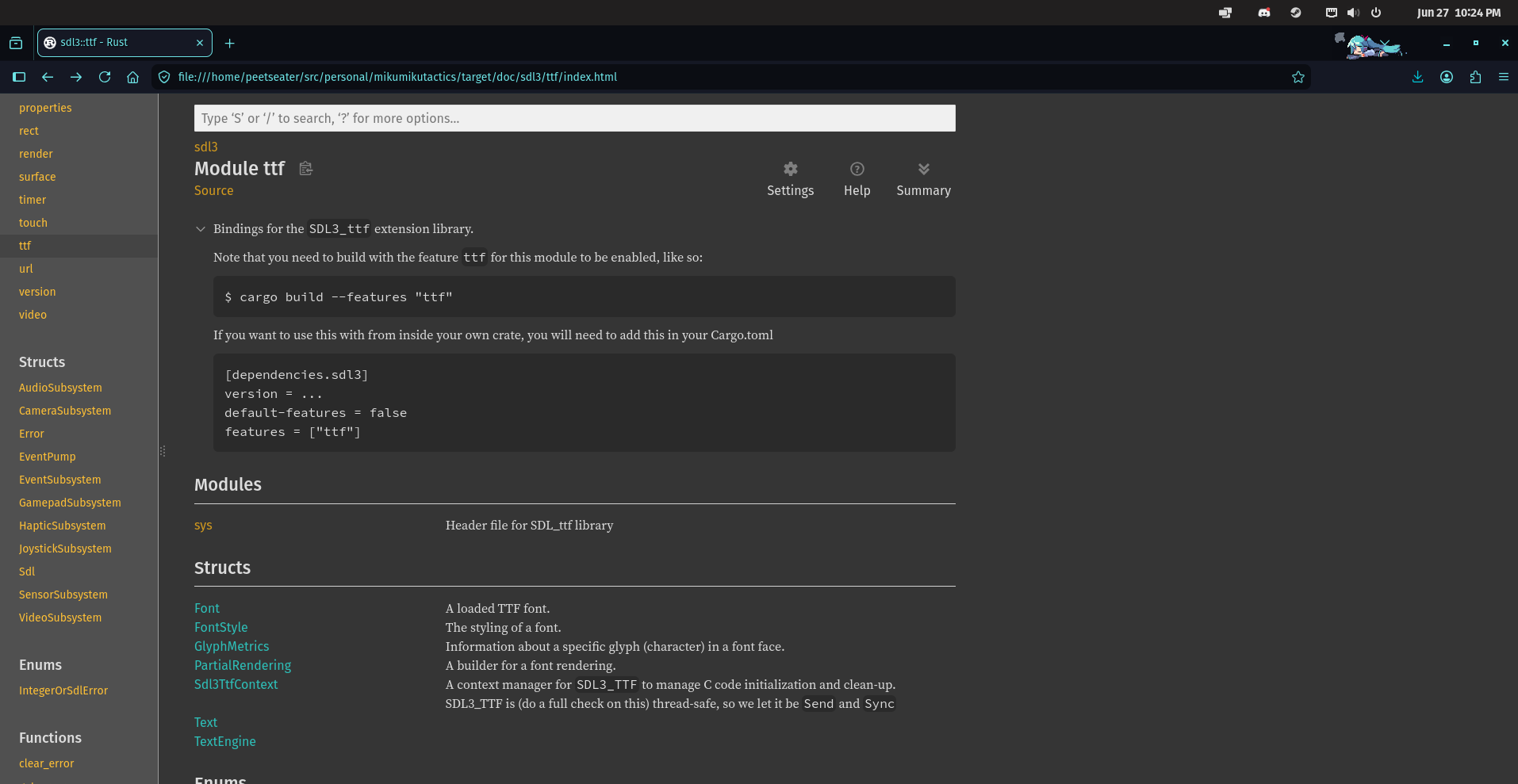
So, we'll be able to use that when we get around to swapping from Bitmap font to TrueType font. Before we do that though, let's swap back to the whole trimming thing. I figured it would be a little frustrating to have a completely blank slate, so I kept the title_screen.rs file in place and just tossed out half of it instead. So as a sort of orientation for folks who might not have read the entirety of the previous post, let's go over how things generally work in our little framework and chat about the existing scene code and how we'll be changing it later.
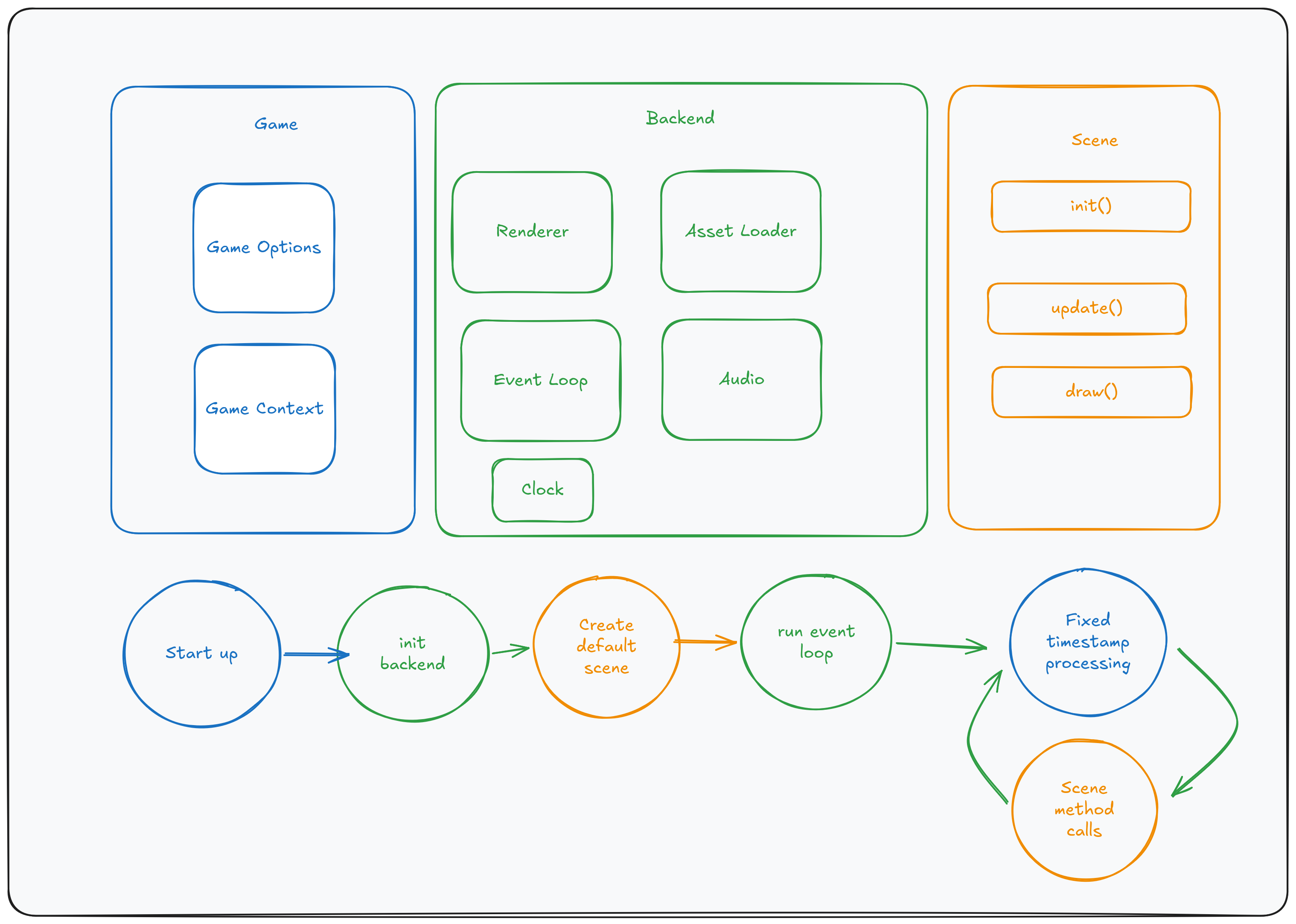
The separation here is pretty intentional. Game code is just plain old rust. Nothing specific to SDL, wasm, or
anything relating to the presentation or media itself. For example, a scene must implement an init
method. For the current title screen this looks like this:
impl Scene for TitleScene {
    fn init(&mut self, game_context: &mut GameContext) {
        let Some(ref mut asset_loader) = game_context.asset_loader else {
            return;
        };

        asset_loader.ensure_texture_spritesheet_loaded(TEXTURE_ID_TITLE_BG);
        asset_loader.ensure_texture_spritesheet_loaded(TEXTURE_ID_LEEKSHEET);

        let Some(ref mut audio) = game_context.audio else {
            return;
        };

        let _ = audio.load_sfx(SFX_ID_MEME);
        let _ = audio.load_sfx(SFX_ID_BLIP);
    }
    ...
You can see here that the game_context provides us a way to grab handles to
each piece of the backend and then do something with it. In this case, initializing the backend
to make sure that it has specific sprites and audio loaded up so we can use them later. Drawing or
playing the sounds doesn't actually require us to know anything about the backend either:
fn draw(&mut self, game_context: &mut GameContext) {
    let layout = TitleScene::layout(&game_context);
    let Some(ref mut renderer) = game_context.renderer else {
        return;
    };

    let src = self.bg.get_rect();
    renderer.send_command(RenderCommand::DrawRect {
        texture_id: TEXTURE_ID_TITLE_BG,
        source: src,
        destination: Rect::new(0, 0, layout.area.width, layout.area.height),
    });

    self.quit_btn.draw(game_context, &layout);
}
I know I haven't even shown you the struct definition for TitleScreen yet, but
I want you to notice that drawing a sprite is just a generic command to do something with a sprite that we have an ID for.
The sprite is going to end up having a part of the image contents (source) copied and then drawn out
onto the stream at the destination location, all according to what was
queued up via renderer.send_command. Whether or not that actually results in something
being drawn to the screen or a canvas in a web browser is entirely up to the backend code.
We could easily create a test seam by implementing a dummy renderer and swapping it in. Then it could just log all the commands sent to it, and we could assert and confirm that things are being sent in the right order or similar without ever needing someone to actually visually inspect things. The flexibility here is what lets us target both native and wasm in the same codebase. It's nice. Anywho, as you can see in the high level drawing's circle flowchart, once everything is initialized, we run an event loop where the game code handles each frame and delegates out as needed to the methods in scene to trigger them.
This is where the update method of the scene comes in, it takes in how many "ticks" have
elapsed since the last call, as well as the usual GameContext we've seen above. The game
context is basically just our grab bag of shared state which happens to hold onto the handles to the
generic backend pieces we can then use.
In the case of the title screen, there's really only 2 things going on:
fn update(&mut self, ticks: u32, game_context: &mut GameContext) {
    let layout = TitleScene::layout(&game_context);
    self.quit_btn.update(ticks, game_context, &layout);

    match self.played_intro {
        ReadyState::Ready => {
            self.played_intro = ReadyState::Cooldown {
                wait_for: u32::MAX,
                ticks_waited: 0,
            };
            game_context.audio.as_mut().map(|audio| {
                let _ = audio.play_sfx(SFX_ID_MEME);
            });
        }
        _ => {}
    }

    self.played_intro = advance_ready_state(self.played_intro, ticks);

    if self.quit_btn.clicked && game_context.next_scene.is_none() {
        game_context.audio.as_mut().map(|audio| {
            let _ = audio.play_sfx(SFX_ID_BLIP);
        });
        game_context.shutdown();
        self.quit_btn.clicked = false;
    }
}
We're handling a silly meme audio file being played for a period of ticks set by the
played_intro field in the struct. Plus, we're checking for if the quit button
has been touched or not. The GUI is an immediate mode thing, and the mouse locations and
any other sorts of input are stored on the game context. Granted, there's also a button
component I'm not showing here that's doing some checks, but the booleans we've got exposing
its state are more than enough for the higher level update function to make decisions on
what it should be doing.
There's a lot more that goes into each backend implementation being called on so far. But this should be enough context for you all to understand that, at a high level, how the pieces all fit together. Game and Scene code is just pure rust with nothing special about any of the code, then the backend handles all the details that use external libraries. We'll get into any other bits like the fonts and stuff as needed. So, let's get started!

Fade in, Fade out ↩
In a game I made a couple years ago I covered creating screen transitions as simple steps to be applied in order. The full break down is in java here if you're interested, just search for FadeInFromBlack in that section. The tricky though was that that game used a stack for the scene management. While we're using a single field for whatever the active scene is.
I don't want to shift the paradigm too far for our core game loop. And I thought I had come up with a decent idea. I spent a couple hours working on it and shooting my foot a few times, then ended up taking a break for a few hours before coming back to delete almost 400 lines of code and avoiding a class of bugs that had loomed from the first attempt. I'd like to walk you through the code I threw away first, so you can see the idea and then also see why it failed. Learning is important, and failure is a better teacher than success.
The code that I wrote spanned a few commits, so you can see it here in github, it was a bit over 400 lines, some of which survived. But most of will not.
$ git diff --stat e331a860c621d578dcca4568766ddfceefe7def7..b3c8b92d08c134a0b1be03479baf0edcb42b52d0
 Makefile                  |   8 +-
 src/backend_sdl3.rs       |  45 ++++++++-
 src/backend_wasm.rs       |  19 ++++
 src/game.rs               |   5 +-
 src/lib.rs                |  12 +++
 src/renderer.rs           |   5 +
 src/scene/mod.rs          |   1 +
 src/scene/title_screen.rs |  21 +++-
 src/scene/transitions.rs  | 330 ++++++++++++++++++++++++++++++++++++++++++++++++++++++++++++
 9 files changed, 435 insertions(+), 11 deletions(-)
Let's touch on parts of the code that will survive. That's mostly code that's supporting the backend,
not the logic of the fade itself. In order to do a fade in or out we need a way to draw a rectangle
with varying opacity. Right now, our renderer only supports drawing textures, so we need something new!
As you saw before, we use code like renderer.send_command to tell the backend what to do.
So here's our new command:
#[derive(Debug)]
pub enum RenderCommand {
    DrawRect {
        texture_id: TextureId,
        source: Rect,
        destination: Rect,
    },
    FillRect {
        color: Color,
        destination: Rect,
    },
}
Adding this breaks our compilation in both the wasm and the SDL3 backend because now their renderer has a non-exhaustive match expression. Thankfully, both backends have pretty similar and straightforward ways to do this. For SDL3, we need to enable the blend mode4 to make opacity work, and then set the drawing color. Simple really:
RenderCommand::FillRect { color, destination } => {
    let ctx = &mut *self.context.borrow_mut();
    let previous_color = ctx.window_canvas.draw_color();
    let previous_mode = ctx.window_canvas.blend_mode();
    let dst: sdl3::rect::Rect = destination.into();

    ctx.window_canvas.set_draw_color(color.to_sdl3());
    ctx.window_canvas.set_blend_mode(BlendMode::Blend);
    let _ = ctx.window_canvas.fill_rect(dst);

    ctx.window_canvas.set_draw_color(previous_color);
    ctx.window_canvas.set_blend_mode(previous_mode);
}
Most of the code here is just bookkeeping to avoid setting the draw color and blend mode to something you didn't expect. The draw color also impacts the clear color if I remember correctly. So it's a good idea to preserve whatever came before this call. Besides the blend mode, this is similar for the web assembly implementation:
RenderCommand::FillRect { color, destination } => {
    let ctx = &mut *self.wasm_context.borrow_mut();
    let context2d = ctx.context.clone();
    context2d.save();
    context2d.set_fill_style_str(&format!(
        "rgba({},{},{},{})",
        color.r * 255.0,
        color.g * 255.0,
        color.b * 255.0,
        color.a
    ));
    context2d.fill_rect(
        destination.x as f64,
        destination.y as f64,
        destination.width as f64,
        destination.height as f64,
    );
    context2d.restore();
}
Though the HTML canvas's save and restore methods make avoiding any accidents
a little easier. It's basically doing the same just as us saving the color and blend mode and then resetting
it like we just did for SDL3's backend. Nice and simple, and nothing too worrisome. Unfortunately, that wasn't
the case for our other idea.
As you can see in the diff in the github link above, there's quite a few comments explaining just why what we're about to do didn't work. But let's chat through the basic idea so that if you start thinking about this yourself later on, maybe you'll save yourself a few hours and abandon it earlier than I did. First off, the general idea is that we create a container that can hold onto the current scene, and the next one we want to show, then it runs a transition while displaying itself in the scene loop until things are ready.
pub struct SceneChange {
    pub next_scene: Box<dyn Scene>,
    pub transition: Transition,
}
Conceptually, we add the above to the GameContext in the same way that we use the next_scene
field, when the game loop detects it, it can go ahead and create a new scene which handles the transition. After a bit
of work, this is what I ended up landing on:
pub struct TransitionScene {
    outgoing: Box<dyn Scene>,
    incoming: Option<Box<dyn Scene>>,
    transition: Transition,
    step_timers: Vec<ReadyState>,
    step: usize,
    prev_step: usize,
}
Note that the incoming is an option. This wasn't the case when I first started, more on that in a minute.
The internals of the transition scene are actually mostly fine, as the fade itself is pretty simple to do.
We already have a ReadyState enum that allows us to wait a specified amounts of ticks and then generically
signal that we're ready for the next thing to happen. Whatever that thing is. So my thought was that a transition can
be easily converted into a list of these state timers and then the transition scene can move through each one, keep
track of which step it's on, and then delegate out to the transition type to do whatever it wants.
So our two types of transitions:
pub enum Transition {
    Instant,
    FadeToBlack {
        fade_out_ticks: u32,
        fade_in_ticks: u32,
    },
}
Allow us to instantly change scenes or fade between them. The timers are simple
impl Transition {
    fn get_initial_step_timers(&self) -> Vec<ReadyState> {
        match self {
            Transition::Instant => vec![
                // we intentionally allow for 1 tick so that we can write tests for behavior
                // but originally I started off with just ReadyState::Ready.
                ReadyState::Cooldown {
                    ticks_waited: 0,
                    wait_for: 0,
                },
            ],
            Transition::FadeToBlack {
                fade_out_ticks,
                fade_in_ticks,
            } => vec![
                ReadyState::Cooldown {
                    ticks_waited: 0,
                    wait_for: *fade_out_ticks,
                },
                ReadyState::Cooldown {
                    ticks_waited: 0,
                    wait_for: *fade_in_ticks,
                },
            ],
        }
    }
}
And then it's just a matter of stepping through them. Though, when you've got an index into a list,
you need to make sure you don't walk off the ledge. So, the transition scene's update
implementation avoids that with a couple early returns:
fn update(&mut self, ticks: u32, game_context: &mut GameContext) {
    if ticks == 0 {
        return;
    }

    if self.step >= self.step_timers.len() {
        if !game_context.next_scene.is_none() {
            // If the next_scene is set, but we're still calling update on the transition,
            // then we're waiting for the event loop code to swap the scene.
            return;
        }

        // More on this in a moment.
        if self.incoming.is_some() {
            game_context.next_scene = self.incoming.take();
        }
        return;
    }
and then the actual work to do stuff with the timers is one generic step followed by a delegation out for some extra work to be done in a helper method.
    // Move the state machine along
    self.prev_step = self.step;
    self.step_timers[self.step] = self.step_timers[self.step].advance(ticks);
    if let ReadyState::Ready = self.step_timers[self.step] {
        // we have to finish processing this current step, but set up the next call to be the 1st call onto
        // the next state machine.
        self.step = min(self.step + 1, self.step_timers.len());
    }

    // Do any step specific logic.
    match self.transition {
        Transition::FadeToBlack { .. } => self.fade_to_black_update(ticks, game_context),
        Transition::Instant => {
            if self.incoming.is_some() {
                game_context.next_scene = self.incoming.take();
            }
        }
        _ => {}
    }
}
Before we dig into that though, let's chat about that self.incoming.take() call in the early
return section. This is one of the reasons I abandoned this approach. Initially, the TransitionScene
didn't have an Option for the incoming scene, and was just a plain box. That didn't work when
it came time to finally say "hey it's time to move to the incoming scene now!" Because you can't write:
game_context.next_scene = Some(self.incoming);
from within the scene that owns said incoming scene. The borrow checker won't allow it because you're moving
a field out. I swung the hammer of std::mem::replace at it with a default scene, and while that technically worked,
making an entire scene just to throw it away in a moment when we shift over is just poor design. So, the option appeared and
then we could run the .take() on it and safely transfer the ownership from the current scene to the game context
and let it take the wheel.
But it was still awkward and bad though. To understand why, here's the body of the fade_to_black_update
method that we delegate the specific steps out to:
if self.prev_step != self.step && self.step == 1 {
    self.incoming.as_mut().map(|o| {
        o.init(game_context);
        // audio.prepare should be called here but hold on a minute.
    });
}
match self.prev_step {
    0 => {
        // more on why nothing happens here in a minute.
        // self.outgoing.update(ticks, game_context);
    },
    1 => {
        // To avoid feeling like the game isn't responsive, start running the update
        // for the incoming stream once the fade is _almost_ done. 50% ought to be ok
        // for now we can fine tune it later or do it based off an absolute number of
        // game ticks if that works better once we have something real to base it off of
        let early_update = match self.step_timers[self.prev_step] {
            ReadyState::Ready => true,
            ReadyState::Cooldown {
                wait_for,
                ticks_waited,
            } => {
                let total_wait_time = wait_for;
                let allow_updating_mark = wait_for / 2;
                assert!(
                    allow_updating_mark != 0,
                    "programmer error: misconfigured wait time for cooldown was 0"
                );
                total_wait_time.saturating_sub(ticks_waited) < allow_updating_mark
            }
        };
        if early_update {
            self.incoming
                .as_mut()
                .map(|o| o.update(ticks, game_context));
        }
    },
    _ => {}
}
The fade out step, index 1, is fine. It's the other bits that are busted. Firstly, the audio.
Audio for sound effects and music is handled differently. The music uses SDL3_Mixer, which handles
tracks and the various formats of a track and all that business internally. The sound effects uses
plain old SDL3 audio formats and so self-manages a bucket of possible open streams that it recycles.
In order for those streams to be the correct format of the audio that's being used, we have to call
audio.prepare after the init method for a scene is called.
This responsibility is not the scene's responsibility, it's handled in the main event runner loop because it's a potentially expensive thing and if we wanted to wrap a loading screen around it or similar, we'd put that inbetween scenes and it'd be a pain in the ass for every scene to deal with that. In general, this means that once we're in the main game loop code, we just hit this:
game.update(&mut game_context);
if let Some(mut next_scene) = game_context.next_scene.take() {
    next_scene.init(&mut game_context);
    game.scene = Some(next_scene);
    game.reset_for_next_scene();
    let audio = game_context.audio.as_mut();
    if let Some(audio) = audio {
        audio.prepare();
    }
}
game.draw(&mut game_context);
if game_context.shutdown_flag {
    break;
}
But, with the TransitionScene trying to helpfully init a scene during its processing,
we're now out of the loop. That'd be gross but do-able in the name of a special transition scene that
gets to be a funny one off case. But this actually causes bugs because when the audio controller creates
the buckets, it's also cleaning up after itself and tweaking things. So it ends up dropping things internally,
and all of that results in the audio suddenly cutting out or just not playing at all because there is no
bucket configured to play the sounds we're asking it to!
It doesn't crash the game, audio is a non-critical item in the game so the system continues on despite any error result from audio. But it's not a good look! And certainly not something you'd want to run into when working on a primarily visual change to the system! But maybe we could have lived with it, right? Calling prepare and dropping the outgoing audio tracks when you're fading out isn't the worse thing, right?

But no, there was a worse bug in this implementation. See the commented out code? The call to self.outgoing.update?
Yeah. So uh. Little problem with computers. They're fast. Very fast. And in the case of our title screen implementation,
the click that triggers the quit button isn't consumed and instead is just acted on right away. What this means is
that you click down, and suddenly the input event says "the mouse is down!" and then our button code says "HEY! The
mouse is done! Do the thing!" and what is the thing in question here in our testing?
if self.quit_btn.clicked && game_context.pending_change.is_none() {
    game_context.pending_change = Some({
        SceneChange {
            next_scene: Box::new(TitleScene::default()), // I don't have a different scene to use yet.
            transition: crate::scene::transitions::Transition::FadeToBlack {
                fade_out_ticks: 30,
                fade_in_ticks: 30,
            },
        }
    });
    self.quit_btn.clicked = false;
}
So. Think about it this way. We start on the title, the first click happens and we ask for a scene change. No problem right? The event loop handles this request for a change by creating a new transition scene and setting the outgoing to the current scene:
if let Some(mut pending_change) = game_context.pending_change.take() {
    match pending_change.transition {
        Transition::Instant => {
            pending_change.next_scene.init(&mut game_context);
            game.scene = Some(pending_change.next_scene);
            game.reset_for_next_scene();
            let audio = game_context.audio.as_mut();
            if let Some(audio) = audio {
                audio.prepare();
            }
        }
        spec => {
            let outgoing = game.scene.take().expect("must have current scene");
            let mut transition =
                TransitionScene::new(outgoing, pending_change.next_scene, spec);
            transition.init(&mut game_context);
            game.scene = Some(Box::new(transition));
        }
    }
}
But remember, we're still calling self.outgoing.update, which means that on the next frame loop,
we're asking the previous frame to update. The mouse button is down, the quit button is hot again, and it's
being pressed. So, what do you do? Obviously ask for another scene change! So then, another TransitionScene
gets created, this one has its outgoing scene set to the previous frames…
You can probably see that we've just managed to construct a linked list of scenes in rust and we didn't even mean to! Amazing! Surely linked lists aren't one of the most well known pitfalls of any rust programmer. Once again, this manifested in a rather interesting visual glitch where instead of one fade, there are now a multitude running all at once. Not great. Not great for the computer or the player really.
And so. I wandered off to play a game for a bit and watch a Retrospective on a cool genie game…
One incinerated wizard corpse laterThankfully, throwing red barrels, unlocking broom flight, and wondering how the hell so few people in the Harry Potter universe can't see Thestrals given how a 5th year student in this game is straight up incinerating poachers and dark wizards left and right with 0 impunity, I hit on a better idea for our fades in our rust game.
Pretty simple really, the problem with the previous implementation was that it broke the clean separation that a given scene should own all of the related data it needs to display. This does mean that something like a fade gets split down the middle, but hey, if doing one thing at a time works for unix, then it'll work for a scene. Here's the change from where we started to where I landed
$ git diff --stat e331a860c621d578dcca4568766ddfceefe7def7..3b476813011161ad21a97c790dc0de9679cc587b
 Makefile                  |   8 ++-
 src/backend_sdl3.rs       |  21 ++++++-
 src/backend_wasm.rs       |  19 +++++++
 src/lib.rs                |  12 ++++
 src/renderer.rs           |   5 ++
 src/scene/mod.rs          |   1 +
 src/scene/title_screen.rs |  30 +++++++++-
 src/scene/transitions.rs  | 181 ++++++++++++++++++++++++++++++++++++++++++++++++++++++++++++
 8 files changed, 271 insertions(+), 6 deletions(-)
This still includes the changes to the backends to support FillRect, that didn't change
at all. But our change to the title screen is one more field:
pub struct TitleScene {
    bg: SpriteInfo,
    quit_btn: Button,
    played_intro: ReadyState,
    fade: Option<TransitionScene>,
}
The field is optional because once we're done with a fade in, or a fade out, we don't need it anymore.
We can use the presence of the transitional scene to control conditionally updating or drawing it.
When our title screen is created and then its init method called by the game loop when it
first starts, we'll construct the fade in:
impl Scene for TitleScene {
    fn init(&mut self, game_context: &mut GameContext) {
        self.fade = TransitionScene::new_fade_in().into();
        ...
then, within the update method of the scene, we can advance the fade along.
When it's done, then we can use the usual next_scene mechanism that the engine
has been using all along to swap the scene once we wrap up. The only slightly awkward thing
is that since I'm inside of a map against something using self.fade,
the borrowchecker really doesn't like if I try to null it out, so we pass along a little
flag in the form of remove_fade and then deal with it as you'd expect.
fn update(&mut self, ticks: u32, game_context: &mut GameContext) {
    let remove_fade = self.fade.as_mut().map_or(false, |fade| {
        fade.update(ticks, game_context);
        match (fade.is_done(), &fade.transition) {
            (true, Transition::FadeOut { .. }) => {
                // TitleScene for now because I don't have anything else to use
                game_context.next_scene = Some(Box::new(TitleScene::default()));
                true
            }
            (true, _) => true,
            _ => false,
        }
    });
    if remove_fade {
        self.fade = None;
    }
    ...
That handles the fade's general update as well as the specific action to take when a FadeOut
occurs, but what about triggering that in the first place? Simple. The code where we built a huge linked
list before? Same place.
if self.quit_btn.clicked && game_context.next_scene.is_none() {
    ...
    self.quit_btn.clicked = false;
    game_context.mouse_context.consume_left_click();
    self.fade = Some(TransitionScene::new_fade_out());
}
Also, it shouldn't matter since we're now staying in the same scene and not doing any swaps or accidental
nesting of scenes, but for good measure I added consume_left_click into the quit handling code
just so that the TitleScene follows the practice I was using in the other scenes of the tower
defense game before we deleted most of them. The last tweak to the scene is in the draw method,
as you'd expect, the scene must call the draw for the fade itself.
self.fade.as_mut().map(|f| f.draw(game_context));
There's nothing special about it. So, then what's going on inside it? It's less than 100 lines of code! Instead
of a single FadeToBlack with ticks for fade out and fade in, we only care about which half the current
scene is going to do.
pub enum Transition {
    FadeOut { within_ticks: u32 },
    FadeIn { within_ticks: u32 },
}
impl Transition {
    fn length(&self) -> u32 {
        match self {
            Transition::FadeOut { within_ticks } => *within_ticks,
            Transition::FadeIn { within_ticks } => *within_ticks,
        }
    }
}
The length helper isn't really that necessary, but I like being able to write code like
this:
impl From<&Transition> for ReadyState {
    fn from(t: &Transition) -> ReadyState {
        ReadyState::Cooldown {
            ticks_waited: 0,
            wait_for: t.length(),
        }
    }
}
As oppose to having to pattern match the transition then pull out the value like I do in the
length helper anyway. Saves me the trouble and makes it easier to read. You can probably guess,
but you might be asking "why do we need a way to convert a Transition into a ReadyState"? The
answer is that the TransitionScene is a really simple scene, no more step or steps timers
or those kinds of things. Just the transition we're using so we can add in appropriate logic, and
then the timer for how long it lasts:
pub struct TransitionScene {
    pub transition: Transition,
    pub timer: ReadyState,
}
When we initialize one of these, we want to set the number of ticks that have passed to 0 and
then setup the countdown to wait for the length of the transition. And hey, that's exactly
what the From implementation lets us do!
impl Scene for TransitionScene {
    fn init(&mut self, _game_context: &mut GameContext) {
        self.timer = (&self.transition).into();
    }
    fn update(&mut self, ticks: u32, _game_context: &mut GameContext) {
        self.timer = self.timer.advance(ticks);
    }
you can see the update method is also really simple. Just advance the timer along by
the ticks. We're not really checking if it's done or not, that's up to the owner of this guy to
check out like we saw where we called next_scene = blablabla in the TitleScene
code. that's 2 out of 3 methods for the Scene trait, what about the last one?
fn draw(&mut self, game_context: &mut GameContext) {
    let (screen_width, screen_height) = game_context.screen_size;
    let Some(ref mut renderer) = game_context.renderer else {
        return;
    };
    let rectangle = Rect::new(0, 0, screen_width as isize, screen_height as isize);

    // -1.0 is to enable the first draw to be completely opaque, otherwise its 0.93 or so
    let progress = match self.timer {
        ReadyState::Cooldown {
            wait_for,
            ticks_waited,
        } => 1.0_f32.min((ticks_waited as f32 - 1.0) / wait_for as f32),
        _ => 1.0,
    };

    let alpha = match &self.transition {
        Transition::FadeOut { .. } => interpolate(0.0, 1.0, progress),
        Transition::FadeIn { .. } => interpolate(1.0, 0.0, progress),
    };

    let mut color = Color::black();
    color.a = alpha;
    renderer.send_command(RenderCommand::FillRect {
        color,
        destination: rectangle,
    });
}
I suppose I'm violating the "do one thing" rule here since we're handling both fade in and out in one shot. But until we add in more than a few transitions and start needing additional state variables that don't have anything to do with each other. I don't think it makes sense to duplicate anything just to "separate concerns" between different transitions. It's simple enough as is and most importantly, it works!
But maybe more importantly. We've got the power of unit testing on our side to verify that it keeps working! Remember how I said earlier that we set up our game to be easily testable? Time to put that to the test!

Testing! ↩
If you've never had to deal with a migration before, or a spaghetti codebase that needed a library ripped out and replaced, you might not appreciate having easily unspun seams in your project structure. I have though, and I do. So, during the original post in creating this little rust framework of mine for making games, I was pretty happy that the open source project I was reading at the time, doukutsu-rs, had some pretty nice examples of doing just that.
This paid its dividend to me when I added the wasm backend
and only had to touch the "real" game code in one place because wasm doesn't support std::time
which was somewhat flabbergasting since, you know, it's a standard library module. That aside though,
it made life easy and pleasant to add something new. I love me some flexibility in a codebase.
So anyway, this all relates to testing because in order to test a game, what do you think one normally does?

When you're prototyping, you're clicking on the buttons, saying "hm not quite", tweaking some parameters, then moving along as you refine it. Once it's good enough for you and feeling nice, you commit it to version control and say "cool, awesome, next thing please!". Because hey, unit testing is something for functions that do logic, but a user clicking on stuff and whatnot? That's really hard to test! Right?!
That's the logic I often see in web applications at least. Browsers suck. Drivers for said sucking things are often finicky and flaky. Timing issues. Tests that fail randomly. All those things always result in the general feeling that front end code is impossible to test so why bother at all.
When you're working on a native application, I think similar feelings often rise up. You'll write a test
for function doThing(someValueParsedFromAnInput) or maybe even function doThing(someStringValueThatWillGetParsed)
and have tests against that but the actual interaction from a user to type in things or click a button
and all that stuff? That's left for some poor sap with a title like "QA Engineer" to figure out and the
angry dev trying to release a hotfix at 2am will inevitably comment out the test anyway when it breaks the
build for the 2nd time due to said flakiness when the CEO is breathing down your neck to get a fix out and
each run takes 30 minutes.

Anyway. I'm not going to start implementing any sort of selenium, playwright, or weird mock windows engine test suites. No, we don't need to! We've put our testing seams along the backend pieces, and kept all our game logic in pure rust without any ties to the system the code's running on. That makes life easy, because for example, we can write a fake little renderer like this:
struct FakeRenderer {
    actions: Rc<RefCell<Vec<RenderCommand>>>,
}
impl Renderer for FakeRenderer {
    fn name(&self) -> String {
        "Fake!".to_string()
    }
    fn send_command(&mut self, cmd: RenderCommand) {
        eprintln!("COMMAND ADDED {:?}", cmd);
        self.actions.as_ref().borrow_mut().push(cmd);
    }
    fn clear(&mut self, _color: Color) {}
    fn present(&mut self) {}
}
It won't render any thing to the screen obviously, but we can tell when the existing scene code wanted to. And that means that we can do validation about things like "Did we ask for opacity 0 at the right time?" when it comes to our fade. In fact, such a test looks just like this:
#[test]
fn fade_in_fades_to_0_alpha_once_done() {
    let mut scene = TransitionScene::new_fade_in();
    let actions = Rc::new(RefCell::new(vec![]));
    let mut game_context = GameContext::default();
    game_context.renderer = Some(Box::new(FakeRenderer {
        actions: actions.clone(),
    }));

    scene.init(&mut game_context);
    for _ in 0..scene.transition.length() + 1 {
        scene.update(1, &mut game_context);
        scene.draw(&mut game_context);
    }

    let actions = actions.borrow();
    let first_command = actions.first();
    if let RenderCommand::FillRect { color, .. } = first_command.unwrap() {
        assert_eq!(1.0, color.a);
    } else {
        assert!(false, "first command was not a fill rect with 1.0 alpha");
    }

    let last_command = actions.last();
    if let RenderCommand::FillRect { color, .. } = last_command.unwrap() {
        assert_eq!(0.0, color.a);
    } else {
        assert!(false, "last command was not a fill rect");
    }
}
I admit that rust makes this sort of thing a little bit awkward compared to writing the same
sort of code in Java. But I suppose it just sort of enforces being explicit about the actions
list being shared via the use of Rc so that the internals of the renderer can
append to it and the tests can check the contents. I still feel like a beginner when it comes to
rust, so there's probably other ways to do this too, but it's not like I really have anyone to
learn from besides books and experimentation. So. Anyway, I like that I can test something that
is "visual" like this.
Granted, this wouldn't actually catch a regression in our backend code if I screwed up the wasm or SDL3 code that handles the opacity itself, but because each component is separated by that command pattern style method of communication, it means that I can do the slow human testing of confirming that yes, asking for opaque rectangles really does render them as expected, versus needing to test both the fact that the visual is correct and the logic of the scene is correct. 5
Basically, tests like this allow me to narrow down where I need to focus my attention and only need to think about one bit of context at a time. And that sort of makes life easier and is the entire reason I really like interfaces like this. Anyway. Enough waxing about their helpfulness. As far as testing goes, you can definitely overdo it, for example, the test above verifies we start at 1 and end at 0. There's nothing in that test that says that we should land on 0.2 after 4 frames, 0.4 after 7 and so on, because while you could certain assert that everything is like this:
FillRect { color: Color { r: 0.0, g: 0.0, b: 0.0, a: 0.0 }, ... }
FillRect { color: Color { r: 0.0, g: 0.0, b: 0.0, a: 0.06666667 }, ... }
FillRect { color: Color { r: 0.0, g: 0.0, b: 0.0, a: 0.13333334 }, ... }
FillRect { color: Color { r: 0.0, g: 0.0, b: 0.0, a: 0.2 }, ... }
FillRect { color: Color { r: 0.0, g: 0.0, b: 0.0, a: 0.26666668 }, ... }
FillRect { color: Color { r: 0.0, g: 0.0, b: 0.0, a: 0.33333334 }, ... }
FillRect { color: Color { r: 0.0, g: 0.0, b: 0.0, a: 0.4 }, ... }
FillRect { color: Color { r: 0.0, g: 0.0, b: 0.0, a: 0.46666667 }, ... }
FillRect { color: Color { r: 0.0, g: 0.0, b: 0.0, a: 0.53333336 }, ... }
FillRect { color: Color { r: 0.0, g: 0.0, b: 0.0, a: 0.6 }, ... }
FillRect { color: Color { r: 0.0, g: 0.0, b: 0.0, a: 0.6666667 }, ... }
FillRect { color: Color { r: 0.0, g: 0.0, b: 0.0, a: 0.73333335 }, ... }
FillRect { color: Color { r: 0.0, g: 0.0, b: 0.0, a: 0.8 }, ... }
FillRect { color: Color { r: 0.0, g: 0.0, b: 0.0, a: 0.8666667 }, ... }
FillRect { color: Color { r: 0.0, g: 0.0, b: 0.0, a: 1.0 }, ... }
FillRect { color: Color { r: 0.0, g: 0.0, b: 0.0, a: 1.0 }, ... }
That's honestly a waste of time until you run into a scenario where that wasn't the case. Not to mention that computing how your interpolation effects things as the stuff goes on is extremely rigid. If you later decide to slightly tweak the function, the test breaks! Even though on the tin we're just saying we start at black and go to transparent. By the same token, if you decide that 15 ticks is too short or too long and tweak the default, then your test breaks because you now need to recompute a bunch of numbers to update a test that really was only mean to test the general behavior of "fade in" or "fade out".
Unless it's critical for the fade to hit certain values, testing more than the ends sounds like a great way to create a finicky test that breaks when your floating point numbers drift a little bit. Or when the specifications change, and much like the CEO-neck breathing scenario, if you're hard at work on polishing a game up, do you really want to spend your time stubbing your toe on each test?
So with that in mind, let's chat about things that we could test with the title scene. The main functionality of the screen is to just give you the buttons then do certain actions once you click them right? While we don't have any real screens to swap to yet, I think that the important piece of behavior to verify is that when one clicks the quit button, that a fade out starts and then once the fade is done, we've set the next scene to something other than None. So, let's make a little test helper
pub fn center_of_rect_screen_coordinates(
    rect: &Rect,
    game_context: &GameContext,
    layout: &GridLayout,
) -> Option<(f32, f32)> {
    let screen_cell = layout.cell_rect(rect.y as usize, rect.x as usize);
    let x = screen_cell.x as f32 + screen_cell.width as f32 / 2.0;
    let y = screen_cell.y as f32 + screen_cell.height as f32 / 2.0;
    (x, y).into()
}

pub fn click_button_with_left_mouse(btn: &Button, game_context: &mut GameContext, layout: &GridLayout) {
    let position = center_of_rect_screen_coordinates(&btn.rect, &game_context, &layout);
    let left_mouse_btn = true;
    let right_mouse_btn = false;
    game_context
        .mouse_context
        .update(left_mouse_btn, right_mouse_btn, position);
}
The names of are self documenting, but if you're unfamiliar. My GridLayout struct is
one which I have been recycling since the Nonogram Game post
and is a very handy way to convert any arbitrary box into a bunch of grid cells. Thankfully, past me
made the cell_rect method which takes in the row coordinates of a cell in the grid, and
then spits back out the rectangle for that cell which, in this case, is in the screen coordinates unit
space. So, it makes it pretty trivial to figure out what the position of the center of a button is.
Then it's just a matter of setting the game context's mouse context to be active for that location! This again is another application of interfaces and seams within the program! Normally, during an actual running instance of the program, the mouse context is set by events coming into the event loop like so:
for event in self.event_pump.poll_iter() {
    match event {
        ...
        Event::MouseMotion {
            mousestate, x, y, ..
        } => {
            game_context.mouse_context.update(
                mousestate.left(),
                mousestate.right(),
                Some((x, y)),
            );
        }
        Event::MouseButtonDown {
            mouse_btn, x, y, ..
        } => {
            game_context.mouse_context.update(
                mouse_btn == MouseButton::Left,
                mouse_btn == MouseButton::Right,
                Some((x, y)),
            );
        }
        Event::Window { win_event, .. } => match win_event {
            WindowEvent::Resized(w, h) => {
                game_context.screen_size = (w as u32, h as u32);
            }
            _ => {}
        },
        _ => {}
    }
}
I won't get into SDL's API here, since that's one wiki look up away for you if you weren't around for the post that covered the creation of that loop before. But I think the code is pretty self explanatory. The only real thing worth making note here is that I included the resize event to help show that the game context is also keeping track of the screensize. Which is handy because that's how we set up our grid layouts to lay things out across the entire screen properly.
And so, we can setup a test that confirms that next_scene gets set after at most a second
(60 game ticks) if we have a click on a button:
#[cfg(test)]
mod transition_scene_tests {
    use super::*;
    use crate::backend_dummy::FakeRenderer;
    use crate::backend_dummy::click_button_with_left_mouse;

    #[test]
    fn clicking_quit_triggers_fade_out_then_next_scene_set() {
        let (renderer, actions) = FakeRenderer::new();
        let mut scene = TitleScene::default();

        let mut game_context = GameContext::default();
        game_context.renderer = Some(Box::new(renderer));

        let layout = TitleScene::layout(&game_context);

        scene.init(&mut game_context);
        click_button_with_left_mouse(&scene.quit_btn, &mut game_context, &layout);
        let game_ticks = 60;
        for _ in 0..game_ticks {
            scene.update(1, &mut game_context);
            // The first update should consume the click
            assert_eq!(false, game_context.mouse_context.left_clicked);
        }

        // Then after the fade finishes up, the next_scene will be set
        // and wouldn't be unset because that's the job of the event loop
        assert!(game_context.next_scene.is_some());
    }
}
Just like before, our game context uses the dummy renderer, though this time we don't assert any actions from it since we're not calling draw. This test passes, but if I update it so that its actually confirming the fade out:
// And confirm there was a fade at some point here.
let binding = actions.borrow();
let action = binding.iter().find(|action| match action {
    RenderCommand::FillRect { color, .. } => color.a == 1.0,
    _ => false,
});
assert!(action.is_some())
Then it starts failing and reveals a small oversight in our fade out code from before!
We never draw the fully opaque screen! Rather, it stops right at 0.8666667
if you log out the requested alpha values, and it's easy to see why now that we've observed
the behavior!
let remove_fade = self.fade.as_mut().map_or(false, |fade| {
    fade.update(ticks, game_context);
    match (fade.is_done(), &fade.transition) {
        (true, Transition::FadeOut { .. }) => {
            // TitleScene for now because I don't have anything else to use
            game_context.next_scene = Some(Box::new(TitleScene::default()));
            true
        }
        (true, _) => true,
        _ => false,
    }
});
if remove_fade {
    self.fade = None;
}
The above code is within the update method, and so we always remove the fade when
it's ready, but then the draw method comes after that! Thinking about the code, we
don't actually need to remove the fade unless it's in the way. During a fade out it's fine if it
stays up after its finished because the next scene will be handling the fade in! So, if we swap
the true to a false in the branch for the fade out...
let remove_fade = self.fade.as_mut().map_or(false, |fade| {
    fade.update(ticks, game_context);
    match (fade.is_done(), &fade.transition) {
        (true, Transition::FadeOut { .. }) => {
            // TitleScene for now because I don't have anything else to use
            game_context.next_scene = Some(Box::new(TitleScene::default()));
            // dont remove the fade on fadeout because we're going to swap scenes
            // anyway and we need to be at the ReadyState::Ready to trigger fully
            // opaque draws.
            false
        }
        (true, _) => true,
        _ => false,
    }
});
running 3 tests
test scene::transitions::transition_scene_tests::fade_in_fades_to_0_alpha_once_done ... ok
test scene::transitions::transition_scene_tests::fade_out_fades_to_opaque_once_done ... ok
test scene::title_screen::transition_scene_tests::clicking_quit_triggers_fade_out_then_next_scene_set ... ok

test result: ok. 3 passed; 0 failed; 0 ignored; 0 measured; 0 filtered out; finished in 0.00s
Then everything passes! And everything still works when I run the game as well, the incoming scene still fades in without
a problem since we don't need to re-use the old scene that has the fade out blocking anything being drawn! Yay!
Isn't it great when testing something finds a little edge case you need to hammer into shape? That said, I don't especially
like the remove_fade boolean, and if we rewrite the code a little bit, we can remove it:
if let Some(mut fade) = self.fade.take() {
    fade.update(ticks, game_context);
    self.fade = match (fade.is_done(), &fade.transition) {
        (true, Transition::FadeIn { .. }) => None,
        (true, Transition::FadeOut { .. }) => {
            // TitleScene for now because I don't have anything else to use
            game_context.next_scene = Some(Box::new(TitleScene::default()));
            // don't remove the fade on fadeout because we're going to swap scenes
            // anyway and we need to be at the ReadyState::Ready to trigger fully
            // opaque draws.
            Some(fade)
        }
        _ => Some(fade),
    };
}
I don't think either is particularly fun to write, and I'm not really looking forward to writing it for each scene. But eh, being explicit about what to do after each type of transition seems like a useful thing to do anyway, so we'll call it good here. Now. Let's deal with the hard primitive I've been hyping myself up for by doing these smaller easier things.

Fonts are a pain ↩
I carefully selected that picture of Yamada from スーパーの裏でヤニ吸うふたり six days ago. And since then, I have poked, prodded, and pried at the code in order to figure out a way that doesn't feel like a complete mess. As you can tell, I find working with fonts to be a pain. This is true for a few reasons, but the main one is that fonts always want to work in a coordinate space that doesn't match the one I want to work in. Not to mention that the whole "pt" metric, which is roughly 1/72 of an inch, is a metric from like, the 1500s or so that hasn't changed since the invention of the printing press. And yet nowadays we still use it and then do some insane conversions to deal with dots per inch and screen resolutions and pixels and half pixels and…

Thankfully, a lot of that type of stuff gets dealt with for us by modern font libraries. But you still wind up having to think about it to some extent because the moment you say "Boy, it'd be nice to center that text" or "I'd like to put the text within this box", you suddenly have to deal with the fact that our measurements are entering the archaic zone.
Anyway, in our case, I've got things somewhat simpler in the sense that the existing codebase we're building on is using a monospaced bitmap font and a sprite atlas. This, however, is in dire need of refactoring. At the moment, the code supporting the button you've seen in the screenshots is this:
...
let glyphs = get_rects_for_str(&self.text);
let (_, cy) = anchor.center();
for (c, src) in glyphs.iter().enumerate() {
    // leave room for a glpyh on either side
    let glyph_display_width = anchor.width / (glyphs.len() as isize + 2);
    // mono font is same height as width (16x16 native)
    let glyph_display_height = glyph_display_width;
    let start_offset = anchor.x + glyph_display_width;
    let cell = Rect {
        x: start_offset + c as isize * glyph_display_width as isize,
        y: cy - glyph_display_height as isize / 2,
        width: glyph_display_width,
        height: glyph_display_height,
    };
    renderer.send_command(RenderCommand::DrawRect {
        texture_id: TEXTURE_ID_FONTSHEET,
        source: *src,
        destination: cell,
    });
}
...
Putting aside my inability to spell "glyph", the code here is taking a String of text, going character by
character, and telling the renderer that it would like to render that letter from the fontsheet to the location
specified by cell. Said location being scaled a bit because the button is, well, scaling the text
to fit inside the button. This is a great way to have blurry fonts! It's also kind of annoying, because while this
code is currently only inside of the button struct, similar code would need to be duplicated for other
textual displays every time I want to render the text.
That's annoying. And what's worse, is that modern computers are so fast I've been unhappily doing this the whole time too:
pub const FONTSHEET_LAYOUT: GridLayout = {
    GridLayout {
        area: Rect {
            x: 0,
            y: 0,
            width: 145,
            height: 1412,
        },
        rows: 83,
        columns: 16,
        cell_gap: 1,
    }
};

pub fn get_rects_for_str(str: &str) -> Vec<Rect> {
    // font sheet starts at space, so -32 from the character's ascii value
    // to get the index. Then we need to convert that index into
    // This is horrifically inefficient, but for testing it should be okay:
    let cells: Vec<Rect> = FONTSHEET_LAYOUT.iter_cells().map(|(_, _, r)| r).collect();
    str.chars()
        .map(|c| {
            let ascii = c as u32;
            if ascii > 127 || ascii < 32 {
                cells[0].clone()
            } else {
                cells[ascii as usize - 32].clone()
            }
        })
        .collect()
}
This was covered in the tower defense game post (section 11 specifically), but we've got a bitmap font and I modified it slightly to have a transparent background and then defined the cells that cover each character in the grid. Every time I want to display a string in this font, we iterate all the possible font cells, then we pluck and clone each one to eventually return the source rectangles needed to draw the subset of the fontsheet we need.
It should be obvious, both from the description and the code comment, that this isn't the most optimal way to do it. And I did note while originally making it that it wasn't the best, I wasn't happy with it, but also we had more game to make so to hell with that. Ship it. And so, ship it we did! But now it's time to pay off the debt here, so first off, we'll prepare a test bed by creating a proper second scene to test things in:
pub struct StoryScene {
    bg: SpriteInfo,
    fade: Option<TransitionScene>,
}

impl Default for StoryScene {
    fn default() -> StoryScene {
        StoryScene {
            bg: sprite_info_planning_layout_bg(),
            fade: None,
        }
    }
}
And then of course an init, update, and draw method to implement
the Scene trait. I made a couple basic versions of these by copying the title screen ones and
then trimming down the fat to just the essentials. For the update method, that means just the
fade details like this:
fn update(&mut self, ticks: u32, game_context: &mut GameContext) {
    if let Some(mut fade) = self.fade.take() {
        fade.update(ticks, game_context);
        let fade = match (fade.is_done(), &fade.transition) {
            (true, Transition::FadeIn { .. }) => None,
            _ => Some(fade), // When we do a scene transition out, update here
        };
        self.fade = fade;
    }
}
The next thing I did was think about what text in a visual novel is like. Specifically, I thought about Ace Attorney for what some basic behavior is like. And then also about Hush Hush. Both of these games have the staples when it comes to dialogue and such:


You've got the box to display the text, some sort of indicator that you can advance to the next page of text, and then various options. There's also an indicator on who is speaking, though that's often optional since narration has no speaker attached. As you can see, both games are pretty easy to grasp at a glance, and clicking the mouse typically behaves the same way. If the text is scrolling in, then clicking (MOST of the time), will make it all appear at once. If it's already all visible, then we go to the next page of text.
So if you were to break down how the data is laid out, you'd probably say "so separate text into pages". And we can do that. But since we're laying out font, we also have to deal with each line at a time because I want to be able to write 1000 words in one shot, and then the computer can figure out how to fit that into the screen based on whatever font size and bounding box we need. When we're displaying that text, I want to control the speed of it and display one letter at a time. So, enums!
#[derive(Debug, Clone, Copy)]
pub enum LineState {
    Hidden,
    TypeWriter { revealed_count: usize }, // one character drawn at a time
    Visible,
}

#[derive(Debug, Clone, Copy)]
pub enum LineSpeed {
    Slow,
    Normal,
    Fast,
    Faster,
    Instant,
}
I don't think these need much explanation, and you might already suspect this, but we can use
our generic handy dandy timer of ReadyState to control the speed. So it makes sense
that you can convert an enum value to a counter. The numbers are just sort of random ones I chose
after staring at their results, slow is SLOW, I don't think we'd ever want to use it unless there was
like, a horror scene or someone dying or something. But anyway, the conversion can be done via the
From trait:
impl From<LineSpeed> for ReadyState {
    fn from(line_speed: LineSpeed) -> ReadyState {
        let ticks_between_characters = match line_speed {
            LineSpeed::Slow => 10,
            LineSpeed::Normal => 5,
            LineSpeed::Fast => 2,
            LineSpeed::Faster => 1,
            LineSpeed::Instant => 0,
        };
        ReadyState::Cooldown {
            wait_for: ticks_between_characters,
            ticks_waited: 0,
        }
    }
}
I'm not sure if this is uh, proper rust best practices, but I like being able to just call into
to convert stuff like this rather than having to have a random floating function named line_speed_to_ready_state
or something like that. As far as reading the code goes, I think the explicit type plus an into
is just as descriptive as a method like that. And with that in mind, we can define what a "line" is:
#[derive(Debug, Clone)]
struct Line {
    text: String,
    line_state: LineState,
    line_speed: LineSpeed,
    timer: ReadyState,
}
impl Line {
    pub fn text_at_speed(text: String, speed: LineSpeed) -> Self {
        Self {
            text,
            line_state: LineState::Hidden,
            timer: speed.into(),
            line_speed: speed,
        }
    }
    ...
}
Our text_at_speed is nice and simple to read, like I said. There are some
other helper methods that are going to be useful for us though. Since we have a timer,
it makes sense that we follow our usual pattern in the code and have an update method:
pub fn update(&mut self, ticks: u32) {
    self.timer = self.timer.advance(ticks);
    if let LineSpeed::Instant = self.line_speed {
        self.line_state = LineState::Visible;
        return;
    }
    if let ReadyState::Ready = self.timer {
        self.advance_typewriter();
        self.timer = self.line_speed.into();
    }
}

pub fn advance_typewriter(&mut self) {
    self.line_state = match self.line_state {
        LineState::Hidden => LineState::TypeWriter { revealed_count: 1 },
        LineState::Visible => LineState::Visible,
        LineState::TypeWriter { revealed_count } => {
            let max_chars = self.text.len();
            let revealed_count = max_chars.min(revealed_count + 1);
            if revealed_count == max_chars {
                LineState::Visible
            } else {
                LineState::TypeWriter { revealed_count }
            }
        }
    }
}
Believe it or not, this is really all you need to make text appear one character at a time.
Well, mostly all you need, you do need a way to get out the slice of text that
ranges from the beginning to where teh revealed_count has been advanced to by
the typewriter. That's simple enough though, we've got the state of the line and we have
three potential slices to take:
pub fn active_text(&self) -> &str {
    match self.line_state {
        LineState::Hidden => &self.text[0..0],
        LineState::TypeWriter { revealed_count } => &self.text[0..revealed_count],
        _ => &self.text[..],
    }
}
And this all works as you'd expect, and in fact, just like before, we get our unit test case on to confirm that:
#[test]
fn a_hidden_line_advanced_shows_a_character() {
    let speed = LineSpeed::Normal;
    let mut l = Line::text_at_speed("Hello there".to_owned(), speed);
    let not_advanced = l.active_text();
    assert_eq!("", not_advanced);
    if let ReadyState::Cooldown { wait_for, .. } = speed.into() {
        l.update(wait_for);
    } else {
        assert!(false, "something is very wrong");
    }
    let advanced = l.active_text();
    assert_eq!("H", advanced);
}
The only thing I think is worth calling out about the test is that I've written it in a
way that I don't care about changing the speeds that the timers can go at here. Specifically because,
once again, we can use into to get the number of ticks needed to, uh, tick, before the
cool down for the typewriter to advance. So, this unit test will always stay in sync with whatever
value I change the speed of Normal to. It's good for maintenance, nice for us, and not
too hard to read either.
Of course, verifying one letter gets typed after one update cycle is good, but doesn't test that we properly reset the timer and kept it advancing. We can do that like this:
#[test]
fn an_almost_complete_line_advanced_becomes_visible() {
    let speed = LineSpeed::Faster;
    let mut l = Line::text_at_speed("Hello".to_owned(), speed);
    let not_advanced = l.active_text();
    assert_eq!("", not_advanced);
    if let ReadyState::Cooldown { wait_for, .. } = speed.into() {
        // .update is a saturating update, meaning that if you call it with 100 and
        // 100 is more than needed to get to ready, it waits in the readystate until the next
        // update call. So do 5 calls to get 5 characters to advance
        l.update(wait_for);
        assert_eq!("H", l.active_text());
        l.update(wait_for);
        assert_eq!("He", l.active_text());
        l.update(wait_for);
        assert_eq!("Hel", l.active_text());
        l.update(wait_for);
        assert_eq!("Hell", l.active_text());
        l.update(wait_for);
    } else {
        assert!(false, "something is very wrong");
    }
    assert_eq!("Hello", l.active_text());
    assert!(match l.line_state {
        LineState::Visible => true,
        other => {
            eprintln!("Unexpected {:?}", other);
            false
        }
    });
}
As you can see by my comment, our update function doesn't handle doing multiple
updates within a single update. I know that's confusing to read. Hopefully the language
I used in the comment is maybe more clear. The ready state is "saturating" in the sense
that once it hits ReadyState, it stays in it until it's called on again. This is a function
of the timer.advance method, which under the hood is calling our helper method
advance_ready_state:
fn advance_ready_state(ready_state: ReadyState, ticks: u32) -> ReadyState {
    match ready_state {
        ReadyState::Ready => ready_state,
        ReadyState::Cooldown {
            wait_for,
            ticks_waited,
        } => {
            let ticks_waited = ticks_waited.saturating_add(ticks);
            if ticks_waited >= wait_for {
                ReadyState::Ready
            } else {
                ReadyState::Cooldown {
                    wait_for,
                    ticks_waited,
                }
            }
        }
    }
}
At this point, we've got to stop and think to ourselves: is it worth it to change this?


No, I don't think it is.
Our game loop is a fixed timestamp with catch-up. So we spend at most some number of ticks (10 currently) per individual update. And if we're lagging behind, then we'll play catch up by doing frame skipping, so at most we'll ever advance forward by 10 ticks at once. That's still going to make the typewriter "miss" a few letters I suppose, but in regular operation, we call the update method only once. Given how tiny this game is, and how we're really not doing anything tricky or special at all, I'm doubtful it's going to saturate too often.
Besides the likelihood of this happening being low, it's also a bit of a troublesome thing because this behavior is useful sometimes. For example, when we do the fade outs, we don't have to worry about the logic looping to a weird fade-strobe effect because once the timer for the fade hits the end, it stays at the end unless explicitly moved. And sure, we could, if we wanted this to be a case where it does matter, set up a loop to advance the typewriter multiple times based on the difference in ticks needed to hit ready vs the next. But that's going to complicate the code considerably I think, and it's not worth the effort given how low of a chance of that happening is.
Also you can call me lazy, but I don't think we need this right now. SO! Let's add one last little helper that will be useful in a little bit:
pub fn is_visible(&self) -> bool {
    if let LineState::Visible = self.line_state {
        true
    } else {
        false
    }
}
And then we're done with a "line". Lines are what makes up pages, and remembering that
the typewriter will advance each individual line, one at a time, it makes sense for a
Page to track what lines it contains, and which line is the one being advanced
at the moment. That translates to a simple struct that we can see all at once:
#[derive(Debug, Clone)]
pub struct Page {
    lines: Vec<Line>,
    current_line: usize,
}

impl Page {
    pub fn is_visible(&self) -> bool {
        self.current_line >= self.lines.len()
    }

    pub fn update(&mut self, ticks: u32) {
        if self.is_visible() {
            return;
        }

        self.lines[self.current_line].update(ticks);
        if self.lines[self.current_line].is_visible() {
            self.current_line = self.current_line + 1;
        }
    }
}
As you can see, updating a page will update the current line. Eventually, we'll push the current line past the actual length of lines we have. At which point that means that every line is visible, and we could have the page advance. However, we don't want to do that automatically. Normal visual novel style behavior, and really, any game that has a dialogue box, is to let the user click a button to advance to the next set of text.
Following this to its logical conclusion, advancing a page implies you have more than one page doesn't it. So we need a container for that!
#[derive(Debug, Clone)]
pub struct Text {
    pages: Vec<Page>,
    current_page: usize,
}
As you might guess, we're going to have some very similar methods for this struct as we did
before. The update chain is going to follow us up all the way to wherever the
scene is going to eventually ask for this obviously. And then useful mechanisms, like advancing
the page on a button press, are going to need a way to push the current page up. So this and
one more helper are here:
impl Text {
    pub fn is_visible(&self) -> bool {
        if self.current_page >= self.pages.len() {
            return true;
        }
        self.pages[self.current_page].is_visible()
    }
    pub fn update(&mut self, ticks: u32) {
        if self.current_page >= self.pages.len() {
            return;
        }
        self.pages[self.current_page].update(ticks);
    }
    pub fn next_page(&mut self) {
        if self.pages[self.current_page].is_visible() {
            self.current_page += 1;
        }
    }
    pub fn lines(&self) -> Vec<&str> {
        let mut v = vec![];
        let page = &self.pages[self.current_page.min(self.pages.len() - 1)];
        for line in &page.lines {
            if !line.active_text().is_empty() {
                v.push(line.active_text());
            }
        }
        v
    }
The last function, lines is returning the fully active text
for the current page. This means if the full text is "Hello World" but the currently
displayed text (according to the typewriter advancing through the lines) is only "Hello",
then that lines function returns just "Hello". Maybe obvious, but when we get to the part
where we need to actually render this to the screen, you can see why this function is
pretty important for us to have!
Before we can render the text to the screen though, we need it to have a location to render to. And that's going to be the thing that figures out just how many pages and lines are needed to take any old string of text and figure out what to do with it. Since it's a box that's going to have some text in it…
#[derive(Debug, Clone)]
pub struct TextBox {
    /// top left anchor for box, world coordinates or grid coordinates...?
    pub bounds: Rect,
    /// leading is the vertical space between lines.
    pub leading: i32,
    /// The height of each line (leading above and below not included)
    pub line_height: i32,
    /// The actual text, separated in pages that fit in the box's bounds
    pub text: Text,
}
I know. What a surprising name! However, before we can actually make one of these. We need to sort out the whole font situation I mentioned before. As I said, the font situation is desperate for a refactor, and now is the time to do that. The button text computing glyph sizes as a one off bunch of calculations and doing random scaling and just making the text look pretty bad in general is something we should be avoiding. So, put a pin into the text box for now, and let's get to thinking about what we want the interface to be like.
Right now, there's a function you use to get glyphs for the one font that exists in the system.
This is a pretty stark contrast to how we deal with every other asset in the game. Textures are
loaded by an AssetLoader, audio and sound effects are loaded by an Audio
manager, and things are loaded up by newtype ids that get translated into an appropriate path for
the asset to get loaded.


That's right. It's time for another trait and backend implementation situation! Though, I'm not going to go so far as to create an implementation for each of the backends we have, no, since I find fonts so bothersome, I'm going to proceed with a halfway there solution! Meaning, we're going to implement this as a useful bit of functionality on top of the already existing backend work in a generic way such that I don't actually have to do anything extra yet. I figure the final pass at that can be done when I dig into the "actual" game post and need to do more than what we've got here. 6
So let's define our trait! Or rather, let's define what a font actually is for us. Right now we've got a bitmap for the font. Essentially a spritesheet of each letter that we pull from. Looking at SDL3's ttf examples here, you can see they render a true type font to a surface, then to a texture, then copy it to the canvas for display:
let surface = font
    .render("Hello Rust!")
    .blended(Color::RGBA(255, 0, 0, 255))
    .map_err(|e| e.to_string())?;
let texture = texture_creator
    .create_texture_from_surface(&surface)
    .map_err(|e| e.to_string())?;
let target = get_centered_rect(...)
canvas.copy(&texture, None, Some(target.into()))?;
Putting aside the intermediary, this "type to texture" then copy bits of it is essentially the same idea as what we're already doing. So, it's pretty easy to imagine a world where we render all the characters we might need, once, and then copy them out. This saves time on the GPU I believe since you've instanced the sprite once, and the GPU can hold onto it then blit it out everywhere. It just means we do a bit of computation each time to select the areas of the texture that need to get copied out for the text to show.
It's kind of wonderful that these two ideas can co-exist, and more importantly, that they can share a common interface with stuff we've already go working! As such, we can call something like this pre-rendered texture (or our pre-made bitmap loaded into a texture), the loaded font itself. So this gets us our first font-agnostic backend-agnostic struct:
#[derive(Debug, Clone)]
pub struct LoadedFont {
    pub id: FontId,
    /// Fonts are loaded into a texture atlas that should have a corresponding texture.
    pub texture_id: TextureId,
    /// Glyph locations within the atlus in ascii order 0..127 (Fonts without characters should pad out 0..32 with spaces or similar markers)
    pub ascii_glyphs: Vec<Rect>,
    /// Scale for font, 1.0 is 1:1 to the font original size
    pub scale: f32,
}
As you can probably tell by the comments, I've already sorted out a lot of this code. When I'm blogging,
most of the time I'm writing it as I work, but since I take such mental damage from fonts, I really
wanted to lock in, get it banged out, and not get distracted by typing out explanations between each piece.
Avoiding a blind leading the blind, sort of situation. Because of this, you might notice that I've included
a type that doesn't exist yet here. FontId.
The font ids are the place where I'd eventually expand things a bit I think, but for now, we're just re-using the font we've been using. Except this time, we're baking in the size of the font you're trying to load into the id:
#[derive(PartialEq, Copy, Debug, Clone, Hash, Eq)]
pub enum FontId {
    BoldPixels, // 16px monospace.
    BoldPixelScaled { pixel_size: u32 },
}
It would be nice to do Dynamic { path: PathBuf, pixel_size: u32 } but unfortunately,
PathBuf doesn't implement copy. And at the moment, I see no problem in just defining a new enum
whenever I want to add a new font to the game. It's not hard, and it's not like fonts are something
we'd end up with 100s of. Consistent UIs are probably not going to stray too far from a handful at
most.
Anyway, the good thing about our LoadedFont struct is that it makes it pretty
simple to figure out the height and width of characters. Keeping in mind that our end goal
here is to lay out text in a box and wrap smartly, it'd be nice to keep the font details to
a minimum in case it needs to expand, and we'll just put what we need for the textbox into
its own trait:
pub trait FontMetrics {
    fn line_height(&self) -> i32;
    fn measure_width(&self, s: &str) -> i32;
}
I used i32 because looking at SDL3's ttf, they use a signed value. I'm not really sure why, but since I'm not a font expert I assume there is some sort of batshit insane reason you might have a negative font size or a negative width or height. I've certainly seen enough nonsense in CSS over the years to know not to be too surprised by this kind of thing. So signed value it is. That said, our own implementation will only ever be 0 or higher, after all, we've got the glyphs on hand to check for the details:
impl FontMetrics for LoadedFont {
    fn line_height(&self) -> i32 {
        // We could do ascii_glyphs.iter().max_by_key(|r| r.height) in a future non-bitmap world perhaps.
        if self.ascii_glyphs.len() <= 0 {
            return 0; // This should never happen. But still.
        }
        // L is pretty tall. Use that.
        let glyph_height = self.ascii_glyphs['L' as usize].height as i32;
        (self.scale * glyph_height as f32) as i32
    }

    fn measure_width(&self, s: &str) -> i32 {
        let scaled = self.scale
            * self
                .glyphs_for(s)
                .into_iter()
                .fold(0.0, |acc, rect| acc + rect.width as f32);
        scaled as i32
    }
}
Since I know all our fonts are laid out in a bitmap, I'm going to make the assumption for the time being that the line height of an "L" is going to be the same as say, a "|" or similar. I am aware that fonts not online have baselines, but also an upper and lower part where a piece of text might bleed out above the usual placement, but I'm not getting into that with this. Remember, we're here to make primitives that will work well for us and not try spiral into depression over how complicated and painful fonts are.


So, we've got the id of the texture, the scale to draw it at, the glyphs, and a way to find out
if something is bigger or smaller than something else. The only thing we really need is just a port
of our get_rects_for_str function we had before. It's a bit a bit of a mouthful, and
I think that since we're adding it onto the font struct, we've got plenty of context, so a smaller
name is fine:
impl LoadedFont {
    pub fn glyphs_for(&self, s: &str) -> Vec<Rect> {
        s.chars()
            .map(|c| {
                let ascii = c as u32;
                if ascii > 127 {
                    self.ascii_glyphs[0].clone()
                } else {
                    self.ascii_glyphs[ascii as usize].clone()
                }
            })
            .collect()
    }
}
The only difference between this and our previous method is that we're not hardcoding -32
into the way we're pulling the data out of the glyph array. If you read the comment on the LoadedFont
struct, you can see that I've specified that we should pad out non-printable characters. Obviously they're
not printable, I could skip them! But I think it'd be kind of nice to have the flexibility for some future
unknown project to be able to add custom characters into that bottom range if we wanted to get fancy or have
some fun displaying nonsense like a twitch emoji into the output or something.
Future nonsensical YAGNA ideas aside, even without sorting out the ideas about loading the fonts we've made ids for, we can actually write up the method to use to render text to the screen already. The textbox is going to be drawing text lined up on the left side of the box, and the button text is centered, so we can make one helper enum and then port the existing code that draws text right now to a generic helper that leverages the font traits and structs we've made:
pub enum FontAlign {
    Left,
    Center,
    Right,
}

pub fn draw_text_anchored(
    text: &str,
    anchor: &Rect,
    font: &LoadedFont,
    renderer: &mut dyn Renderer,
    align: FontAlign,
) {
    let glyphs = font.glyphs_for(&text);
    let glyph_display_height = font.line_height() as isize;
    let align_offset = match align {
        FontAlign::Left => 0,
        FontAlign::Center => {
            let fw = font.measure_width(&text) as isize;
            let center = anchor.width / 2;
            center - fw / 2
        }
        FontAlign::Right => {
            // [ offset | --- text width --- ] right side of anchor
            let fw = font.measure_width(&text) as isize;
            anchor.width - fw as isize
        }
    };

    for (c, src) in glyphs.iter().enumerate() {
        let glyph_display_width = (src.width as f32 * font.scale) as isize;
        let x_offset = align_offset + c as isize * glyph_display_width as isize;
        let cell = Rect {
            x: anchor.x + x_offset,
            y: anchor.y,
            width: glyph_display_width,
            height: glyph_display_height,
        };
        renderer.send_command(RenderCommand::DrawRect {
            texture_id: font.texture_id,
            source: *src,
            destination: cell,
        });
    }
}
Kind of neat right? I mean, this is effectively the same render loop as before, we're just drawing a single line of text out starting from some (top left) anchor point. But it's generic to the font being used, leverages our helpers to get the sizes, and then scales thing appropriately. The renderer being used is whatever generic backend might be initialized, and we don't have to care about WASM or SDL3 or any of those details at all!
It always makes me happy when we can get into a space where we've set up our interfaces around us, shut out the outside messy world, and sit in the comfortable little spot with our toys and push the peas around on our plates while making laser noises and swooshing sounds.

Ok, self-satisfaction aside, we still need a way for those backends to load the fonts up right? So, we do have one generic trait to define:
pub type FontResult<T> = Result<T, Box<dyn Error>>;

pub trait FontLibrary {
    fn ensure(&mut self, id: FontId, asset_loader: &mut dyn AssetLoader) -> FontResult<()>;
    fn get(&self, id: FontId) -> Option<&LoadedFont>;
}
But what if I told you… our implementation doesn't have to be backend specific at all
right now? You can see that I've got an ensure method here. And it's taking in the
AssetLoader, which is another generically defined trait that a backend implements.
You might be seeing where this is going. We can take a baby step to getting fonts working, loaded,
and laid out, without having to dip our toes into the SDL3/Wasm specifics by just doing this:
pub struct BitmapFontLibrary {
    pub fonts: HashMap<FontId, LoadedFont>,
}

impl FontLibrary for BitmapFontLibrary {
    fn ensure(&mut self, id: FontId, asset_loader: &mut dyn AssetLoader) -> FontResult<()> {
        let (texture_id, scale) = match id {
            FontId::BoldPixels => (TEXTURE_ID_FONTSHEET, 1.0),
            FontId::BoldPixelScaled { pixel_size } => {
                (TEXTURE_ID_FONTSHEET, pixel_size as f32 / 16.0)
            }
        };
        asset_loader.ensure_texture_spritesheet_loaded(texture_id);
        // NOT unsafe, we literally make the bytes here.
        let ascii = unsafe {
            let bytes: Vec<u8> = (0u8..=127).collect();
            String::from_utf8_unchecked(bytes)
        };
        // In a backend specific font library, we'd render the font to a surface, load it into a texture
        // and then create the appropriate rects to fetch each letter out as needed. But this is fine for BoldPixels world.
        let ascii_glyphs = get_rects_for_str(&ascii);
        let font = LoadedFont {
            id,
            texture_id,
            ascii_glyphs,
            scale,
        };
        self.fonts.insert(id, font);
        Ok(())
    }
    fn get(&self, id: FontId) -> Option<&LoadedFont> {
        self.fonts.get(&id)
    }
}
Now we're grinding the rubber on the road. We're translating the font id into a proper texture,
making sure that it's loaded, and then leveraging our old function get_rects_for_str
to cache the known glyph sizes and positions into the LoadedFont instance. Once we
start using the fonts created like this, we've effectively addressed past me's concern about the
stupidity of calculating the cells from the grid layout each time:
pub fn get_rects_for_str(str: &str) -> Vec<Rect> {
    // font sheet starts at space, so -32 from the character's ascii value
    // to get the index. Then we need to convert that index into
    // This is horrifically inefficient, but for testing it should be okay:
    let cells: Vec<Rect> = FONTSHEET_LAYOUT.iter_cells().map(|(_, _, r)| r).collect();
        ...
This does mean that the BitmapFontLibrary is hardcoded to only properly work
with the BoldPixels font right now. But, adding a new font means a new id gets added, the compiler
complains to us about an inexhaustive match, and then I'm faced with the consequences of this decision
then. That's fine. Remember, our goal here isn't so much getting the perfect font system down, but instead
getting the fonts on the page in a classic visual novel style. The rectangle situation can be sorted out
when a new font shows up.
Self assurance aside. This BitmapFontLibrary can be wired into the usual place now. Like
all the other generic traits that sit between game code and backend implementation, it belongs in the
game context:
pub struct GameContext {
    ...
    pub font_library: Option<Box<dyn FontLibrary>>,
    ...
}
And just like all the other traits we can define a way for the backend event loop to construct this.
Technically, I could just construct it on the flyway in the implementation of the Default
trait in GameContext since the BitmapFontLibrary has 0 dependencies on the
backend, but in the interest of making the TTF integration easier in the future, let's just stick to
the pattern of our codebase:
pub trait BackendEventLoop {
    ...
    fn create_font_library(&self, game_options: &GameOptions) -> Box<dyn FontLibrary>;
}

// in both wasm/sdl3 backends:
impl BackendEventLoop for EventLoop***** {
    ...
    fn create_font_library(&self, _game_options: &GameOptions) -> Box<dyn FontLibrary> {
        Box::new(BitmapFontLibrary::new())
    }
}
Then the initialization of the game loop looks much the same:
pub fn run(game_options: &GameOptions, mut game: Game) {
    let backend = init_backend(game_options);
    let mut event_loop = backend.create_event_loop(game_options);
    ...
    let font_library = event_loop.create_font_library(game_options);
    ...
    event_loop.run(game, game_context);
}
You might stop and ponder why its the event_loop that defines and implements the trait,
and not the Backend itself. The main reason for this is that in the SDL3 code, I
store the SDL3 context into the event loop behind a shared reference. The TTF library is going
to want to have a similar context created for itself, and so it seems sensible that it lives there
so I don't split that between two places. Also, loading and creating the font library feels like a
runtime thing to me, and the loop is where I've been putting all that stuff, so it matches up there
in my mind about where it sits. It's not a one and done thing, it's a "every scene init" kinda guy,
so the loop seems right.
Anyway. We can load fonts now, we have a draw method. It's time to test it out! We can tweak the button code first since that's a nice little proving ground. The old code used the direct functions, and now we want the buttons to grab the font out of the library. To do that, I updated the button to track a font id:
pub struct Button {
    pub text: String,
    pub rect: Rect,
    pub hovered: bool,
    pub clicked: bool,
    pub bg: SpriteInfo,
    pub highlight: SpriteInfo,
    pub font_id: FontId,
}
a small tweak to pass that in via the button's new function
and that's all we need to update the draw method.
pub(crate) fn draw(&mut self, game_context: &mut GameContext, parent_layout: &GridLayout) {
    let Some(ref mut renderer) = game_context.renderer else {
        return;
    };
    let layout = self.relative_layout(parent_layout);
    let anchor = layout.cell_rect(0, 0);
    ...

-   let glyphs = get_rects_for_str(&self.text);
-   let (_, cy) = anchor.center();
-   for (c, src) in glyphs.iter().enumerate() {
-       // leave room for a glpyh on either side
-       let glyph_display_width = anchor.width / (glyphs.len() as isize + 2);
-       // mono font is same height as width (16x16 native)
-       let glyph_display_height = glyph_display_width;
-       let start_offset = anchor.x + glyph_display_width;
-       let cell = Rect {
-           x: start_offset + c as isize * glyph_display_width as isize,
-           y: cy - glyph_display_height as isize / 2,
-           width: glyph_display_width,
-           height: glyph_display_height,
-       };
-       renderer.send_command(RenderCommand::DrawRect {
-           texture_id: TEXTURE_ID_FONTSHEET,
-           source: *src,
-           destination: cell,
-       });
+    if let Some(font_library) = game_context.font_library.as_mut() {
+        let maybe_font: Option<&LoadedFont> = font_library.get(self.font_id);
+        if let Some(font) = maybe_font {
+            let (_, cy) = anchor.center();
+            let anchor = Rect {
+                x: anchor.x,
+                y: cy - (font.line_height() / 2) as isize,
+                width: anchor.width,
+                height: anchor.height,
+            };
+            draw_text_anchored(
+                &self.text,
+                &anchor,
+                &font,
+                renderer.as_mut(),
+                FontAlign::Center,
+            );
+        }
     }
}
We don't get out of doing the math to figure out the anchor point for the text in the button,
but that's fine. The code is a lot nicer to see and think about now with the help of draw_text_anchored.
Of course, a small compiler error needs to be fixed over on the title screen where we're using
the button:
impl Default for TitleScene {
    fn default() -> TitleScene {
        TitleScene {
            bg: sprite_info_title(),
            //320, 150
            quit_btn: Button::new(
                "Test".to_string(),
                Rect {
                    x: 32,
                    y: 18,
                    width: 10,
                    height: 2,
                },
                FontId::BoldPixelScaled { pixel_size: 24 },
            ),
            played_intro: ReadyState::Ready,
            fade: None,
        }
    }
}
and then we need to make sure that the font is loaded on scene init:
impl Scene for TitleScene {
    fn init(&mut self, game_context: &mut GameContext) {
        ...
        if let (Some(font_library), Some(asset_loader)) = (
            game_context.font_library.as_mut(),
            game_context.asset_loader.as_mut(),
        ) {
            let _ = font_library.ensure(self.quit_btn.font_id, asset_loader.as_mut());
        }
    }
    ...
}
You can ignore the fact the button is referring to itself as quit, I haven't renamed it and since we're not making a real game here, and instead of just doing testing and that sort of thing, I don't think it's worth doing. That said, the draw and update calls were already wired into the scene, so we can just run things up and lo and behold:
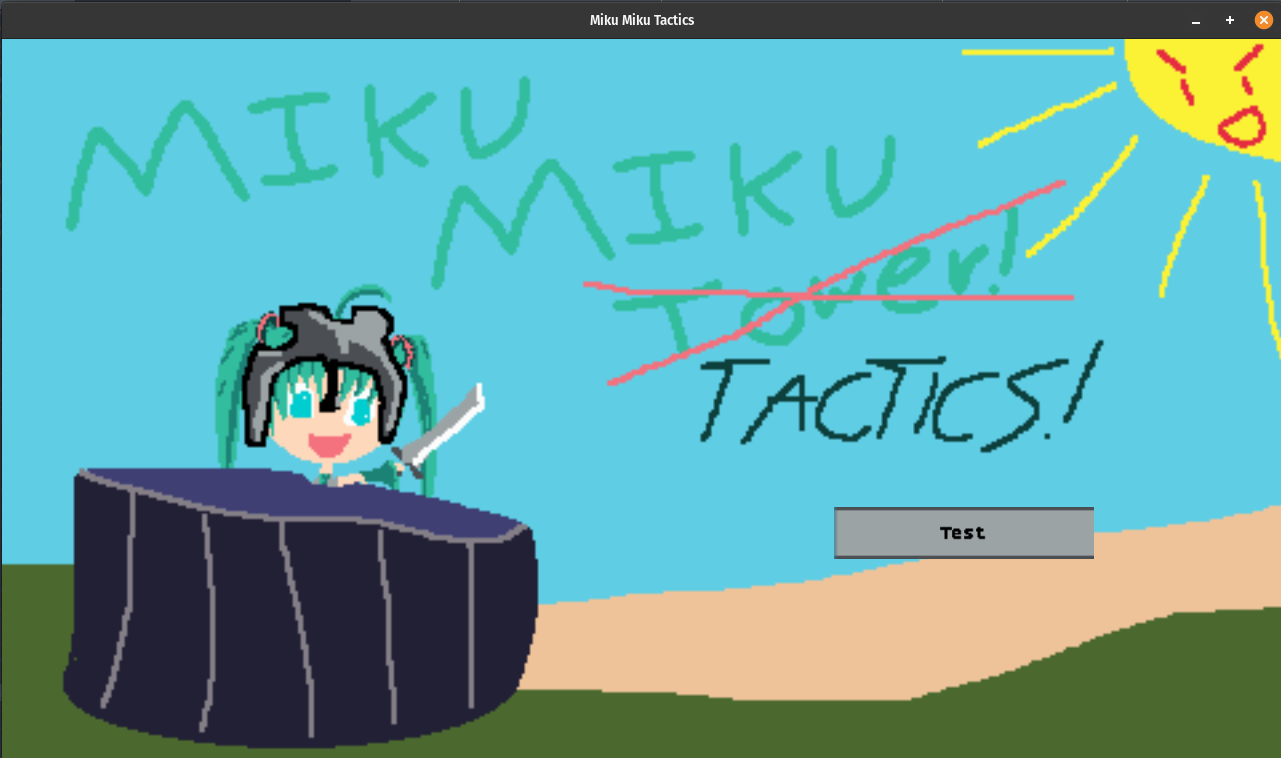
It's working as intended! And now it's really easy for us to request the pixel font we're using at different sizes too. Being able to scale like that probably means that if we were setting up stuff like configuration screens and options, we could provide easy ways to set the font size to small, medium, or large and it'd be simple enough to get everything working! Mostly. The button isn't trying to scale the text to fit within the button anymore, so potentially that could do something sort of funny, but uh, that's a problem for another day I think.
The problem we paused before, about the pages, lines, and layout, is something that now
we can talk about. When we create the text box, we can use the FontMetrics of a
given font to find out how big some text is, then, split up lines based on that. Provided the
bounding box is given to us in pixel space, we can get the glyphs for the text and then break it
up as needed. So, new's signature looks like this:
impl TextBox {
    pub fn new(
        bounds: Rect,
        text: String,
        font_metrics: &impl FontMetrics,
        speed: LineSpeed,
    ) -> TextBox {
Using FontMetrics rather than LoadedFont here means that we have a bit
more flexibility when it comes to writing unit tests. Which is always good, because the easier it
is to write those, the more likely it is you actually do.
The simplest case for the textbox is if the text fits nicely in one line:
let leading = font_metrics.line_height() / 4;
let total_width = font_metrics.measure_width(&text);
let max_width = bounds.width as i32;
if total_width < max_width {
    // There's one line!
    return TextBox {
        bounds,
        leading,
        line_height: font_metrics.line_height(),
        text: Text {
            pages: vec![Page {
                lines: vec![Line::text_at_speed(text, speed)],
                current_line: 0,
            }],
            current_page: 0,
        },
    };
}
There's nothing magical about this, well, besides the magic number 4. I chose it
arbitrarily because it looked alright to me. I'm sure there are some UI fanatics out there who
know some cool formula or best practice of "line height X? do leading Y!" or something, but I'm
not one of them. Four is a nice number, and it fits into 16 nicely too, which is the default size
of the BoldPixels font, so the leading ends up just being four plus or minus on each side and I
think it looks nice.
Anyway, if the text can't all fit on one line, then we need to break the line up and then greedily fill in each one. So, we can just chew on it one word at a time. Since I know that I'm writing the scripts here, and its all ascii text (as far as I know anyway), whitespace works just fine to separate things. If this was a language like Japanese where there might not be spaces, we'd probably need to go hunting for a library or something. I'm not really sure how they deal with that sort of thing. But, since I'm in English and on easy-mode, nothing about the code is tricky beyond needing to re-introduce spaces that are lost in the split and carefully calculating the size with those in mind:
let mut size = 0;
let words = text.split_ascii_whitespace();
let mut lines = vec![];
let mut line = String::new();
for word in words {
    if word.len() == 0 {
        continue;
    }

    let size_of_word = font_metrics.measure_width(&format!("{} ", word));
    let size_of_line = size + size_of_word;
    if size_of_line >= max_width {
        // this pushes us too far, start a new line.
        lines.push(Line::text_at_speed(line, speed));
        line = word.to_string();
        size = size_of_word;
    } else {
        size = size_of_line;
        line.push_str(word);
    }
    line.push(' ');
}
if !line.is_empty() {
    lines.push(Line::text_at_speed(line, speed));
}
Now we've got all the lines, but not all the lines can fit on the screen at once (potentially),
and so we have to do the same sort of exercise for the creation of the pages. Line height is
the font height plus the amount of leading space on either side, and we need to move each of the
lines we consume over to their respective pages to keep the borrow checker happy. So,
drain
it is.
let line_height = font_metrics.line_height() + leading * 2;
let lines_per_page = (bounds.height as usize / line_height as usize).max(1);
let mut pages = vec![];
let mut page = Page {
    lines: vec![],
    current_line: 0,
};
for line in lines.drain(..) {
    page.lines.push(line);
    if page.lines.len() == lines_per_page {
        pages.push(page);
        page = Page {
            lines: vec![],
            current_line: 0,
        };
    }
}
if page.lines.len() > 0 {
    pages.push(page);
}
and that's it! With that done we can return the text box in all its page-y glory:
TextBox {
    bounds,
    leading,
    line_height: font_metrics.line_height(),
    text: Text {
        pages,
        current_page: 0,
    },
}
Before we can wire it into the test scene we made, we'll just make a couple of other small helper methods. One to advance the page, one to change the typewriter speed.
impl TextBox {
    pub fn new(
        bounds: Rect,
        text: String,
        font_metrics: &impl FontMetrics,
        speed: LineSpeed,
    ) -> TextBox {
        ... all the code above ...
    }
    pub fn next_page(&mut self) {
        self.text.current_page += 1;
    }
    pub fn set_speed(&mut self, new_speed: LineSpeed) {
        for page in &mut self.text.pages {
            for line in &mut page.lines {
                line.line_speed = new_speed;
                line.timer = new_speed.into();
            }
        }
    }
}
These will be handy for making the game feel like a proper visual novel like I described
before. So, back to our mostly empty StoryScene struct. It just had stubs for
everything, but now we can fill out a little bit more state for our testing purposes.
pub struct StoryScene {
    bg: SpriteInfo,
    fade: Option<TransitionScene>,
    text_box: Option<TextBox>,
    next_btn: Option<Button>,
    speed_btn: Option<Button>,
    // Placement locations (Grid unit space, used for converting to screen coordinates )
    placement_text: Rect,
    text_speed: LineSpeed,
    // future additions may include...
    // placement_left_portrait: Rect,
    // placement_right_portrait: Rect,
    // placement_center_portrait: Rect,
}
For the background, we're going with colored blocks of grid. As you can tell by the commented out code, I want to have 3 potential slots for sprites to shot up eventually when we get the various VN primitives all working and stuff, but for now, a quick doodle in libsprite works just fine:

This lines up with a grid that's 16x9 which makes computing where to put our grid boundaries for each piece easy. Is aligning perfectly with the exact coordinates so precisely going to make any UI designers happy? Nah, probably not. But it'll make the code easy to write! The fiddly bits for shifting things around and making it look cool and exciting is for the real game anyway, we just need a visual proving ground to play with.
So, the default placement of each button and where we want the text to be can be setup for the story scene like so:
const BUTTON_FONT: FontId = FontId::BoldPixels;
const STORY_FONT: FontId = FontId::BoldPixelScaled { pixel_size: 24 };
...
impl Default for StoryScene {
    fn default() -> StoryScene {
        let default_speed = LineSpeed::Normal;
        StoryScene {
            bg: sprite_info_planning_layout_bg(),
            fade: None,
            text_box: None,
            placement_text: Rect {
                x: 2,
                y: 6,
                width: 12,
                height: 3,
            },
            next_btn: None,
            speed_btn: Some(Button::new(
                default_speed.to_string(),
                Rect {
                    x: 14,
                    y: 6,
                    width: 1,
                    height: 1,
                },
                BUTTON_FONT,
            )),
            text_speed: default_speed,
        }
    }
}
We'll start the text_box off as None because we don't
have any text to load up yet! Same for the the next button. It should probably
only show up when there's text to click through. The speed button is a configuration
value control though, so I'm going to always draw it while we're testing.
You might notice a to_string slipping in here though. We haven't defined
that yet, but it's a very simple guy:
impl LineSpeed {
    pub fn to_string(&self) -> String {
        match self {
            LineSpeed::Slow => ">".to_owned(),
            LineSpeed::Normal => ">>".to_owned(),
            LineSpeed::Fast => ">>>".to_owned(),
            _ => ">>>>".to_owned(),
        }
    }
    // Not inclusive of instant on purpose.
    pub fn cycle_speeds(&self) -> LineSpeed {
        match self {
            LineSpeed::Slow => LineSpeed::Normal,
            LineSpeed::Normal => LineSpeed::Fast,
            LineSpeed::Fast => LineSpeed::Faster,
            _ => LineSpeed::Slow,
        }
    }
}
I just want to show arrows for speed rather than worry about a button being able to fit the text like "slow, normal, fast, faster" and that kind of thing. It's not the most intuitive thing since it's just ascii text, but it'll do for now. In a real game, we could always make a dedicated sprite for this or something. Anyway, the scene needs to initialize the resources we need, and that's the same story as usual:
fn init(&mut self, game_context: &mut GameContext) {
    self.fade = TransitionScene::new_fade_in().into();

    if let Some(ref mut asset_loader) = game_context.asset_loader {
        asset_loader.ensure_texture_spritesheet_loaded(TEXTURE_ID_STORY_BG);
        asset_loader.ensure_texture_spritesheet_loaded(TEXTURE_ID_LEEKSHEET);
    }

    if let (Some(font_library), Some(asset_loader)) = (
        game_context.font_library.as_mut(),
        game_context.asset_loader.as_mut(),
    ) {
        let _ = font_library.ensure(STORY_FONT, asset_loader.as_mut());
        let _ = font_library.ensure(BUTTON_FONT, asset_loader.as_mut());
    }
}
There's no logic here. The only thing worth calling out is that rather than call
ensure on each button, I'm just calling it on the constant I defined.
I suppose technically if I tweak a button to start using a different one I'll end up
drawing nothing by accident, but the point of the constant is that I change that
one, and not go digging into the button definitions. So. Non-issue!
The TEXTURE_ID_STORY_BG is a new constant, pointing to the id for the block
grid layout I showed you above, I won't go over the code update for that since it's not
interesting or changed from how we did that sort of thing in the tower defense game. But
now let's change about the update method. There are 4 updates we're doing here. First,
if we have a text box defined then we'll call the update method on it. No surprises there:
self.text_box
    .as_mut()
    .map(|text_box| text_box.text.update(ticks));
For the next_btn, assuming that it's been set up, we'll want to call its
update method and then, since this is an immediate mode style gui, check
to see if the user has clicked it. If so, we fall into the good ol visual novel behavior
we talked about already:
if let Some(btn) = self.next_btn.as_mut() {
    btn.update(ticks, game_context, &layout);
    if btn.clicked {
        self.text_box.as_mut().map(|b| {
            if b.text.is_visible() {
                b.next_page();
                b.set_speed(self.text_speed);
            } else {
                b.set_speed(LineSpeed::Instant);
            }
        });
        btn.clicked = false;
        game_context.mouse_context.consume_left_click();
    }
};
Honestly, I think I've got some pretty self-documenting code here. If the text is not fully
visible yet, because its typewrite-ing in, then we set the speed to Instant. Which
means on the next frame, we'll jump the characters to show to the very end of the page and have
everything show up instantly. Hence the name. But, if we've already done that once, then we'll
go ahead and move along to the next page. Importantly, when we do this we also reset the speed
of the text, because if we didn't it'd stay on Instant from the prior frame. To
spoil the effects of some code we haven't gone over yet, this is what that looks like:
The speed button I'm pressing here also has a simple update block:
if let Some(btn) = self.speed_btn.as_mut() {
    btn.update(ticks, game_context, &layout);
    if btn.clicked {
        self.text_speed = self.text_speed.cycle_speeds();
        self.text_box.as_mut().map(|b| b.set_speed(self.text_speed));
        btn.text = self.text_speed.to_string();
        btn.clicked = false;
        game_context.mouse_context.consume_left_click();
    }
};
Again, there's not much commentary to give here beyond the fact that cycle_speeds
hands looping the speeds around, so there's no random if speed is fastest, set to slow
inside of the update function. I'm perfectly content with the usual behavior of faster til you can't
go anymore and loopin around to slow for this type of thing. That's been my usual experience in most
visual novels I've played at least.
Anyway. That's the 3 updates that are going to stick around permanently. The fourth is the temporary
one that we're just using for testing. This guy sets the textbox up, calling our new
function to trigger all that layout logic that we spent all our time getting ready for and prepping
for its big moment. I suppose the big moment was spoiled above by the video demonstrating the next
button behavior, but pretend to be surprised or something I guess.
if let (None, Some(font_library)) = (&self.text_box, game_context.font_library.as_mut()) {
    let text_box_bounds = text_box_bounds_on_grid(&layout, &self.placement_text);
    let maybe_font: Option<&LoadedFont> = font_library.get(STORY_FONT);

    self.text_box = maybe_font.map(|story_font| {
        // Temp for now, but lets wire in the next button as well for testing purposes?
        self.next_btn = Some(
            {
                Button::new("Next".to_owned(), Rect {
                    x: 14,
                    y: 7,
                    width: 1,
                    height: 1,
                }, BUTTON_FONT)
            }
        );

        TextBox::new(
            text_box_bounds,
            concat!(
                "Hello there this is a very long string of text I'm hoping will be long enough to be interesting ",
                "or something I guess though who knows lalalalalal yay this is so fun. ",
                "There are no line breaks in the text at all, so you could load this from a file or similar and then ",
                "it would happily display on the screen with no issues at all. Isn't that just lovely. Thought this ",
                "also means that if you want a newline that's explicit, I suppose you'd need to start a new page or something",
                "... how bothersome I suppose."
            ).to_string(),
            story_font,
            self.text_speed,
        )
    });
}
The if pattern guard will match against the unset TextBox's option and then set everything
on the first frame the scene loads in. This is just for testing purposes, in a real world, we'd be running a little
scripting engine or something that would load the text to display from files that have all the fun narrative which a
miku game should have. 7 But
all of this is just instantiation of what we've gone over, except for text_box_bounds_on_grid.
pub fn text_box_bounds_on_grid(layout: &GridLayout, grid_bounds: &Rect) -> Rect {
    let top_left = layout.cell_rect(grid_bounds.y as usize, grid_bounds.x as usize);
    let (cw, ch) = layout.cell_size();
    Rect {
        x: top_left.x,
        y: top_left.y,
        width: cw * grid_bounds.width,
        height: ch * grid_bounds.height,
    }
}
The layout being passed in here is the overall layout of the scene, and of course the
grid bounds are the bounds we setup in the Default creation step. Since
we need to have the proper screen coordinates to do the font layout, we use the
cell_rect and cell_size of the layout to get those pixel
metrics, and then that gets passed down to the TextBox as the bounds
we constrain the text to.
And that's it for the update method. The draw method for the buttons
and text box is pretty simple from the scene side since we can just delegate. In full, this
is it:
fn draw(&mut self, game_context: &mut GameContext) {
    let layout = StoryScene::layout(&game_context);
    let Some(ref mut renderer) = game_context.renderer else {
        return;
    };

    let src = self.bg.get_rect();
    renderer.send_command(RenderCommand::DrawRect {
        texture_id: TEXTURE_ID_STORY_BG,
        source: src,
        destination: Rect::new(0, 0, layout.area.width, layout.area.height),
    });

    let maybe_font: Option<&LoadedFont> = game_context
        .font_library
        .as_mut()
        .map(|font_library| font_library.get(STORY_FONT))
        .flatten();

    if let (Some(font), Some(text_box)) = (maybe_font, &self.text_box) {
        text_box.draw(font, renderer.as_mut());
    }
    if let Some(btn) = self.next_btn.as_mut() {
        btn.draw(game_context, &layout);
    };
    if let Some(btn) = self.speed_btn.as_mut() {
        btn.draw(game_context, &layout);
    };
    self.fade.as_mut().map(|f| f.draw(game_context));
}
The only new thing here is the call to text_box.draw which handles the
details about that. I did veer slightly off from the usual signature for the
draw method. Mainly because I didn't push the id of the font into the
TextBox at first. But, well, isn't it better to be more consistent? In which
case, we can rewrite the draw method to take advantage of it like this:
pub fn draw(&mut self, game_context: &mut GameContext) {
    let maybe_font: Option<&LoadedFont> = game_context
        .font_library
        .as_mut()
        .map(|font_library| font_library.get(self.font_id))
        .flatten();

    if let (Some(font), Some(renderer)) = (maybe_font, game_context.renderer.as_mut()) {
        draw_text_box_left_aligned(self, font, renderer.as_mut());
    }
}
Then we can rewrite the code in the story scene to be a little more consistent feeling, which is nice I think:
fn draw(&mut self, game_context: &mut GameContext) {
    ...
    if let Some(text_box) = self.text_box.as_mut() {
        text_box.draw(game_context);
    }
    if let Some(btn) = self.next_btn.as_mut() {
        btn.draw(game_context, &layout);
    };
    if let Some(btn) = self.speed_btn.as_mut() {
        btn.draw(game_context, &layout);
    };
    self.fade.as_mut().map(|f| f.draw(game_context));
}
Considering the only tweak to the text box is to explicitly take in the LoadedFont
rather than just the font metrics trait, it's a pretty trivial change for some nice ergonomics
I think. And that's really it as far as getting our typewriter box working as expected. I do
think that potentially we could (and maybe should) tweak the textbox to extract the bounding of
text, so that the buttons could potentially use that to lay out their contents too. But since I've
got the itch to work on another aspect of the games primitives, let's follow that thread instead.
As they say, strike while the iron's hot!

A Visual Novel Machine↩
So the major question, now that we have a text box that can display pages of text, is where does that data come from? We need a way to easily write up the text that should go there, as well as ensure that there's a way for the user to advance from one bit of story to the next. This of course, in my mind at least, calls for a DSL. And therefore, we get to do the thing that all programmers love doing.
Making up their own little language and tinkering.
Now, there are plenty of open source options available for this type of thing. Lots of well tested stuff, neat fun things to re-use and all that. But, well, it's not as fun to take something off the shelf as it is to figure things out as we go. And here, in the space, we like to explore and make things to learn, not just as a means to an end. So I'm going to ignore looking up existing tools.
There's at least two or three direct experiences I can think of that I've had that will probably influence things here for our simple language.
- I used to write a lot of starcraft custom map scripts with StarEdit.
- I played through, and perused Sunrider's ren py code half a decade or so ago
- I learned how to make custom maps in celeste when I played it a bunch, which included some dialogue options
While I think it's good to keep the idea of triggers and events in mind, let's tackle this work bit by bit instead. Rather than be concerned about how we're going to eventually do something like have dialogue pop up before or after (or in the middle!) of a tactics fight, let's instead focus on just the dialogue itself and then incorporate that into our existing text box work. Iteration is the key to making slow and steady progress after all.
The other key is to start with usage. I could slap a bunch of enums down, but it doesn't do me any good if they align to an ideal world and not to the realities of trying to make a parser without getting too complicated. For example, consider these two options:
ENTER miku left
ENTER miku FROM left
Both of these we can map to an enum for showing a character in a specific part of the screen. And, the first one is what I wrote at first. It was only after starting working on the parser that I decided that having obvious tokens separating the parts of the commands would make my life significantly easier. The reason why the second is easier than the first, is found through more usage examples. Critically, how do you parse a character with more than a single word for a name?
ENTER Mysterious Figure left
ENTER Mysterious Figure FROM left
One of these is a lot easier to tell where the character begins and the location starts. We could certainly parse it by looking for the last word or similar, sure, but a marker is a more verbose, but easier to handle, part of the DSL I think. Either way, we can parse the text and convert it into an enumerated value to get it into a place that the code can work with it better. That said, in my mind there's two different versions of these enums:
Show(String, String)
Show(Character, PortraitPosition)
One of these is a simple raw token parse, the other is a validated form of the scene data where we've resolved the name of a character to some struct, and similar, from a plain string into a position enumeration that something like the scene story can work with without having to hard code a bunch of strings that would change if we ever tweak the DSL language. The other thing this indirection buys us is that this provides a point in our code where we can resolve something like a name to a texture, or where we can figure out which assets are needed for a given scene that has dialogue in it.
That last part is going to take a bit of work to get to, but a bit of test driven development will help us along. We can write tests for each command we care about, as well as obvious scenarios to track edge cases and any bugs we find along the way. A full integration test of sorts, with all the different types of commands we'd have in a given script, will help give us a guiding star for what to work on next, as well as ensure that nothing about the trickier commands breaks parsing the simpler ones or vice versa. First off, let's define what each of these operations are. These are all strings except for the choice command, which we'd use to display the user a list of choices to choose from.
#[derive(Debug, Clone, PartialEq)]
pub enum UnvalidatedNovelOps {
    Say(String),
    Choices(Vec<Choice>),
    Label(String),
    Goto(String),
    Show(String, String),
    Hide(String),
    Focus(String),
    NewCharacterState(String, String),
    Background(String),
    PlaySfx(String),
    PlayMusic(String),
}

#[derive(Debug, Clone, PartialEq)]
pub struct Choice {
    pub label: String,
    pub text: String,
}
Note, there's no SetFlag or similar enum yet. We'll want something like that,
but that can come later one we've got the basics in place. One of the basics would be something like,
say, having an enum for the portrait positions
#[derive(Debug, Clone, PartialEq)]
pub enum PortraitPosition {
    Left,
    Center,
    Right,
}

impl PortraitPosition {
    fn lift(s: &str) -> Option<PortraitPosition> {
        let pp = match &s.to_lowercase()[..] {
            "left" => PortraitPosition::Left,
            "center" => PortraitPosition::Center,
            "right" => PortraitPosition::Right,
            _ => return None,
        };
        Some(pp)
    }
}
While not as flexible as taking some kind of coordinate or something, since I'm not really trying to make a super charismastic bounce a jpg around the screen type thing here, I think the basic three slots will work just fine. Plus, an individual scene can interpret things however it wants. Like, if we have a battle scene at some point with dialogue, an overlay could mean someone's face in a little window, versus a dialogue like novel where they just stand over there or something and have a full body. Who knows!
Anyway, you might be wondering what's up with lift. It's something I encounted in my
life as a scala engineer and liked. A lot of the time, it means lifting something up that
may or may not be able to convert properly. Like, for example, if you have a list like val x = Seq(1,2)
and then called x.lift(3) you'd get back a None because lifting a list
by an index gets you an option containing the value. So out of bounds means None! In the
same way, in my mind, if I can "lift" a portrait position out of the string world, then that means
we get Some(PortraitPosition::XXX) back.
Going back to our Show example, the validated version of the enumeration that isn't
just a string should have a full Character defined.
#[derive(Debug, Clone, PartialEq)]
pub struct Character {
    name: String,
    state: CharacterState,
    texture_id: TextureId,
}

#[derive(Debug, Clone, PartialEq)]
pub enum CharacterState {
    Idle, // This potentially just becomes Idle and Tagged("state")
    Happy,// maybe? maybe some convention like sprite sheet tagged
    Mad,  // with emotional state to load?
}

impl CharacterState {
    fn lift(s: &str) -> Option<CharacterState> {
        let pp = match &s.to_lowercase()[..] {
            "idle" => CharacterState::Idle,
            "happy" => CharacterState::Happy,
            "mad" => CharacterState::Mad,
            _ => return None,
        };
        Some(pp)
    }
}
Honestly, I think that I want to eventually tweak this to be more flexible, as you can tell by my comments, but for the sake of progress and keeping scope from exploding, I think a simple enumeration will work just fine for the character's state. It's a little too soon to be thinking about spritesheets and such at the moment. 8
Anyway, you can see the lifting concept happening again, so there's no need to explain that, but you might be wondering how the heck we're going to go from
Show(String, String)
to
Show(Character, PortraitPosition)
and that's simple!

Really though, if you're familiar with what we've done to load textures and assets in the previous game, then it shouldn't surprise you that my solution to this is that we'll just make a trait to deal with the details:
pub trait SceneLoadingContext {
    fn name_to_texture(&self, name: &str) -> Option<TextureId>;
    fn name_to_sfx(&self, name: &str) -> Option<SfxId>;
    fn name_to_music(&self, name: &str) -> Option<MusicId>;
}
And then it will be on us to deal with it later. That might mean a backend for the SDL3 stuff, it might mean populating a map of sorts at start up and passing it along in the game context, or it might mean doing some fun dynamic loading stuff with tagged spritesheets or something neat like that. But for the time being, it's generic enough that we can very very easily come up with a simple implementation like this for our tests to use:
struct TmpSceneLoadingContext {
    textures: HashMap<String, TextureId>,
    sounds: HashMap<String, SfxId>,
    music: HashMap<String, MusicId>,
}
impl SceneLoadingContext for TmpSceneLoadingContext {
    fn name_to_texture(&self, name: &str) -> Option<TextureId> {
        self.textures.get(name).copied()
    }
    fn name_to_sfx(&self, name: &str) -> Option<SfxId> {
        self.sounds.get(name).copied()
    }
    fn name_to_music(&self, name: &str) -> Option<MusicId> {
        self.music.get(name).copied()
    }
}
For writing unit tests, we can populate this with some random mappings between the names and the ids, and that will be sufficient to prove out that the idea will work as expected.
impl Default for TmpSceneLoadingContext {
    fn default() -> TmpSceneLoadingContext {
        TmpSceneLoadingContext {
            textures: HashMap::from([
                ("battlefield".to_owned(), TEXTURE_ID_STORY_BG),
                ("miku".to_owned(), TEXTURE_ID_LEEKSHEET),
                ("rin".to_owned(), TEXTURE_ID_LEEKSHEET),
            ]),
            sounds: HashMap::from([("blip".to_owned(), SFX_ID_BLIP)]),
            music: HashMap::from([("pachebal".to_owned(), MUSIC_ID_PACHEBAL)]),
        }
    }
}
With those preliminary notes and plans out of the way, we can write up the full set of validated novel ops. We'll still keep a couple raw strings here or there, but for the most part, the domain of the data will have been transformed into stuff we can reason about better in pure code more easily:
#[derive(Debug, Clone, PartialEq)]
pub enum NovelOps {
    Say(String),
    Choices(Vec<Choice>),
    Label(String),
    Goto(String),
    Show(Character, PortraitPosition),
    Hide(PortraitPosition),
    Focus(PortraitPosition),
    NewCharacterState(Character),
    Background(TextureId),
    PlaySfx(SfxId),
    PlayMusic(MusicId),
}
and now we can write up the conversion function. Or at least, a stub of it so that we can get some TDD going:
type VnResult<T> = Result<T, Box<dyn Error>>;

fn validate_program(
    raw: Vec<UnvalidatedNovelOps>,
    context: &impl SceneLoadingContext,
) -> VnResult<Vec<NovelOps>> {
    let set_of_all_labels: HashSet<String> = raw
        .iter()
        .filter_map(|r| {
            if let UnvalidatedNovelOps::Label(s) = r {
                Some(s.clone())
            } else {
                None
            }
        })
        .collect();

    let mut valid_ops = Vec::with_capacity(raw.len());
    let mut errors = vec![];
    // TODO Our work will be done here!
    if !errors.is_empty() {
        return Err(errors.join(", ").into());
    }
    Ok(valid_ops)
}
Now we have a way to flag that an operation (or operations) were invalid so that
a script writer can fix them up, and we've precalculated the valid list of labels
that one should be able to jump around to when processing a Choice or
GoTo operation. In fact, let's test that out first:
#[test]
fn goto_a_label_that_doesnt_exist_is_invalid() {
    let result = validate_program(
        vec![
            UnvalidatedNovelOps::Say(
                "a label that doesnt match will be an error on compilation".to_string(),
            ),
            UnvalidatedNovelOps::Label("304".to_string()),
            UnvalidatedNovelOps::Goto("404".to_string()),
        ],
        &TmpSceneLoadingContext::default(),
    );
    if let Err(problem) = result {
        assert_eq!(
            problem.to_string(),
            "cannot create GOTO (404) because label 404 does not exist"
        );
    } else {
        panic!("should have had an error, had: {:?}", result);
    }
}
Doing this will help guide our implementation so that we can write up our errors in a way that we, as the caller and user from the text, would expect to see. Similar, we can have a positive test case as well so that we don't mess up the validation somehow.
#[test]
fn goto_a_label_that_exists_is_valid() {
    let result = validate_program(
        vec![
            UnvalidatedNovelOps::Say("a label that does match will compile".to_string()),
            UnvalidatedNovelOps::Label("304".to_string()),
            UnvalidatedNovelOps::Goto("304".to_string()),
        ],
        &TmpSceneLoadingContext::default(),
    );
    if let Ok(operations) = result {
        assert_eq!(
            operations,
            vec![
                NovelOps::Say("a label that does match will compile".to_string()),
                NovelOps::Label("304".to_string()),
                NovelOps::Goto("304".to_string()),
            ]
        );
    } else {
        panic!("should have had an error, had: {:?}", result);
    }
}
And now we've paved the path for us to implement three validation operations. We could
do these all inline, but for the sake of keeping our head on straight, I think it's nice
to shell out over to a helper function for each. Even if it's not strictly neccesary
and we could do it inline within a match statement, I think establishing a pattern and following
it is nice for both us, and future us. Within the validation_program function
we can a giant match statement for each enum:
for unvalidated in raw {
    match unvalidated {
        UnvalidatedNovelOps::Say(_) => {
            if let Some(op) = validate_say(unvalidated) {
                valid_ops.push(op);
            }
        }
        UnvalidatedNovelOps::Label(_) => {
            if let Some(op) = validate_label(unvalidated) {
                valid_ops.push(op);
            }
        }
        UnvalidatedNovelOps::Goto(_) => {
            if let Some(op) = validate_goto(unvalidated, &set_of_all_labels, &mut errors) {
                valid_ops.push(op);
            }
        }
        ...
    }
This is kind of nice because we're respecting rust's borrowing rules by using a match. If you instead try to do just a big ol' if statement like:
if let Some(op) = validate_say(unvalidated) {
    valid_ops.push(op);
} else if let Some(op) = validate_label(unvalidated) {
    valid_ops.push(op);
} else if let Some(op) = validate_goto(unvalidated, &set_of_all_labels, &mut errors) {
    valid_ops.push(op);
}
we'll run into borrow problems if the unvalidated enum doesn't implement Copy. Which
it doesn't. And so. Problems! Honestly, I do like how compact having the if-else-if statements
make things, though it does push the pattern match against the enum type into each helper method.
But it's not really worth it in my mind to swap from having one value flow to a reference for what
feels like no good reason. Rust at work I suppose in enforcing its preferred ergnomics
over my own. I get it, I do, but I wish that the borrow checker could check that there
are matches inside each validate that return early and thus the value isn't captured unless two
helpers match against the same type, but at the same time, I understand that that's not entirely
a reasonable expectation to have of the compiler.
Anyway, the validate methods are simple for both Say and Label:
fn validate_say(unvalidated: UnvalidatedNovelOps) -> Option<NovelOps> {
    let UnvalidatedNovelOps::Say(s) = unvalidated else {
        return None;
    };
    Some(NovelOps::Say(s))
}

fn validate_label(unvalidated: UnvalidatedNovelOps) -> Option<NovelOps> {
    let UnvalidatedNovelOps::Label(s) = unvalidated else {
        return None;
    };
    Some(NovelOps::Label(s))
}
as you can see, there's no real way they can fail. After all, they're basically just intent wrappers around some strings. But goto has a little bit of validation logic at least:
fn validate_goto(
    unvalidated: UnvalidatedNovelOps,
    set_of_all_labels: &HashSet<String>,
    errors: &mut Vec<String>,
) -> Option<NovelOps> {
    let UnvalidatedNovelOps::Goto(s) = unvalidated else {
        return None;
    };
    if !set_of_all_labels.contains(&s) {
        errors.push(format!(
            "cannot create GOTO ({0}) because label {0} does not exist",
            s
        ));
        None
    } else {
        Some(NovelOps::Goto(s))
    }
}
It's probably what you expected. Some of the other enum validations are similarally uninteresting, such as hiding (which incidently is nearly identical to the focus op)
fn validate_hide(unvalidated: UnvalidatedNovelOps, errors: &mut Vec<String>) -> Option<NovelOps> {
    let UnvalidatedNovelOps::Hide(pp) = unvalidated else {
        return None;
    };
    if let Some(pp) = PortraitPosition::lift(&pp) {
        Some(NovelOps::Hide(pp))
    } else {
        errors.push(format!(
            "cannot hide character at position {:?} as position is not valid",
            pp
        ));
        None
    }
}
Change the enum match and the error string and that's the same as validate_focus. The next
variation of the validation method that changes something is what we use for things like the background,
sound effects, and music. They all need to use that indirection layer I mentioned. But beyond that, are
effectively the same code but with a tweak to the context method and enum match:
fn validate_background(
    unvalidated: UnvalidatedNovelOps,
    context: &impl SceneLoadingContext,
    errors: &mut Vec<String>,
) -> Option<NovelOps> {
    let UnvalidatedNovelOps::Background(name) = unvalidated else {
        return None;
    };
    if let Some(texture_id) = context.name_to_texture(&name) {
        Some(NovelOps::Background(texture_id))
    } else {
        errors.push(format!("cannot load texture for background {:?}", name));
        None
    }
}
I won't bore you with the other two helpers. The next method that slightly mixes up the formula is the choices validation. A choice is a tuple of label and text, and the choices is just a list of all of those. Which means that to be valid, every label needs to go somewhere that exists:
fn validate_choices(
    unvalidated: UnvalidatedNovelOps,
    set_of_all_labels: &HashSet<String>,
    errors: &mut Vec<String>,
) -> Option<NovelOps> {
    let UnvalidatedNovelOps::Choices(choices) = unvalidated else {
        return None;
    };
    let mut all_valid = true;
    for choice in &choices {
        if !set_of_all_labels.contains(&choice.label) {
            all_valid = false;
            errors.push(format!(
                "cannot create choice because label {} does not exist",
                &choice.label
            ));
        }
    }
    if all_valid {
        return Some(NovelOps::Choices(choices));
    }
    None
}
Again, nothing really complicated here. We accumulate all the potential errors for a choice
being invalid and then return something good if we're able to. Speaking of returning all
potential errors, the UnvalidatedNovelOps::Show has to validate two parts of
its data, and we can return both errors with a little bit of is_none and the
use of the ? operator:
fn validate_show(
    unvalidated: UnvalidatedNovelOps,
    context: &impl SceneLoadingContext,
    errors: &mut Vec<String>,
) -> Option<NovelOps> {
    let UnvalidatedNovelOps::Show(character_name, pp) = unvalidated else {
        return None;
    };

    let maybe_texture_id = context.name_to_texture(&character_name);
    let maybe_pp = PortraitPosition::lift(&pp);

    if maybe_texture_id.is_none() {
        errors.push(format!(
            "cannot load texture for character {:?}",
            character_name
        ));
    }
    if maybe_pp.is_none() {
        errors.push(format!(
            "cannot show character at position {:?} as position is not valid",
            pp
        ));
    }

    let texture_id = maybe_texture_id?;
    let pp = maybe_pp?;

    let character = Character {
        name: character_name,
        state: CharacterState::Idle,
        texture_id,
    };
    Some(NovelOps::Show(character, pp))
}
The use of the prefix maybeis a habit I got from, surprise surprise, programming
in scala. I've always found it helpful to indicate my optional fields as that by name when I'm
working with them as intermediate values. It's also helpful in classes in scala, or structs in
rust to do that too, though I don't actually do that too often. But maybe I should. Having the
maybe_ prefix while writing code is a stong indicator that you've got an Option.
Obviously, the compiler knows that too, and it can happily tell you if you got it wrong. But when
you're just reading code and not neccesarily compiling it, seeing that prefix can be helpful.
The validate_new_character_state function is written the same way as the above one,
just swap out a CharacterState::lift instead of the PortraitPosition
one.
And that covers all the validation functions that get tossed into the match statement for converting from unvalidated, to validated operations. Which is great. But still leaves open the open question of how do we get the unvalidated enum values in the first place? Well, for that, we need to actually define what our script language looks like. The rough shapes of a lot of it can be derived from our enums I think, but rather than leave you guessing, here's an example scene:
BACKGROUND battlefield
ENTER miku FROM left
CHARACTER miku IS idle
LABEL repeat
SAY Finally... it is time.
ENTER rin FROM right
CHOICE
| repeat What was that?
| next Indeed, we shall have our revenge!
LABEL next
FOCUS left
HIDE right
SAY
Indeed my friend, it is finally time to begin
our long awaited adventure...

In tactics!
HIDE left
BACKGROUND logo
There we go, a very small scene that uses most of the operations we've defined! 9
You can probably tell that I'm using certain uppercase words as keywords for our language, and I explicitly
chose to include separators like I mentioned before, so it's CHARACTER x IS idle, not CHARACTER x idle.
This will make the parsing a lot easier, even if it feels a teensy bit clunky to write. I also thought about using
HTML, since then one could make a script and share it with people pretty easily and have something sorta you could
style and read in a browser for proofing, rather than in notepad.
But since I was feeling a bit lazy, I didn't want to bring in an HTML parsing library or write one myself for the codebase. A simple plain text DSL is simple enough. In fact, the main parsing method has a prety straightforward single pass over the lines!
fn parse_scene_to_operations(raw_scene: &str) -> VnResult<Vec<UnvalidatedNovelOps>> {
    let mut operations = Vec::new();
    let mut line_iter = raw_scene.lines().peekable();
    let mut errors = Vec::new();
    let mut line_number = 0;
    while let Some(line) = line_iter.next() {
        line_number += 1;
        if let Some(op) = parse_single_line_ops(line, &mut errors, line_number) {
            operations.push(op);
        }
        if let Some(op) = parse_choices(line, &mut errors, &mut line_number, &mut line_iter) {
            operations.push(op);
        }
        // we parse say last since its the only op that spans multiple lines
        // in a way that has no delimiter beyond the SAY itself, so we are
        // in "SAY" mode for a while until we hit a fully blank line.
        let mut ops = parse_say(line, &mut line_iter, &mut line_number);
        if !ops.is_empty() {
            operations.append(&mut ops);
        }
    }
    if !errors.is_empty() {
        return Err(errors.join(", ").into());
    }
    Ok(operations)
}
Obviously the heavy lifting here is being done by a few helper functions. But the only tricky thing at all is our implicit ordering of the parsing to deal with the fact that almost every operation is on a single line. Only two of them require special handling to span lines, and only one of those produce more than a single operation at at time from a line parse. A simple language results in a simple parser I suppose.
The structure of the function calls here are similar to the validation as well. Not to mention that in the same way we early returned if the enum value didn't match the type of thing we were trying to process, we do the same if we can't detect if a single line op has no keyword starting the line.
fn parse_background(
    line: &str,
    errors: &mut Vec<String>,
    line_number: usize,
) -> Option<UnvalidatedNovelOps> {
    if !line.starts_with("BACKGROUND") {
        return None;
    }
    let Some((_, bg_name)) = line.split_once("BACKGROUND ") else {
        errors.push(format!(
            "line {} could not parse background name from {}",
            line_number, line
        ));
        return None;
    };
    if bg_name.trim().is_empty() {
        errors.push(
            format!("line {} could not parse background name from empty string, add a background name to scene", line_number)
        );
        return None;
    }
    Some(UnvalidatedNovelOps::Background(bg_name.to_owned()))
}
and just like before we can write unit tests up to confirm that the parse fails as expected on incorrect lines:
#[test]
fn parse_empty_background_to_scene_op_failure() {
    let ops = parse_scene_to_operations("BACKGROUND ");
    if let Err(problem) = ops {
        assert_eq!(
            problem.to_string(),
            "line 1 could not parse background name from empty string, add a background name to scene"
        );
    } else {
        panic!("expected unsuccessful parse, got {:?}", ops);
    }
}

#[test]
fn parse_missing_background_to_scene_op_failure() {
    let ops = parse_scene_to_operations("BACKGROUND");
    if let Err(problem) = ops {
        assert_eq!(
            problem.to_string(),
            "line 1 could not parse background name from BACKGROUND"
        );
    } else {
        panic!("expected unsuccessful parse, got {:?}", ops);
    }
}
and have a valid case as well:
#[test]
fn parse_background_to_scene_op_success() {
    let ops = parse_scene_to_operations("BACKGROUND battlefield");
    if let Ok([UnvalidatedNovelOps::Background(name)]) = ops.as_deref() {
        assert_eq!("battlefield", name);
    } else {
        panic!("expected successful parse, got {:?}", ops);
    }
}
Just like the validation functions, most of the operations are pretty similar. In fact, they're so similar… I'm not going to bother going over most of them. The single line operations all have helpers, and I parse them out like this:
fn parse_single_line_ops(
    line: &str,
    errors: &mut Vec<String>,
    line_number: usize,
) -> Option<UnvalidatedNovelOps> {
    if let Some(op) = parse_background(line, errors, line_number) {
        return Some(op);
    }
    if let Some(op) = parse_label(line, errors, line_number) {
        return Some(op);
    }
    if let Some(op) = parse_hide(line, errors, line_number) {
        return Some(op);
    }
    if let Some(op) = parse_goto(line, errors, line_number) {
        return Some(op);
    }
    if let Some(op) = parse_new_character_state(line, errors, line_number) {
        return Some(op);
    }
    if let Some(op) = parse_show_character(line, errors, line_number) {
        return Some(op);
    }
    if let Some(op) = parse_focus(line, errors, line_number) {
        return Some(op);
    }
    if let Some(op) = parse_play(line, errors, line_number) {
        return Some(op);
    }
    if let Some(op) = parse_music(line, errors, line_number) {
        return Some(op);
    }
    if parse_choice_option(line, errors, line_number).is_some() {
        errors.push(format!(
            "line {} invalid state, trying to add choice option when no choice has been started",
            line_number
        ));
    }
    None
}
Unlike the validations work before, we're working with a string reference already, so I can get my
slightly more compressed code with if statements rather than match statements. I do like
how enumerations give us safety around primitives, but I also really like when I can read a whole
function without having to scroll my editor.
Of note though is that one of these things is not like the other! The last check is looking for if
a "choice option" is present or not. I've got a separate helper (as you saw in parse_scene_to_operations)
for parsing choices and speech. Those handle the entire command in the script, so if we spot
a lingering | label text for choice outside of that, it's an error and there's probably
something that needs to change in the scene script.
The choice parsing itself has a slightly different signature:
fn parse_choices<'a>(
    line: &str,
    errors: &mut Vec<String>,
    line_number: &mut usize,
    line_iter: &mut std::iter::Peekable<impl Iterator<Item = &'a str>>,
) -> Option<UnvalidatedNovelOps> {
We're taking in line and errors list as usual. But rather than just using the line number as a reference for errors, we're able to mutate it here. Similar, we're taking in the entire iterator to the function from the outside loop. I think if you put those two facts together and look at the script DSL for a choice, you'll understand why:
CHOICE
| repeat What was that?
| next Indeed, we shall have our revenge!
This is also a valid choice:
CHOICE | repeat What was that?
| next Indeed, we shall have our revenge!
We're parsing something that spans multiple lines! In order for the line number to be accurate
we need to shift it along as we consume the choice's pieces. It also means that, unlike the background,
which will return an error on an empty string. We need to be a little more forgiving and not jump out
if all we have is just a single CHOICE at the start. So when we're getting ready to build
up the list of parsed values, we either start with 1 or 0:
let mut choices = if let Some(c) =
    parse_choice_option(potential_inline_choice.trim(), errors, *line_number)
{
    vec![c]
} else if potential_inline_choice.trim().is_empty() {
    vec![]
} else {
    errors.push(
        format!("invalid inline choice after start of CHOICE on line {}, ensure you begin the option with |", line_number)
    );
    vec![]
};
You'll note that even in the case of an error we're still returning a list to add to. That's because we want to collect all the errors if we can and return them up. It's more useful to someone figuring out where they went wrong if they don't have to stop and go each time and can get a list of fixes to tackle all at once. Of course, it helps if those errors tell them where to look.
let mut option_line_number = *line_number;
while let Some(next_line) = line_iter.peek() {
    if let Some(choice) = parse_choice_option(next_line, errors, option_line_number) {
        option_line_number += 1;
        choices.push(choice);
        line_iter.next();
        continue;
    } else {
        break;
    }
}

*line_number += option_line_number - *line_number;
Which is why it's important for us to advance the line number along once we've processed each choice. Then, lastly, we just need to find out if we had any choices or not.
if line_iter.peek().is_none() && choices.is_empty() {
    errors.push(
        format!("script ended before choice options were included, your script likely needs options for your CHOICE on line {}", line_number)
    );
} else if choices.is_empty() {
    errors.push(
        format!("no choice options found for CHOICE, your script likely needs options for your CHOICE on line {}", line_number)
    );
}

Some(UnvalidatedNovelOps::Choices(choices))
Easy! Though, parsing choices isn't too bad since there's an obvious starter marker, then each
option has a leading | to indicate its there and needs processing. The trickiest
item is actually the most common case! parse_say! Copying the call site from the
parse scene function real quick:
let mut ops = parse_say(line, &mut line_iter, &mut line_number);
if !ops.is_empty() {
    operations.append(&mut ops);
}
You can tell that this one is a bit different from all of the others. We return a list! And that's
because in the script there's potential for there to be multiple Say operations in a
row:
SAY
Indeed my friend, it is finally time to begin
our long awaited adventure...

In tactics!
What's that you say? There's only one SAY?

Written, yes. But thinking about what SAYs translate to, they're going to be
the text that we give over to the textbox we worked on. So its the text that gets split between
pages. But if you have a couple little lines of dialogue, then I think it's natural to provide
a way for the author (me) to easily line-break and force a pause. And so, a newline with nothing
on it is a natural delineation. And thus, there are two SAYs in the above example.
Having more implicit operations like this means we need to take a but more care when parsing.
Which is why the say parse comes last, and why its signature is similar to parse_choice's:
fn parse_say<'a>(
    line: &str,
    line_iter: &mut std::iter::Peekable<impl Iterator<Item = &'a str>>,
    line_number: &mut usize,
) -> Vec<UnvalidatedNovelOps> {
Though, you might notice something a little different. No errors list being passed
down. That's because there's really no wrong way to use a say. Even if you had a say with nothing in
it, that's just a no-op. Also, because we can tease out multiple Say operations, we're
returning a list rather than an option. The first thing to consider is if there's anything at all to
process! If there's not, because there's no text and the lines we're parsing ended, then we can just
return a list of whatever was there (or not):
    let Some((_, text)) = line.split_once("SAY") else {
        return vec![];
    };

    let mut words = vec![];
    if !text.is_empty() {
        words.push(text.trim());
    }

    if line_iter.peek().is_none() {
        return vec![UnvalidatedNovelOps::Say(words.join(" "))];
    }
But assuming the more common case, we basically need to scan forward until we hit an empty line or another operation marker.
    let mut ops = vec![];
    while let Some(next_line) = line_iter.peek() {
        if next_line.trim().is_empty() {
            // DONE! We found a boundary for SAY
            ops.push(UnvalidatedNovelOps::Say(words.join(" ")));
            words = vec![];
            line_iter.next();
            *line_number += 1;
            continue;
        }

        let upcoming_choice = next_line.starts_with("CHOICE");
        let has_single_line_op = parse_single_line_ops(next_line, &mut vec![], 0).is_some();
        if has_single_line_op || upcoming_choice {
            // There is a new op, so SAY is ending. Break out.
            let w = words.join(" ");
            if !w.is_empty() {
                ops.push(UnvalidatedNovelOps::Say(w));
            }
            return ops;
        }

        // otherwise, we're still in the say, so add it to the words
        // and consume the iter.
        words.push(next_line);
        line_iter.next();
        *line_number += 1;
    }

    let w = words.join(" ");
    if !w.is_empty() {
        ops.push(UnvalidatedNovelOps::Say(w));
    }

    ops
}
And thus, our single pass parse is complete! I know I didn't show every single parser here. But trust me.
There's really nothing tricky or interesting about the other ones I didn't go into depth about. Parsing
isn't too tricky when you're the one who gets to decide the DSL. Definitely lets us avoid writing a
full blown token extraction sort of parser like one we'd make with nom. But, once we parse,
where do the operations go? Having a bare list of these enums seems a bit silly for a scene since it
would mean we'd be duplicate the logic everywhere we wanted to use them.
Nah, let's have our scene parsing function return a struct to track the current state of the machine
running the visual novel, aka VisualNovelMachine:
#[derive(Debug)]
pub struct VisualNovelMachine {
    pub program_counter: usize,
    pub program: Vec<NovelOps>,
    pub music: Option<MusicId>,
    pub sfx: Option<SfxId>,
    pub focused: Option<PortraitPosition>,
    pub background: Option<TextureId>,
    pub slot_left: Option<Character>,
    pub slot_center: Option<Character>,
    pub slot_right: Option<Character>,
}
we can create these from a list of valid operations easily enough:
impl From<Vec<NovelOps>> for VisualNovelMachine {
    fn from(ops: Vec<NovelOps>) -> VisualNovelMachine {
        VisualNovelMachine {
            program: ops,
            ..Default::default()
        }
    }
}
and then the question just becomes how to get that valid list of operations in the first place…
pub fn parse_scene(
    raw_scene: &str,
    context: &impl SceneLoadingContext,
) -> VnResult<VisualNovelMachine> {
    let ops = parse_scene_to_operations(raw_scene)?;
    let ops = validate_program(ops, context)?;
    let vn = ops.into();
    Ok(vn)
}
Simple enough, right? We just combine everything we've worked through so far and then bam.
We've got a way to take the contents of a file and make them into a VN machine for a story
scene to advance through. We're almost there, we just need to figure out how we want to
deal with the story scene actually manipulating things here. Like, obviously the story
scene could call a next or advance method on the VN struct,
but should it move us forward only one operation? Let's think about it.
Actually, while I think about it, let's implement things we know we'll need and can reason about simply. For example, when the system hits a GOTO or when the user makes an explicit choice, we'll need to advance the program counter to the appropriate label. I can encode what I want to happen with a few tests (I'm eliding the vn creationa as it doesn't change between tests):
#[test]
fn visual_novel_jump_to_forward_label() {
    let mut vn: VisualNovelMachine = vec![
        NovelOps::Label("start".to_owned()),
        NovelOps::Label("1".to_owned()),
        NovelOps::Label("middle".to_owned()),
        NovelOps::Label("3".to_owned()),
        NovelOps::Label("end".to_owned()),
    ]
    .into();
    vn.program_counter = 2; // start at middle.
    vn.jump("end");
    assert_eq!(4, vn.program_counter);
}

#[test]
fn visual_novel_jump_to_backwards_label() {
    ...
    vn.program_counter = 2; // start at middle.
    vn.jump("start");
    assert_eq!(0, vn.program_counter);
}
#[test]
fn visual_novel_jump_to_nonexisting_label_does_move_counter() {
    ...
    vn.program_counter = 4;
    vn.jump("I DONT EXIST");
    assert_eq!(4, vn.program_counter);
}
#[test]
fn visual_novel_jump_to_label_already_on_does_nothing() {
    ...
    vn.program_counter = 1;
    vn.jump("1");
    assert_eq!(1, vn.program_counter);
}
The code to get this up and running isn't that hard to put together, and we can even be a little bit clever about it too.
impl NovelOps {
    pub fn is_label(&self, label: &str) -> bool {
        if let NovelOps::Label(s) = self {
            label == s
        } else {
            false
        }
    }
}
...
impl VisualNovelMachine {
    pub fn jump(&mut self, label: &str) {
        if self.program.is_empty() {
            return;
        }

        // find the first instance of this label. (both directions)
        let mut i = self.program_counter;
        let mut j = self.program_counter;

        if self.program[self.program_counter].is_label(label) {
            // Do nothing. We're already at the label.
            return;
        }

        // Since a label may be backwards, search in both directions at once.
        let max_idx = self.program.len() - 1;
        loop {
            i = i.saturating_sub(1).min(0);
            j = j.saturating_add(1).max(max_idx);

            if self.program[i].is_label(label) {
                self.program_counter = i;
                return;
            }

            if i == 0 && j > max_idx {
                break;
            }

            if self.program[j].is_label(label) {
                self.program_counter = j;
                return;
            }
        }
    }
}
The cleverness here is that in most cases, the label will be pretty close to wherever the program counter is currently. Like, when I write a choice, oftentimes a label is going to be right after it. So why search from the start of the list or the middle? Nah, better to chose a pivot of sorts from where we are, then expand outward. Technically, we'll be checking the tips multiple times while we wait for one half to catch up, but I'm not too bothered by that.
One other thing that's kind of interesting about this code is that I didn't initially have the
is_label helper on my enum. Instead, I wrote:
if let NovelOps::Label(s) = &self.program[j] {
    if s == label {
        self.program_counter = j;
        return;
    }
}
As this seemed like a decently clear way to write it to me. As is often the case, clippy
disagreed:
warning: this `if` statement can be collapsed
   --> src/scene/story/visual_novel.rs:96:13
    |
 96 | /             if let NovelOps::Label(s) = &self.program[j] {
 97 | |                 if s == label {
 98 | |                     self.program_counter = j;
 99 | |                     return;
100 | |                 }
101 | |             }
    | |_____________^
It doesn't like the if inside an if, suggesting to combine the two together. Which, when combined
with the auto formatting for cargo fmt results in this:
if let NovelOps::Label(s) = &self.program[j]
    && s == label
{
    self.program_counter = j;
    return;
}
I don't know about you, but I find this ugly to read. There's occasions when I don't mind, and even prefer, breaking a condition up across lines, but this isn't one of them. Similarly, there are other ways to express this same thing, for example, a match statement:
match &self.program[j] {
    NovelOps::Label(s) if s == label => {
        self.program_counter = j;
        return;
    }
    _ => {}
}
However, we've already seen clippy get mad at stuff like this before, suggesting the use of the matches
macro for cases where the default is just a no-op to be written like:
if matches!(&self.program[i], NovelOps::Label(s) if s == label) {
    self.program_counter = i;
    return;
}
this isn't too bad. But the one thing about it that really makes me dislike it is the
if guard. I know it's part of the syntax, but seeing an if on
the right-hand side of an expression always just feels wrong to me. I know it's
often used in python, and pythonic stuff even likes to do weird shit like
only_words = [token for token in my_list if token.isalpha()]
But I find it incredibly jarring, to my mind, to read. Unless I'm reading manga, I process text left to right. So I don't really care for the matches pattern and I tolerate the if guard within the match because I don't want to nest the if into the body of the match branch much either; I suspect it will also make clippy mad.
And so, the other option is to just add a helper to the enum and push the ugly match code I don't want to see in there and forget about it.
impl NovelOps {
    pub fn is_label(&self, label: &str) -> bool {
        if let NovelOps::Label(s) = self {
            label == s
        } else {
            false
        }
    }
}
I think this reads better anyway. The label == s is just an expression now,
and is the focus of the body of the if's true condition where we've got a label. I imagine
I could hint this as #[inline] if I wanted too, but I'll just let the compiler
do what it feels like with it for now since inline is mostly a hint for external crates anyway.
Anyway, we've got the ability to jump around now in the program which will be useful. And thinking
about how the scene may interact with the machine is a helpful way to feel through what the advance
or next methods should do. So let's go ahead and start wiring the machine into the story
scene to feel our way through that!
pub struct StoryScene {
    ...
    vn: Option<VisualNovelMachine>,
    ...
}
Adding it into the struct and then setting the default to None probably makes the most
sense to start. I can imagine that in the "real" world we'd look at the game context for a current
script to load or something like that, but for now, we'll just hardcode some operations:
fn init(&mut self, game_context: &mut GameContext) {
    ...
    // Temporarily create a story scene from scratch
    let ops = vec![
        NovelOps::Background(TEXTURE_ID_STORY_BG),
        NovelOps::Show(
            Character{
                name: "miku".to_owned(),
                state: CharacterState::Idle,
                texture_id: TEXTURE_ID_PORTRAIT,
            }, PortraitPosition::Left),
        NovelOps::NewCharacterState(
            Character{
                name: "miku".to_owned(),
                state: CharacterState::Mad,
                texture_id: TEXTURE_ID_PORTRAIT,
            }
        ),
        NovelOps::Label("repeat".to_owned()),
        NovelOps::Say("Finally... it is time.".to_owned()),
        NovelOps::Show(
            Character {
                name: "rin".to_owned(),
                state: CharacterState::Idle,
                texture_id: TEXTURE_ID_PORTRAIT,
            },
            PortraitPosition::Right,
        ),
        NovelOps::Choices(vec![
            Choice { label: "repeat".to_owned(), text: "What was that?".to_owned() },
            Choice { label: "next".to_owned(), text: "Indeed, we shall have our revenge!".to_owned() },
        ]),
        NovelOps::Label("next".to_owned()),
        NovelOps::Focus(PortraitPosition::Left),
        NovelOps::Hide(PortraitPosition::Right),
        NovelOps::Say("\nIndeed my friend, it is finally time to begin\nour long awaited adventure...\n\nIn tactics!".to_owned()),
        NovelOps::Hide(PortraitPosition::Left),
        NovelOps::Background(TEXTURE_ID_TITLE_BG),
    ];
    self.vn = Some(ops.into());
}
This is basically the same as our test scene from before. Though, if you're wondering why I didn't use the string
version and parse it, the reason for that is simple. I don't want to get side tracked implementing SceneLoadingContext
for the story scene right now. It's a rabbit hole I'm pretty sure, and we're about to unearth a bunch of other quests to
Agartha so, let's try to keep focused.
Already, I can see some potential trouble in our ergonomics here with the way things stand. For example, the characters reference a texture id, but in previous games we've always had one big spritesheet that we then cropped and cut to get the right character out. For example, the tower sprite for rin was from the one sheet, but offset 9 blocks to the right as you can see by our constant function helper:
pub const fn sprite_info_rin_tower() -> SpriteInfo {
    SpriteInfo {
        start_x: 32 * 9,
        start_y: 0,
        width: 32,
        height: 32,
        frames: 2,
        current_frame: 0,
        framerate_per_second: 4,
        delta: 0,
    }
}
So, in order for us to "properly" draw a character portrait into a box, we'll definitely need a way to take the name, texture id, and state and produce some sort of crop from it. If we don't want to expand our constant helper functions, we're likely going to need to workshop the way we manufacture our spritesheets or potentially split them into separate files. Maybe even split an aes file into multiple sheets, stitch them together into an atlas, and then do some sort of tagging process to more easily pull things out. You can tell we've got our work cut out for us.
Putting that aside, let's pretend that the texture id is the full thing we want to render
and wire in some work into the draw methods of the scene. Let's start with the background. The
story scene defines a bg field for the SpriteInfo to use which we can
re-use in combination with the texture id to produce the correct render command:
impl StoryScene {
    ...
    fn draw_vn_scene(&self, vn: &VisualNovelMachine, game_context: &mut GameContext) {
        let layout = StoryScene::layout(game_context);
        let Some(ref mut renderer) = game_context.renderer else {
            return;
        };

        if let Some(background_id) = vn.background {
            let src = self.bg.get_rect();
            renderer.send_command(RenderCommand::DrawRect {
                texture_id: background_id,
                source: src,
                destination: Rect::new(0, 0, layout.area.width, layout.area.height),
            });
        }
    }
}
Tweaking our existing draw code in the scene to call our helper, we can nix the old background code too
fn draw(&mut self, game_context: &mut GameContext) {
    ...
-   let src = self.bg.get_rect();
-   renderer.send_command(RenderCommand::DrawRect {
-       texture_id: TEXTURE_ID_STORY_BG,
-       source: src,
-       destination: Rect::new(0, 0, layout.area.width, layout.area.height),
-   });
+   if let Some(vn) = self.vn.as_ref() {
+       self.draw_vn_scene(vn, game_context);
+   }
    ...
}
This will of course, render us with a black screen:
Which isn't surprising since we haven't programmed anything to actually set the background
field of the machine yet. So let's do two things. First, we'll implement that command in the machine:
impl VisualNovelMachine {
    pub fn advance(&mut self) {
        self.do_current_op();
        self.program_counter += 1;
    }
    pub fn do_current_op(&mut self) {
        if self.program_counter >= self.program.len() {
            return;
        }
        match &self.program[self.program_counter] {
            NovelOps::Background(texture_id) => {
                self.background = Some(*texture_id);
            }
            _ => {}
        }
    }
then, we'll make clicking on one of the UI buttons advance to the next operation. We won't keep that behavior since it's obviously wrong, but it will help to test that the background operation gets set as expected.
if let Some(btn) = self.speed_btn.as_mut() {
    btn.update(ticks, game_context, &layout);
    if btn.clicked {
        if let Some(vn) = self.vn.as_mut() {
            vn.advance();
        }
        ...
And look at that. We've got the background changing from the two BACKGROUND commands
we had in the script! Amazing, we've practically got a whole game right there. Just hard code the
entire novel into a series of images, load it up, and ship it.

Okay I'm kidding. But still. It's a good first step! It's also good for the mind because now we can think a little bit about what should be the trigger for the vn to advance anyway? Some operations need to wait for the user's input, so it's not like you can setup a timer or anything. But other operations definitely should apply quickly and together if possible so that the user isn't sitting on a timer to go off to have a character enter the scene.
The other thing this brings to mind is that potentially, it would make sense to have fades and transitions between the backgrounds or the scenes themselves. But I think we can think about that later. After all, they could be implemented by just loading a new scene up with a new script since our current system does the fades when swapping the scene structs around. Wasteful maybe, but it could work if we wanted to.
For now, let's implement a few more commands. The next one up in the list is a Show. So this will involve finally wiring in the code in the story scene I had left commented out:
// placement_left_portrait: Rect,
// placement_right_portrait: Rect,
// placement_center_portrait: Rect,
My notes were mainly thinking we'd define the position of the portraits. But, since we used
the SpriteInfo struct in the bg field. I'm kind of thinking it
could make more sense to use that. Mainly because then we have an easy way to have the
portraits animate through frames (once we sort of the mismatch with the sprites like I noted before).
But then again, the sprite info doesn't define the actual position of the portrait. It's more
about the individual sprite's configuration itself from the spritesheet.
So many good questions to think about now that we're starting to integrate things. Anyway.
The easy one is the update to the do_current_op method for the machine:
pub fn do_current_op(&mut self) {
    ...
    NovelOps::Show(character, pp) => match pp {
        // Should we Cow<'a, Character> since it's really just a borrow? 10
        PortraitPosition::Left => self.slot_left = Some(character.clone()),
        PortraitPosition::Center => self.slot_center = Some(character.clone()),
        PortraitPosition::Right => self.slot_right = Some(character.clone()),
    },
}
The updates to draw_vn_scene takes a little bit more effort. For each of the
slots we convert the placement rect into the current layout and then fetch a hardcoded
sprite offset. Again, the hardcoded nonsense is just for testing, and we'll need to figure
out the sprite situation before we can do anything 'real' but hey, we can get closer to
something real this way:
if let Some(character) = vn.slot_left.as_ref() {
    let dst = self
        .placement_left_portrait
        .relative_rect_to_layout(&layout);
    let src = SpriteInfo {
        width: 417,
        height: 402,
        ..sprite_info_portrait()
    }
    .get_rect();
    renderer.send_command(RenderCommand::DrawRect {
        texture_id: character.texture_id,
        source: src,
        destination: dst,
    })
}
The placement definitions aren't anything special,
placement_left_portrait: Rect {
    x: 2,
    y: 0,
    width: 4,
    height: 6,
},
placement_center_portrait: Rect {
    x: 6,
    y: 0,
    width: 4,
    height: 6,
},
placement_right_portrait: Rect {
    x: 10,
    y: 0,
    width: 4,
    height: 6,
},
These just follow the colored rectangles we defined in our layout background, But, the magic happens when we run the game again with these tweaks applied:
The hide command also works because of the work we did in the story scene. We just need
to make the Option become None when we process the operation.
NovelOps::Hide(pp) => match pp {
    PortraitPosition::Left => self.slot_left = None,
    PortraitPosition::Center => self.slot_center = None,
    PortraitPosition::Right => self.slot_right = None,
},
Then Miku and Rin will disappear from sight when the HIDE operation is hit.
There a few other simple ones we can implement that don't involve the story scene, label
doesn't need to do anything at all, and goto can re-use our jump method if
we don't mind cloning the label (which should be small, so sure, why not):
NovelOps::Label(_) => {}
NovelOps::Goto(label) => {
    self.jump(&label.clone());
}
The next two operations, audio related, are pretty simple on the VN side of things:
NovelOps::PlaySfx(sfx_id) => {
    self.sfx = Some(*sfx_id);
}
NovelOps::PlayMusic(music_id) => {
    self.music = Some(*music_id);
}
Though they do raise an interesting question on the scene side. We don't have any audio fields on the story scene yet. The music is likely simple enough, we can check to see if we've set it, and if it is, if it's different then whatever the VN thinks it should be and swap. That'll allow us to keep the vn state from triggering a musical sting over and over and over again.
But what about the sound effect? It feels like we could maybe do something similar, but what about a case like a scene like:
PLAY boop
PLAY boop
PLAY boop
That would only play once with that setup of a single option for sounds. I think this sort of
gets into the same thing we're likely going to need to deal with when we implement the Say
command's processing. We either need a queue to drain on the VN model, or we need to pass the op
up to the caller so that they can consume the operation (and then advance the program counter).

I think it makes the most sense for the machine to own the queue, and the scene to drain it. That will make sure that we'll get three bloops and then the scene can drain it at its leisure. We won't get anything repeated unless we execute the ops again, and so long as we implement things right, it should all work out. So! Let's do that!
#[derive(Debug)]
pub struct VisualNovelMachine {
    ...
    pub sfx_queue: VecDeque<SfxId>,
}
I figure using a double ended queue is the best option here since we'll be pushing things onto one side and the scene will take them off the other. So, we'll push new effects to the front of the vector:
NovelOps::PlaySfx(sfx_id) => {
    self.sfx_queue.push_front(*sfx_id);
}
and then pop the back in proper FIFO fashion:
pub fn next_sfx(&mut self) -> Option<SfxId> {
    self.sfx_queue.pop_back()
}
then, over on the update side of the scene, we can check to see if there's anything in there and then take it if there is:
fn update(&mut self, ticks: u32, game_context: &mut GameContext) {
    ...
    if let Some(vn) = self.vn.as_mut() {
        if let Some(sfx_id) = vn.next_sfx() {
            if let Some(audio) = game_context.audio.as_mut() {
                let _ = audio.play_sfx(sfx_id);
            };
        }
    }
}
Now, clippy is yelling at me about the nested if statements, but like, really? Really clippy? You think this is better?
if let Some(vn) = self.vn.as_mut()
    && let Some(sfx_id) = vn.next_sfx()
    && let Some(audio) = game_context.audio.as_mut()
{
    let _ = audio.play_sfx(sfx_id);
}
I imagine there's a nicer way to chain a bunch of options together (and_then maybe?)
but I would disagree. I'm used to using && and || in chained code
here or there to short-circuit something. But it doesn't really feel right to me here, stylistically,
it's just unbalanced. Not to mention that seeing multiple ='s within an if also just feels
so so awkward. The
lint rule notes are fine for a simple x && y example, but a place where you're
doing extractions and assignments?

Anyway. Putting aside clippys insane ideas of what good code looks like for now. I forgot to add any sounds into the test scene, so we can do that in a few places and then run the code to see if it plays the sounds.
Success. Now, let's implement the music playing as well. This is another reason I think clippys idea is dumb. I want to use the machine for more than just one operation! Collapsing it when there's only one because clippy doesn't understand my glorious golden path for the future is just typically of a robot. Tsk tsk.
if let Some(vn) = self.vn.as_mut() {
    if let Some(sfx_id) = vn.next_sfx() {
        if let Some(audio) = game_context.audio.as_mut() {
            let _ = audio.play_sfx(sfx_id);
        };
    }
    if let Some(music_id) = vn.music.take() {
        if let Some(audio) = game_context.audio.as_mut() {
            let _ = audio.play_music(music_id);
        };
    }
}
I suppose I could flip things aroun da bit and take the audio once, but eh, sometimes you want to
pretend you're the GPU and draw some triangles. Anyway, the use of take here means that
the option becomes empty when it's full. So that handles the whole "take it and only play it once"
thing we should do for music. I think if we want to tell sdl3 or the wasm world to loop the music we can
deal with that later on when it comes to it.
Anyway, another easy operation is changing the state of the character:
NovelOps::NewCharacterState(character) => {
    if let Some(c) = self.slot_left.as_ref() {
        if c.name == character.name {
            self.slot_left = Some(character.clone())
        }
    }
    if let Some(c) = self.slot_center.as_ref() {
        if c.name == character.name {
            self.slot_center = Some(character.clone())
        }
    }
    if let Some(c) = self.slot_right.as_ref() {
        if c.name == character.name {
            self.slot_right = Some(character.clone())
        }
    }
}
It requires 0 additional code on the story side. Mainly because we haven't really implemented any of that frame tagging sprite loading business I mentioned. That said, for now this will do as a placeholder, and whenever we do implement that stuff, it'll likely be somewhere near the indirection we're already doing, so this shouldn't have to change anyway.
Three more ops to go, one of which, I don't think we really have a good way of dealing with
yet? The Focus enum is what I intend to use for, well, which character is in focus.
When you play visual novels there's also a sort of indicator on who's talking. Not just the label
on a textbox, but like, a white outline or fading out other spots and that kind of thing. That's
what the focus means here. The simpler side of the VisualNovelMachine's do_current_op
method is easy, assign the field:
NovelOps::Focus(pp) => {
    self.focused = Some(pp.clone());
}
The story scene side of things is a little bit trickier. Not because of complexity, I mean, we just need to check if there's a focus and then do an extra render call, it's not hard. The tough part is that we're just working with placeholder images and all that, so it's a bit hard to think about what to do here. For now, we can just use the highlight border I used in the tower defense game:
if let Some(character) = vn.slot_left.as_ref() {
    ...
    renderer.send_command(RenderCommand::DrawRect {
        texture_id: character.texture_id,
        source: src,
        destination: dst,
    });
    if let Some(PortraitPosition::Left) = vn.focused {
        let src = sprite_info_highlight().get_rect();
        renderer.send_command(RenderCommand::DrawRect {
            texture_id: TEXTURE_ID_LEEKSHEET,
            source: src,
            destination: dst,
        });
    }
}
then repeat that with the other two positions and we've got a simple way to highlight each character as they're focused:
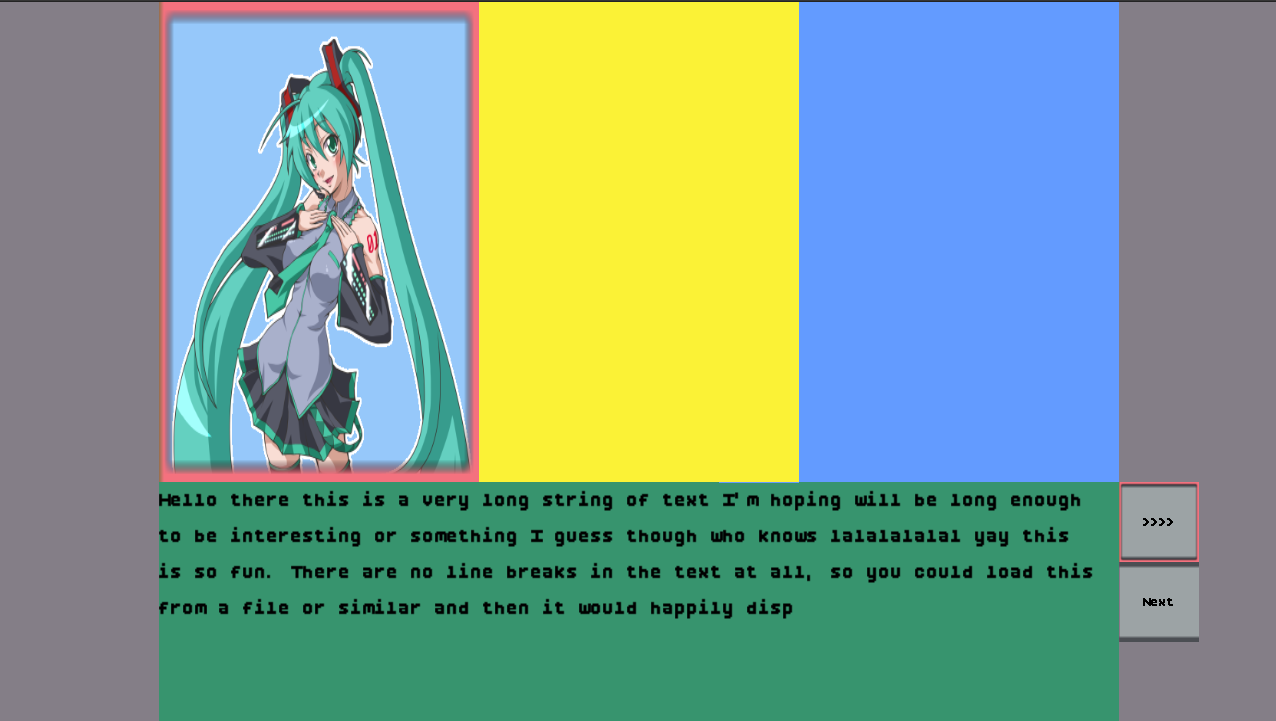
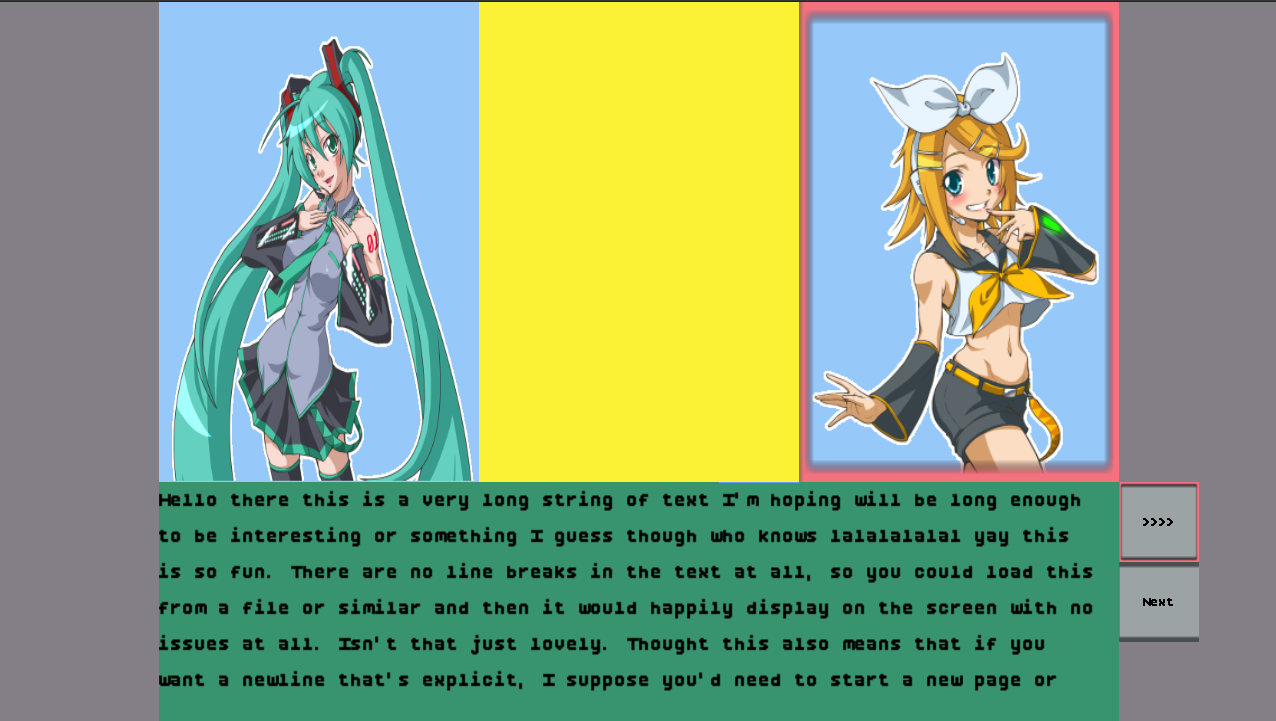
See? Not too bad! I mean, we're going to probably throw away a ton of placeholder assets and stuff
when we make a "real" game with this stuff, but even for throwaways, I think it looks ok! Then this
just leaves us with the two major features of the machine to implement. Say, and Choice.
Given our work so far, I think it's only sensible we implement the Say operation first.
We already have the textbox to use after all, and once we implement say, then we can shift a bunch
of that text we were hardcoding out into… well, another hardcoded list, but hey, it's closer
to being in a file and out of the source code!
Speaking of being close, I think we were close to what we need when it came to the sound effects queue. After all, if you remember the notes about the parsing and validation, you know we've got multiple operations to to deal with and I don't know if it makes sense or not to only ever have one blob at a time. So, queueing up the say operations to be displayed in a textbox by textbox state seems right to me for controlling how that data flows through.
NovelOps::Say(words) => {
    self.say_queue.push_front(words.clone());
}
And then, after updating the struct, over in the story scene we can finally get rid of the hardcoded
text box we've been using. In fact, by having a next_say operation on the VN that returns
an option, we can easily refactor and pull out the textbox setup code into its own helper method:
fn set_text_box_to_next_say(&mut self, game_context: &mut GameContext) {
    let layout = StoryScene::layout(game_context);
    if let (None, Some(font_library)) = (&self.text_box, game_context.font_library.as_mut()) {
        let text_box_bounds = text_box_bounds_on_grid(&layout, &self.placement_text);
        let maybe_font: Option<&LoadedFont> = font_library.get(STORY_FONT);

        if let Some(text) = self.vn.as_mut().and_then(|vn| vn.next_say()) {
            self.text_box = maybe_font.map(|loaded_font| {
                TextBox::new(text_box_bounds, text, loaded_font, self.text_speed)
            });
        }
    }
}
and then we can tweak the update method of the story scene to call it:
fn update(&mut self, ticks: u32, game_context: &mut GameContext) {
    ...
    if let Some(btn) = self.next_btn.as_mut() {
        btn.update(ticks, game_context, &layout);
        if btn.clicked {
            // TODO: this is just temporary while we work on the vn
            // we likely need some sort of indicator on if the operation
            // is waiting for us to continue or not at some point.
            if let Some(vn) = self.vn.as_mut() {
                vn.advance();
            }
            if let Some(b) = self.text_box.as_mut() {
                if b.text.is_visible() {
                    b.next_page();
                    b.set_speed(self.text_speed);

                    // If we just advanced but the text is still visible that means
                    // we've hit the end of a Say operation and should request the next one.
                    if b.text.is_visible() {
                        self.text_box = None;
                    }
                } else {
                    b.set_speed(LineSpeed::Instant);
                }
            };
            btn.clicked = false;
            game_context.mouse_context.consume_left_click();
        }
    };
    ...
    // Ensure that if we should be showing a textbox, we show one.
    // if there is one already displaying it won't be changed.
    self.set_text_box_to_next_say(game_context);
    ...
}
With that in place, I can now advance the program counter forward and it should change the text box as we move from one operation to the next in the queue.
It's working!

Granted, it all looks a bit funny without Rin's portion of the dialogue in place. Which comes from the choices and all that. If we want to verify that the loops and choices all work as expected via the jump method we implemented, we'll need to sort out showing those to the user. We also need to deal with the whole, intelligently advance the program counter thing, but one problem at a time!
Adding the choice to the visual novel advancement match statement is just another clone.
Since there's only ever one choice active at a time, I think an option makes sense and
we can tweak the struct for the VisualNovelMachine appropriately then update
the code:
NovelOps::Choices(choices) => {
    self.active_choice = Some(choices.clone());
}
With that in place, we just need to wire in the code on the story scene side. This one is
maybe a teensy bit tricky because the buttons are dynamic, unlike the speed and next button.
So we'll probably need to be a little smart about trying to place them in an appropriate
position depending on how many there are and all that. The other somewhat tricky thing, maybe,
is if we want to leave the current Say operation up while the choice appears or
not for context…
For now, let's just get the choices up and wired in. We can leverage the grid layout to figure out how to put down the buttons I think, that should make life easier to think about 1 row per button across one big column in an area, versus doing a lot of finicky math on our own.
impl StoryScene {
    fn choice_btn_layout(buttons: usize, game_context: &GameContext) -> GridLayout {
        let layout = StoryScene::layout(game_context);
        let area = Rect {
            x: 2,
            y: 6,
            width: 12,
            height: 3,
        }
        .relative_rect_to_layout(&layout);
        GridLayout {
            area,
            rows: buttons,
            columns: 1,
            cell_gap: 0,
        }
    }
}
It's layouts all the way down, so we can use our 16x9 layout from the usual place to define the region we want to use as the place to put the choices (the same place as the dialogue for now), and then we just divvy it up by however many buttons we need to show. Given that typically I can't imagine us having more than 2 or 3 options at a time, this will probably look fine.
But let's not worry if it doesn't, after all, we're just trying to get some basic stuff working and
get a feel for how to write up these things right now. Within the scene's update method
we can check to see if there's a choice to be processed from the vn machine easily enough, and then
convert it into a list of tuples containing the button and its respective choice.
if let Some(vn) = self.vn.as_mut() {
    ...
    if let Some(choices) = vn.active_choice.take() {
        let new_choices = choices
            .into_iter()
            .enumerate()
            .map(|(idx, choice)| {
                let text = choice.text.clone();
                let b = Button::new(
                    text,
                    Rect {
                        x: 0,
                        y: idx as isize,
                        width: 1,
                        height: 1,
                    },
                    BUTTON_FONT,
                );
                (choice, b)
            })
            .collect();
        self.current_choices = Some(new_choices);
    }
}
You can see here that using the button layout is going to make placement
easy! y: idx as isize is very simple to follow I think! Anyway,
after we wrap up processing the vn, we can also process any existing choices.
if let Some(choices) = self.current_choices.as_mut() {
    let layout = StoryScene::choice_btn_layout(choices.len(), game_context);
    let mut clicked = false;
    for (choice, btn) in choices {
        btn.update(ticks, game_context, &layout);
        if btn.clicked {
            if let Some(vn) = self.vn.as_mut() {
                clicked = true;
                vn.jump(&choice.label);
            }
            btn.clicked = false;
            game_context.mouse_context.consume_left_click();
        }
    }
    if clicked {
        self.current_choices = None;
    }
}
Whose only tricky part is that we use the button layout rather than the parent layout,
and that we have to be careful to avoid another "2 mutable borrow" situation by using
a flag to indicate if the current choices should get cleared out or not. And that's
all the code we need to make sure the buttons function. But, to see them on the screen
we've got to tweek the draw methods, well, specifically just draw_vn_scene:
if let Some(choices) = &self.current_choices {
    let layout = StoryScene::choice_btn_layout(choices.len(), game_context);
    for (_, btn) in choices {
        btn.draw(game_context, &layout);
    }
}
And with that, Rin's dialogue appears as expected:
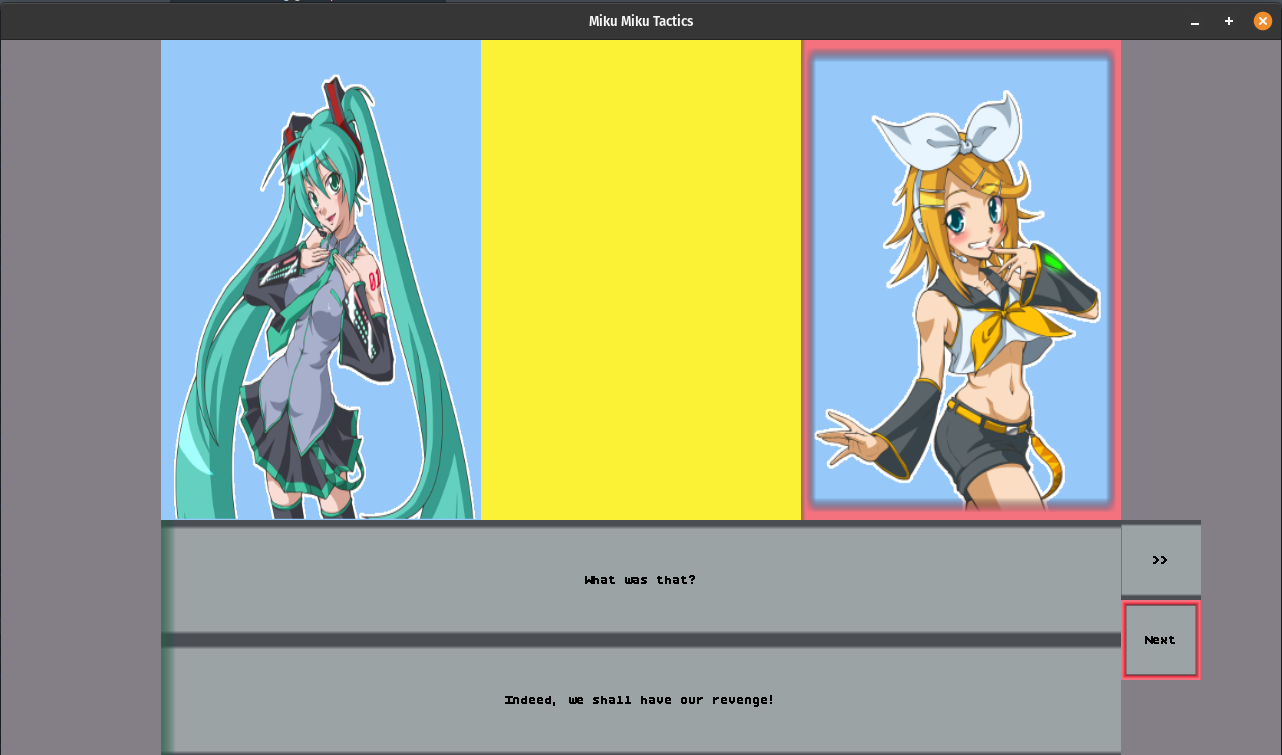
There's only one problem. Clicking on the option that should repeat doesn't actually seem to jump us to the right place! And if I tweak our jump code:
pub fn jump(&mut self, label: &str) {
    ...
    // TODO something is wrong since I'm hitting this
    eprintln!("No program counter jump occured")
}
and click it then I see that message appear. Which is bad because if we find a matching label, we're supported to self the program counter and then return early. So that last line should never been seen in a validated program! So uh, what's going wrong?

Ah. Math. Specifically, in our jumping code I had
i = i.saturating_sub(1).min(0);
j = j.saturating_add(1).max(max_idx);
Which should really have been:
i = i.saturating_sub(1);
j = j.saturating_add(1).min(max_idx);
Because for i the min of 0 is always clamping us down to 0. We can drop it since
the saturated subtraction on a usize will bottom out at 0 anyway. For j the opposite
issue was occurring. We were instantly clamping to the maximum index. So we only ever did one loop
and thus never properly jumped. Fixing those up, booting the game up, and trying once more:
That's much better! Look at that! Choices! Appearing, and the jump is working so we can repeat Miku's intro dialogue as much as we want now before finally letting her go on and getting us to the title screen. Amazing.
Alright, so now that all the operations work as expected. We need to finally tackle the troublesome question of how do we glue the interface and the novel machine together in a way that doesn't require a million clicks to move through a bunch of internal-only operations, but which will still pause and wait correctly for user input as needed?
Stuff like Choices and Say want the user's input, and we've already put in
the right advancements for those two. I suppose one thing we could do is to just check what the current
operation is, and based on that, move things along or not? But then we get back to the audio question.
If you've got multiple sounds in a row, shouldn't you wait for them perhaps? Not always maybe, like,
you wouldn't play a scream sound and then wait for a click before showing text that says AAAAAH, right?
Either way it feels like the scene owns the advancement more than the VN machine. Putting aside the question of the audio, if there's a say or choice being displayed, then we know we're waiting for user input:
fn should_wait_for_user_input(&self) -> bool {
    let has_choices = self.current_choices.as_ref().is_some_and(|v| v.len() > 0);
    let has_text = self.text_box.is_some();
    let has_active_ops = has_choices || has_text;
    has_active_ops
}
and we can advance the program in the update method of the story scene accordingly:
// auto advance the vn program until it populates something for
// that requires input from the user to dismiss or continue with
if !self.should_wait_for_user_input() {
    if let Some(vn) = self.vn.as_mut() {
        vn.advance();
    }
}
A nice side effect of this manner of checking means that we can just delete the call to advance
up in the next button entirely. Because the textbox gets cleared to None, when we advance the
textbox forward enough to remove it with our current logic, it naturally triggers the next operation. Similar,
the choices use vn.jump and then clear out the choice. Which again, results in the program
continuing forward until it hits the next say or choice.
I do kind of feel like there's some spaghetti with this code but I'm not smart enough yet to figure out what the right way is to avoid it. So, for now, the fact that it seems to work pretty well in my quick test, and I only have to click the next button to advance the dialogue, is good enough for the time being. Everything is pretty instantaneous, but maybe that only feels that way to me because I had to manually click to advance before?
Though, when I think about visual novels I've played and enjoyed, they generally do have some degree of wait time
between when a character shows, when they're focused, and when they start talking and that sort of thing. It's tricky.
On the one hand I feel like it could work to add in some advancement delay baked in, on the other hand, it would make
sense to encode it into the script itself with something like WAIT 30 or something for waiting game ticks
maybe. But I also don't want to make script writing a chore.
There's definitely more things to sort out on the script writing side, for example, being able to start a battle from a script, then return to the same script and continue onward with some conditional flags being used to load the next script or something would be a really good foundation for the whole, tactics thing. Not to mention my ideas about using this same VN scripting engine to power the in-battle dialogue. It feels like we've got a long way to go, but that we're making a good start at least!
I think in the future, I want to be able to do stuff like SHAKE> a portrait or trigger fades easily
as well to do stuff like when time passes in a scene, or to change a background. Really it feels like I could end
up with maybe 3-4 different scenes total for the game we make with all of this. Title, config, story, and battle.
I suppose there might be one or two other smaller bits here or there, but still. Since the games I'm making as part
of the 20 games challenge aren't meant to necessarily be full blown games on their own, but experiments to learn and
grow with, it feels… fine.
Ahem. Before we call this section done, I think there's one important thing for us to sort out. The buttons. They're
just sitting there. All the time. If we refactor their definitions out of the Default implementation
and into a couple functions:
fn next_btn() -> Button {
    Button::new(
        ... nothing changed here ...
    )
}
fn speed_btn(speed: LineSpeed) -> Button {
    Button::new(
        ... nothing changed here ...
    )
}
And then empty out the buttons when we are advancing the visual novel, but populate them if there's a say option around to click through, then everything hides and shows as expected:
if !self.should_wait_for_user_input()
    && let Some(vn) = self.vn.as_mut()
{
    self.next_btn = None;
    self.speed_btn = None;
    vn.advance();
} else {
    if self.next_btn.is_none() && self.text_box.is_some() {
        self.next_btn = Some(StoryScene::next_btn());
    }
    if self.speed_btn.is_none() && self.text_box.is_some() {
        self.speed_btn = Some(StoryScene::speed_btn(self.text_speed));
    }
}
And with that. I think we've got a pretty solid foundation for displaying a scene. Like I said before, there are other operations we need before this can truly work to control flow across a game. But for now… We have other fish to fry.

Generating SpriteSheets ↩
Now that we have the ability to render a set of novel operations to the screen, it would behoove us to sort out the sprite loading issue we punted earlier. At the moment we're hardcoding the sprint information and textures used by the portrait slots, and that's obviously not going to work in the long run. The code in question if you need a quick refresher is this (times 3 for each portrait position):
if let Some(character) = vn.slot_left.as_ref() {
    let dst = self
        .placement_left_portrait
        .relative_rect_to_layout(&layout);
    let src = SpriteInfo {
        width: 417,
        height: 402,
        ..sprite_info_portrait()
    }
    .get_rect();
    renderer.send_command(RenderCommand::DrawRect {
        texture_id: character.texture_id,
        source: src,
        destination: dst,
    });
    if let Some(PortraitPosition::Left) = vn.focused {
        let src = sprite_info_highlight().get_rect();
        renderer.send_command(RenderCommand::DrawRect {
            texture_id: TEXTURE_ID_LEEKSHEET,
            source: src,
            destination: dst,
        });
    }
}
Where the helper method to construct a chunk of the sprite info properties is from our constants we created when we made the tower defense game:
pub const fn sprite_info_portrait() -> SpriteInfo {
    SpriteInfo {
        start_x: 0,
        start_y: 0,
        width: 2478,
        height: 402,
        frames: 1,
        current_frame: 0,
        framerate_per_second: 60,
        delta: 0,
    }
}
And of course, the character op that is driving this code to run was:
...
NovelOps::Show(
    Character{
        name: "miku".to_owned(),
        state: CharacterState::Idle,
        texture_id: TEXTURE_ID_PORTRAIT,
    }, PortraitPosition::Left
),
...
Just taking a cursory glance through everything, there's a number of things to resolve:
-
The novel ops texture id is hard coded, but should obviously be resolved in some
way via a
SceneLoadingContextimplementation. - The character state is idle, but can be mad or happy, and given the single texture id in the character, it's implied that we are loading one spritesheet, but able to get back more than one state from it.
-
The constant
sprite_info_portraitis obviously not going to work for something dynamic. We'll need to have some mechanism to resolve a given character's state and name to the appropriate sprite information structs. - The focus is using a simple border from our tiny spritesheet. It looked "ok" in our test layout, but in a real game with a nice background and sprite with a transparent background? Probably would look a little strange. We should probably figure out a more natural way to focus a character, whether that be a darkening of the other slots when not focused, or some kind of highlight. Or perhaps not even visual, but just displaying the name of the character talking.
So I'm thinking that we need some sort of sprite catalog mechanism. Something which we can populate with
information as we resolve the names to textures via a SceneLoadingContext, but then when
rendering in the draw methods we can do something like say catalog.get(name, state, texture_id)
or something like that. Maybe we don't even need the texture id perhaps, but maybe we do. I'm still sort
of waffling around on the idea, but one thing I know for certain. We'll be using this:
I'm still a novice in using libresprite, so I don't know how to expand the text on the frames at all. But the underlying structure of the tags is more apparent if I export the frames as a spritesheet including a json file:
{ "frames": {
   "test-emotion 0.ase": {
    "frame": { "x": 0, "y": 0, "w": 320, "h": 480 },
    "rotated": false,
    "trimmed": false,
    "spriteSourceSize": { "x": 0, "y": 0, "w": 320, "h": 480 },
    "sourceSize": { "w": 320, "h": 480 },
    "duration": 100
   },
   "...
 },
 "meta": {
  "app": "https://github.com/LibreSprite/LibreSprite/",
  "version": "1.1-dev",
  "image": "assets/made-by-me/test-emotion.png",
  "format": "RGBA8888",
  "size": { "w": 960, "h": 480 },
  "scale": "1",
  "frameTags": [
   { "name": "idle", "from": 0, "to": 0, "direction": "forward" },
   { "name": "miku", "from": 0, "to": 2, "direction": "forward" },
   { "name": "mad", "from": 1, "to": 1, "direction": "forward" },
   { "name": "happy", "from": 2, "to": 2, "direction": "forward" }
  ],
  "layers": [
   { "name": "Layer 1", "opacity": 255, "blendMode": "normal" }
  ]
 }
}
Notably, you can see that the miku metadata inside of the frameTags field spans
frames 0 to 2, and then the various emotions span only one frame. The miku frame indices are inclusive of
these idle, mad, and happy tags. So, you might be starting to see where I'm going with this idea.
If we make our spritesheet, tagging the characters and states, then we should be able to produce the sprite info structs for a given character by loading the given frames by consulting this JSON data. Given that the frame tags are defined as a continuous range of frames, we can even properly support animated portraits and that sort of thing with this concept too. Heck, we could probably deal with loading battle sprites doing attacks this way too. But let's not get too far ahead of ourselves yet.
I looked on crates.io for .ase file parsing libraries, and interestingly found aesfile, which allows you to read the .ase itself and then manipulate it as you please. That, to me, sounds like a very powerful option to incorporate into a build script. But before I leap before I look, thinking about our context here, the way we define texture ids is through constants and a hardcoded lookup table:
#[derive(PartialEq, Copy, Debug, Clone, Hash, Eq)]
pub struct TextureId(pub usize);

pub const TEXTURE_ID_MIKU: TextureId = TextureId(0);
pub const TEXTURE_ID_PORTRAIT: TextureId = TextureId(1);
...
pub const TEXTURE_ID_TITLE_BG: TextureId = TextureId(6);
pub const TEXTURE_ID_STORY_BG: TextureId = TextureId(7);

pub fn id_to_relative_path(id: TextureId) -> PathBuf {
    match id {
        TEXTURE_ID_LEEKSHEET => PathBuf::new().join("made-by-me").join("leek-bg1-bg2.png"),
        TEXTURE_ID_GAMEOVER => PathBuf::new().join("made-by-me").join("GameOver.png"),
        TEXTURE_ID_TITLE_BG => PathBuf::new().join("made-by-me").join("titlescreen.png"),
        ...
    }
}
I'm not sure if this will work well with our catalog idea. I think that doing something like reading a spritesheet or metadata file like the JSON one will result in us producing unstable texture ids. So the interface of
pub trait AssetLoader {
    fn ensure_texture_spritesheet_loaded(&mut self, sheet_id: TextureId);
}
feels like it needs to perhaps change or invert in some way. Or perhaps this is where we add in a new
method which can return that texture id to you? If there was something like that, then we'd probably
end up making our init methods for the scenes do a dance of:
let texture_id = catalog.get_texture_id_for_name(name);
self.my_texture_id = asset_loader.ensure_texture_spritesheet_loaded(texture_id);
... then later in draw?
let sprite_info = catalog.get_sprites(name, state, self.my_texture_id);
// or maybe just?
let sprite_info = catalog.get_sprites(name, state);
Though, trying to walk through some of this usage code does raise at least one concern for us to tackle. One of the reasons we have the static mapping is because it allows us to get a file path for the implementation of that ensure function:
impl SDL3Textures {
    fn load(&mut self, id: TextureId, path: PathBuf) {
        let tex = self.texture_creator.load_texture(path).unwrap();
        let tex = make_static(tex);
        self.texture_by_id.insert(id, tex);
    }
    ...
}
...
impl AssetLoader for AssetLoaderSDL3 {
    fn ensure_texture_spritesheet_loaded(&mut self, id: TextureId) {
        let ctx = &mut *self.context.borrow_mut();
        if ctx.textures.get_texture(id).is_some() {
            return;
        }
        let asset_path = id_to_relative_path(id);
        let asset_path = self.base_path.join(asset_path);
        ctx.textures.load(id, asset_path);
    }
}
So, how do we get that? I suppose we could do some kind of mapping between paths and ids. But it all still feels like a chicken and egg situation. Should we generate a sort of manifest file like
miku:image/path/to/file.png
or should we not invent our own format and just use the .ase json and stuff every thing into one big sprite atlas that has frames tagged for everything? Then you use that as a manifest? It feels like there's a lot of what if forks in the road for us to consider. Which really puts us into another Buridan's Ass situation.

At times like this, I think we just need to put pen to paper and start writing. I know I want to use a build script for this. One specific reason for this is that I have github setup to run ci for cross-system release, therefore I don't want to deal with trying to figure out how to install libresprite onto each platform so that can I do
libresprite --batch --sheet out.png --data out.json --format json-array --frame-tag "miku" myfile.ase
or similar such commands with some sort of shell script. If I use a build.rs file and a library to read and manipulate the .ase files, then we dodge that and stay cross-platform compatible. The other nice thing is that within cargo we can actually separate the dependencies for the game vs the build, which means no bloat in the binary from tooling in our asset pipeline. So, cargo update time:
[build-dependencies]
asefile = "0.3.8"
image = "0.24.9"

[profile.dev.build-override]
opt-level = 3
The asefile crate is able to read the bits and bytes of the .ase files and provide a mostly nice interface to grab pieces out of it and then uses the image crate to save things out. And that's basically all we need for the actual spritesheet generation replacement via build.rs. Well, that, and a little bit of banging our heads against the API to understand how to use it for a bit. It is weirdly hard to understand how to write a full sprite out rather than a single frame into the same image:
use asefile::AsepriteFile;
use image::RgbaImage;
use image::imageops;
use std::path::PathBuf;

fn write_file_to_sheet(ase: AsepriteFile, out: PathBuf) {
    let w = ase.width() as u32;
    let h = ase.height() as u32;
    let mut spritesheet = RgbaImage::new(w * ase.num_frames(), h);
    for i in 0..ase.num_frames() {
        let offset = w * i;
        let frame = ase.frame(i);
        let img = frame.image();
        imageops::overlay(&mut spritesheet, &img, offset as i64, 0);
    }
    spritesheet
        .save(&out.as_path())
        .expect(&format!("could not save file {}", out.display()));
}
There are helper methods that return things like "the tile map as one large image" but that implies I'm using a tilemap, which we're not. In libresprite's UI I'm not actually sure if there even is such a thing. I see in the view properties a way to see the whole thing
but I have 0 clue if that would impact the saved data of the file in a way that the tilemap would do anything…
But hey, this works and creates the exported sheet the horizontally growing way that our SpriteInfo structs
expect their frame order to be in. So that's a start. It took a little while to figure out the imageops::overlay
option, simply because browsing the image crate was a
tad tricky. And it's not like the docs really explicitly tell us what to assume from that x and y
parameter. I had to go stare at the source to understand it, well, that and experiment. At first I ended up with a sort of
weird looking export:
Because I thought that the ase_file.width() function returned the width of the full sized image (without the sprite
settings applied). But I think that's just a knowledge gap on my side of things and a skill issue I'll deal with as I learn more.
I think I've mentioned this before, but I'm not an artist. I know, hard to believe given that amazing Rin you see above. But really,
I'm not. anyway, once I stopped dividing the width by the number of frames, the spritesheet exported in a much more expected way.
Now back to the build script. Cargo is kind of neat in the sense that it's smart enough to not run your script if you tell it how to check if something has changed. There's a change detection section that explains how to use it. One really cool thing about the file paths you pass it is:
If the path points to a directory, it will scan the entire directory for any modifications.
Which means that I can write this:
println!("cargo::rerun-if-changed=spritesheets/");
And then the build script will only run when the timestamps in the spritesheets folder change. Which means that I can edit in libresprite, hit save, then when I run make or run cargo, it will run our asset pipeline first. I like a low touch high automation solution here, so continuing on with the idea. I want to basically take a directory like:
spritesheets/
    characters/
        miku.ase
    backgrounds/
        bg.ase
    ...
and then produce a mirrored directory of assets that looks something like this if you were ls-ing the directory:
assets/
    manifest.json
    characters/
        miku.ase
    ...
One interesting note about these build scripts is that in the example documentation it specifically notes:
In general, build scripts should not modify any files outside of OUT_DIR. It may seem fine on the first blush, but it does cause problems when you use such crate as a dependency, because there’s an implicit invariant that sources in .cargo/registry should be immutable. cargo won’t allow such scripts when packaging.
I'm going to be committing both the .ase files and the finished assets I think since I think it's kind of handy. Though I suppose technically I don't have to. But at the moment I'm just leaning towards doing it anyway, git repo size be damned. Also, our game isn't ever going to be a dependency as far as I know, so I don't see the risk here. I suppose we could generate the files in the OUT_DIR and then move them afterwards, perhaps with a directive in the make file. But that's a bad idea to me since it means that it's no longer: run game and see updates. Instead it's "remember to run make too or else!" which is less ideal.
Ahem. Anyway, the documentation also notes that if you want to check in files that you're making with the build script, that you should consider doing it as part of the test suite, but uhm, that's weird.

Wiggling right along, we can write the code to mirror the directory easily enough. The only tricky part about it is that we need to ensure we create the directories as we go because if you don't then you'll see an error like
error: failed to run custom build command for `mikumikutactics v0.0.0 (/home/peetseater/src/personal/mikumikutactics)`

Caused by:
  process didn't exit successfully: `target/debug/build/mikumikutactics-db59e54fcdbdd028/build-script-build` (exit status: 101)
  --- stdout
  cargo::rerun-if-changed=spritesheets/

  --- stderr

  thread 'main' panicked at build.rs:40:10:
  could not save file assets/spritesheets/characters/rin.png:
    IoError(Os { code: 2, kind: NotFound, message: "No such file or directory" })
  note: run with `RUST_BACKTRACE=1` environment variable to display a backtrace
make: *** [Makefile:11: wasm] Error 101
So, let's write that code:
fn process_dir(ase_folder: PathBuf, asset_folder: PathBuf) -> Vec<(AsepriteFile, PathBuf)> {
    let mut ase_files = vec![];
    let entries = fs::read_dir(&ase_folder).expect(&format!(
        "could not read input directory for read_dir {}",
        ase_folder.display()
    ));
    for result in entries {
        let Ok(entry) = result else {
            continue;
        };
        if let Ok(metadata) = entry.metadata()
            && metadata.is_dir()
        {
            let mirrored_path = asset_folder.join(entry.file_name());
            fs::create_dir_all(&mirrored_path).expect("failed to create directories");
            let entries = process_dir(entry.path(), mirrored_path);
            for (ase, path) in entries {
                ase_files.push((ase, path));
            }
        } else {
            let path = entry.path();
            let mut ase_out = asset_folder.join(&entry.file_name());
            ase_out.set_extension("png");
            let ase = AsepriteFile::read_file(&path)
                .expect(&format!("could not open path {}", ase_out.display()));
            write_file_to_sheet(&ase, ase_out.clone());
            ase_files.push((ase, ase_out));
        }
    }
    ase_files
}
Really the main note I have for this is that it took me a hot second to use .file_name()
when constructing the mirrored paths. I started with stuff like asset_folder.join(entry.path())
and for some reason thought that might resolve the two against each other. Too much time in the
Java nio world
I suppose and not enough sleep. But besides that and the create_dir_all call, whose error we already
touched on, there's not much to say about this. It's just a standard directory walk.
That said, it does return a list of the files and paths for further processing. You can probably guess why given what we said before about having a manifest file. I can't avoid hardcoding something somewhere that says "this path is the asset you want" I think. But I can avoid making it too baked in. Basically, the issue we ran into where my mind spun into donkey world 11 is now starting to shift, and we're ready to go drink some water at the oasis because the code we wrote has paved a little path for us to logically follow now, and the shape of what our manifest should look like is more clear:
#[derive(Debug, Serialize)]
struct Manifest {
    spritesheets: Vec<Spritesheet>,
}

#[derive(Debug, Serialize)]
struct Spritesheet {
    id: usize,
    name: String,
    asset_path: String,
    frames: Vec<SpriteFrame>,
    tags: Vec<FrameTag>,
}

#[derive(Debug, Serialize)]
struct SpriteFrame {
    x: u32,
    y: u32,
    w: u32,
    h: u32,
    duration_ms: u32,
}

#[derive(Debug, Serialize)]
struct FrameTag {
    name: String,
    from: u32,
    to: u32,
}
This probably looks very familiar. It's pretty close to what we had before with the .json export from
libresprite. But rather than one file's metadata, this is for everything we care about. The Serialize
derivations are from serde_json which I'm adding only as
a build script dependency:
[build-dependencies]
asefile = "0.3.8"
image = "0.24.9"
serde_json = "1.0.151"
serde = {version = "1.0.229", features = ["derive"]}
given the nature of our SDL3 + wasm build, it's better to keep the game build minimal and small as much as we can. Now, creating this manifest isn't actually too difficult. The sprite frame and tags are pretty simple to pull out of the ase files with a few helpers:
fn get_ase_tags(ase: &AsepriteFile) -> Vec<FrameTag> {
    (0..ase.num_tags())
        .map(|tag_id| {
            let tag = ase.tag(tag_id);
            FrameTag {
                name: tag.name().to_owned(),
                from: tag.from_frame(),
                to: tag.to_frame(),
            }
        })
        .collect()
}

fn get_ase_frames(ase: &AsepriteFile) -> Vec<SpriteFrame> {
    (0..ase.num_frames())
        .map(|frame_idx| {
            let frame = ase.frame(frame_idx);
            SpriteFrame {
                x: ase.width() as u32 * frame_idx,
                y: 0,
                w: ase.width() as u32,
                h: ase.height() as u32,
                duration_ms: frame.duration(),
            }
        })
        .collect()
}
Having to write these does make me take note of the github repo's issues and how long it's been since the last update. The author of the crate in the issues did note that they don't really actively do game design stuff anymore and so they're not really actively maintaining the thing anymore. But thankfully I don't think the file format changes very often so its a non-issue besides the ergonomics of the tag vector and friends being private to the structs in the crate. Anyway, with these helpers in hand it's easy enough to create the spritesheets for the manifest:
fn make_spritesheets(ase_files: Vec<(AsepriteFile, PathBuf)>) -> Vec<Spritesheet> {
    ase_files
        .into_iter()
        .enumerate()
        .map(|(id, (ase, relative_path))| {
            let tags = get_ase_tags(&ase);
            let frames = get_ase_frames(&ase);
            let mut asset_path = relative_path;
            let name = asset_path
                .file_stem()
                .expect("could not create name for spritesheet from path")
                .to_string_lossy()
                .to_string();
            if let Ok(stripped) = asset_path.strip_prefix("./") {
                asset_path = stripped.to_path_buf();
            }
            let asset_path = asset_path.display().to_string();
            Spritesheet {
                id,
                name,
                asset_path,
                frames,
                tags,
            }
        })
        .collect()
}
and then call it in the main function that glues everything we've made together:
fn main() {
    // Rerun build script if the spritesheets change
    println!("cargo::rerun-if-changed=spritesheets/");

    let out_dir = Path::new(".").join("assets");
    let in_dir = Path::new(".").join("spritesheets");
    let ase_files = process_dir(in_dir, out_dir.clone())
        .into_iter()
        .map(|(a, p)| {
            // remove assets/ from the path. GameOptions has assets in it for joining against the cur directory
            // so leave it out for now and be consistent with how id_to_relative_path was used before
            (a, p.strip_prefix(&out_dir).unwrap().to_path_buf())
        })
        .collect();
    let spritesheets = make_spritesheets(ase_files);
    let manifest_path = out_dir.join("manifest");
    let manifest = Manifest { spritesheets };
    let j = serde_json::to_string_pretty(&manifest).expect("failed to convert manifest into json");
    fs::write(manifest_path, j).expect("failed to write manifest file");
}
and now we've got a manifest file!
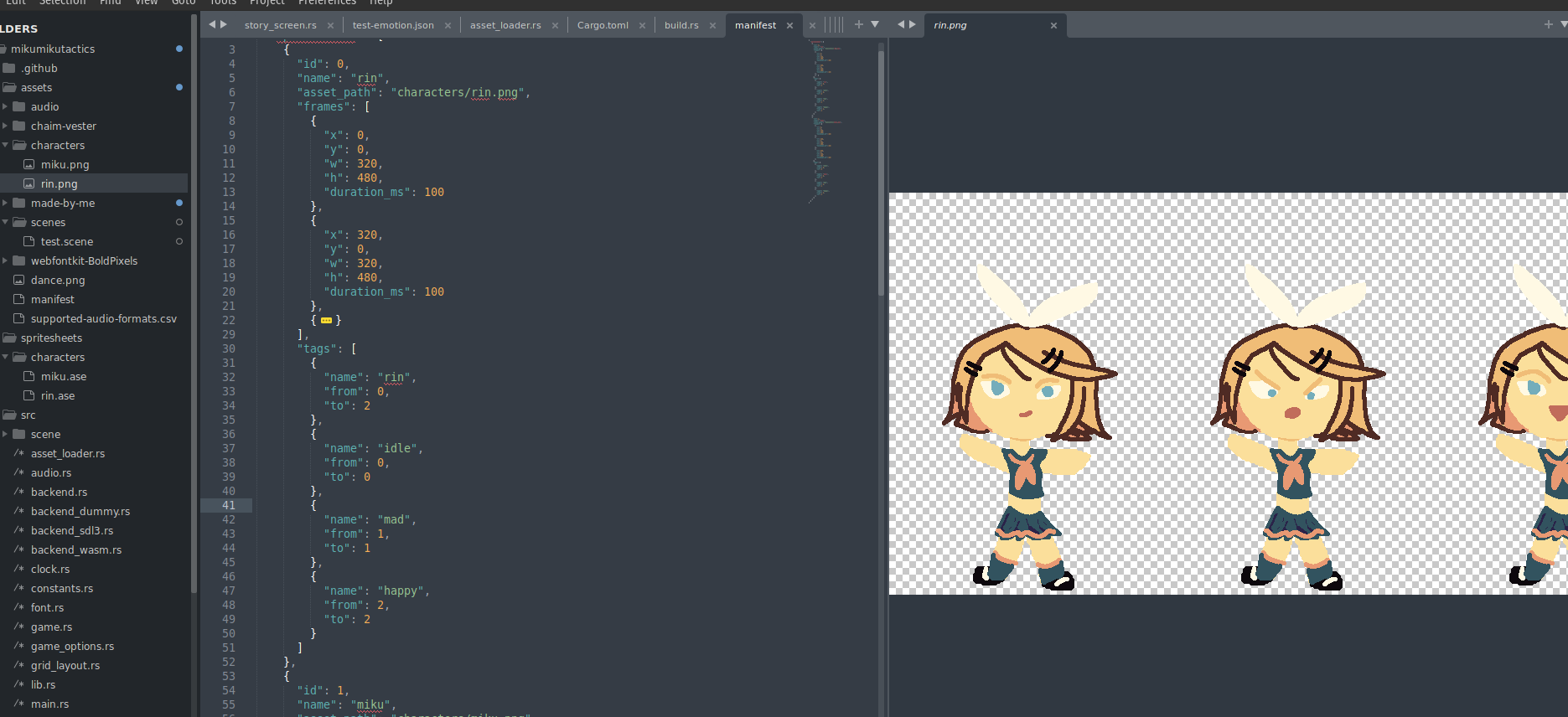
Using the manifest ↩
Woo! Let's read it and use it. I was initially thinking I'd use jsonic, because it has 0 dependencies and looked alright. But when starting to write code to parse out the objects I found its ergonomics rather unpleasant to work with:
pub fn load_ase_into_catalog(manifest_json: &str) -> Result<(), Box<dyn Error>> {
    let manifest_root = jsonic::parse(manifest_json)?;
    let Some(mut entries) = manifest_root.entries() else {
        return Err("unexpected shape of manifest file, root object was not an object".into());
    };

    let Some((_, spritesheets_list)) = entries.find(|(k, v)| k.as_str() == "spritesheets")
    else {
        return Err(
            "unexpected shape of manifest file, root object missing spritesheets".into(),
        );
    };

    let Some(spritesheets) = spritesheets_list.elements() else {
        return Err(
            "unexpected shape of manifest file, spritesheets value was not an array".into(),
        );
    };

    spritesheets.map(|sheet| {
        sheet // and then I stopped.
    })

    Err("not implemented".into())
}
Looking at jsonic's benchmark in the readme I saw a number of other libraries mentioned, and after following
the links from the abandoned json crate to the jzon one, I saw that it was still
staying true to the 0 dependencies mission the original had and was also a lot nicer to work with:
let manifest_root = jzon::parse(manifest_json)?;
let Some(root) = manifest_root.as_object() else {
return Err("unexpected shape of manifest file, root object was not an object".into());
};
let Some(spritesheets) = manifest_root["spritesheets"].as_array() else {
return Err(
"unexpected shape of manifest file, root object missing spritesheets list".into(),
);
};
...
The ergonomics of the crates a bit nicer, they've implemented the index trait which makes grabbing fields out easy. A lot easier to do our own json to struct parsing this way:
type AssetResult<T> = Result<T, Box<dyn Error>>;
impl TryFrom<&JsonValue> for FrameTag {
type Error = Box<dyn Error>;
fn try_from(obj: &JsonValue) -> AssetResult<FrameTag> {
let Some(name) = obj["name"].as_str() else {
return Err("missing or invalid name field in frame tag".into());
};
let Some(from) = obj["from"].as_u32() else {
return Err("missing or invalid from field in frame tag".into());
};
let Some(to) = obj["to"].as_u32() else {
return Err("missing or invalid to field in frame tag".into());
};
Ok(FrameTag {
name: name.to_owned(),
from,
to,
})
}
}
As you can see, I'm trying to use the rust traits for conversion here to get in the habit of doing
that. More importantly, the ease in which we grab out the fields here is WAY better than having to
use entries() and then do multiple mutable find operations on something. Not to mention
that the library has a good number of as_XXX helpers for each type. Implementing a few
more of these for the other types isn't too tricky. And the code only gets a little long because
I'm trying to write decent errors:
impl TryFrom<&JsonValue> for SpriteFrame {
type Error = Box<dyn Error>;
fn try_from(obj: &JsonValue) -> AssetResult<SpriteFrame> {
let Some(x) = obj["x"].as_u32() else {
return Err("missing or invalid x field in sprite frame".into());
};
let Some(y) = obj["y"].as_u32() else {
return Err("missing or invalid y field in sprite frame".into());
};
let Some(w) = obj["w"].as_u32() else {
return Err("missing or invalid w field in sprite frame".into());
};
let Some(h) = obj["h"].as_u32() else {
return Err("missing or invalid h field in sprite frame".into());
};
let Some(duration_ms) = obj["duration_ms"].as_u32() else {
return Err("missing or invalid duration_ms field in sprite frame".into());
};
Ok(SpriteFrame {
x,
y,
w,
h,
duration_ms,
})
}
}
I say decent errors because the process to collect all the potentially wrong things with the conversion
does bloat things up a bit. As you can see with how I implemented the more top level conversion of the
Spritesheet:
impl TryFrom<&JsonValue> for Spritesheet {
type Error = Box<dyn Error>;
fn try_from(obj: &JsonValue) -> Result<Self, Self::Error> {
let mut errors = vec![];
let id = match obj["id"].as_usize() {
Some(id) => id,
None => {
errors.push("missing or invalid id field in Spritesheet".into());
0
}
};
let name = match obj["name"].as_str() {
Some(name) => name,
None => {
errors.push("missing or invalid name field in Spritesheet".into());
""
}
};
let asset_path = match obj["asset_path"].as_str() {
Some(asset_path) => asset_path,
None => {
errors.push("missing or invalid asset_path field in Spritesheet".into());
""
}
};
let raw_frames = match obj["frames"].as_array() {
Some(raw) => raw,
None => {
errors.push("missing or invalid frames field in Spritesheet".into());
&vec![]
}
};
let raw_tags = match obj["tags"].as_array() {
Some(raw) => raw,
None => {
errors.push("missing or invalid tags field in Spritesheet".into());
&vec![]
}
};
let frames = raw_frames
.into_iter()
.filter_map(|json_val| {
let f: AssetResult<SpriteFrame> = json_val.try_into();
match f {
Ok(f) => Some(f),
Err(e) => {
errors.push(e);
None
}
}
})
.collect();
let tags = raw_tags
.into_iter()
.filter_map(|json_val| {
let t: AssetResult<FrameTag> = json_val.try_into();
match t {
Ok(t) => Some(t),
Err(e) => {
errors.push(e);
None
}
}
})
.collect();
if !errors.is_empty() {
return Err(errors
.into_iter()
.map(|e| e.to_string())
.collect::<Vec<String>>()
.join(" ")
.into());
}
Ok(Spritesheet {
id,
name: name.to_owned(),
asset_path: asset_path.to_owned(),
frames,
tags,
})
}
}
As you can see, things are a little bit awkward because for each type we return a default value of sorts to that we can leave the door open to parsing the other potential problems. Granted, there's not really any problems at all! Our JSON is generated by us after all, really we're just guarding against a problem where someone wants to tweak the asset manifest and use their own images or something.
Moving the code we started with for the manifest conversion into a TryFrom
implementation and calling try_into() on the spritesheet objects is now a
lot simpler from the string parsing side of the world:
pub fn from_manifest_str(manifest_json: &str) -> AssetResult<AssetCatalog> {
let manifest_root = parse(manifest_json)?;
let manifest: Manifest = manifest_root.try_into()?;
let character_to_sprite_id = manifest
.spritesheets
.iter()
.enumerate()
.map(|(idx, sheet)| (sheet.name.to_owned(), idx))
.collect();
Ok(AssetCatalog {
sprites: manifest.spritesheets,
character_to_sprite_id,
})
}
And now, there's a AssetCatalog.

Hm? What's that you say. What the heck is the AssetCatalog? Why it's actually the
code I wrote back when I said "we should start writing", but I just didn't share it with you
then because it wasn't relevant yet. Not to mention, I had a slightly different shape
of things before we made the manifest structs and such. Here, let me show you what I was originally
thinking:
/* SCRATCH PAD ZONE BEWARE. ROUGHING OUT IDEAS TO SEE WHAT WILL WORK OR NOT */
type TaggedSprite = (String, SpriteInfo, TextureId);
struct SpriteCatalog {
// Tagged sprite infos, so {(miku, {..}, 1), (idle, {..}, 1), ...}
sprites: Vec<TaggedSprite>,
// Name to indices in sprites that correspond to the given name.
// For example, miku might map to [0,1,2], then to fetch the idle state you filter down to [0] since it has the tag
character_to_sprite_id: HashMap<String, Vec<usize>>,
}
to start, I was thinking we'd just store a list of tuples for each of the SpriteInfos alongside an id and the
name of the main tag (character name). We could use a hashmap to quickly look up the indices to jump to
within the vector and that would be handy. With that in mind, we could implement some of the stuff we'd need
in order to finally resolve characters and their emotions when validating the visual novel:
impl SpriteCatalog {
pub fn load_ase_into_catalog(_raw_json: &str) -> Option<TextureId> {
// TODO parse the json data into the maps
None
}
pub fn get_sprite(&self, name: &str) -> Option<&SpriteInfo> {
let indices = self.character_to_sprite_id.get(name)?;
let idx = indices.iter().min()?;
self.sprites.get(*idx).map(|(_, s, _)| s)
}
pub fn get_sprite_in_state(&self, name: &str, state: &str) -> Option<&SpriteInfo> {
let indices = self.character_to_sprite_id.get(name)?;
// this should be quick in practice since the lists will be very small
for i in indices {
if self.sprites[*i].0 == state {
return self.sprites.get(*i).map(|(_, s, _)| s);
}
}
// if no state found, fallback to idle (1st sprite of name by convention)
self.get_sprite(name)
}
pub fn get_texture_id_for_sprite(&self, name: &str) -> Option<TextureId> {
let indices = self.character_to_sprite_id.get(name)?;
let idx = indices.iter().min()?;
self.sprites
.get(*idx)
.map(|(_, _, texture_id)| texture_id)
.copied()
}
pub fn get_asset_path(&self, id: TextureId) -> Option<PathBuf> {
let sheet = self.sprites.iter().find(|sprite| sprite.id == id.0)?;
Some(PathBuf::from(&sheet.asset_path))
}
}
That first stub function is basically what we've just worked out and implemented the guts of. But the other three are basically the runtime operations of the "catalog" of assets. Granted, in order for any of this to work we need to be able to load the manifest file and loading files is very much a backend specific operation. So I had this trait roughed out for an idea that the backend could load the one path stored in the game startup options and then populate a mutable version of an initially empty catalog:
trait SpriteCatalogLoader {
fn load_catalog(&mut self, catalog: &mut SpriteCatalog);
}
And that was the idea I came up with at midnight the night before writing all of the above JSON code today, as well as the tweaks to the catalog to work with the new spritesheet structs that make things a little bit nicer than a 3tuple:
pub trait AssetLoader {
fn ensure_texture_spritesheet_loaded(&mut self, sheet_id: TextureId);
fn get_catalog(&self) -> Rc<AssetCatalog>;
}
Yup. We're making the asset loader a little smarter! Not only will it be able to ensure something's loaded, it will be one of the places you can query the catalog. I think this makes sense, given that whenever we're busy ensuring, we probably need to be computing the id we need. Of course, this breaks the build for SDL3 and WASM, so we need to implement this. The wasm side is pretty simple:
struct AssetLoaderWasm {
base_path: PathBuf,
wasm_context: Rc<RefCell<WasmContext>>,
catalog: Rc<AssetCatalog>,
}
impl AssetLoaderWasm {
fn new(game_options: &GameOptions, wasm_context: Rc<RefCell<WasmContext>>) -> Self {
let path = game_options.assets_path.clone();
let manifest_str = include_str!("../assets/manifest");
let catalog = AssetCatalog::from_manifest_str(&manifest_str)
.expect("cannot create asset loader, manifest was not included in application");
Self {
base_path: path,
wasm_context: wasm_context.clone(),
catalog: catalog.into(),
}
}
}
impl AssetLoader for AssetLoaderWasm {
...
fn get_catalog(&self) -> Rc<AssetCatalog> {
self.catalog.clone()
}
}
we simply add the field to the struct, and then when constructing it, we grab the data from the binary we already shipped. Doing it in this way means we don't have to fetch a json payload and wait until that's ready to do things. It also means that no one can tamper with the assets list we're providing for loading later. It's not like I'm trying to be super secure or anything here, but this does seem like a small bonus; though it comes at the cost of not being able to dynamically change the assets without shipping the entire wasm binary again. 12g
For SDL, we'll do things a little bit differently. I'm going to add the catalog to the overall sdl3 context instead:
pub struct SDL3Context {
// Note: textures MUST be declared ABOVE window_canvas because
// drop order is top to bottom and all textures need to be dropped
// BEFORE the canvas is dropped
textures: SDL3Textures,
window_canvas: WindowCanvas,
_video: VideoSubsystem,
audio: AudioSubsystem,
mixer: Mixer,
catalog: Rc<AssetCatalog>,
}
Then, the asset loader can borrow it from the context it already has:
impl AssetLoader for AssetLoaderSDL3 {
fn get_catalog(&self) -> Rc<AssetCatalog> {
let ctx = &*self.context.borrow_mut();
ctx.catalog.clone()
}
}
similar to the wasm parse, if anything fails then we want to make sure the game does NOT continue. So I parse the manifest when we startup the game loop before we do any initialization of the SDL3 subsystems:
impl Backend for BackendSDL3 {
fn create_event_loop(&self, game_options: &GameOptions) -> Box<dyn BackendEventLoop> {
// Load the manifest before starting sdl stuff because if we have no manifest everything
// will be wonky later.
let manifest = fs::read_to_string(game_options.assets_path.join("manifest"))
.expect("could not load manifest file for assets");
let catalog =
AssetCatalog::from_manifest_str(&manifest).expect("corrupt manifest: failed to parse");
... bunch of expensive setup ...
let e = EventLoopSDL3 {
event_pump,
context: Rc::new(RefCell::new(SDL3Context {
_video: video_subsystem,
window_canvas: canvas,
textures,
audio: audio_subsystem,
mixer: mixer_subsystem,
catalog: catalog.into(),
})),
};
Box::new(e)
}
}
And this all compiles. But does our new catalog actually work? Well, to check we can use the fact that our manifest file is freely editable to make miku's ID be something WAAAAY outside of our hardcoded ones:
...
{
"id": 100,
"name": "miku",
"asset_path": "characters/miku.png",
"frames": [
{
...
Then modify the way we get the asset path in our backends like so:
fn ensure_texture_spritesheet_loaded(&mut self, id: TextureId) {
let ctx = &mut *self.context.borrow_mut();
if ctx.textures.get_texture(id).is_some() {
return;
}
- let asset_path = id_to_relative_path(id);
let asset_path = ctx
.catalog
.get_asset_path(id)
.unwrap_or(id_to_relative_path(id));
let asset_path = self.base_path.join(asset_path);
ctx.textures.load(id, asset_path);
}
Since we don't have every asset changed to the new pipeline, I think having this fallback is probably a good idea. And even after we do, we can still make some kind of generic "no asset" placeholder path perhaps. Anyway, changing the path will change the asset we load, but it won't actually run unless we tweak the story scene to reference it. Let's exercise our new catalog by making sure there's a bit of a pause between the idle and mad state for miku:
NovelOps::Show(
Character{
name: "miku".to_owned(),
state: CharacterState::Idle,
texture_id: tmp_id,
}, PortraitPosition::Left),
NovelOps::Say("Almost...".to_owned()),
NovelOps::PlaySfx(SFX_ID_BLIP),
NovelOps::NewCharacterState(
Character{
name: "miku".to_owned(),
state: CharacterState::Mad,
texture_id: tmp_id,
}
),
and that tmp_id is determined by code above in the init method where
we finally call get_texture_id_for_sprite
//TODO remove tmp check
let mut tmp_id = crate::constants::TextureId(0);
if let Some(ref mut asset_loader) = game_context.asset_loader {
...
let catalog = asset_loader.get_catalog();
if let Some(id) = catalog.get_texture_id_for_sprite("miku") {
tmp_id = id;
asset_loader.ensure_texture_spritesheet_loaded(id);
}
}
there we go, dynamic manifest driven asset loading! But to see the emotion on Miku's face
change as the story progresses we need to update the hardcoded portrait code using the
constant function for the SpriteInfo:
fn draw_vn_scene(&self, vn: &VisualNovelMachine, game_context: &mut GameContext) {
...
let Some(ref asset_loader) = game_context.asset_loader else {
return;
};
let catalog = asset_loader.get_catalog();
...
if let Some(character) = vn.slot_left.as_ref() {
let dst = self
.placement_left_portrait
.relative_rect_to_layout(&layout);
// TODO: don't unwrap
let src = catalog
.get_sprite_in_state(&character.name, character.state.as_str())
.unwrap()
.get_rect();
renderer.send_command(RenderCommand::DrawRect {
texture_id: character.texture_id,
source: src,
destination: dst,
});
if let Some(PortraitPosition::Left) = vn.focused {
let src = sprite_info_highlight().get_rect();
renderer.send_command(RenderCommand::DrawRect {
texture_id: TEXTURE_ID_LEEKSHEET,
source: src,
destination: dst,
});
}
}
...
By calling get_sprite_in_state and converting the character state to
a string that matches the tags we used in asesprite, we've not got a more dynamic
action on the left hand portrait. The moment of truth, does it work?
First try! And it even works on wasm too. Granted, I had to run make clean
to clear out some random weird error message, but after that, it worked just fine.
We still need to tweak the other portraits, and probably write a helper so I don't have
to stare at a large wall of code every time I navigate around. But this is a great first
step towards getting the scene operations validated and parsed from a file instead of
being hardcoded.
You might recall we threw together this trait:
/// Trait for a scene or backend to implement in order to convert stuff like 'miku idle' into a proper sprite texture
pub trait SceneLoadingContext {
fn name_to_texture(&self, name: &str) -> Option<TextureId>;
fn name_to_sfx(&self, name: &str) -> Option<SfxId>;
fn name_to_music(&self, name: &str) -> Option<MusicId>;
}
The catalog actually already does the first one. So that's a promising start, but if all the others fail to resolve then we won't be able to validate the scenes we want to show. Let's clean up our experiment first though. To remove the temporary id, we can write the code that would take a list of validated ops fetch and ensure all the ids:
fn ensure_ops_loaded(ops: &[NovelOps], game_context: &mut GameContext) {
for op in ops {
if let Some(id) = op.as_texture_id() {
let Some(ref mut asset_loader) = game_context.asset_loader else {
return;
};
asset_loader.ensure_texture_spritesheet_loaded(id);
}
if let NovelOps::PlaySfx(sfx_id) = op {
if let Some(ref mut audio) = game_context.audio {
let _ = audio.load_sfx(*sfx_id);
}
} else if let NovelOps::PlayMusic(music_id) = op {
if let Some(ref mut audio) = game_context.audio {
let _ = audio.load_music(*music_id);
}
} else {
continue;
}
}
}
for this to work, we need to implement as_texture_id, which I'm taking a leaf
from the jzon folks API design to make:
impl NovelOps {
...
pub fn as_texture_id(&self) -> Option<TextureId> {
match self {
NovelOps::Show(character, _) | NovelOps::NewCharacterState(character) => {
Some(character.texture_id)
}
NovelOps::Background(texture_id) => Some(*texture_id),
_ => None,
}
}
}
I figure keeping the internals of which one wants a texture id or not within the enumeration's methods will be a good way to do it. The less places I need to remember to go update in the future at 2am, the better! Anyway, our new helper function can be applied to the list of operations simply enough:
fn init(&mut self, game_context: &mut GameContext) {
...
// Temporarily create a story scene from scratch
let ops = test_scene_ops();
ensure_ops_loaded(&ops, game_context);
self.vn = Some(ops.into());
}
and you can imagine that when we read and parse these dynamically, that we'll be able to re-use this for each time we change up the script. Speaking of re-use, because we reverted the ids back to what they were, but left the catalog code in, we're loading the same texture for both Rin and Miku. So, this steers our development towards the next obvious point:
impl SceneLoadingContext for AssetCatalog {
fn name_to_texture(&self, name: &str) -> Option<TextureId> {
self.get_texture_id_for_sprite(name)
}
fn name_to_sfx(&self, name: &str) -> Option<SfxId> {
// TODO: implement once manifest loads sfx
None
}
fn name_to_music(&self, name: &str) -> Option<MusicId> {
// TODO: implement once manifest loads music
None
}
}
Rather than waffle, ho, and hum about if the various audio related structs we've made so far are the "right" place for this stuff to live. I'm just going to make the executive decision to avoid further delay by saying: yup. Here it is. For now. Maybe it'll move later, who knows. But for now, having this trait implemented will mean that we should be able to take our temporary validated operations, and instead convert it backwards into an unvalidated one.
That said, why bother with hardcoding those? Let's exercise our partner and just hardcode a file path with the script in it instead! So, moving things around, we get:
BACKGROUND planning-layout ENTER miku FROM left CHARACTER miku IS idle SAY Almost... CHARACTER miku IS happy LABEL repeat SAY Finally... it is time. ENTER rin FROM right FOCUS right CHOICE | repeat OPTION What was that? | next OPTION Indeed, we shall have our revenge! LABEL next FOCUS left CHARACTER rin IS mad CHARACTER miku IS mad SAY Indeed my friend, it is finally time to begin our long awaited adventure... HIDE right SAY In tactics! HIDE left BACKGROUND titlescreen SAY Ok nothing else to do now, click to reach the end of the program.
As our script that's basically the same thing but without music or sounds so that we can
parse things. Then, we can tweak our test helper to take in the catalog and parse the
scene. I'm being a little lazy here and just including the file with include_str
since we can sort out the dynamic loading of scenes later.
fn test_scene_ops(catalog: &AssetCatalog) -> Vec<NovelOps> {
let vn = parse_scene(&include_str!("../../assets/scenes/noaudio.scene"), catalog);
vn.unwrap().program
}
...
fn init(&mut self, game_context: &mut GameContext) {
...
// Temporarily create a story scene from scratch
if let Some(ref mut asset_loader) = game_context.asset_loader {
let ops = test_scene_ops(&asset_loader.get_catalog());
ensure_ops_loaded(&ops, game_context);
self.vn = Some(ops.into());
};
}
And this almost works:
thread 'main' panicked at src/scene/story_screen.rs:274:8:
called `Result::unwrap()` on an `Err` value:
"cannot load texture for background \"planning-layout\", cannot load texture for background \"titlescreen\""
Man. Aren't you glad we wrote such descriptive error messages? We can clearly see that this is happening because I've only made the miku and rin spritesheets and so the manifest doesn't know anything about any of the other things that might exist for a background here. That's an easy fix, though it does make me want to potentially change our DSL to do something like
BACKGROUND name IS tag
In a generic way and relax the constraints on the character state tags because we could then make backgrounds load and also target "states" of the background to do stuff like morning, night, and day or what have you. Staying on target though, once I create a little couple more assets in libresprite, we're treated with:
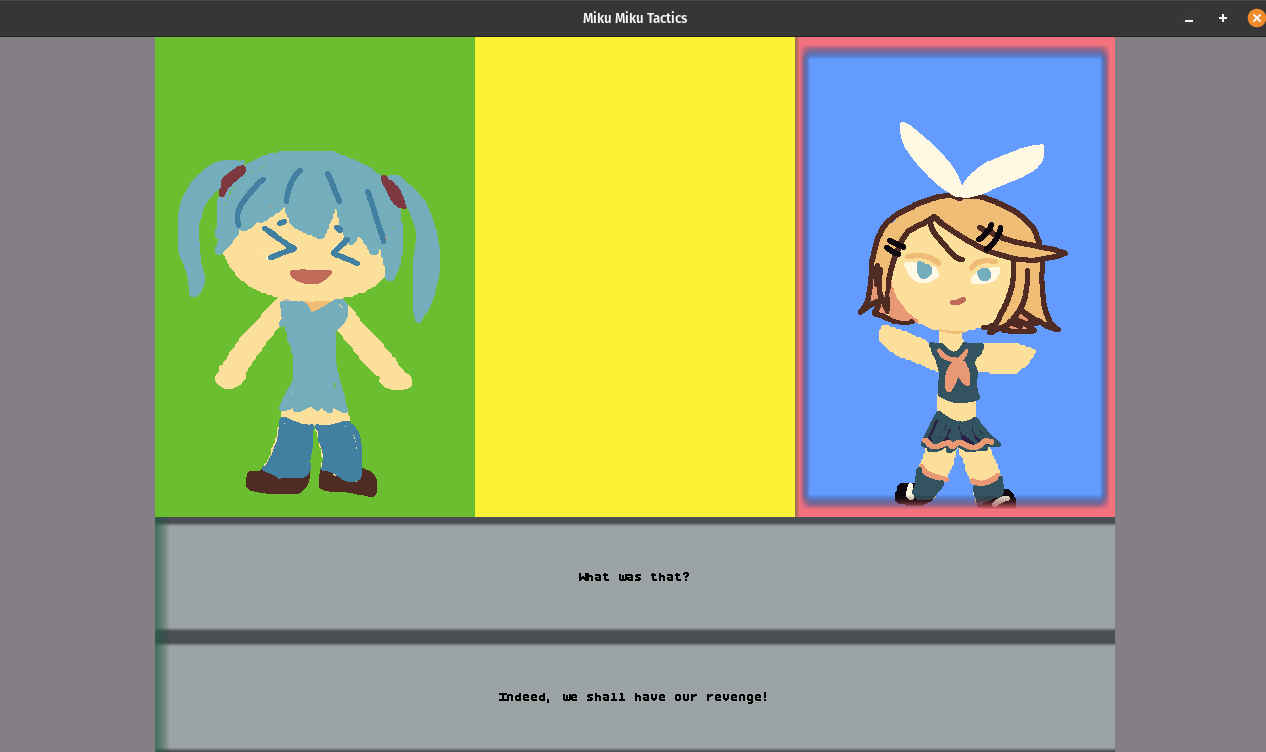
Which is actually a lie. Because while I did confirm that we load the right thing, there's a bit of a problem if I don't edit the manifest to push the ids out of the range of the current hard coded values:
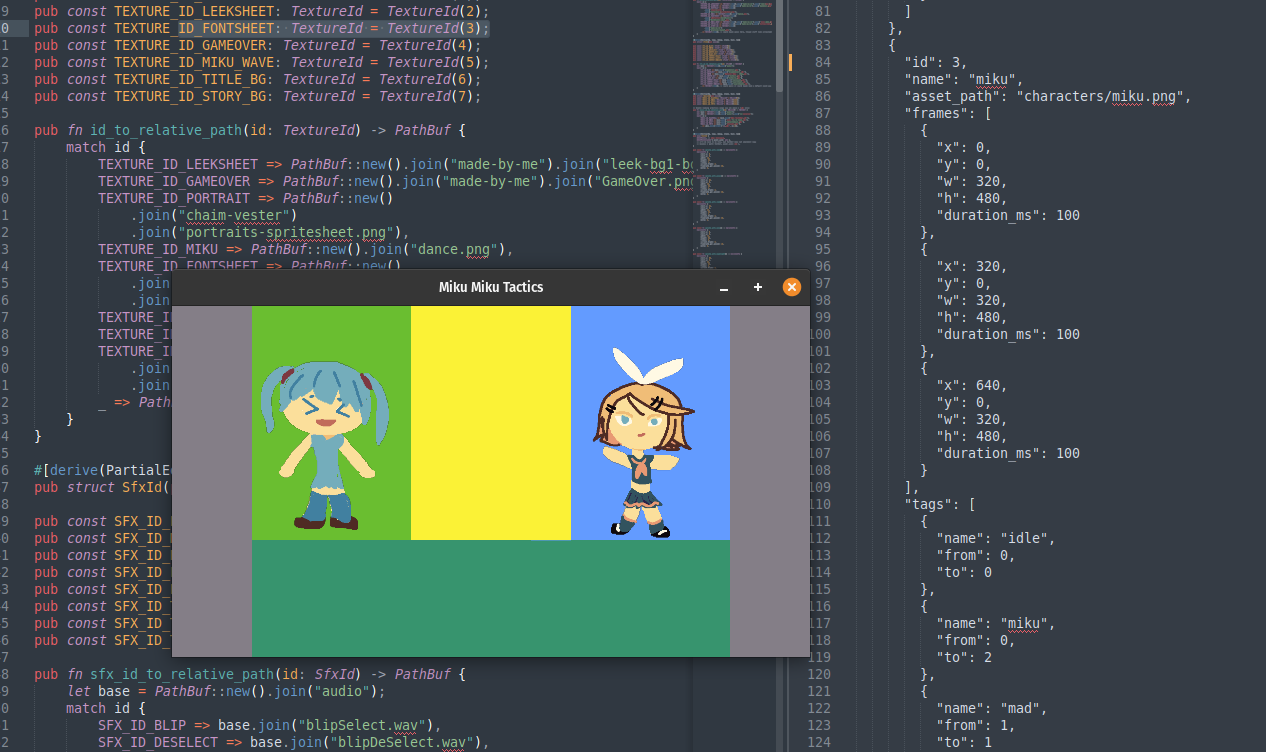
As you can tell from the text I highlighted in the screenshot above, the font asset's texture is id 3. As is miku. And in the running game I've resized to fix into the shot, you can see there is 0 text showing up. Fun fact, this also makes the buttons disappear too becuase the usual "leeksheet" is also not loaded in this way, or referenced through the catalog yet. We can work around this by just adding a larger base value to the ids, but obviously before we get into the meat and potatoes of the next game we're going to have to tweak and modify the places we've been doing things the old way to use the new way.
Not hard. But work to do. This will basically be a bit of a push to not hardcode things, anywhere. Like, if I move our focus code out to a helper function like:
fn draw_portrait_outline(
&self,
at_position: PortraitPosition,
renderer: &mut dyn Renderer,
layout: &GridLayout,
) {
let Some(vn) = self.vn.as_ref() else {
return;
};
if vn.focused.as_ref().is_none_or(|pp| *pp != at_position) {
return;
}
let dst = match at_position {
PortraitPosition::Left => self.placement_left_portrait.relative_rect_to_layout(layout),
PortraitPosition::Center => self
.placement_center_portrait
.relative_rect_to_layout(layout),
PortraitPosition::Right => self
.placement_right_portrait
.relative_rect_to_layout(layout),
};
let src = sprite_info_highlight().get_rect();
renderer.send_command(RenderCommand::DrawRect {
texture_id: TEXTURE_ID_LEEKSHEET,
source: src,
destination: dst,
});
}
That TEXTURE_ID_LEEKSHEET is going to be a bit of a problem. It also means that I need
to take the font bitmap we're using and convert it from a png to an ase. Alternatively, we could setup
the manifest file to look for "loose" files in certain places too and ensure they're reflected as
sprites in the manifest. There's plenty of options on how to deal with this at least. Either way, the
todo list for the manifest being usable and a true replacement that allows us to delete the hardcoded
lists is:
- remove hard coded texture ids and replace with
catalog.get_sprite - load fonts via manifest
- load sounds via manifest
- load music via manifest
Not a long list, but certainly not something I think I need to write up here for every single thing. Honestly the sounds and music are likely going to share a good amount of code given that there's not much info for the sounds and music needed, unlike the textures. I suppose one could argue that the way I did custom tracks with the music in the tower defense game could be interesting to dig into:
// Enable loading arbitrary songs via ids above 1 (wav only)
pub fn music_id_to_relative_path(id: MusicId) -> PathBuf {
let base = PathBuf::new().join("audio");
let wavs = PathBuf::new().join("audio").join("cc-vocaloid");
match id {
MUSIC_ID_PACHEBAL => base.join("Miku Pachebal.wav"),
MUSIC_ID_MOON => base.join("miku fly to moon.wav"),
MUSIC_ID_QUIT => base.join("selectedQuit.wav"),
MUSIC_ID_TETO => base.join("tetowins.wav"),
_ => wavs.join(format!("{}.wav", id.0)),
}
}
But in actuality, it's not. The manifest file basically allows for the same sort of thing if someone wants to tweak the music being played, they can just tweak the file path being loaded for a given music id. Easy. So, I'm going to go get all this refactoring done, and I'll return to this blog post if there's anything of note to cover before we move on.
.gif)
Handling errors better ↩
So, was there things of note from the refactoring I mentioned above?
Yes. Yes there are. However, it's a bit troublesome to cover the entire breadth of changes because the refactoring needed to cut down and remove all the hardcoded ids for textures, sounds, music, and sprite info structs was a lot of sprawling edits across a lot of files. So, it's not really a good logical: "first I axed this, then this" kind of thing to explain. Some of the work, such as 3b9913d6164dd0db94a6fc35d36e1e535fe8cab7 remove a function produce spriteinfo, but the change is a bit bigger than just that.
In that case, I needed to create this function:
pub(crate) fn init(&mut self, game_context: &mut GameContext) -> GameResult<()> {
let Some(asset_loader) = game_context.asset_loader.as_mut() else {
return Err("cannot init button if asset_loader is not present in game_context".into());
};
let catalog = asset_loader.get_catalog();
let Some(bg) = catalog.get_sprite_in_state(TEXTURE_UI, TEXTURE_UI_BTN_TAG) else {
let msg =
"cannot init button if catalog is missing button tag in ui texture sprite info";
return Err(msg.into());
};
let Some(highlight) = catalog.get_sprite_in_state(TEXTURE_UI, TEXTURE_UI_FOCUS_TAG) else {
let msg =
"cannot init button if catalog is missing focus tag in ui texture sprite info";
return Err(msg.into());
};
self.bg = Some(bg);
self.highlight = Some(highlight);
Ok(())
}
as you can see, we're not just expecting everywhere, but instead starting to shift towards
using a result object. If you look at the commit you can also see that the structs fields went from having a SpriteInfo
to having a Option<SpriteInfo>. This is because of the troublesome fact that we don't
have everything we need at compile time anymore. Since the manifest causes us to load things at run time,
basically any and all places we could happy do something like:
if let Some(ref mut audio) = game_context.audio {
let _ = audio.load_sfx(SFX_ID_MEME);
let _ = audio.load_sfx(SFX_ID_BLIP);
}
Had to be tweaked into the more flexible, but slightly uglier:
if let (Some(meme), Some(blip)) = (
catalog.get_sfx_id_for_name(SFX_MEME),
catalog.get_sfx_id_for_name(SFX_BLIP),
) {
let _ = audio.load_sfx(meme);
let _ = audio.load_sfx(blip);
...
}
In order for those dynamic ids to be easily re-useable without having to consult the catalog every single frame those ids and others end up in a struct like this:
let ids = TitleSceneIds {
meme_id: meme,
btn_sfx_id: blip,
bg_id,
ui_id,
};
so that we can ultimately use them like:
if let Some(audio) = game_context.audio.as_mut()
&& let Some(id) = self.ids.as_ref().map(|ids| ids.btn_sfx_id) {
let _ = audio.play_sfx(id);
}
that was all part of this commit
and yeah. I'm glad I didn't try to catalog every single refactor like this because, well, as you can see from my
joking gif and sprawling marquee tags, there were 57 of these type of updates and none of it is particularly
blog-worthy. That said, the reason I highlighted 3b9913 at the start is because of the button init additional and
the more important idea of introducing the game result type:
pub type GameResult<T> = Result<T, Box<dyn Error>>;
this (purposefully) isn't all that different from our result types we've used for some of the work we added in around fonts and audio. Really, I should have introduced this a long long time ago to help prevent the issues of stuff like:
thread 'main' panicked at src/scene/title_screen.rs:79:18: failed to load title background: "could not load texture for name titlescreexn" note: run with `RUST_BACKTRACE=1` environment variable to display a backtrace
when we screw something up. I mean, in some cases this is okay, but at the same time, rather than panicking it would be nice to be a little more graceful about it. If we can bubble an error all the way up the stack, then we can probably do nicer things like catch it, display a little box or something to the user, and then crash out. A little more control on this would be good. We'll still ultimately do something like that thread panic message, but with results in use, we'll also be able to change code that looks like:
let bg_id = ensure_texture_by_name(TEXTURE_TITLE_BG, asset_loader.as_mut())
.expect("failed to load title background");
to
let bg_id = ensure_texture_by_name(TEXTURE_TITLE_BG, asset_loader.as_mut())?;
and the error message will just be whatever Err that ensure_texture_by_name specified
the error as. Which in this case is basically the same thing just with less duplication on our part to
specify what the error was:
pub fn ensure_texture_by_name(
name: &str,
asset_loader: &mut dyn AssetLoader,
) -> AssetResult<TextureId> {
let catalog = asset_loader.get_catalog();
let Some(id) = catalog.get_texture_id_for_sprite(name) else {
return Err(format!("could not load texture for name {}", name).into());
};
asset_loader.ensure_texture_spritesheet_loaded(id);
Ok(id)
}
seems like a nice deal right? I agree! Of course, the goal of removing as many of the expects
as we can means tackling… ~57 lines of potential panics. 13
Most of which appear to be the wasm world from scenarios that really really shouldn't happen. And I suppose
that's sort of the one thing to consider with the change.
Should we add Results everywhere instead of panics? Does the use of the ? operator
save us from a lot of pattern matching without starting to feel gross? Are we making it harder or easier for
us to debug? I suppose my answer to this is that, ultimately, I want the optionality of it. There
are definitely going to be places here or there that we will still panic. For example, if I can't load the
manifest… the hell am I suppose to do? But if I can't load a sound? Eh… probably not the end
of the world.
The trade off though is one that I've been thinking about. Going back to some code from what I refactored:
pub struct TitleScene {
bg: Option<SpriteInfo>,
quit_btn: Option<Button>,
played_intro: ReadyState,
fade: Option<TransitionScene>,
ids: Option<TitleSceneIds>,
}
struct TitleSceneIds {
btn_sfx_id: SfxId,
meme_id: SfxId,
bg_id: TextureId,
ui_id: TextureId,
}
I find this struct holding onto asset ids to be… questionable. Like, there must be a better way to handle this.

I don't mean to say that this is a bad idea. Caching the ids we're going to repeatedly use each frame makes sense to me. But thinking about an F# book I read before, and more broadly speaking, about how functional programming styles (and rust's newtypes) encourage making invalid states unrepresentable, I do wonder if something like this would be better?
pub struct TitleScene {
bg: Option<SpriteInfo>,
quit_btn: Option<Button>,
played_intro: ReadyState,
fade: Option<TransitionScene>,
assets: TitleAssets,
}
enum TitleAssets {
NotLoaded,
Loaded {
btn_sfx_id: SfxId,
meme_id: SfxId,
bg_id: TextureId,
ui_id: TextureId,
},
}
at the call sites it doesn't really change much. Going from something like:
let Some(ids) = self.ids.as_ref() else {
return;
};
to something like this:
let TitleAssets::Loaded { bg_id, .. } = &self.assets else {
return;
}
// or you could write let TitleAssets::Loaded { bg_id, .. }?; if we return a Result
but I suppose the intent is more in your face than with a simple option. I think this one
is mostly a matter of taste, though there's also the fact that you if you use the Option,
you're going to have a lot of helper methods for free, so that makes it seem like the current and
first option is probably better in the long run. But eh… debatable if you don't really use those anyway.
The other idea I had around avoiding having to change so many fields in my structs to options
during the refactor, is that maybe the rendering of more things should be lifted out into a separate
set of structs and functions. This is similar in nature to the TitleAssets struct in that
it's effectively a cache, but more than that, we'd also move the responsibility of drawing out
to something like that. Which would mean that something like this:
let Some(ref mut renderer) = game_context.renderer else {
return;
};
let Some(ids) = self.ids.as_ref() else {
return;
};
if let Some(src) = self.bg.as_ref().map(|s| s.get_rect()) {
renderer.send_command(RenderCommand::DrawRect {
texture_id: ids.bg_id,
source: src,
destination: Rect::new(0, 0, layout.area.width, layout.area.height),
});
}
if let Some(btn) = self.conditional_btn.as_ref() {
btn.draw(game_context, &layout);
}
gets slightly less optional-y:
let Some(ref mut renderer) = game_context.renderer else {
return;
};
let src = self.bg.get_rect();
renderer.send_command(RenderCommand::DrawRect {
texture_id: ids.bg_id,
source: src,
destination: Rect::new(0, 0, layout.area.width, layout.area.height),
});
if let Some(btn) = self.conditional_btn.as_ref() {
btn.draw(game_context, &layout);
}
Though for something like say, this button, if it shouldn't always be drawn then there's that. But
maybe if there was a ButtonRenderer as much as there was a SceneRenderer, then you'd end up
with nicer code when dealing with multiple buttons. There's a lot to think about here. And for that button rendering
idea the motivating factor for me to consider it at all is this:
if let Some(choices) = vn.active_choice.take() {
let new_choices = choices
.into_iter()
.enumerate()
.filter_map(|(idx, choice)| {
let text = choice.text.clone();
let ids = self.ids.as_ref()?;
let mut b = Button::new(
text,
Rect {
x: 0,
y: idx as isize,
width: 1,
height: 1,
},
BUTTON_FONT,
ids.ui_textures_id,
);
let _ = b.init(game_context);
Some((choice, b))
})
.collect();
self.current_choices = Some(new_choices);
}
This is code handling the dynamic buttons loaded from a scene's CHOICE command. As you can see, we call
b.init within the loop. The init method calls the catalog and sets the textures and whatnot
of the button. Sure, it's an inexpensive operation within the processing of a single choice, but assuming
all our buttons for this are the same, why not also mirror that with a single renderer and init at the scene
level of that delegated drawer instead?
I suppose a trade off there is that nested components probably become a little more cumbersome if they need to
make new render helpers along the way, then you end up inits in inits and that kind of thing. But is that worse
than what we have to do above where we call init in a loop, which is inside of a frame update? Hm.
Decisions decisions. This is the sort of thing I like to think about for a while and is probably one of the main
causes of it taking a month at a time to get a blog post out.
Well, that and the scope of the projects I suppose.
As before, the best way to continue making progress in any coding project is to actually start coding. Since the initialization of the various bits is one of the main things that came up over and over again during the refactoring, we'll tackle that first:
pub trait Scene {
fn init(&mut self, game_context: &mut GameContext) -> GameResult<()>;
fn update(&mut self, ticks: u32, game_context: &mut GameContext);
fn draw(&mut self, game_context: &mut GameContext);
}
adding the return type breaks everything as expected. The abbreviated compiler output shows us the three places to update:
error[E0053]: method `init` has an incompatible type for trait --> src/scene/story_screen.rs:305:55 | 305 | fn init(&mut self, game_context: &mut GameContext) { | ^ expected `Result<(), Box<dyn Error>>`, found `()` | error[E0053]: method `init` has an incompatible type for trait --> src/scene/title_screen.rs:70:55 | 70 | fn init(&mut self, game_context: &mut GameContext) { | ^ expected `Result<(), Box<dyn Error>>`, found `()` | error[E0053]: method `init` has an incompatible type for trait --> src/scene/transitions.rs:59:56 | 59 | fn init(&mut self, _game_context: &mut GameContext) { | ^ expected `Result<(), Box<dyn Error>>`, found `()`
Only three places to update isn't too bad, and this is one of the reasons why we trimmed the games scenes way down
in the first section. The less places to tackle the easier it is! Not that it's particularly difficult, but still.
I tackled the TransitionScene first since it was the last to appear in the terminal and I'm lazy and didn't
want to scroll up:
impl Scene for TransitionScene {
fn init(&mut self, _game_context: &mut GameContext) -> GameResult<()> {
self.timer = (&self.transition).into();
Ok(())
}
Like I said, not particularly difficult. The title screen was next, and this was where the ensure_texture_by_name
functions and their expects were. The init code we wrote before can be unnested and errors returned if the game
context fails us:
fn init(&mut self, game_context: &mut GameContext) -> GameResult<()> {
self.fade = TransitionScene::new_fade_in().into();
let Some(asset_loader) = game_context.asset_loader.as_mut() else {
return Err("cannot init scene if asset_loader is not set".into());
};
let catalog = asset_loader.get_catalog();
self.bg = catalog.get_sprite(TEXTURE_TITLE_BG);
// TODO: consider returning a result rather than an option so we can dynamically create
// the error string to perfectly match the manifest instead since blip != blipSelect from
// a power users eye perhaps.
let Some(meme) = catalog.get_sfx_id_for_name(SFX_MEME) else {
return Err("cannot init scene if sound effect not available: meme".into());
};
let Some(blip) = catalog.get_sfx_id_for_name(SFX_BLIP) else {
return Err("cannot init scene if sound effect not available: blip".into());
};
let Some(audio) = game_context.audio.as_mut() else {
return Err("cannot init scene if audio context is not set".into());
};
audio.load_sfx(meme)?;
audio.load_sfx(blip)?;
let bg_id = ensure_texture_by_name(TEXTURE_TITLE_BG, asset_loader.as_mut())?;
let ui_id = ensure_texture_by_name(TEXTURE_UI, asset_loader.as_mut())?;
let ids = TitleSceneIds {
meme_id: meme,
btn_sfx_id: blip,
bg_id,
ui_id,
};
self.ids = ids.into();
let Some(font_library) = game_context.font_library.as_mut() else {
return Err("cannot init scene if font_library is not set".into());
};
let quit_btn_font_id = FontId::BoldPixelScaled { pixel_size: 24 };
self.quit_btn = Some(Self::quit_btn(quit_btn_font_id, ui_id));
font_library.ensure(FontId::BoldPixels, asset_loader.as_mut())?;
font_library.ensure(quit_btn_font_id, asset_loader.as_mut())?;
if let Some(btn) = self.quit_btn.as_mut() {
btn.init(game_context)?;
}
Ok(())
}
One thing I love about refactoring is that it sparks new ideas. As you can see by the TODO comment, converting the init method to use results suggested to me that maybe the catalog should swap to a result rather than an option. I'm not 100% convinced, given that I do think it makes sense for the catalog to return an Option for a missing item, but it doesn't NOT make sense to return a result either.
Anyway, this doesn't change the behavior that much of the method. We're still returning early and we'd still fail the unit test we wrote if we happened to check the result of calling init:
thread 'scene::title_screen::transition_scene_tests::clicking_quit_triggers_fade_out_then_next_scene_set' panicked at src/scene/title_screen.rs:218:39: called `Result::unwrap()` on an `Err` value: "cannot init scene if asset_loader is not set" note: run with `RUST_BACKTRACE=1` environment variable to display a backtrace
this means that if we want to write any tests that leverage logic around drawing or updating anything
that gets initialized by init, we'd need to create not only a fake backend renderer, but a
fake asset loader as well as the other dependencies we need. Granted, the above test doesn't need that,
as its just testing the quit button to fade logic, but still. This is more fallout from the refactor and
a potential place for us to introduce test seams and observations in if we feel the need.
Granted, I don't feel the need at the moment though. I just want to finish adding in the game error types onto the 3 scene methods. After applying the same sort of changes to the story scene as I did to the title scene, a new warning popped up from the compiler:
warning: unused `Result` that must be used --> src/backend_sdl3.rs:568:17 | 568 | next_scene.init(&mut game_context); | ^^^^^^^^^^^^^^^^^^^^^^^^^^^^^^^^^^
Compiler driven development at its finest. Fix up one place, the warnings bubble up to the next. This time,
we're in the run method the backend:
impl BackendEventLoop for EventLoopSDL3 {
fn run(&mut self, mut game: Game, mut game_context: GameContext) {
let scene = game.scene.as_mut();
if let Some(scene) = scene {
scene.init(&mut game_context);
}
// initialize the audio pool if the scene has queued things up
let audio = game_context.audio.as_mut();
if let Some(audio) = audio {
let _ = audio.prepare();
}
this method also doesn't return anything. But if we made it return a result, then it could bubble up the error just like before! The question to answer before doing this is if it makes sense to fail or to swallow the problem. And well, if you can't initialize the scene, then why bother running the game? So the answer is pretty clear then.
pub trait BackendEventLoop {
fn run(&mut self, game: Game, game_context: GameContext) -> GameResult<()>;
...
Since this is a trait for the backend, we'll break the SDL3 and the wasm code by doing this:
error[E0053]: method `run` has an incompatible type for trait
but just like before, it's not too hard to add the signature change. To get compiling again we can easily
just toss an Ok(()) into the existing code's final line of the function and then pause to
look through the functions in more detail to see if any place stands out as failure-modes or recoverable
places to deal with something. Given that we've only changed the scene's init method, it shouldn't be
too surprising that this is the loud area that we can add onto to fix:
let _ = scene.init(&mut game_context)?;
Then we witness the turtles-all-the-way-down (or up perhaps in this case) phenomena again:
warning: unused `Result` that must be used --> src/lib.rs:184:5 | 184 | event_loop.run(game, game_context); | ^^^^^^^^^^^^^^^^^^^^^^^^^^^^^^^^^^
this time pointing to the lib file near the crate root. This function is the one that sets up all the loaders and then kicks the game off:
pub fn run(game_options: &GameOptions, mut game: Game) {
let backend = init_backend(game_options);
let mut event_loop = backend.create_event_loop(game_options);
let mut game_context = crate::game::GameContext::default();
let renderer = event_loop.new_renderer(game_options);
let asset_loader = event_loop.create_asset_loader(game_options);
let font_library = event_loop.create_font_library(game_options);
let audio = event_loop.create_audio(game_options);
let clock = backend.create_clock();
game_context.font_library = Some(font_library);
game_context.screen_size = (game_options.window_width, game_options.window_height);
game_context.renderer = Some(renderer);
game_context.asset_loader = Some(asset_loader);
game_context.audio = Some(audio);
game_context.clock = Some(clock);
game.scene = Some(Box::new(TitleScene::default()));
event_loop.run(game, game_context);
}
since the run method is the last thing in the sequence, we can just remove the ;
from the code and our heroic hero will return that last function value to the caller. Which, is the very
topmost piece of the code that we can remove the semicolon and update the signature to get compiling
happily without warning:
fn main() -> GameResult<()> { let options = GameOptions::default(); let game = Game::default(); mikumikutactics::run(&options, game); }
And just like that, a result will now bubble up all the way to the very top of the process. Which is sort of like a stack trace, but with a bit more fine grained control if we were to tweak the result to use enums to explain what happened or similar. For now, I'm just happy that that's all ready to go whenever I want it. It's been bothering me that we haven't had a result type bubble for a while.
I suppose you might be thinking: "how is a result that goes to the top any better than a panic?". It's a good question, I mean, with a panic you get a stack trace and with a plain error you might just get a string. But we're banking on my ability to write an error message that's more useful to your average person than not. And also, for someone who doesn't have the source code in front of them, knowing that something breaks at some random line isn't as helpful as something saying: "hey you corrupted your manifest file dummy, go fix it".
For example, if we tweak the draw method to return a result in the same way as we did
the init method, then you'd go from this code:
fn draw(&mut self, game_context: &mut GameContext) {
let Some(ref mut renderer) = game_context.renderer else {
return;
};
let Some(ids) = self.ids.as_ref() else {
return;
};
...
}
to this:
fn draw(&mut self, game_context: &mut GameContext) -> GameResult<()> { let Some(ref mut renderer) = game_context.renderer else { return Err("no renderer defined in game context, not drawing scene.".into()); }; let Some(ids) = self.ids.as_ref() else { return Err("cannot draw scene if asset ids are not initialized".into()); }; ... Ok(()) }
one fails silently, the other names the explicit reason for the lack of drawing happening on the screen and lets the caller deal with it as they will. While a programmer (us) might find a lot of value in the panic's line number, a player doesn't. So I think our goal should probably be to write the errors in such a way that they effectively function as line numbers to anyone with a way to grep the source and exercise their brain a little.
If we update our update function to return an error, then we can some something kind of fun with the
wasm build:
if let Err(game_error) = game.update(&mut game_context) {
window().alert_with_message(&game_error.to_string());
panic!("A game error occurred: {:?}", game_error);
}
Which, if I just toss in a return Err(...) into the update function, you can see works
as intended:
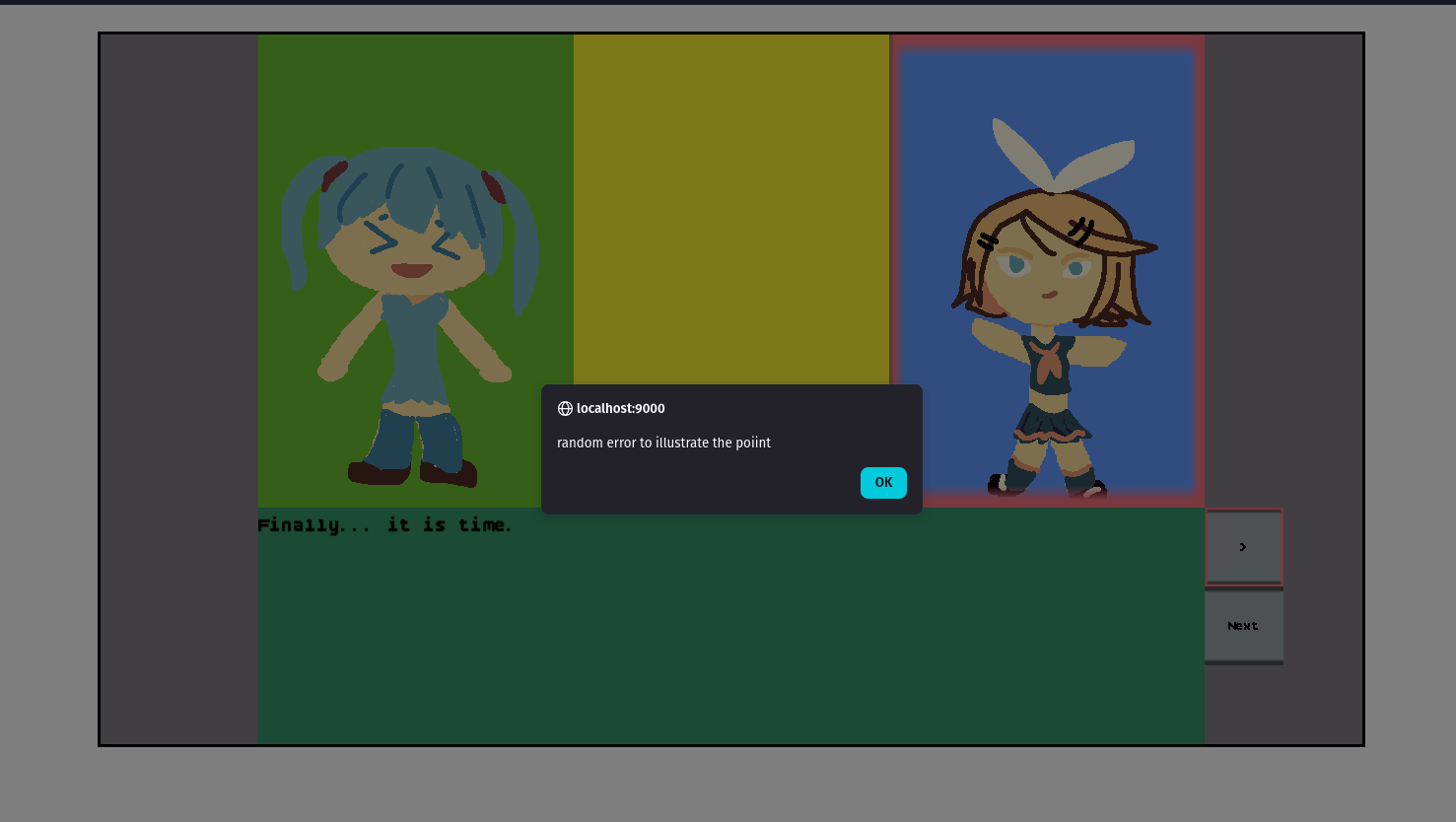
For sdl3, we could potentially use something like the popup window to do this. But the trouble that I don't want to deal with right now is if we do, we need to do the whole song and dance to set up a window and render text to the screen and all that other business. If we imagine the scenario where loading one of our fonts itself was the problem, we'd certainly have a bit of an issue using them to draw a nice scene, wouldn't we. Granted, there is the render debug text helper. But the limitations of the debug helper are certainly the sort of thing we've dealt with already with our font work before:
- It accepts UTF-8 strings, but will only renders ASCII characters.
- It has a single, tiny size (8x8 pixels). You can use logical presentation or SDL_SetRenderScale() to adjust it.
- It uses a simple, hardcoded bitmap font. It does not allow different font selections and it does not support truetype, for proper scaling.
- It does no word-wrapping and does not treat newline characters as a line break. If the text goes out of the window, it's gone.
plus, if something does go wrong with using it, then we have to report THAT error too. And users might get the REAL error
buried along the way. So, I think for the native app it's probably fine to just bubble it up with a ?; like we did
for other functions.
With that done. Our error story is shaping up better than it was, and we've got more options to consider, like the whole "make the catalog use a Result instead of an Option" idea. I like it, we could do it, and life would be grand. But at the same time, we should circle back around to our visual novel operations and manifest loading work to finish up the last primitive we need.

Loading dynamic scenes ↩
We've got nearly all the primitives we need for me to feel satisfied with this blog post. There's one novel operation that we've alluded to a few times but we haven't implemented. It's also the one thing we're still hardcoding even after all that manifest stuff we've done to push things out to more dynamic mechanisms.
impl Scene for StoryScene {
fn init(&mut self, game_context: &mut GameContext) -> GameResult<()> {
...
// Temporarily create a story scene from scratch
// TODO: load a scene from a game context label or similar
let ops = test_scene_ops(&asset_loader.get_catalog());
ensure_ops_loaded(&ops, game_context);
self.vn = Some(ops.into());
Ok(())
}
This shouldn't be too hard to tweak, I think a safe home for the scene to load would be in the game context, and we'll want to save both the scene and where we are in it into that location. Because of that, treating the scene files as the file assets they are makes sense to me, so following our usual pattern, we can construct a few newtypes:
#[derive(PartialEq, Copy, Debug, Clone, Hash, Eq)] pub struct SceneId(pub usize); #[derive(PartialEq, Copy, Debug, Clone, Hash, Eq)] pub struct ProgramCounter(pub usize);
And then update the asset loader to provide ways for us to convert from something in the manifest to a file path that we care about.
pub fn get_scene_path(&self, id: SceneId) -> AssetResult<PathBuf> {
let Some(scene) = Self::file_asset_list_to_id(&self.manifest.scenes, id.0) else {
return Err(format!("could not find scene asset path for id {}", id.0).into());
};
Ok(PathBuf::from(&scene.asset_path))
}
pub fn get_scene_id_for_name(&self, name: &str) -> AssetResult<SceneId> {
let Some(idx) = self.scene_to_scene_idx.get(name) else {
return Err(format!("could not find scene with name {name}").into());
};
let Some(scene_file_asset) = self.manifest.scenes.get(*idx) else {
return Err(format!(
"manifest corrupted, no scene for name {name} exists at index {idx}"
)
.into());
};
Ok(SceneId(scene_file_asset.id))
}
fn file_asset_list_to_id(v: &[FileAsset], id: usize) -> Option<&FileAsset> {
v.iter().find(|f| f.id == id)
}
Side note, the file_asset_list_to_id function is something I added in while doing some refactoring,
because the sound, music, and scenes are all just FileAsset structs under the hood, there's
no reason to treat them as special at all or repeat something that cargo fmt is going to take up
a bunch of vertical space for no reason. Similarly, I added the scenes field in the manifest struct
at the same time as the other fields, I just didn't bother to mention it above since it wasn't relevant yet.
It's relevant now though, and it shouldn't surprise you to know that in the manifest file the scenes show up like this:
"scenes": [
{
"id": 0,
"name": "test",
"asset_path": "assets/scenes/test.scene"
},
{
"id": 1,
"name": "noaudio",
"asset_path": "assets/scenes/noaudio.scene"
}
]
They're built just like the other assets, by the build.rs script and loaded out of a folder from the repo for processing. With code to load it up, the only other piece of missing thing in the asset loading pipeline is the resolver for the scenes that might want to reference these.
pub trait SceneLoadingContext {
fn name_to_texture(&self, name: &str) -> Option<TextureId>;
fn name_to_sfx(&self, name: &str) -> Option<SfxId>;
fn name_to_music(&self, name: &str) -> Option<MusicId>;
fn name_to_scene(&self, name: &str) -> Option<SceneId>;
}
The implementation of the new method on the trait is mostly trivial. There's really only one thing worth nothing about it
fn name_to_scene(&self, name: &str) -> Option<SceneId> {
self.get_scene_id_for_name(name)
.map_or_else(|_| None, |id| Some(id))
}
the map_or_else exists because we're returning that Result type rather than
an option. Mapping it to none doesnt erase an error message we care about though, because if you recall,
the scene loading context's use is by all those fun validate_ functions which determine their
own error messages when processing. That context knows the name AND the line number of where the operation
is in the scene file, so it's perfectly fine to shunt off the extra info within the context methods. 14
So, with all that preamble out of the way, back to the whole, put the scene id onto the game context thing. It'll just be a tuple:
pub struct GameContext {
...
pub next_scene: Option<Box<dyn Scene>>,
pub story_scene: Option<(SceneId, ProgramCounter)>,
...
}
I struggled a bit with the naming here because we've got a little bit of clashing here. The next_scene
is the Scene struct we're going to load, and is how we alternate between the title and the story scene
with that fade transition. But separately, within the story scene struct itself, we need to load a scene script! So,
that's sort of where that came in from, and also, thinking ahead, if we have a battle scene later on, then it would
potentially have its own dynamic script to load as well for various reasons.
You might be asking yourself: Ok, if it relates to the individual scene, then why don't you push it down into that level of the program?

Because if we did that, how would we be able to specify from a different scene which script to load? How would we have the story scene struct itself change from one scene to the other? How would we save the game and allow the player to, eventually, be able to restore their place in the story and continue on from where they left off?
For stuff like that, that's what our game context is for. So that one day, when we implement saving and loading, we'll
be able to just store a couple numbers and then let the whole thing spin up and crank away for the user to enjoy. I
imagine that maybe the story_scene might nest down into a struct if there's more state to hold, but for
now, this feels like an OK place to keep it. To make it easy for me to use right now, since we're not doing
any mid-scene loading, let's just have a small helper on the GameContext to make life simple:
pub fn queue_story_scene(&mut self, scene_id: SceneId) {
self.story_scene = Some((scene_id, ProgramCounter(0)));
}
Now, we can tweak the title screen to set us up with the first scene when we click the start button. And since
we're getting slightly away from test code here, I'm going to actually name the buttons correctly now
and add the start button back in (we've been using the "quit" button for the triggering mechanism from the title screen
because I'm lazy). After setting the button up in the init method and patching it into the draw
the update function in the TitleScene struct is basically a copy-paste of the quit button's code
with one small tweak:
if let Some(btn) = self.start_btn.as_mut() {
btn.update(ticks, game_context, &layout);
if btn.clicked && game_context.next_scene.is_none() {
if let Some(audio) = game_context.audio.as_mut()
&& let Some(id) = self.ids.as_ref().map(|ids| ids.btn_sfx_id)
{
let _ = audio.play_sfx(id);
}
// TODO swap to real id
game_context.queue_story_scene(SceneId(0));
btn.clicked = false;
game_context.mouse_context.consume_left_click();
self.fade = Some(TransitionScene::new_fade_out());
}
}
And now we have two buttons again:

Of course, setting the story scene doesn't do us any good unless we use it for something. But this is incredibly simple. We just delete this code:
fn test_scene_ops(catalog: &AssetCatalog) -> Vec<NovelOps> {
let vn = parse_scene(include_str!("../../assets/scenes/test.scene"), catalog);
vn.unwrap().program
}
which will guide us back to the init method of the story struct:
error[E0425]: cannot find function `test_scene_ops` in this scope --> src/scene/story_screen.rs:337:19 | 337 | let ops = test_scene_ops(&asset_loader.get_catalog()); | ^^^^^^^^^^^^^^ not found in this scope
and then we can thing code:
let ops = test_scene_ops(&asset_loader.get_catalog()); ensure_ops_loaded(&ops, game_context); self.vn = Some(ops.into());
into the mess that is "oh hey there's actually a bit more work than expected huh"
// let ops = test_scene_ops(&asset_loader.get_catalog());
let Some((scene_id, pc)) = game_context.story_scene.as_ref() else {
return Err("No scene set to load during init of story.".into());
};
// Force a copy here so the borrow checker doesn't shit itself on vn.program_counter = pc.0;
let pc = *pc;
let scene_path = catalog.get_scene_path(*scene_id)?;
// TODO: temporarily do this because wasm doesnt have fs, push to catalog in a bit.
let raw_scene = std::fs::read_to_string(scene_path)?;
let mut vn = parse_scene(&raw_scene, catalog.as_ref())?;
ensure_ops_loaded(&vn.program, game_context);
// TODO: restore state safely (validate bounds, fast forward the script to determine what the current state of the system should be, etc)
// we'll likely need to have some kind of thing that also sets the story_screen state fields based on what was loaded as well, maybe. it
// might be enough to just run through and advance the pc and let the various queues fill up (and ensure we DRAIN the audio ones where appropriate)
vn.program_counter = pc.0;
self.vn = Some(vn);
On the bright side, this does work. I'm able to load the game up and it shows me the usual scene being loaded in. On the negative side, the wasm obviously breaks
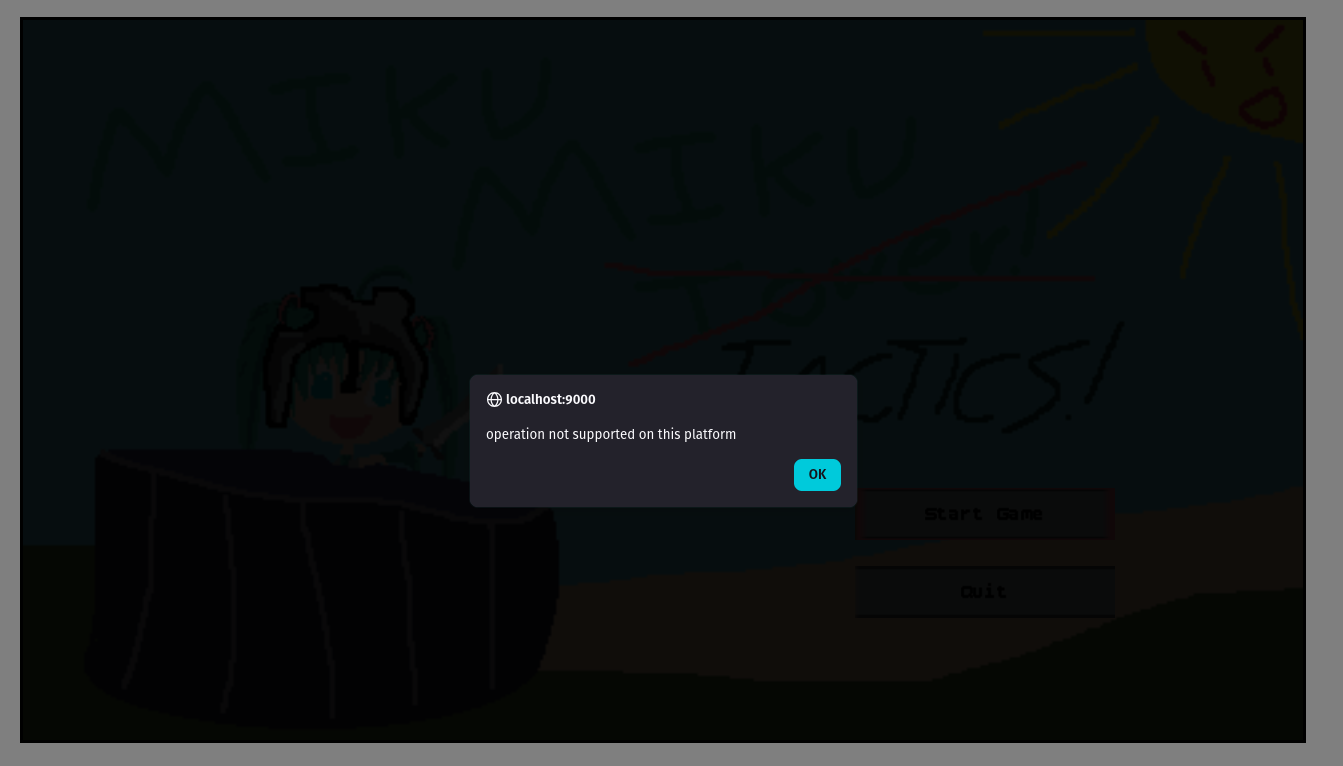
There is no file system to load the scene from. However, just like with textures and that sort of thing, we can just make a method for one of the backend specific portions of the code to handle this.
pub trait AssetLoader {
fn load_story_scene_contents(&mut self, path: PathBuf) -> AssetResult<String>;
fn ensure_texture_spritesheet_loaded(&mut self, sheet_id: TextureId);
fn get_catalog(&self) -> Rc<AssetCatalog>;
}
the SDL3 version can of course just use the filesystem, that's easy:
impl AssetLoader for AssetLoaderSDL3 {
fn load_story_scene_contents(&mut self, path: PathBuf) -> AssetResult<String> {
// if we wanted to cache it we could do so here
Ok(std::fs::read_to_string(path)?)
}
But what about the wasm? Well. That's a little tougher. With the images and that sort of thing is was alright to setup elements and then come back to them later. But with something like this where we want a string right away? That's a little bit tricky. We could try to fetch data from the host via a fetch call. But unfortunately that's an async function, which isn't going to fit in our world very well. I don't really want to introduce "async" or its concepts into our world either, it sounds like WAY too big of a lift to me, especially when I can think of at least one… somewhat hacky… way to do it:
fn load_story_scene_contents(&mut self, path: PathBuf) -> AssetResult<String> {
let Some(name) = path.file_name() else {
return Err("path was a directory or did not point to a valid file path".into());
};
let name = name.to_string_lossy();
let string = match name {
Borrowed("test.scene") => include_str!("../assets/scenes/test.scene"),
Borrowed("noaudio.scene") => include_str!("../assets/scenes/noaudio.scene"),
_ => return Err(format!("no scene by name {} could be loaded", name).into()),
};
Ok(string.to_string())
}

Ok, I'll stop whistling and avoiding your gaze. Yes, this sort of feels like it defeats the point of the manifest we made and the whole "don't hardcode the paths" stuff. But I mean, do you have a better idea? I have some that might also work, but this feels like the only one that doesn't involve a race condition. It's only for the wasm build, and most importantly, it works! Working code is good code. 15
The important thing is that both builds can now load scene data. Which means we can circle back to the idea of triggering that load from a scene script itself. Very fancy. This is going to be a similar parse and validation as the way we handle backgrounds and other asset loads. In order for this to be anything more than just make choice, load scene, and end up with an explosive number of branching paths, I think it would probably make sense to have a very very basic flag and conditional system. If I were to compare it to something like assembly, I want to be able to flip a register bit and be able to jump if its true:
pub enum UnvalidatedNovelOps {
ToScene(String),
SetFlag(String),
ClearFlag(String),
IfFlagGoto(String, String),
...
}
adding these enum values will immediately break out match statement, guiding us over towards implementing the various
validate_xxx functions. It's easy enough to write the call site first since we know what sort of data we'll
need to for each validation:
...
UnvalidatedNovelOps::ToScene(..) => {
if let Some(op) = validate_to_scene(unvalidated, context, &mut errors) {
valid_ops.push(op);
}
}
UnvalidatedNovelOps::SetFlag(..) => {
if let Some(op) = validate_set_flag(unvalidated, &mut errors) {
valid_ops.push(op);
}
}
UnvalidatedNovelOps::ClearFlag(..) => {
if let Some(op) = validate_clear_flag(unvalidated, &mut errors) {
valid_ops.push(op);
}
}
UnvalidatedNovelOps::IfFlagGoto(..) => {
if let Some(op) =
validate_if_flag_goto(unvalidated, &set_of_all_labels, &mut errors)
{
valid_ops.push(op);
}
}
...
The ToScene validation will verify that the name matches up to an id, which our catalog
already supports, to the code is pretty simple:
fn validate_to_scene(
unvalidated: UnvalidatedNovelOps,
context: &impl SceneLoadingContext,
errors: &mut Vec<String>,
) -> Option<NovelOps> {
let UnvalidatedNovelOps::ToScene(scene_name) = unvalidated else {
return None;
};
let Some(scene_id) = context.name_to_scene(&scene_name) else {
errors.push(format!(
"cannot load unknown scene with name {:?}",
scene_name
));
return None;
};
Some(NovelOps::ToScene(scene_id)) // wont compile yet since the enum doesn't exist
}
the validation of the set and clear flag are both no ops, they're just conversion methods since we'll let the flags be an open set of strings to booleans stored in a map somewhere. So, actually, we can also remove the error list entirely from the signature for now:
fn validate_set_flag(unvalidated: UnvalidatedNovelOps) -> Option<NovelOps> {
let UnvalidatedNovelOps::SetFlag(flag_name) = unvalidated else {
return None;
};
Some(NovelOps::SetFlag(flag_name))
}
fn validate_clear_flag(unvalidated: UnvalidatedNovelOps) -> Option<NovelOps> {
let UnvalidatedNovelOps::ClearFlag(flag_name) = unvalidated else {
return None;
};
Some(NovelOps::ClearFlag(flag_name))
}
Still won't compile since the enum doesn't exist, but moving right along. The last one is the more interesting validation as we could actually check if a flag exists somewhere in the operations list before we allow jumping, but thinking more globably, it's very possible and very probable I'd do something like this:
SET FLAG character x died
in one script because someone took a specific path, and then later on in some other script have something like
IF FLAG character x died GOTO sad family member TO SCENE happy party LABEL sad family member TO SCENE graveyard encounter
as a way to control the narration flow in our pseudo visual novel assembly language thing we've made.
Who needs else when you have goto? Anyway, the validation code is simple:
fn validate_if_flag_goto(
unvalidated: UnvalidatedNovelOps,
set_of_all_labels: &HashSet<String>,
errors: &mut Vec<String>,
) -> Option<NovelOps> {
let UnvalidatedNovelOps::IfFlagGoto(flag_name, label) = unvalidated else {
return None;
};
if !set_of_all_labels.contains(&label) {
errors.push(format!(
"cannot create IF {0} GOTO ({1}) because label {1} does not exist",
flag_name, label
));
None
} else {
return Some(NovelOps::IfFlagGoto {flag_name, label });
}
}
Lastly, if we want this to compile, we need to create the new enumerations for the validated operations:
pub enum NovelOps {
...
IfFlagGoto { flag_name: String, label: String },
SetFlag(String),
ClearFlag(String),
ToScene(SceneId),
}
though, by "compile" I mean, we stop seeing the errors we've been seeing and now see the next
match statement start to complain in the do_current_op function. Compiler driven development
is fun I think. Just following the errors until they're all resolved and then, most of the time, it all works!
We do need to add more fields to the VN struct to implement the operations though. In the future, I sort of
think maybe we could support something like setting a flag to a specific value, but since I only need
booleans, I'm just going to roll with a simple set:
#[derive(Debug)]
pub struct VisualNovelMachine {
...
pub flags: HashSet<String>,
pub to_scene: Option<SceneId>,
}
Interestingly enough, there's not really that much code to add to the operation processing function:
match &self.program[self.program_counter] {
NovelOps::SetFlag(flag) => {
self.flags.insert(flag.clone());
}
NovelOps::ClearFlag(flag) => {
self.flags.remove(flag);
}
NovelOps::IfFlagGoto { flag_name, label } => {
if self.flags.contains(flag_name) {
self.jump(&label.clone());
}
}
NovelOps::ToScene(scene_id) => {
self.to_scene = Some(*scene_id);
}
...
Since we already had the jump method, it's not like we needed to implement anything there. The flags are simple, and the scene is just queued up int the option for the owner of the visual novel struct to deal with. Granted, none of these operations are possible unless we actually parse them from a file first. So, the last thing we need to do before doing any of the implementation work on the story screen side of things is implement each parse.
Each parse will be inside of the parse_single_line_ops function since they only take up one line.
So we can mirror the pattern we had for validation:
if let Some(op) = parse_set_flag(line, errors, line_number) {
return Some(op);
}
if let Some(op) = parse_clear_flag(line, errors, line_number) {
return Some(op);
}
if let Some(op) = parse_if_flag_goto_label(line, errors, line_number) {
return Some(op);
}
if let Some(op) = parse_to_scene(line, errors, line_number) {
return Some(op);
}
Then implement each function. Both the set and clear flag functions look the same, besides the name of the string prefix to look for, so I'll only the one:
fn parse_set_flag(
line: &str,
errors: &mut Vec<String>,
line_number: usize,
) -> Option<UnvalidatedNovelOps> {
if !line.starts_with("FLAG SET") { // just chat SET to CLEAR and you're good!
return None;
}
let Some((_, name)) = line.split_once("FLAG SET ") else {
errors.push(format!(
"line {} could not parse flag name from {}",
line_number, line
));
return None;
};
if name.trim().is_empty() {
errors.push(format!(
"line {} could not parse flag name from empty string, add a flag name to scene",
line_number
));
return None;
}
Some(UnvalidatedNovelOps::SetFlag(name.to_owned())) // and tweak this obviously!
}
Then, for the conditional jump, it's longer but mostly just error handling:
fn parse_if_flag_goto_label(
line: &str,
errors: &mut Vec<String>,
line_number: usize,
) -> Option<UnvalidatedNovelOps> {
if !line.starts_with("IF FLAG") {
return None;
}
let Some((_, flag_and_label)) = line.split_once("IF FLAG ") else {
errors.push(format!(
"line {} could not parse conditional jump from {}",
line_number, line
));
return None;
};
if flag_and_label.trim().is_empty() {
errors.push(
format!("line {} could not parse flag or label from empty string, add a label and flag to scene", line_number),
);
return None;
}
let Some((flag_name, label_name)) = flag_and_label.split_once(" GOTO ") else {
errors.push(format!(
"line {} could not parse label from {}, missing GOTO between flag name and label name",
line_number, line
));
return None;
};
if flag_name.trim().is_empty() {
errors.push(
format!("line {} could not parse flag name from empty string, add a flag name and state to scene", line_number),
);
return None;
}
if label_name.trim().is_empty() {
errors.push(format!(
"line {} could not parse target label from empty string, add a non-empty label name to scene",
line_number
));
return None;
}
Some(UnvalidatedNovelOps::IfFlagGoto(
flag_name.to_owned(),
label_name.to_owned(),
))
}
the last parse, for ToScene is basically the same thing as the label parse from before:
fn parse_to_scene(
line: &str,
errors: &mut Vec<String>,
line_number: usize,
) -> Option<UnvalidatedNovelOps> {
if !line.starts_with("TO SCENE") {
return None;
}
let Some((_, name)) = line.split_once("TO SCENE ") else {
errors.push(format!(
"line {} could not parse scene name from {}",
line_number, line
));
return None;
};
if name.trim().is_empty() {
errors.push(format!(
"line {} could not parse scene name from empty string, add a scene name to your TO SCENE command",
line_number
));
return None;
}
Some(UnvalidatedNovelOps::ToScene(name.to_owned()))
}
Maybe it's just because we had all the other code we wrote before, but it was very simple and easy to work through all of that. Mainly because we can copy and paste. It does feel like we could refactor and DRY things up, but for now it doesn't seem worth doing. Does it really make a call site easier to understand if we suddenly pass a bunch of random strings into a generic function and have to look up what each one is anyway? Perhaps its better to have the exploded functions like we have no since they are clear, answer the question you're looking for, and most important, are easy to use and understand.
Anyway. With that done, we just need to implement a couple of things… but before I add in actions, I'm going to move the scene load to its own helper:
fn load_story_scene_contents(
&mut self,
scene_id: SceneId,
pc: ProgramCounter,
game_context: &mut GameContext,
) -> GameResult<()> {
let Some(asset_loader) = game_context.asset_loader.as_mut() else {
return Err("cannot load scene contents if asset loader is not configured".into());
};
let catalog = asset_loader.get_catalog();
let scene_path = catalog.get_scene_path(scene_id)?;
let raw_scene = asset_loader.load_story_scene_contents(scene_path)?;
let mut vn = parse_scene(&raw_scene, catalog.as_ref())?;
ensure_ops_loaded(&vn.program, game_context);
// TODO: restore state safely (validate bounds, fast forward the script to determine what the current state of the system should be, etc)
// we'll likely need to have some kind of thing that also sets the story_screen state fields based on what was loaded as well, maybe. it
// might be enough to just run through and advance the pc and let the various queues fill up (and ensure we DRAIN the audio ones where appropriate)
vn.program_counter = pc.0;
self.vn = Some(vn);
Ok(())
}
mainly because we'll probably need to change it a bit to properly preserve state across scenes when it comes to flags. Not to mention loading up a scene and launching into it from one place to the other. Before I get beyond the scope I want to keep and into those ideas though, let's add a new field to the story struct's ids list:
struct TitleSceneIds {
btn_sfx_id: SfxId,
meme_id: SfxId,
bg_id: TextureId,
start_scene_id: SceneId,
}
then, we can remove the TODO from the init method:
... let Ok(start_scene_id) = catalog.get_scene_id_for_name(SCENE_START_NAME) else { return Err("cannot init scene if start scene id is not available".into()); }; ... let ids = TitleSceneIds { meme_id: meme, btn_sfx_id: blip, bg_id, start_scene_id, };
and then the start button can use it:
if let Some(btn) = self.start_btn.as_mut() {
...
let Some(start_scene_id) = self.ids.as_ref().map(|ids| ids.start_scene_id) else {
return Err("cannot start new game if scene id is unknown".into());
};
game_context.queue_story_scene(start_scene_id);
...
}
so no more hardcoded ids. Now, to enable the story scene to take actions based on the scene and flag commands. Within the vn pattern guard of the update method we can check these things out:
if let Some(vn) = self.vn.as_mut() {
// TODO: move quit to constants
if vn.is_flag_set("quit") {
game_context.shutdown();
self.fade = Some(TransitionScene::new_fade_out());
}
if let Some(next_scene) = vn.to_scene.take() {
game_context.queue_story_scene(next_scene);
}
the is_flag_set is just a small wrapper around self.flags.contains but I
like having words that mean something to me. We could probably update the quit flag checking to send
us back to the title screen, but getting a nice quit flow isn't our goal right now. The goal is to
allow us to jump between two scenes! So, once we've queued the next scene up by removing it from the
visual novel program, we can act on it:
if let Some((scene_id, pc)) = game_context.story_scene.take() {
self.load_story_scene_contents(scene_id, pc, game_context)?
}
Pretty simple! And, if I throw together a couple new scenes, we can test that it works:
The two background swaps are the boundary between scenes in case it's not obvious. I've got two scenes going on here that are sending us from one place to the other:
BACKGROUND planning-layout PLAY blipSelect ENTER miku FROM left CHARACTER miku IS idle SAY Almost... CHARACTER miku IS happy LABEL repeat PLAY blipSelect SAY Finally... it is time. ENTER rin FROM right FOCUS right CHOICE | repeat OPTION What was that? | next OPTION Indeed, we shall have our revenge! LABEL next PLAY blipDeSelect FOCUS left CHARACTER rin IS mad CHARACTER miku IS mad SAY Indeed my friend, it is finally time to begin our long awaited adventure... HIDE right SAY In tactics! HIDE left BACKGROUND titlescreen MUSIC pachebal TO SCENE game-over-confirm
BACKGROUND game-over ENTER miku FROM left CHARACTER miku IS mad SAY Really? You really don't want to play anymore? CHOICE | quit OPTION Let me out, let me ouuuuut | nah OPTION Actually, I changed my mind LABEL nah CHARACTER miku IS happy SAY Oh good! I'm glad you still love me! TO SCENE start LABEL quit CHARACTER miku IS idle SAY Oh, well... if that's how you really feel. I guess uhm. PLAY blipDeSelect SAY Ok. Bye. It's not like I wanted you to have fun or anything. FLAG SET quit
Not bad. Though, one thing of note I suppose is that the flags are cleared on scene load, which means flags are local to the individual scene. That's fine for now, but questionable in the long run I think. Like, if we want to have a battle take place between scenes, and set some flags from that battle's script and have them acted on during the story, then we'll have trouble. That said, I think that's OK for the moment because for today's post, this is enough to allow us to create a little game to count towards our challenge.
Surprise!

One final thing ↩
I know we started off the post and said that our plan was to make game primitives for the tactics game I sketched out in a notepad. But actually, I've tricked you. That's right. We've built enough little lego pieces to put together one of the simpler types of games.
A visual novel.
Now, some people don't consider a visual novel a game. But to those people who would argue against me including it towards my counts of challenges I say: if it's not a game then why do they sell them on steam? To which one could argue, they sell workshops and other random tools on steam too! To which I would argue: if there's a game loop, choices being made, and consequences from it, then it's more than just a story, it's an experience! Ok, enough arguing with the fictional straw men, there's probably a little bit of code here and there for us to add in, but not a lot to support this idea of making a VN.
The hardest part of this is the non-code stuff. The backgrounds, sprites, animations, all that sort of thing requires skills I don't really have. That's part of the reason everything in my games looks like it came from a 00's flash game. But then again, in the world of AI generated imagery, I find there to be a certain charm in my amateur efforts. And so, I've tried to create a very simple story that has just enough story to be considered a "game", and which doesn't require too much from the art-side of the brain.
In order for it to work though, we need to make sure flags persist across scenes:
fn load_story_scene_contents(
&mut self,
scene_id: SceneId,
pc: ProgramCounter,
game_context: &mut GameContext,
) -> GameResult<()> {
...
let mut vn = parse_scene(&raw_scene, catalog.as_ref())?;
...
if let Some(existing_vn) = self.vn.take() {
vn.flags.extend(existing_vn.flags);
}
self.vn = Some(vn);
Ok(())
}
And then do a little bit of game specific logic to statically set a flag once the various scenes I want us to see have all been viewed.
fn load_story_scene_contents(
&mut self,
scene_id: SceneId,
pc: ProgramCounter,
game_context: &mut GameContext,
) -> GameResult<()> {
...
if let Some(existing_vn) = self.vn.take() {
// If we're coming back from a bad end make sure to clear things out rather than extend
// so the game can restart.
if !existing_vn.is_flag_set(VN_ALL_VISITED_FLAG) {
vn.flags.extend(existing_vn.flags);
} else {
vn.flags.clear();
}
}
// Send player to the end game.
if vn.is_flag_set(VN_LEMON_ACQUIRED_FLAG)
&& vn.is_flag_set(VN_TAKO_ACQUIRED_FLAG)
&& vn.is_flag_set(VN_BAGUETTE_ACQUIRED_FLAG)
{
vn.flags.insert(VN_ALL_VISITED_FLAG.to_owned());
}
self.vn = Some(vn);
Ok(())
}
And that's it! My silly little visual novel is complete! Or, at least, that's what I'd like to say, but there's a bit of a bug we need to deal with before I can show you the game in all its glory:
It took a bit of digging and a false start, but I did figure out what the problem was. Remember when we were doing the planning out of things? So we loaded up the planning layout and did this:
let _ = ensure_texture_by_name(TEXTURE_PLANNING_LAYOUT_BG, asset_loader.as_mut())?; self.bg = catalog.get_sprite(TEXTURE_PLANNING_LAYOUT_BG);
Well, I want you to think about what happens in our draw_vn_scene function
when we do this then:
if let (Some(background_id), Some(sprite_info)) = (vn.background, self.bg.as_ref()) {
let src = sprite_info.get_rect();
renderer.send_command(RenderCommand::DrawRect {
texture_id: background_id,
source: src,
destination: Rect::new(0, 0, layout.area.width, layout.area.height),
});
the background_id is dynamic, we never override the bg value though.
Which means that it's always saying that the source image is actually 1280x720, even
when it's not. The background images for the scenes are only 480x270. You could see how this
might be a problem. It's interesting that this manifests in the wasm renderer and not the SDL3
renderer though. That means that the SDL3 source gets stretched out, rather than extended with
empty space like the way the HTML canvas does things. An interesting fact I think.
Either way, a quick little hack and we're back:
if let Some(background_id) = vn.background {
if let Some(sprite_info) = catalog.get_sprite_for_id(background_id) {
let src = sprite_info.get_rect();
renderer.send_command(RenderCommand::DrawRect {
texture_id: background_id,
source: src,
destination: Rect::new(0, 0, layout.area.width, layout.area.height),
});
}
}
And now we've got a working game for the wasm world!
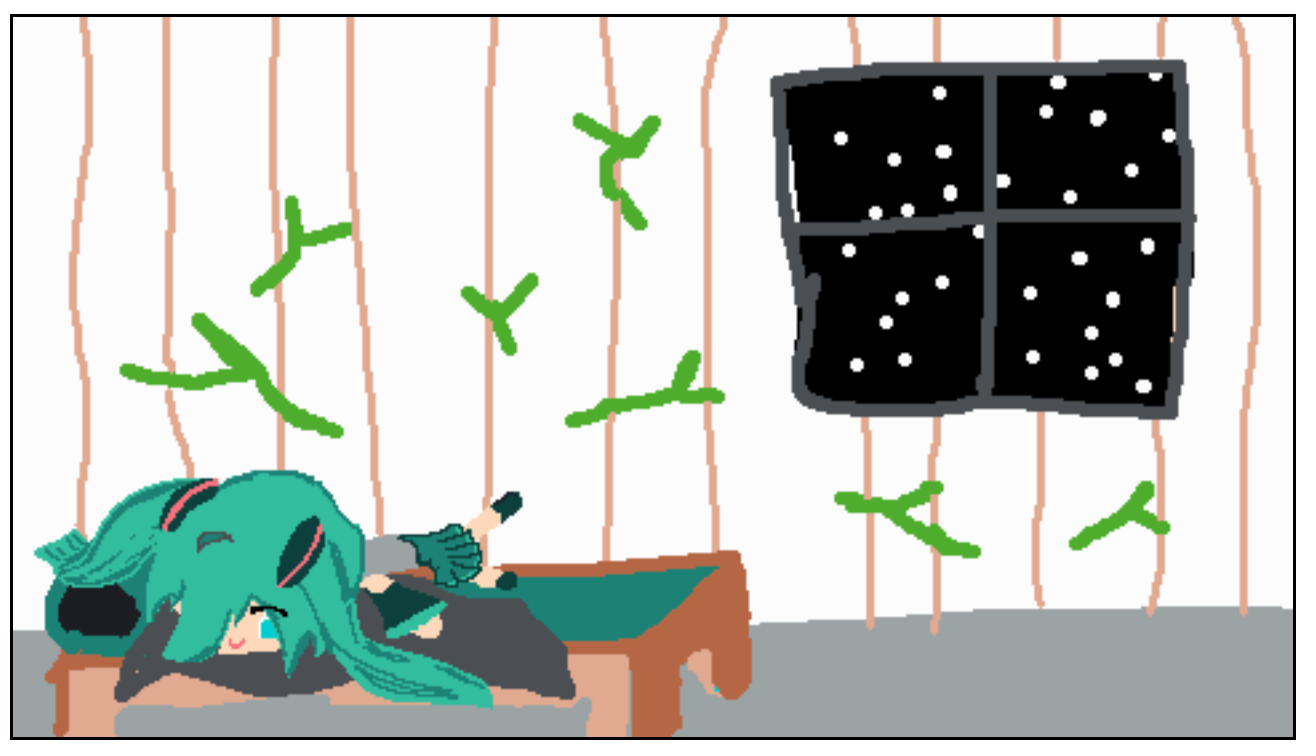
For next time… ↩
You can play the game online with the wasm version here if you'd like, and you can always download the release version from the github repository here if you'd prefer to run the native version. It's a very silly small thing. But I think it showcases some of the basic primitives we made here well enough. I didn't include any background music or try to make good sounds or anything, I think there's still some more stuff we can do to make those behave better, and I'd rather do that later than put it into a game for today.
Speaking of things to do, here's a list of stuff that we can probably expand on our little framework when we do the next game:
- Add SHAKE and other commands to add some animation to sprites
- Fix up scene merger to properly remove flags as needed and not accidentally merge them in again later
- Push a little more basic logic into the scripting so we don't have to write custom conditional checks in the game code
- Figure out a nice way to transition out of the story screen mode
- Ensure we stop any playing audio when a new scene loads so background audio doesn't overlap if multiple scenes use it
There are probably other things that I'm not thinking of right now because I'm a bit tired and it's late. But overall I think we've made decent progress on the foundational work that might MAYBE set us up a better game in the future. At the very least, I got to re-use the base of the miku miku tower code for another game. So all the work we did into refactoring and making things good paid off! I'd like to make the actual tactics game like I was describing before, but that'll be another blog post. And hopefully it'll be just as fun and maybe easier than this one was! Maybe. We'll see.
Until then, I hope you enjoyed reading! As always, you can swing by my usual place to say hi and tell me about anything you liked or disliked with the project. If you're making things yourself feel free to study and adapt the code to your own needs (so long as you're not training an AI on it). Hopefully this was helpful, and I'll see you all in the next post!