A buggy button ↩
While I've been refactoring things here or there (mainly converting Option to Result types),
there's one thing from the previous game that is definitely a bit odd that we need to get fixed up. I'm talking of course,
about these funny buggy buttons:
As you can see, when I'm moving around it's going FAST and midway through I stop moving and just click. But the rest of the time, I've clicked once and then am moving the mouse around while remaining inside the button area. This is causing the action of our button to be taken many many many times. I admittedly didn't really notice this in either the first game we made with our little framework, or in the second. But, I did notice it finally while showing people the game a bit and well, I'd like to fix that issue before we start working on the whole "make a tactics game" thing.
Anyway, one important thing about this bug is that it happens on both the SDL3 version (which is caught in the video) and also in the wasm version. Which you could see yourself if you played one of the games by following the link from their respective blog posts near the end of the posts. The useful thing about this information is that it means that the problem is most likely related to our application code moreso than what each individual back end is doing. Well, assuming the backend didn't just get a copy-paste job and the bug manifested in both backend-specific code areas, but anyway. I'm pretty sure I have a decent idea about where the problem is.
The button's update function:
pub(crate) fn update(
    &mut self,
    ticks: u32,
    game_context: &GameContext,
    parent_layout: &GridLayout,
) {
    let layout = self.relative_layout(parent_layout);
    let Some(_) = layout.cell_for_mouse(game_context.mouse_context.position) else {
        self.hovered = false;
        self.clicked = false;
        return;
    };

    self.hovered = true;
    if let Some(sprite_info) = self.highlight.as_mut() {
        sprite_info.advance(ticks);
    }
    if let Some(sprite_info) = self.bg.as_mut() {
        sprite_info.advance(ticks);
    }

    if game_context.mouse_context.left_clicked {
        self.clicked = true;
    }
}
and the location it's called at:
if let Some(btn) = self.speed_btn.as_mut() {
    btn.update(ticks, game_context, &layout);
    if btn.clicked {
        self.text_speed = self.text_speed.cycle_speeds();
        if let Some(text_box) = self.text_box.as_mut() {
            text_box.set_speed(self.text_speed)
        };
        btn.text = self.text_speed.to_string();
        btn.clicked = false;
        game_context.mouse_context.consume_left_click();
    }
};
As you can see, we've got a sort of leaky abstraction here. Where, because the update function isn't modifying the game context, we're left to reset the click state and consume the mouse context if the calling party did something with the button. This isn't bad per se, it leaves a lot of control in the individual screen struct's hands. But it is kind of annoying that it makes a bunch of boilerplate, and, the click consumption sort of masks part of the issue that's causing this.
When we click down, the mouse context has left_clicked as true. That triggers falling into the btn clicked
branch. Obviously that's sort of what we want, but what's setting it is our mouse context's update function:
impl MouseContext {
    pub fn update(&mut self, left: bool, right: bool, position: Option<(f32, f32)>) {
        self.left_clicked = left;
        self.right_clicked = right;
        self.position = position;
    }
    ...
And this assignment happens from the wasm and sdl3 loops. Let's just focus on the SDL3 version:
Event::MouseMotion {
    mousestate, x, y, ..
} => {
    game_context.mouse_context.update(
        mousestate.left(),
        mousestate.right(),
        Some((x, y)),
    );
}
Event::MouseButtonDown {
    mouse_btn, x, y, ..
} => {
    game_context.mouse_context.update(
        mouse_btn == MouseButton::Left,
        mouse_btn == MouseButton::Right,
        Some((x, y)),
    );
}
As you can see, there's two different events being used to set the mouse button status. The click is fine,
if the button is held down, then pass down the boolean for it. But the motion event? That also sets
the click buttons because if a user is dragging around or releases, we'd want to know that of course. But,
every single event is changing that left_clicked status. So, you move the mouse, an event fires,
and now the left click is true. But if you moved the mouse and it's still on the button, then you end up triggering
the button again.
One thought about how to fix this would be to keep track of the previous frame's state and compare. After all, then we could easily tell that the mouse has changed state a moment ago, and then you could key the update based on that! This isn't hard to bake into the mouse context:
impl MouseContext {
    pub fn update(&mut self, left: bool, right: bool, position: Option<(f32, f32)>) {
        self.previous_position = self.position;
        self.previous_left_click = Some(self.left_clicked);
        self.previous_right_click = Some(self.right_clicked);
        self.left_clicked = left;
        self.right_clicked = right;
        self.position = position;
    }

    pub fn just_left_clicked(&self) -> bool {
 		self.previous_left_click.is_none_or(|plc| !plc) && self.left_clicked
	}
But does it work? Nope. I mean, yes, it will tell you if someone clicked down, then released, or
clicked down and kept holding down. But the trick of course is that in the case of doing nothing,
we run into a bit of a problem. You click, then don't touch the mouse. The incoming change makes the
previous values set to false, the new ones set to true. Then, you don't move the mouse at all. You don't
click again. You send no new events and your state is now stuck at Some(false), true for
previous and current.
Unfortunately, that means that if the idea of "did the click just happen", is based on the difference
between the two updates, then if there are no events then there's no way to clear things out there. So, really,
it feels like the only way to make sure that the button is clicked and then doesn't get clicked again until the
user actually expects it is to shift things around a little bit and make our buttons a bit smarter. In the
match 3 game we did state machines, but I think we
can get away with a small flag and some code re-use of the ReadyState that I've been using in this
project for tick counters everywhere.
pub struct Button {
    ...
    pub click_state: ReadyState,
    pub cooldown_ticks: u32,
}
To start with, if we add the two new fields above to our button, then we can add in a time gate on how often the button fires. By default, a button should be ready to go, and for the time being, 15 ticks will be alright. It means that within a single second, we should be able to fire the button 4 times if we really really want to:
pub fn new(text: String, rect: Rect, font_id: FontId, texture_id: TextureId) -> Self {
    Self {
        ...
        click_state: ReadyState::Ready,
        cooldown_ticks: 15, // TODO: take it as new if we ever need buttons to feel different from each other.
    }
}
With that ready to go, we can use the new fields in the update function:
pub fn update(
    &mut self,
    ticks: u32,
    game_context: &mut GameContext,
    parent_layout: &GridLayout,
) {
    let layout = self.relative_layout(parent_layout);
    let Some(_) = layout.cell_for_mouse(game_context.mouse_context.position) else {
        self.hovered = false;
        self.clicked = false;
        self.click_state = ReadyState::Ready;
        return;
    };

    if let ReadyState::Ready = self.click_state {
        self.hovered = true;
    } else {
        self.hovered = false;
    }
    if let Some(sprite_info) = self.highlight.as_mut() {
        sprite_info.advance(ticks);
    }
    if let Some(sprite_info) = self.bg.as_mut() {
        sprite_info.advance(ticks);
    }

    if let ReadyState::Ready = self.click_state
        && game_context.mouse_context.left_clicked
    {
        self.clicked = true;
        game_context.mouse_context.consume_left_click();
        self.click_state = ReadyState::Cooldown {
            ticks_waited: 0,
            wait_for: self.cooldown_ticks,
        };
    } else {
        self.clicked = false;
        self.click_state = self.click_state.advance(ticks);
    }
}
There's a bit more logic than there was before now. But as you can see, we're effectively only setting
the click state to true if the counter or ReadyState is coming off the cool down. We're also
now consuming the click from within the button rather than outside of it. So we can clean up the call sites
in the scenes and no one was to hear about those leaky details anymore from within the button. The new behavior of the
button now looks like this:
When I'm dragging the mouse around in circles, that's me holding down the button after a single click and moving. The previous behavior was the crazy fast spam, and now it's quite a bit slower. This solves the immediate problem of button click spam. But it raises the question of: is the right behavior for this button?
I like the idea of having a button that you hold and something slowly keeps happening. For selecting the speed, it could maybe make sense. But if there's no indication of the cooldown timer itself, then that's not really intuitive. And might be a bit confusing. Modern day desktop applications and browsers typically go for the forgiving "you have clicked, but not released yet, I will not take action" approach. But ever since I read John Carmack (of Id software) treatise on act on press" I've had the reverse in my head for games:
Act on press
This is a UI design hill I will die on, and it dismays me how often and hard I have had to fight for it.
Almost all interaction methods have a “press” and “release” event associated with them. Whenever possible, you should “do the thing” when you get the press event instead of waiting for the release event, because it makes the interaction feel substantially more responsive, and it reduces user errors by not allowing the focus to slide out of the hot box between press and release.
Even a “ballistic tap”, where your finger is intentionally bouncing off the button or touch surface, involves several tens of milliseconds delay between the press and release, and most button presses have well over a hundred ms dwell time. There is a delight in interfaces that feel like they respond instantly to your wishes, and the benefit to every single user is often more important than additional niche features.
Game developers, with simple UI toolkits, tend to get this right more often, but “sophisticated” app designers will often fight hard against it because it is mostly incompatible with options like interactive touch scrolling views, long press menus, and drag and drop.
Being able to drag scroll a web page or view with interactive controls in it is here to stay, and nets out way better than having to use a separate scroll bar, but there are still tons of fixed position controls that should act on press, and it is good UI design to favor them when possible.
In the early days of mobile VR, the system keyboard was a dedicated little OpenGL app that responded instantly. With full internationalization it became prudent to turn it into a conventional Android app, but the default act-on-release button behavior made it feel noticeably crappier. The design team resisted a push to change it, and insisted on commissioning a user study, which is a corporate politics ploy to bury something. I was irritated at how they tried to use leading questions and tasks, but It still came back one of the clearest slam-dunks I have seen for user testing – objectively less typos, expressed preference, and interview comments about the act-on-press version feeling “crisper” and “more responsive”.
So, I won that one, but the remaining times I brought it up for other interfaces, I did not, and you still see act-on-release throughout the Meta VR system interfaces.
There's some good discussion if you go read the tweet. 1 It's the little things, like, yes browsers let you cancel a click by dragging away. But it's not like REAL buttons work like that. You press the button on the elevator, it lights up after you depress it, not before it springs back out and the elevator starts moving. Of course, taking that example with us, it's also not like you hold the button down and the elevator keeps repeated trying to move to the same floor either. So, if we want to align our button behavior with the reality of responsiveness, then we need to do another tweak.
...
pub waiting_for_release: bool,
...
Adding a new field to our button like this will allow us to persist a bit of state between update calls. Note, I'm not saying between frames because our fixed game loop has the potential to play catch up if it misses frames, and so one can reasonably get multiple update calls between frames or without any real frame happening at all. It's simple enough logic though, before we check if the button is ready, we check to see if the mouse isn't being clicked right now. If it's not, that means it's up! And so, we're not waiting for the button to be release:
if !game_context.mouse_context.left_clicked {
    self.waiting_for_release = false;
}
Then we can tweak that to be taken into account when triggering the click:
if let ReadyState::Ready = self.click_state
    && game_context.mouse_context.left_clicked
    && !self.waiting_for_release
{
    self.clicked = true;
    self.waiting_for_release = true;
    // game_context.mouse_context.consume_left_click();
    self.click_state = ReadyState::Cooldown {
        ticks_waited: 0,
        wait_for: self.cooldown_ticks,
    };
} else {
    self.clicked = false;
}
Do note that we're no longer consuming the left click! We'll get into that in a moment, but first, the reason why we hold
the release flag is because if we're still waiting for a release, we simply shouldn't transition into the ready state yet.
This means that the cooldown needs to hold longer than the time we told it to wait, but we don't have to actually come up
with a number for that at all, we just need to unfurl the advance function and add a condition:
self.click_state = match self.click_state {
    ReadyState::Ready => self.click_state,
    ReadyState::Cooldown {
        wait_for,
        ticks_waited,
    } => {
        let ticks_waited = ticks_waited.saturating_add(ticks);
        if ticks_waited >= wait_for && !self.waiting_for_release {
            ReadyState::Ready
        } else {
            ReadyState::Cooldown {
                wait_for,
                ticks_waited,
            }
        }
    }
};
Simple enough right? But this won't work yet, and this has to do somewhat with the left click consumption. The current issue
is that if you run the code, you'll notice that we're back to that sort of half-in-half-out stage again where the previous
state isn't really moving. Clicking doesn't change the release flag back since a click event will always be down. While moving
the mouse will unstick that. So, we do need to update the SDL3 loop to listen to the Up event
Event::MouseButtonUp {
    mouse_btn, x, y, ..
} => {
    game_context.mouse_context.update(
        if mouse_btn == MouseButton::Left {
            false
        } else {
            game_context.mouse_context.left_clicked
        },
        if mouse_btn == MouseButton::Right {
            false
        } else {
            game_context.mouse_context.right_clicked
        },
        Some((x, y)),
    );
}
Doing this somewhat awkward dance also means that the mouse gets "consumed" on its own. So no more need to even bother doing that in the button now. But we do finally have the behavior we want. Clicking activates the button. Clicking and dragging activates it once, and clicking rapidly is debounced to our ready state cooldown tick timer. So no spam or weird things happening there:
and that works. I'm doing my usual click, click and drag around, click and drag and move off the button, and whatever else I can think of. The button now follows a sort of 1 click 1 action rule here. Which feels more expected and better overall for anyone using it. Though, on the code side it feels a little bit like I'm starting to make Italian cooking, so let's move onto our next subject which is related to a potential fix for that if we want to spend the time on it.
Commanding a unit ↩
It might not surprise you, given that I already mentioned them above, that state machines are on my mind. We could certainly use them to abstract out some behavior from the buttons, but before we do that, I think we should give them a trial run on something else in the game we're working on making.
Units!
In each tactics-style game, you have your army. Commanding each one at a time and telling them what to do. One by one, and then when everyone has their orders, you call your turn done and let the enemy queue up their commands next. Then all hell breaks loose.
I really don't want to make a bunch of little flags and conditionals to sort out all the various stages of an armys lifestyle in one giant struct. It sounds like a great recipe for disaster. Rather, I think I'd like to start small, build one little block at a time of behavior, and then weave everything together to have one greater whole that should work without any bugs. So, I started tossing around a few enums:
#[derive(Debug, Clone, Copy)]
pub enum UnitState {
    Idle,
    Selected,
}

#[derive(Debug, Clone, Copy)]
pub enum Actions {
    Select,
    Deselect,
}

#[derive(Debug)]
pub struct UnitBehavior {
    pub state: UnitState,
}

impl UnitBehavior {
    fn act(&mut self, input: Actions) {
        match (self.state, input) {
            (UnitState::Idle, Actions::Select) => {
                self.state = UnitState::Selected;
            }
            (UnitState::Selected, Actions::Deselect) => {
                self.state = UnitState::Idle;
            }
            _ => {}
        }
    }
    fn current_state(&self) -> UnitState {
        self.state
    }
}
But is this the right ownership model? Like, I was thinking about units a lot. But thinking back to how I did the tower defense game, the actions a user takes are more or less their own state machine of sorts, and that's sort of separate from how a unit is behaving. I do think that the units will need to be aware of if they should be idling or not at some point; for my goal though, I really want to make it possible to tell a unit what to do as that's the core of the tactics game interaction I think we need to sort out before we can really make a game.
There's a bit of a chicken and egg situation with this though. But one which we'll dodge by the simple strategy of "not making that yet" for a lot of the work needed. We'll put the unit behavior aside for now, and instead let's focus in on some smaller essentials. To show a unit on the map, we'll need to know what its sprite is and the texture to use for said sprite. Also, it makes sense to me that in order to show a portrait to the user when they select a unit, we'll need to track that too:
#[derive(Debug)]
pub struct UnitSpriteData {
    pub sprite: (SpriteInfo, TextureId),
    pub portrait: (SpriteInfo, TextureId),
}
#[derive(Debug)]
pub struct UnitData {
    pub name: String,
    // behavior: UnitBehavior, add this back when we actually need it
    pub sprite_data: UnitSpriteData, // load via name
}
I figure that there's probably other things we'll track with the unit data, like stats for attack and range and all that sort of stuff. But like I said, let's start small. The map that the units exist on should probably have some way to tell if a given tile is traversable or not and if its got someone standing on it or not. I don't think we want to store the entire object in the tile, as we'll likely need references to it for other operations, and taking it out of the map each time sounds very silly. So let's use an id to refer to it:
#[derive(PartialEq, Copy, Debug, Clone, Hash, Eq)]
pub struct UnitId(pub usize);

#[derive(Debug)]
pub struct Tile {
    pub is_walkable: bool,
    pub occupant: Option<UnitId>,
}

#[derive(Debug)]
pub struct MapInstance {
    pub width: isize,
    pub height: isize,
    pub tiles: Vec<Tile>,
}
At this point, the tingles in the brain that say:
start to loom. And have to be beaten back to not get too far away from where we're trying to get to. Though, admittedly, it is hard because it's easy enough to write this:
impl MapInstance {
    pub fn empty_walkable(width: isize, height: isize) -> Self {
        let tiles = (0..height)
            .flat_map(|_row| {
                (0..width).map(|_column| Tile {
                    is_walkable: true,
                    occupant: None,
                })
            })
            .collect();
        MapInstance {
            width,
            height,
            tiles,
        }
    }
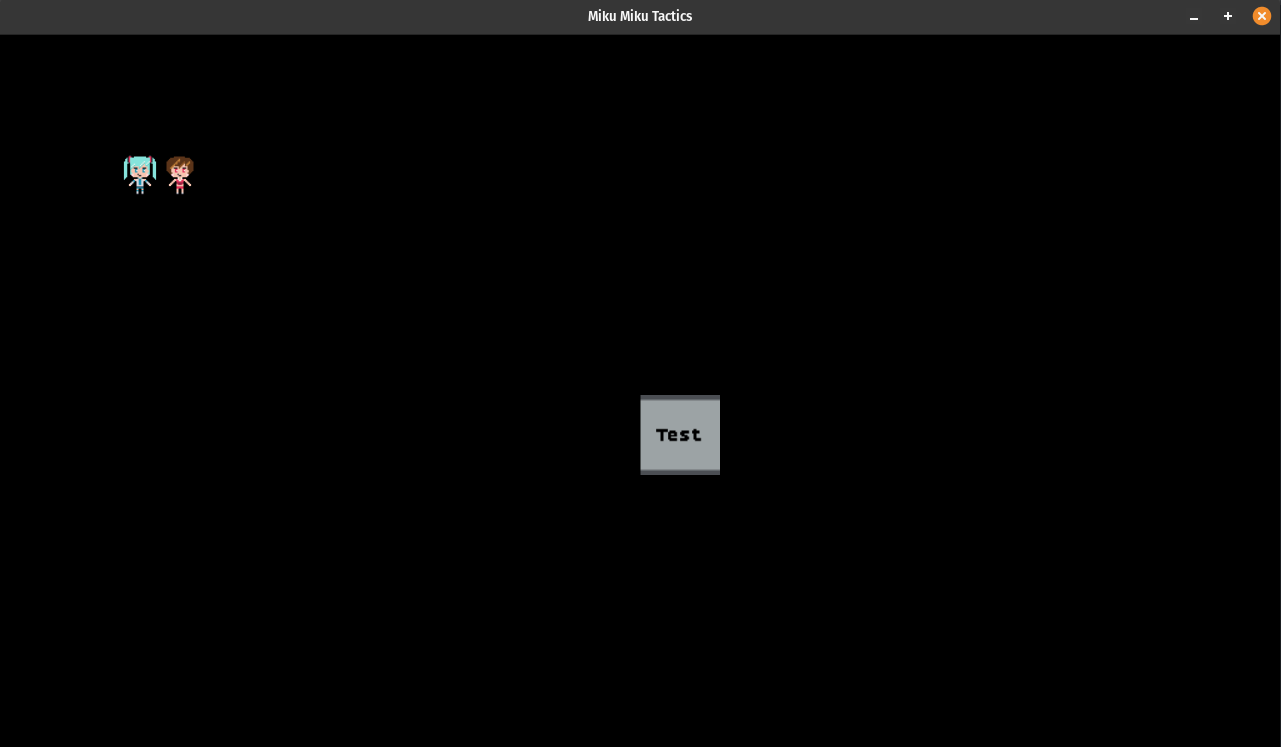
and tada, you've got an empty map of walkable tiles. Ready to be filled! But manually assigning which tiles are walkable is a tedious thing. Especially because it's not like this map actually indicates what the tile should look like and it's very incomplete feeling when you've just got some sprites floating in a void, even if you know that the void is actually cut up into a grid.
But for now, until we've got those basics I want in, we're going to have to resist the urge to do that. For now. Let's instead focus back in on the whole, who owns the state, question. Basically, I don't think we should be worried about if the unit is idle or not right now. When it comes to thinking about the way one interacts with the game, it's more or less the scene itself that is going through different states. Think about it, when you click on a unit, you're not shifting the unit from idle to selected, you're shifting the game from saying "we are selecting a unit" to "we have selected a unit, now what?", and so the owner of the actual states we're cycling through is the scene itself. And those states, more or less, are this:
pub type Coordinate = (isize, isize);
pub type FromHere = Coordinate;
pub type ToThere = Coordinate;
pub type Attacker = (UnitId, Coordinate);
pub type Defender = (UnitId, Coordinate);

pub enum ActionState {
    UnitSelected(UnitId, Coordinate),   // 1. Click a unit
    CommandPending(UnitId, Coordinate), // 2. Click a tile around that unit, ask what to do
    Move(UnitId, FromHere, ToThere),    // 3. If tile empty -> check in range?
    Attack(Attacker, Defender),         // 4. If tile has empty -> check in range?
}
We might need to tweak these a bit as we get into everything, but since I'm working in a test scene right now
and not the final place I'm planning on putting things, I'm going to put the state of the map&heliip; in a
struct named MapState:
pub struct MapState {
    pub units: HashMap<UnitId, UnitData>,
    pub action: Option<ActionState>,
}
I'm very creative. I know. You might be wondering why I'm separating MapInstance and MapState
from each other. The main reason is that I'm experimenting. There's a very good chance that we merge the two together,
once we start loading maps from files. But that might also be a good point to keep them separate. As I write this I'm
still sorting it out and it's more fun if we learn things together, right? So, putting the two structs to work, we can
get some basic selection going and when one clicks a unit, make its portrait show up. So, let's track some of this
information in our test scene:
#[derive(Default)]
pub struct TestScene {
    current_portrait: Option<(SpriteInfo, TextureId)>,
    current_portrait_bg: Option<(SpriteInfo, TextureId)>,
    map: Option<(MapInstance, MapState)>,
}
To populate those tuples, let's make a simple helper function that we can re-use to fetch the data out from the asset catalog:
fn sprite_tuple(
    name: &str,
    tags: Option<&[&str]>,
    asset_loader: &mut dyn AssetLoader,
) -> GameResult<(SpriteInfo, TextureId)> {
    let catalog = asset_loader.get_catalog();
    let sprite_info = match tags {
        Some(tags) => {
            let Ok(sprite_info) = catalog.get_sprite_with_tags(name, tags) else {
                return Err(
                    format!("cannot init scene if {name} {tags:?} texture not available").into(),
                );
            };
            sprite_info
        }
        None => catalog.get_sprite(name)?,
    };

    let id = ensure_texture_by_name(name, asset_loader)?;
    Ok((sprite_info, id))
}
The code is self-explanatory, and if you read the previous
post about game primitives the catalog.get_sprite should be mostly familiar. I have changed it to return
a Result rather than an Option though. The get_sprite_with_tags method is new
too. The function acts similar to the get_sprite one, in that it takes in a name of the spritesheet
we're going to be taking sprite information from. But it narrows the frames down by the tag names provided by the
function.
So, for example, if you have the follow frame tags in the manifest file:
{
  "name": "talking-idle",
  "from": 1,
  "to": 2
},
{
  "name": "miku",
  "from": 1,
  "to": 4
},
then we could do a call like get_sprite_with_tags("portrait", &["miku", "talking-idle"]) in order
to grab out the talking-idle frames. If you're asking why we wouldn't just target those directly, it's because
there are other frame tags like
{
  "name": "meiko",
  "from": 5,
  "to": 8
},
{
  "name": "talking-idle",
  "from": 5,
  "to": 6
},
and so, in order to target the character I want to show talking, we need to narrow things. This way I don't have to make separate sheets for every single character and we can load less stuff. Eventually, perhaps, a large majority of the assets could be in the same sheet potentially. Anyway, implementation wise, the code is mostly guards to start:
pub fn get_sprite_with_tags(
    &self,
    sheet_name: &str,
    matching_all_tags: &[&str],
) -> AssetResult<SpriteInfo> {
    if matching_all_tags.is_empty() {
        return Err("cannot narrow sprite if no tags are provided".into());
    }
    let Some(idx) = self.character_to_sprite_id.get(sheet_name) else {
        return Err(
            format!("sheet name {} does not exist in loaded assets", sheet_name).into(),
        );
    };
    let Some(sheet) = self.manifest.spritesheets.get(*idx) else {
        return Err(format!(
            "sheet name {} does not exist in manifest assets",
            sheet_name
        )
        .into());
    };
but once we've confirmed that the sheet exists and all that, then we can start iterating over each tag from the beginning of the array to the end. The range needs to start large, and then get smaller and each tag should be contained within the other:
    let mut matching = RangeInclusive::new(0, sheet.frames.len() - 1);
    for &narrowing in matching_all_tags {
        let Some(t) = sheet.tags.iter().find(|tag| {
            matching.contains(&(tag.from as usize))
                && matching.contains(&(tag.to as usize))
                && tag.name == narrowing
        }) else {
            return Err(format!(
                "invalid narrowing path {:?} provided for sheet {:?}",
                narrowing, sheet_name
            )
            .into());
        };

        matching = RangeInclusive::new(
            *matching.start().max(&(t.from as usize)),
            *matching.end().min(&(t.to as usize)),
        );
    }

    let num_frames = matching.end() - matching.start();
    Ok(to_sprite_info(
        &sheet.frames[*matching.start()],
        1 + num_frames as u32,
    ))
}
And there we go. You'll get, assuming the range is valid, at least a single frame of the narrowed
path within the asset's sheet. With that in mind, during the TestScene's init
method, I can place two sprites onto the map with a bit of dirty hardcoded code for now:
let map_state = MapState {
    action: None,
    units: (0..2)
        .map(|uid| {
            let id = UnitId(uid);
            let name = if uid % 2 == 0 { "miku" } else { "meiko" };
            let p = sprite_tuple(
                "portrait",
                Some(&[name, "talking-idle"]),
                asset_loader.as_mut(),
            )
            .expect("cannot load miku portrait");
            let s = sprite_tuple("onmap", Some(&[name]), asset_loader.as_mut())
                .expect("cannot load miku sprite");
            let unit_data = UnitData {
                name: name.to_owned(),
                sprite_data: UnitSpriteData {
                    sprite: s,
                    portrait: p,
                },
            };
            let tile = the_map
                .get_mut((3, 3 + uid as isize))
                .expect("couldnt get tile to place unit in");
            tile.occupant = Some(id);
            (id, unit_data)
        })
        .collect(),
};
and the sprites appear as you saw in the above screenshot. In the upper corner. In order for us to interact with these though, we'll need to operate on the action enumeration within the update method. Before we write that code, let's think about what our initial state is.
We start with action: None, which means the user hasn't clicked on anything yet.
Putting aside any other interaction, the first thing we care about is if the user clicks on
one of the units we've put onto the map. If they click and we can find an occupied tile under
the mouse, then we should return the next action and the unit which is our new subject:
fn check_if_unit_selected_action<'a>(
    game_context: &GameContext,
    map_instance: &MapInstance,
    map_state: &'a MapState,
) -> Option<(Option<ActionState>, Option<&'a UnitData>)> {
    if !game_context.mouse_context.left_clicked {
        return None;
    }
    let layout = TestScene::layout(game_context);
    let Some((r, c, _)) = layout.cell_for_mouse(game_context.mouse_context.position) else {
        return None;
    };
    let Some(tile) = map_instance.get((r as isize, c as isize)) else {
        return None;
    };
    if let Some(uid) = tile.occupant {
        if let Some(unit_data) = map_state.units.get(&uid) {
            let action = Some(ActionState::UnitSelected(uid, (r as isize, c as isize)));
            return Some((action, Some(unit_data)));
        }
    } else {
        return Some((None, None));
    }
    return None;
}
The map_instance.get method is one I haven't shown you yet, though you can likely
infer what it is and does from its name and the properties we've already declared on the struct.
But for completeness sake, the method just does some range checks and then returns a potential
reference to a tile:
pub fn get(&self, coordinate: Coordinate) -> Option<&Tile> {
    let (row, column) = coordinate;
    if row >= self.height || row < 0 || column < 0 || column >= self.width {
        return None;
    }
    let idx = row * self.width + column;
    self.tiles.get(idx as usize)
}
There's also a get_mut version as well, which the initialization code already used
which works basically the same way, but obviously returns a mutable reference instead. Anywho,
I don't think there's too much to explain beyond the somewhat awkward return signature being an
option of a tuple of options. The reasoning being that returning just the tuple would result in
us not knowing if the action returned from the helper was a clearing state for the current
action, or if it meant that we had fallen into one of the various guards prior to working on a
tile.
But with the helper defined, we can make the update function of the scene start
thinking about the action state machine we care about:
fn update(&mut self, ticks: u32, game_context: &mut GameContext) -> GameResult<()> {
    if let Some((map_instance, map_state)) = self.map.as_mut() {
        'action: {
            match map_state.action {
                None => {
                    let Some((action, unit_data)) =
                        check_if_unit_selected_action(&game_context, &map_instance, &map_state)
                    else {
                        break 'action;
                    };
                    self.current_portrait = selected_portrait_from(unit_data);
                    map_state.action = action;
                }
                Some(ActionState::UnitSelected(_unit_id, (selected_row, selected_column))) => {
                    map_state.action = None; // TODO!
                }
            }
        }
    }
}
The use of break to goto out of the match arms is somewhat leftover from the code I wrote
in the helper being inside of the match arm at first. You can't return or break
from a match without a label, and so I had to wrap the match statement with a named scope. Once all of our
helpers are in place, and if there's no weird logic that still requires it, I'll clean it up. But before
doing that, you might be asking what selected_portrait_from does!
fn selected_portrait_from(unit_data: Option<&UnitData>) -> Option<(SpriteInfo, TextureId)> {
    let Some(unit_data) = unit_data else {
        return None;
    };
    let UnitSpriteData { portrait, .. } = &unit_data.sprite_data;
    Some(portrait.clone())
}
It's just my way of trying to make the match arms a little easier to read from a high level view. Not that the code
is that hard to read if you inline this, but it does make things a little less declarative I think. Once we
kill that break usage, things might read even more cleanly! After all, this is a bit more readable I
think than my current mess:
if let Some((action, unit_data)) =
    check_if_unit_selected_action(&game_context, &map_instance, &map_state)
{
    self.current_portrait = selected_portrait_from(unit_data);
    map_state.action = action;
};
doing the "never nester" strategy is all well and good, but sometimes it's more obvious that something only happens if some condition is true when you actually use the body of an if statement to say what you're doing. Versus what you're NOT going to be doing otherwise. Anyway, this is enough (in combination with some simple code to call the draw functions of the selected portraits and and such) to make the selection operation work in its most basic form:
Look at that! It works! Now, let's consider the action we're actually moving towards with our little TODO in the previous snippet. Once we've selected a unit, we know its id and position, its stored in the action itself:
Some(ActionState::UnitSelected(_unit_id, (selected_row, selected_column)))
so the next thing we could probably do is make it possible to move to another tile. If we don't constrain this, because we don't have anything to constrain by yet, then we'll end up with the somewhat awkward sticky unit that just won't go away though. Also, when we swap over to the "command pending" mode, in order to make the menu go away, we should probably support clicking outside of the range of the unit to cancel the action. This of course, implies that units have a range.
pub struct UnitData {
    pub name: String,
    pub sprite_data: UnitSpriteData,
    +pub range: usize,
}
Which is easy enough to add, most tactics games I know use manhatten distance, and that's pretty easy to compute with a breadth first search (BFS) from a units starting point and outward one block at a time: 2
pub fn reachable_by_unit(
    unit_data: &UnitData,
    at: Coordinate,
    map_instance: &MapInstance,
) -> HashSet<(isize, isize)> {
    let range = unit_data.range as isize;
    let (start_x, start_y) = at;
    let mut queue = VecDeque::from([at]); // FIFO
    let mut seen = HashSet::new();
    let mut reachable = HashSet::new();
    while let Some(location) = queue.pop_front() {
        if seen.contains(&location) {
            continue;
        }
        seen.insert(location);
        let Some(tile) = map_instance.get(location) else {
            continue;
        };
        if !tile.is_walkable {
            continue;
        }
        let (tx, ty) = location;
        let manhatten_d = (start_x - tx).abs() + (start_y - ty).abs();
        if manhatten_d <= range {
            reachable.insert(location);
        }
        queue.push_front((tx + 1, ty));
        queue.push_front((tx - 1, ty));
        queue.push_front((tx, ty + 1));
        queue.push_front((tx, ty - 1));
    }
    reachable
}
We then save the set of coordinates that are reachable by a unit into the map's state:
pub struct MapState {
    pub units: HashMap<UnitId, UnitData>,
    pub selectable_tiles: HashSet<(isize, isize)>,
    pub action: Option<ActionState>,
}
and then it's just a matter of updating our helper function check_if_unit_selected_action's
signature and usage:
fn check_if_unit_selected_action<'a>(
    game_context: &GameContext,
    map_instance: &MapInstance,
    map_state: &'a MapState,
) -> Option<(
    Option<ActionState>,
    Option<&'a UnitData>,
    HashSet<(isize, isize)>,
)> {
    if !game_context.mouse_context.left_clicked {
        return None;
    }
    let layout = TestScene::layout(game_context);
    let (r, c, _) = layout.cell_for_mouse(game_context.mouse_context.position)?;
    let tile = map_instance.get((r as isize, c as isize))?;
    if let Some(uid) = tile.occupant {
        if let Some(unit_data) = map_state.units.get(&uid) {
            let position = (r as isize, c as isize);
            let action = Some(ActionState::UnitSelected(uid, position));
            let reachable_positions = reachable_by_unit(unit_data, position, map_instance);
            return Some((action, Some(unit_data), reachable_positions));
        }
    } else {
        return Some((None, None, HashSet::new()));
    }
    None
}
and then, once the reachable tiles are added to the state, we can draw them out as per usual using the focus highlight I've used around the buttons and whatnot for the time being:
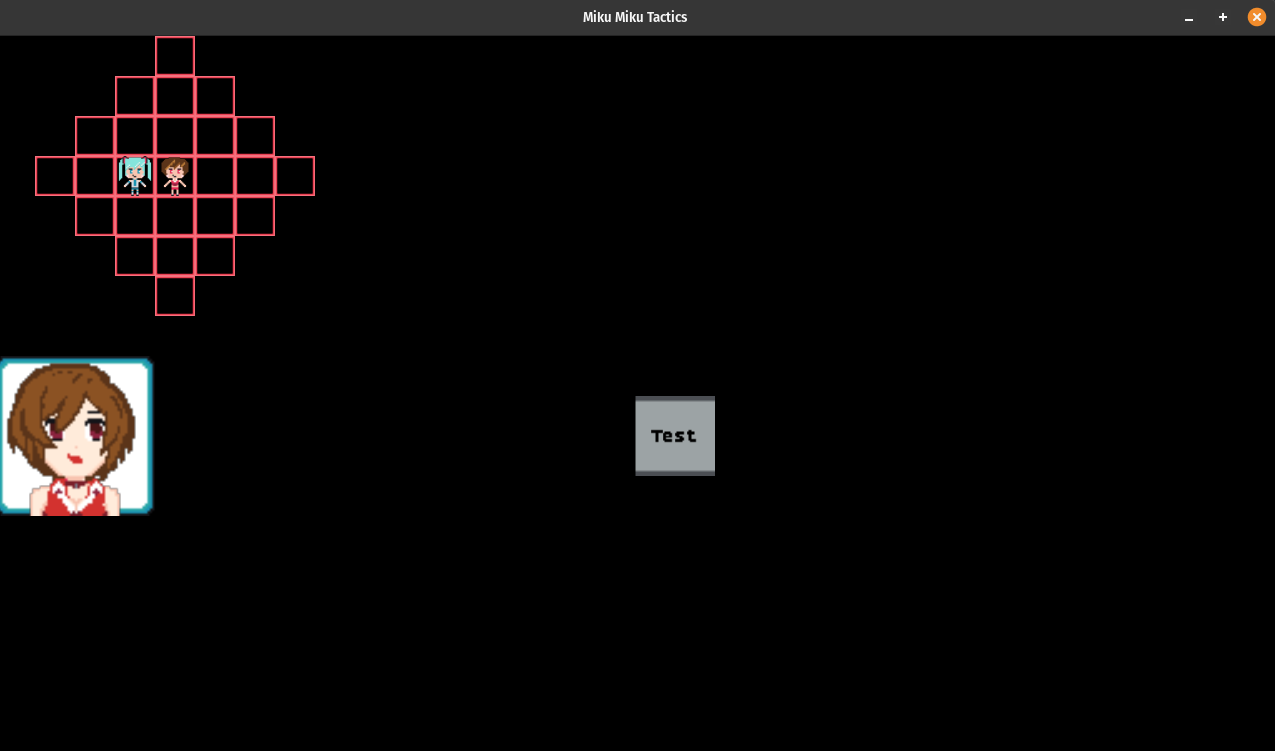
Of course, once we draw them, we want to click on them next. Of course, the user can click on anything, so we should ensure that we're actually clicking on something real first. Then we can figure out which of the selectable tiles has been clicked:
fn valid_selected_tile_clicked(
   game_context: &GameContext,
   map_instance: &MapInstance,
   map_state: &MapState,
   selected_tile_position: (isize, isize),
) -> Option<Option<(isize, isize)>> {
   if !game_context.mouse_context.left_clicked {
       return None;
   }
   let layout = TestScene::layout(game_context);
   let (r, c, _) = layout.cell_for_mouse(game_context.mouse_context.position)?;
   let (selected_row, selected_column) = selected_tile_position;

   // Double clicking on the selected unit does nothing
   if selected_row == r as isize && selected_column == c as isize {
       return None;
   }
   // Clicking outside of the range of the unit should revert us to no action
   if !map_state
       .selectable_tiles
       .contains(&(r as isize, c as isize))
   {
       return Some(None);
   }

   // Ensure that the click within range is on the map
   let tile = map_instance.get((r as isize, c as isize))?;

   Some(Some((r as isize, c as isize)))
}
I admit. This is sort of a weird type signature, and eyeballing it and the previous helper code we wrote,
I do sort of feel like I should start gearing up mentally to refactor. In essence, I want to signal to the
caller that there is or is not an action to be taken that should result in changes being done. We need to
represent the case where nothing is actually going on though, and so that's the None case. But,
transitioning from something to nothing is also a case where we want to return a None. But,
it's a Some(None) because there is Some action to take for the input, and it is to clear
things to None.
Maybe that's less tricky than I think it is, but I know that in a month or two if I look at this code, I suspect I'll
say "well that's a weird return type!". And perhaps moving to an enum like Action<T> | NoAction is
the right move. But let's not jump the gun while we're still sorting out how everything works. Anyway, if we have a
real tile to work with, then the next thing becomes displaying a menu of what we can do on that tile. At the moment
I've only really got a couple ideas on what to do:
pub struct ContextMenu {
   move_btn: Option<(Button, FromHere, ToThere)>,
   attack_btn: Option<(Button, Attacker, Defender)>,
   cancel_btn: Option<Button>,
}
I'm sure that special abilities, healing, and all that sort of thing will need to get added in at some point, but
for now this will probably be enough. If we save the information we need for each move alongside the button, I suspect
that will also make life easier for us when it comes time to actually take that action. Given that the move
and attack options are mutally exclusive from each other, it makes sense to encode them as Option types.
Though I imagine that also begets the question of why is the cancel button an option then?
Mainly because I don't know what else I'll use this context menu for. And also, the buttons require assets to be loaded
and all that other stuff we've dealt with up to this point, and so it's just easier to assume things should be None to
start and then set up during the init of a scene or similar. So, for now, I'll keep it as is. That said, buttons have
a lot of properties to deal with:
pub struct Button {
   pub text: String,
   pub rect: Rect,
   pub hovered: bool,
   pub clicked: bool,
   pub bg: Option<SpriteInfo>,
   pub highlight: Option<SpriteInfo>,
   pub font_id: FontId,
   pub texture_id: TextureId,
   pub click_state: ReadyState,
   pub cooldown_ticks: u32,
   pub waiting_for_release: bool,
}
And all these buttons, besides the text really, are going to be the same. So I think it's time we whip out a
factory method! I don't want to go the full fluent-interface type builder you might see in java though, rather,
we can just make use of the clone ability and have something a little simpler:
fn new_btn(btn_prototype: &Option<Button>, text: String, rect: Rect) -> Option<Button> {
   let mut btn = btn_prototype.clone()?;
   btn.text = text;
   btn.rect = rect;
   Some(btn)
}
Then, this makes the creation of a single button a bit easier after you've made one of them. Within the init
method we can load the font, texture, and run the button's init method to ensure its assets are loaded properly:
let ui_texture_id = ensure_texture_by_name(TEXTURE_UI, asset_loader.as_mut())?;
let font_id = FontId::BoldPixelScaled { pixel_size: 24 };
let Some(font_library) = game_context.font_library.as_mut() else {
    return Err("cannot init scene if font_library is not set".into());
};
font_library.ensure(font_id, asset_loader.as_mut())?;
self.btn_prototype = Some(Button::new(
    "Test".to_string(),
    Rect {
        x: 16,
        y: 9,
        width: 2,
        height: 2,
    },
    font_id,
    ui_texture_id,
));
self.btn_prototype.as_mut().unwrap().init(game_context)?;
And we do that just the one time, then later on when setting up the context menu we can just pass it down for cloning purposes and not have to worry about running the init method and having a game context around each time. That makes life a bit easier, though admittedly while fighting the borrow checker, I wrote some pretty gross looking code. Thankfully, the joy of refactoring cut it down quite a bit. But for fun, check out the difference between the two:
fn new(
    map_instance: &MapInstance,
    anchor: Rect,
    btn_prototype: &Option<Button>,
    clicked_position: Coordinate,
    selected_unit_position: Coordinate,
    selected_unit_id: UnitId,
) -> ContextMenu {
    let (r, c) = clicked_position;
    let (selected_row, selected_column) = selected_unit_position;
    let mut y_offset = 0;
    ContextMenu {
        move_btn: {
            let btn_rect = &map_instance
                .get((r, c))
                .map(|tile| {
                    // let None = tile.occupant else { return None; };
                    if tile.occupant.is_some() {
                        return None;
                    }
                    let mut btn_rect = anchor.clone();
                    btn_rect.y += y_offset;
                    y_offset += 1;
                    Some(btn_rect)
                })
                .flatten();
            btn_rect
                .map(|btn_rect| {
                    new_btn(btn_prototype, "Move".to_owned(), btn_rect)
                        .map(|btn| (btn, (selected_row, selected_column), (r, c)))
                })
                .flatten()
        },
        attack_btn: {
            let btn_rect = &map_instance
                .get((r, c))
                .map(|tile| {
                    tile.occupant.map(|unit_id| {
                        let mut btn_rect = anchor.clone();
                        btn_rect.y += y_offset;
                        y_offset += 1;
                        (btn_rect, unit_id)
                    })
                })
                .flatten();
            if let Some((btn_rect, target_id)) = btn_rect.as_ref() {
                new_btn(btn_prototype, "Attack".to_owned(), *btn_rect).map(|btn| {
                    let attacker = (selected_unit_id, (selected_row, selected_column));
                    let defender = (*target_id, (r, c));
                    (btn, attacker, defender)
                })
            } else {
                None
            }
        },
        cancel_btn: {
            let btn_rect =
                Rect::new(anchor.x, anchor.y + y_offset, anchor.width, anchor.height);
            new_btn(btn_prototype, "Cancel".to_owned(), btn_rect)
        },
    }
}
fn new(
    map_instance: &MapInstance,
    anchor: Rect,
    btn_prototype: &Option<Button>,
    clicked_position: Coordinate,
    selected_unit_position: Coordinate,
    selected_unit_id: UnitId,
) -> ContextMenu {
    let (r, c) = clicked_position;
    let (selected_row, selected_column) = selected_unit_position;
    let mut y_offset = 0;
    let mut next_rect = || {
        let mut rect = anchor.clone();
        rect.y += y_offset;
        y_offset += 1;
        rect
    };

    let tile = map_instance.get((r, c));

    let move_btn = if tile.is_some_and(|tile| tile.occupant.is_none()) {
        new_btn(btn_prototype, "Move".to_owned(), next_rect())
            .map(|btn| (btn, selected_unit_position, clicked_position))
    } else {
        None
    };

    let attack_btn = tile.and_then(|tile| tile.occupant).and_then(|target_id| {
        new_btn(btn_prototype, "Attack".to_owned(), next_rect()).map(|btn| {
            let attacker = (selected_unit_id, selected_unit_position);
            let defender = (target_id, clicked_position);
            (btn, attacker, defender)
        })
    });

    let cancel_btn = new_btn(btn_prototype, "Cancel".to_owned(), next_rect());

    ContextMenu {
        move_btn,
        attack_btn,
        cancel_btn,
    }
}
The borrow checker and I have a lot of fights. And in this case, there were a number of troublesome
things to deal with. the creation of the new_btn function as a stand-alone one was actually
something I had to do because of the whole "you can't borrow self when you're inside another helper using self mutably already"
issues I've had in the past. I tried to get around it at first, but eventually swapped self to btn_prototype
instead. Which is pretty annoying to my usual mode of operation. I like putting the helpers into the context they're used in,
so a new_btn function inside of the scene struct's implementation felt right. But rust, by its nature, really
wants you not to share things and to be narrow in the way you pass your data around.
There are obvious performance advantages to that I suppose, and I get it. But when you're used to working at a higher level of abstraction it really feels like the borrow checker is an overbearing senior engineer who refuses to let anyone code in their own way and demands that all must adhere to THEIR dogmatic coding ideals or something of that like. Anyway, better to be supple and bend with the borrowchecker than break and stop using rust altogether though I think.
Now that we can create a context menu, we need to know where to put it though. That's what the anchor is for
in the arguments obviously, but computing that anchor needs a little bit more foresight than just "to the right of the clicked
tile!". Consider this case when you click on the bottom row:
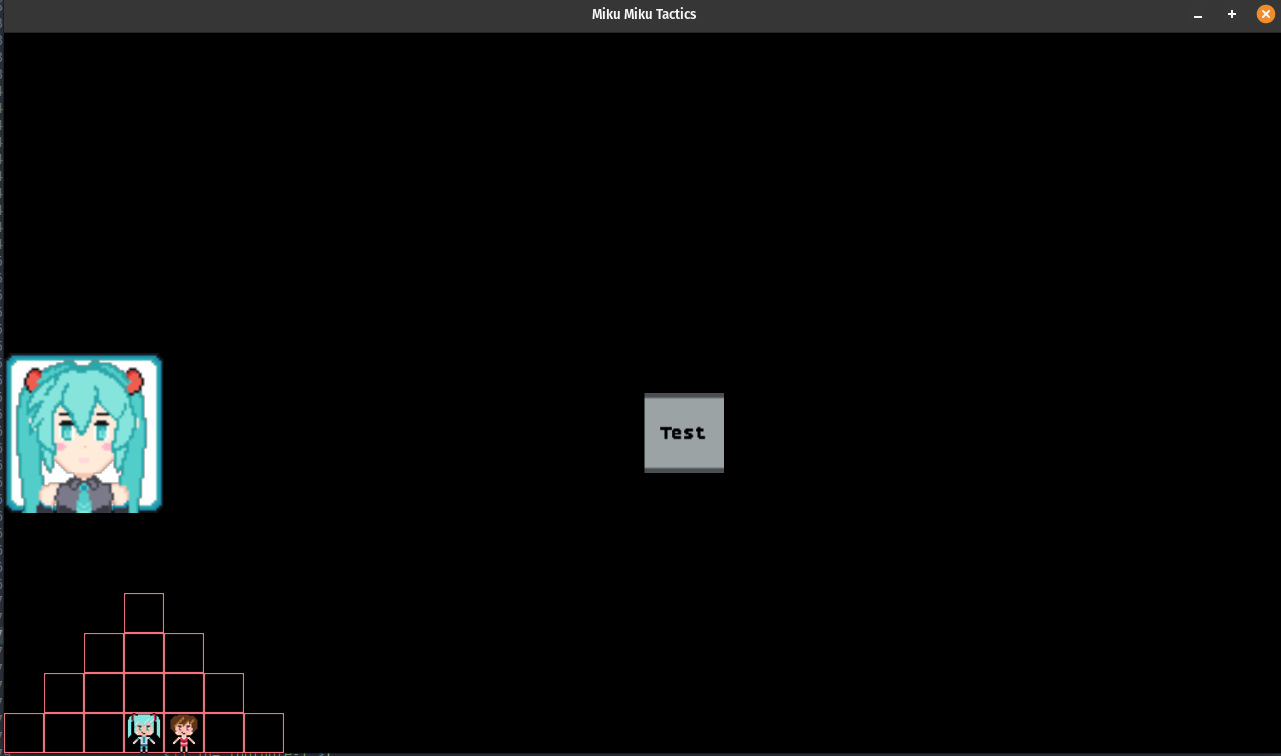
We have two buttons to display, if I click on something along the bottom, a simple (+1, +1) to the click location
is going to shoot me off the map. So instead, let's be at least a little bit smarter about how we anchor ourselves:
fn anchor(
    map_instance: &MapInstance,
    btn_size: (isize, isize),
    clicked_position: Coordinate,
    num_btns: isize,
) -> Rect {
    let (bw, bh) = btn_size;
    assert!(bw + 1 < map_instance.width);
    assert!(bh + 1 < map_instance.height);
    let w = map_instance.width;
    let h = map_instance.height;
    let (row, column) = clicked_position;
    let c = if column + 1 + bw < w {
        column + 1
    } else {
        column - bw - 1
    };
    let r = if row - 1 + bh * num_btns < h {
        row
    } else {
        row - bh
    };
    Rect::new(c, r, bw, bh)
}
Now, if we click on the highlighted green tile, this anchor will compute that we're too close to the bottom of the screen and move the menu around accordingly. Versus the "normal" behavior you see in the last 2 images:
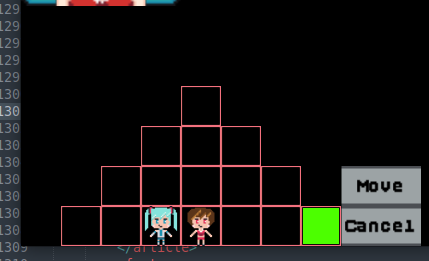
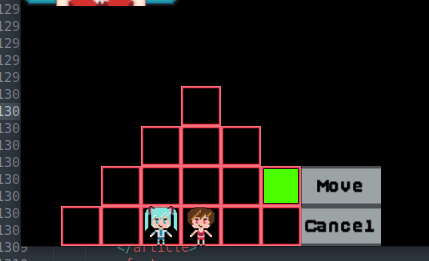
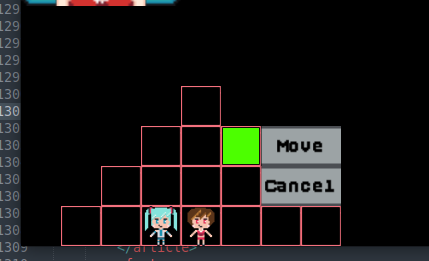
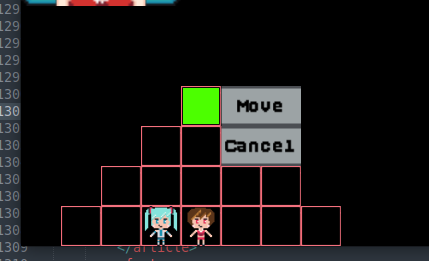
And with those helpers defined, we can finally construct the match statement's body for
when the current action is ActionState::UnitSelected:
Some(ActionState::UnitSelected(unit_id, (selected_row, selected_column))) => {
    match valid_selected_tile_clicked(
        game_context,
        map_instance,
        map_state,
        (selected_row, selected_column),
    ) {
        None => {}
        Some(None) => {
            map_state.action = None;
            map_state.selectable_tiles = HashSet::new();
            self.current_portrait = None;
        }
        Some(Some((r, c))) => {
            map_state.action =
                Some(ActionState::CommandPending(unit_id, (r, c)));
            let anchor = ContextMenu::anchor(map_instance, (2, 1), (r, c), 2);
            self.context_menu = Some(ContextMenu::new(
                map_instance,
                anchor,
                &self.btn_prototype,
                (r, c),
                (selected_row, selected_column),
                unit_id,
            ));
        }
    }
}
Not bad right? I mean sure, we've still got the awkward option in an option, but at least
the paths of our little state machine of sorts are obvious I think! Perhaps more nicely, since
the whole thing is just one match I don't have to use break 'action
for this path! Woohoo! So, I can now select a unit, click on a tile, and see a menu appear. 3
The obvious next step, assuming we're not getting distracted by making assets and polishing things to look good, is to make the menu do something! This isn't that hard to do for our most minimal case:
Some(ActionState::Move(unit_id, from, to)) => {
    map_instance.move_unit_to(unit_id, from, to)?;
    map_state.action = None;
    map_state.selectable_tiles = HashSet::new();
    self.current_portrait = None;
}
Where the move_unit_to method is just responsible for sanity checks and swaps:
pub fn move_unit_to(
    &mut self,
    unit_id: UnitId,
    from: Coordinate,
    to: Coordinate,
) -> GameResult<()> {
    let unit_moving = self.get_mut(from).and_then(|tile| tile.occupant.take());
    if unit_moving.is_none_or(|occupant| occupant != unit_id) {
        return Err(
            format!("unexpected map state, occupant to be moved {:?} did not match target of move command {:?}", unit_moving, unit_id).into()
        );
    }
    if self.get(to).is_none_or(|tile| tile.occupant.is_some()) {
        return Err(format!(
            "destination {:?} is already occupied by {:?}, should have been empty",
            to,
            self.get(to)
        )
        .into());
    }
    if let Some(tile) = self.get_mut(to) {
        tile.occupant = unit_moving;
    } else {
        return Err(format!("destination {:?} was not a valid tile on the map", to).into());
    }
    Ok(())
}
Given what we've made so far, the unit from the ActionState and the unit id'd in the from
tile should always be the same, and assuming we came from a valid action and a valid set of selectable tiles that
were computed without error, the to should always be unoccupied. I suppose we could have also
implemented just a plain swap function, but I think it's a good idea to try to catch weird bugs as
early as we can, so I think this is fine rather than a bunch of primitives with checks at the call sites.
The cool thing is that this works! Behold:
While we don't have any animation between the original and new locations, and we don't disable a unit from being moved again, we do have some basic movement. The animation can be polish later, the disabling action can come in once we get into actual turn based combat. For now, this is a good stopping point for the move command. Let's thing about our other action a bit before writing any code.
We have basically everything we need to figure things out:
Some(ActionState::Attack(attacker, defender)) => {...}
But since we haven't really talked about how units attack each other at all, I can't really do much with this information. I mean, I can't take away health from a unit that has none. We also defined the range of the unit to just be… well, "range", which is pulling double duty on move and attack range right now. So like, is this attack a ranged attack? Does the unit need to walk and move towards the enemy first to get up close and bop em on the head? And of course, there's probably a few other things that came to mind that I'm forgetting to write down now4 but let's refer to our usual reference point and see what that system does:
If you pause the gameplay here and there, you can see that before I move the unit, the grid of blue squares are for moving, the grid of red are for attacking. While I purposefully do the move first, then the attack, in this game you don't HAVE to do that. If I were to select an enemy unit directly, my character will move as close as they can to them and then do the attack. Which is typically not what I want, since like, if you're standing next to an enemy, their buddy is right there and they'll getcha versus sometimes not being in range of imminent death and sniping folks out from a far.
What this means for us though, is that I think we really need to separate out the two ranges we're using and also consider what sort of trickle effects that has. Like, we don't have any concept of weapons right now, and we could certainly shirk it for the game and just say that this unit has range X and this unit has range Y. Deal. But even with that in mind, if we have special skills (which I do want) then we'll still potentially have more than one type of attack to use and consider for this stuff.

So considering that, I think we need to split the ranges and then use that to determine if we need to DFS from one point to the other in order to make our attack happen. I think this would also be more debuggable if I stop using the focus animation for the grid, and get at least two different ways to color the grid into place. Though, at the pseudo code level, I eventually want to get to the point where we've got something akin to this in place:
if !in_range(attacker, defender) {
    map_instance.move_unit_to(attacker_unit, from, to)
}
let amount = attacker.attack(defender);
defender.damage(amount);
if defender.is_dead() {
    map_instance.get_mut().and_then(|tile| tile.occupant.take())
}
award_xp(attacker);
There's also the question as to how to have a dice roll in these computations. Rust doesn't have a built in RNG system beyond a trait that people can implement. So, we'll likely be doing a basic doom-like bit shifting random number generator so that we have full control over the seed and internals. Not that libraries out there that provide random generators aren't good, but I just want full control over everything since I do want to implement the replay logic ideas in my own way. Before getting to that though, just thinking about swapping the unit data struct around gives us more food for thought too:
pub struct UnitData {
    pub name: String,
    pub sprite_data: UnitSpriteData, // load via name
    pub range: usize,
    pub move_range: usize,
    pub weapon: Option<WeaponId>,
}
Swapping range for move_range is fine. But, the moment I typed in attack_range
the thought springs to mind "well, attack range is a function of whatever TYPE of attack the weapon the unit is
holding is…" and so, it's not really one value, more or less a weapon value. Unless we were to do something
like copy the attack values to the struct from a weapon when we "equip it". But that seems kinda weird. Though if
we did that, we wouldn't have to use an Option and wouldn't have to do various checks… But no,
it still seems wrong to do that if we want different units to have different ranges and stats and things.

A weapon ID implies a way to look up a weapon though, so a weapon catalog or something. I suppose we could take an easy way out and hardcode things with a giant list and some function calls and whatnot. Though I suppose we could also potentially add them to the manifest and associate their sprites or something there too. Hm. Honestly, this type of can of worms or bugs under a rock type thread pulling that seems to happen each time I take a step towards implementing something with this project is tricky. It's really really easy to end up in this chicken and egg situation again where in order to finish one feature, we need aspects of another one. I suppose this is likely indicative that the primitives we need to create the game aren't quite in place yet.
So, let's get some more of those in place.
Weapons and attacks ↩
Let's start simple, as per usual, we'll use a new type to wrap the id of the weapon so we can use our catalog + id paradigm for lookups. As far as what data we'll store into the weapon, well, the first instinct would be to do something like this:
#[derive(Debug, Copy, Clone, PartialEq)]
pub struct WeaponId(pub usize);

#[derive(Debug, Clone)]
pub struct Weapon {
    pub name: String,
    pub range: usize,
    pub attack: usize,
}
But the problem with this is the implementation of stuff like a bow if we're implementing things Fire Emblem
style, where you've got both a maximum range you can hit and a minimum range you must be from a target.
In the case of many bows in many tactics games, you can't actually use it when you're standing directly next
to a unit. This gives melee users advantage when you're in close, which balances being picked on from range that
archers and such get. But codewise, this means you can't just have "range" and say that's it unless we never do
anything like: "this bow can hit units 2-3 tiles away". So, it's not just a usize we need, but perhaps
instead something like:
use std::ops::RangeInclusive;

#[derive(Debug, Clone)]
pub struct Weapon {
    pub name: String,
    pub range: RangeInclusive<usize>,
    pub attack: usize,
}
then we can properly represent both a sword and a bow!
fn dummy_sword() -> (WeaponId, Weapon) {
    (
        WeaponId(0),
        Weapon {
            name: "Sword".to_owned(),
            range: 1..=1,
            attack: 1,
        },
    )
}
fn dummy_bow() -> (WeaponId, Weapon) {
    (
        WeaponId(1),
        Weapon {
            name: "Bow".to_owned(),
            range: 2..=3,
            attack: 1,
        },
    )
}
Eventually, I think it would make sense to load the weapons from a csv or something that lends itself well to analysis and sorting and such. Balancing games is kind of difficult, but I figure if maybe there's a good way to plot stuff and compare things, then that'd make life easier. So, why not store the data in a form that is mostly fine to parse and also easily study-able? I don't really want to get deep into the weeds of another parser quite yet, so for now, we can just use our dummy functions to construct a basic catalog of weapons.
And yes, I know, for readers of the previous blag post you'll know we spent a good amount of time refactoring away from hardcoded values. But I think, with the right traits, that we can make things pretty seamless for most of the application and deal with the whole CSV idea down the line when it matters. Right now, we just need the interface to be well defined so we can keep making progress on the attack command.
pub trait WeaponCatalog {
    fn name_to_weapon(&self, name: &str) -> GameResult<Weapon>;
    fn id_to_weapon(&self, id: WeaponId) -> GameResult<Weapon>;
}
I'm not 100% sure we need both of these, but so far with the catalog setup, having both has come in handy. So, I figure that we'll keep it like this and move along. After all, with the name lookup, we can support things like the scene files getting new commands to spawn enemies with specific weapons and that sort of thing. For the battle itself at runtime, copying around a usize for an id of something is less work for the computer. And that should make it easier to serialize save data one day too. For today though, let's just have a very silly and dumb catalog that's all defined in one shot:
pub struct DummyWeaponCatalog {
    pub weapons: Vec<(WeaponId, Weapon)>,
}

impl Default for DummyWeaponCatalog {
    fn default() -> DummyWeaponCatalog {
        DummyWeaponCatalog {
            weapons: vec![dummy_sword(), dummy_bow()],
        }
    }
}

impl WeaponCatalog for DummyWeaponCatalog {
    fn name_to_weapon(&self, name: &str) -> GameResult<Weapon> {
        if let Some((_, weapon)) = self.weapons.iter().find(|(id, w)| w.name == name) {
            Ok(weapon.clone())
        } else {
            Err(format!("could not find weapon with name {}", name).into())
        }
    }
    fn id_to_weapon(&self, id: WeaponId) -> GameResult<Weapon> {
        if let Some((_, weapon)) = self.weapons.iter().find(|(wid, w)| *wid == id) {
            Ok(weapon.clone())
        } else {
            Err(format!("could not find weapon with name {}", id.0).into())
        }
    }
}
Now, I could put this into the test scene, as is, but while that would quickly unblock us for the whole, make the attack command work thing. I do think it's probably worth stopping to think about how this catalog should and would fit in with the other ideas we have in our game framework so far.
On the one hand, let's assume we're going to follow some advice I heard from Tim Cane
once about using CSVs and spreadsheets for storing weapon and item information. He makes some good points about how
that makes it easy to sort things, or compute values for different items based on formulas and keep things balanced.
That's all true, but it also means we'll need to load a CSV. A CSV is sort of just another game asset in a way, or at
least, in our world it would be relatively simple to map it to a FileAsset in the manifest.
But I'm somewhat hesitant to do that. Mainly because of scope. Like, do I want to make something potentially re-usable and have more foundational work to build on? Yes! Of course. We're leveraging the groundwork from our tower defense game here after all, so that notion has already proven itself worth it. But I also have to consider what we're storing here. A CSV of a bunch of weapon data? Is that actually going to be used across other games? Maybe the concept of reading in a CSV is, but we're already using JSON for the manifest serialization, so do I want to mix and match those and deal with the differing types if we don't have to?
There's also the option our "dummy" catalog is operating at. Just hard code the things and don't bother with extra failure cases like loading things up. It means that you can't change or add weapons without a recompilation of the system, but considering the small size of the game, is that actually that bad of a thing to have to deal with? The bargaining chip it offers us to dip into the dressing of game-development is that you don't have to check more places than just the code for where the weapon data is defined. Kinda nice?
Ultimately, though, we need to make a decision. And if we're loading an asset from the disk/network than really we need something backend specific for sure. So, to me it feels like perhaps the best option for now is to have this nestle itself into the backend trait framework we've got going on, then eventually be available via the game context or the asset loader. Leaning towards the asset loader because a spreadsheet is literally an asset by definition:
The entries on a balance sheet showing all properties, both tangible and intangible, and claims against others that may be applied to cover the liabilities of a person or business. Assets can include cash, stock, inventories, property rights, and goodwill.
What's a blog post without whipping out the dictionary once or twice, hey? Entries on a balance sheet definitely sounds
sorta like a list of weapons or items. But then we run into another question of sorts. Consider the AssetLoader
pub trait AssetLoader {
    fn load_story_scene_contents(&mut self, path: PathBuf) -> AssetResult<String>;
    fn ensure_texture_spritesheet_loaded(&mut self, sheet_id: TextureId) -> AssetResult<()>;
    fn get_catalog(&self) -> Rc<AssetCatalog>;
}
We updated it with the load story scene contents method last time for the hungry hungry miku visual novel game. And that's
still relevant to our current tactics game since I want to have a little story segment in it. But, get_catalog
fetches our AssetCatalog and my immediate thought is: well wait, should the weapons just be loaded into THAT?
And I think it would make some degree of sense. But, well, the problem is that the way we currently build the asset catalog
is:
impl AssetCatalog {
    pub fn from_manifest_str(manifest_json: &str) -> AssetResult<AssetCatalog> {
        let manifest_root = parse(manifest_json)?;
        let manifest: Manifest = manifest_root.try_into()?;
        ...
    }
}
By parsing a JSON string that our build.rs file loads for us. So, we expect to have all the data in the one JSON file and then go from there for loading things up. I'm not opposed to putting the weapon data in there, but also, well. Remember that whole, "CSV for balancing and formulas and stuff!"? Troublesome, CSV and JSON only get along when we write some extra code to do that. And no, I'm not going to stuff a CSV into the JSON itself, that'd be dumb. So. I think, after all that waffling and thinking, the ultimate conclusion is probably that we should:
- Create our weapons.csv somewhere
- Parse said weapon.csv and transform it into JSON via the build.rs script
- Use the asset catalog to fetch out the weapons like any other asset
There's one kinda nice side benefit of this that I can think of. When we update our build.rs script we're already parsing all the textures and that sort of thing! Which means that we can probably do some light validation that the texture id for a given weapon exists at build time. The weapon struct as defined isn't configured with textures yet, but hey, the future is bright for when we do that! Though speaking of that weapon struct, preparing to insert it into the manifest does shed some light on a difference for consideration. Consider the file asset in the manifest:
pub struct FileAsset {
    pub id: usize,
    pub name: String,
    pub asset_path: String,
}
and the spritesheet
pub struct Spritesheet {
    pub id: usize,
    pub name: String,
    pub asset_path: String,
    pub frames: Vec<SpriteFrame>,
    pub tags: Vec<FrameTag>,
}
and now stare at the weapon struct again
pub struct Weapon {
    pub name: String,
    pub range: RangeInclusive<usize>,
    pub attack: usize,
}
One of these things is not like the other! Specifically. The two existing "in the manifest" structs track their own
ids! We could separate the two ideas, have a WeaponEntry or something for the manifest, and then
keep our existing Weapon struct free of it. But… we're still early on in our exploration and coding
of this part of the game, so easy enough to toss the thing that doesn't fit in with the rest out the door and onto the
street before it gets too comfortable.
We can store our weapon data into a CSV like:
name,attack power,min range,max range
sword,1,1,1
bow,1,2,3
And then to load it, since we know the exact shape and are in control of the lack of commas or similar in the data, we can be a little loose with a very simple parse:
fn load_weapon_assets(assets_dir: &Path) -> Vec<Weapon> {
    let in_dir = assets_dir.join("weapons");
    let file = in_dir.join("weapons.csv");
    let raw_csv = fs::read_to_string(file).expect("could not load weapon csv");
    raw_csv
        .lines()
        .skip(1)
        .enumerate()
        .map(
            |(id, line)| match line.split(",").collect::<Vec<_>>()[0..4] {
                [name, attack, min, max] => {
                    let name = name.trim().to_owned();
                    let attack: usize = attack.trim().parse().unwrap_or_else(|e| {
                        panic!("could not parse attack power from value '{attack}' {e}")
                    });
                    let min_range: usize = min.trim().parse().unwrap_or_else(|e| {
                        panic!("could not parse min_range power from value '{min}' {e}")
                    });
                    let max_range: usize = max.trim().parse().unwrap_or_else(|e| {
                        panic!("could not parse max_range power from value '{max}' {e}")
                    });
                    Weapon {
                        id,
                        name,
                        range: min_range..=max_range,
                        attack,
                    }
                }
                _ => {
                    panic!("Bad line! {:?}", line)
                }
            },
        )
        .collect()
}
As you can see, we've got the id stored into the weapon now. And to store that into the manifest file we need to convert it from/to JSON:
impl From<Weapon> for JsonValue {
    fn from(val: Weapon) -> Self {
        jzon::object! {
            id: val.id,
            name: val.name,
            min_range: *val.range.start(),
            max_range: *val.range.end(),
            attack: val.attack,
        }
    }
}
impl TryFrom<&JsonValue> for Weapon {
    type Error = Box<dyn Error>;
    fn try_from(obj: &JsonValue) -> AssetResult<Weapon> {
        let Some(name) = obj["name"].as_str() else {
            return Err("missing or invalid name field in frame tag".into());
        };
        let Some(id) = obj["id"].as_usize() else {
            return Err("missing or invalid id field in file asset".into());
        };
        let Some(attack) = obj["attack"].as_usize() else {
            return Err("missing or invalid attack field in frame tag".into());
        };
        let Some(min_range) = obj["min_range"].as_usize() else {
            return Err("missing or invalid min_range field in frame tag".into());
        };
        let Some(max_range) = obj["max_range"].as_usize() else {
            return Err("missing or invalid max_range field in frame tag".into());
        };

        Ok(Weapon {
            id,
            name: name.to_owned(),
            range: RangeInclusive::new(min_range, max_range),
            attack,
        })
    }
}
then it's a pretty simple update to the manifest object itself:
pub struct Manifest {
    pub spritesheets: Vec<Spritesheet>,
    pub sounds: Vec<FileAsset>,
    pub music: Vec<FileAsset>,
    pub scenes: Vec<FileAsset>,
    pub weapons: Vec<Weapon>,
}
Similar to the weapon, the Manifest also has seralization traits defined for going to and from json
via the jzon library. But these are essentially copy and pastes of the other field transformations,
so I'm going to just direct you to the manifest file
on github for reference for now. What is new, though also sort of a copy paste situation, is the methods on the
AssetCatalog
pub fn name_to_weapon(&self, name: &str) -> AssetResult<Weapon> {
    let Some(idx) = self.weapon_to_weapon_idx.get(name) else {
        return Err(format!("could not find weapon id with name {name}").into());
    };
    let Some(weapon) = self.manifest.weapons.get(*idx) else {
        return Err(format!(
            "manifest corrupted, no weapon for name {name} exists at index {idx}"
        )
        .into());
    };
    // TODO: wonder if we should return &Weapon instead...
    Ok(weapon.clone())
}
pub fn id_to_weapon(&self, id: WeaponId) -> AssetResult<Weapon> {
    let Some(idx) = self.weapon_id_to_weapon_idx.get(&id.0) else {
        return Err(format!("could not find weapon with id {}", id.0).into());
    };
    let Some(weapon) = self.manifest.weapons.get(*idx) else {
        return Err(format!(
            "manifest corrupted, no weapon for id {} exists at index {idx}",
            id.0
        )
        .into());
    };
    Ok(weapon.clone())
}
These rely on the assumption that the order in which we store the weapons in the manifest correspond with the id. And that's true when everything is autogenerated, so this particular cornerstone of our programming house of cards will only knock the whole thing down if we ever directly edit ids in the manifest file. Which… why would we? So with those in place, we should now be able to finally circle back to our test screen, where we're still just doing this:
Some(ActionState::Attack(attacker, defender)) => {
    eprintln!("{:?} wants to attack {:?}", attacker, defender);

    // if !in_range(attacker, defender) {
    //     map_instance.move_unit_to(attacker_unit, from, to)
    // }
    // let attack = attacker.attack(defender);
    // defender.damage(amount);
    // if defender.is_dead() {
    //     map_instance.get_mut().and_then(|tile| tile.occupant.take())
    // }
    // award_xp(attacker);

    map_state.action = None;
    map_state.selectable_tiles = HashSet::new();
    self.current_portrait = None;
}
That said, I'd prefer we never reach this attacking state unless we're actually in range. So,
rewinding the clock a bit, the moment where we create the attack button actually seems
like the place to trace back to. We made it within the context menu, which was set up when we
were handling the valid_selected_tile_clicked helper code. So we have a decision,
do we decide to create the attack button only if a range comparison checks out? Or do we not
even make the enemy clickable if they're not in range?
I think the further upstream we resolve things, the easier the logic is down the line. So, let's pass in the catalog to the reachable function that determines our selectable set of tiles. Then, the 'attack' operation can stay as a proven item from the fact that a tile was selectable in the first place. After all, you can't move on top of an enemy! I don't think I've got any other sort of operation I'd want to do on an enemy other than attack, so this seems fair. 5
fn check_if_unit_selected_action<'a>(
    game_context: &GameContext,
    map_instance: &MapInstance,
    map_state: &'a MapState,
) -> Option<(
    Option<ActionState>,
    Option<&'a UnitData>,
    HashSet<(isize, isize)>,
)> {
    if !game_context.mouse_context.left_clicked {
        return None;
    }
    // If there is no catalog to use for weapon checks, then we can't determine actions and something is quite wrong with the world.
    let catalog = game_context
        .asset_loader
        .as_ref()
        .map(|a| a.get_catalog())?;
   ...
    if let Some(uid) = tile.occupant {
        if let Some(unit_data) = map_state.units.get(&uid) {
            ...
            let reachable_positions =
                reachable_by_unit(unit_data, position, map_instance, catalog.as_ref());
            return Some((action, Some(unit_data), reachable_positions));
        ...
}
Then, inside of the function reachable_by_unit we can compute our range first:
pub fn reachable_by_unit(
    unit_data: &UnitData,
    at: Coordinate,
    map_instance: &MapInstance,
    asset_catalog: &AssetCatalog,
) -> HashSet<(isize, isize)> {
    let range = unit_data.move_range as isize;
    let attack_range = if let Some(weapon) = unit_data
        .weapon
        .and_then(|wid| asset_catalog.id_to_weapon(wid).ok())
    {
        weapon.range
    } else {
        // We could also potentially consider them "unarmed" and do a range of 1
        0..=0
    };
    ...
and then when we're deciding to add the tile, we just do the extra check!
    while let Some(location) = queue.pop_front() {
        ...
        let manhatten_d = (start_x - tx).abs() + (start_y - ty).abs();
        if manhatten_d <= range {
            if tile.occupant.is_none() {
                reachable.insert(location);
            } else if attack_range.contains(&(manhatten_d as usize)) {
                reachable.insert(location);
            }
        }
        ...
    }
    reachable
}
then, does it work?
Yes! It might be a little hard to tell since I'm not doing anything to differentiate the tiles too well. But, When I click on Meiko (right) at the start, and then click on Miku. Note that no menu pops up, that's because Miku wasn't selectable since Meiko is equipped with a bow which has range 2-3, and so the 1 range is a no go. But when Miku is selected, she's able to attack Meiko when she's next to her, but not after she moves away. Once Miku is more than 1 tile away from Meiko though, Meiko can hit her from either 2 or 3 tiles away. The weapons are working!

Most of sort of kinda of. The code is correct for whether or not the given unit can attack an occupied space from where they're standing now. So it's technically correct, but this does mean that people will need to move first, then attack. Which, honestly, is how I generally play Fire Emblem, but that game and other tactics also commonly allow you to chose to attack a unit if you can attack them at all, which is not what our code allows for. How troublesome, so we need to make a decision about how our game will work: do we keep it as is, and therefore probably need to implement a sort of ability point system allowing someone to move and then attack as two separate actions? Or do we make units selectable only if there exists a possible tile to move to and attack?
It's a bit explosive to go from checking one tile's distance to checking every tiles distance. Though we could make life simpler in some respects, other units are going to more sparse than empty tiles, so one could work backwards and verify that there exists at least one tile to move to that can allow for an attack. We sort of end up back in the state we just were though, about wondering where to put in our code and we lose the niceness we get from limiting selectable tiles in the way we've described so far.
I feel like I could spin around for a while on this. So, while I was musing and thinking on it, I popped open libresprite and made some colored blobs to use to indicate walkable vs attackable in a more visual way. So, just in case the video wasn't quite clear enough, this should make Miku and Meiko's weapon ranges more clear:
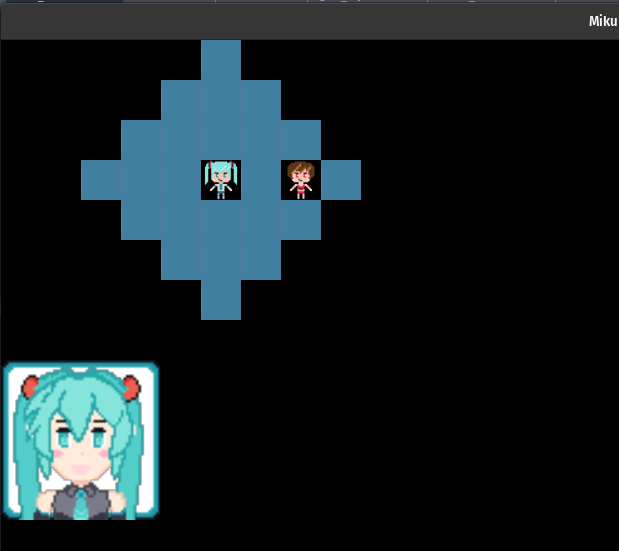
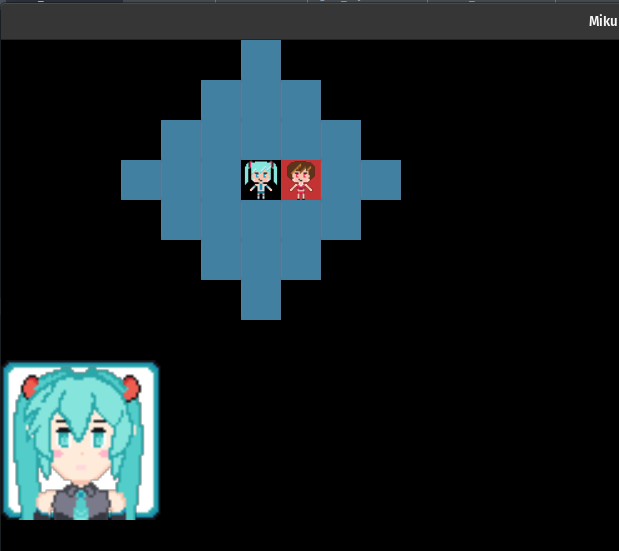
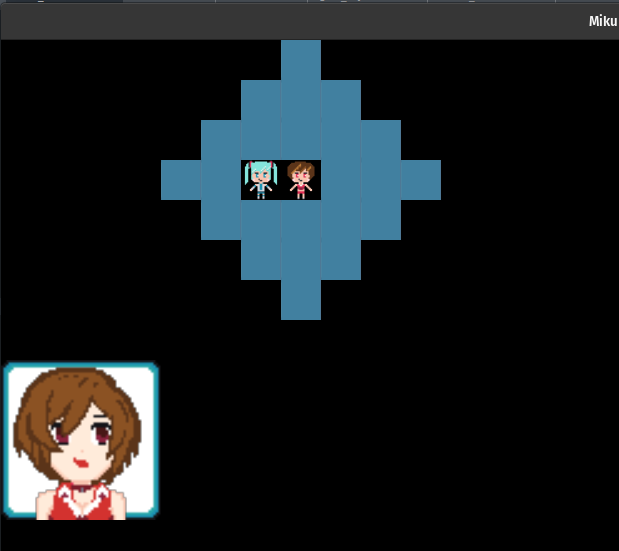
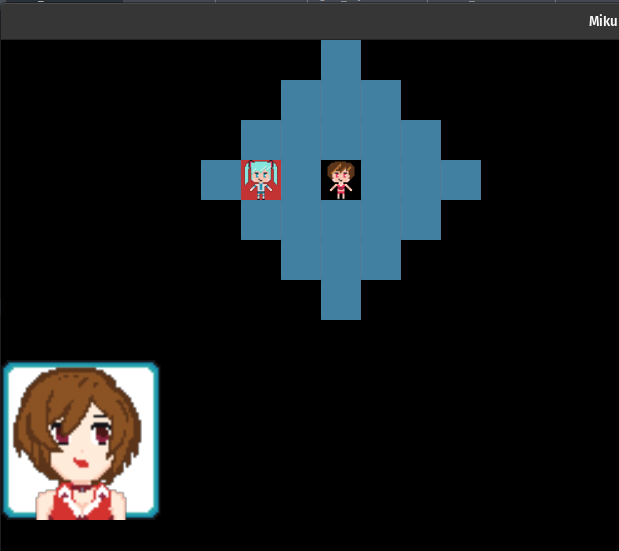
That said, there's a bug. What happens if I bump the bow's range up to 4? But leave the move range at 3?
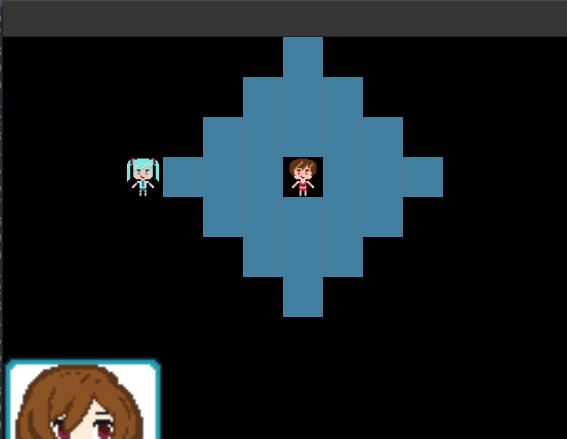
Yeah. So that's not right. But it's also pretty fixable I think. I don't think it makes sense to flood fill out to find these, because that feels like it'd be way too easily to get mixed up between movement code and attack code when sorting out the tiles if we tried to handle both at once. I think we definitely could do that, but I think we'd need to enrich the tile information with more than what it has. So, for the time being, the simple solution I thought of was to just toss this in before we return with the reachable aset:
// In the case of a weapon having longer range than a unit's move
// we also need to work backwards from those tiles.
let max_attack_range = *attack_range.end() as isize;
let min_attack_range = *attack_range.start() as isize;
if max_attack_range <= range {
    return reachable;
}
for row in start_row - max_attack_range..=start_row + max_attack_range {
    for column in start_column - max_attack_range..=start_column + max_attack_range {
        let location = (row, column);
        if start_row == row && start_column == column {
            continue;
        }
        let Some(tile) = map_instance.get(location) else {
            continue;
        };
        if tile.occupant.is_none() {
            continue;
        }
        let manhatten_d = (start_row - row).abs() + (start_column - column).abs();
        if manhatten_d <= max_attack_range && manhatten_d >= min_attack_range {
            reachable.insert(location);
        }
    }
}
technically speaking, I think that we could try to be clever and we could use the reached tiles
so far as skippable, since it's not like we need to re-consider them. But also, we're only looking for
occupied tiles, and anything that is walkable is inherently not occupied, so we sort of already
skip those with the occupant.is_none() check and that's cheaper than a hash computation I
assume, so, moving right along. It now works!
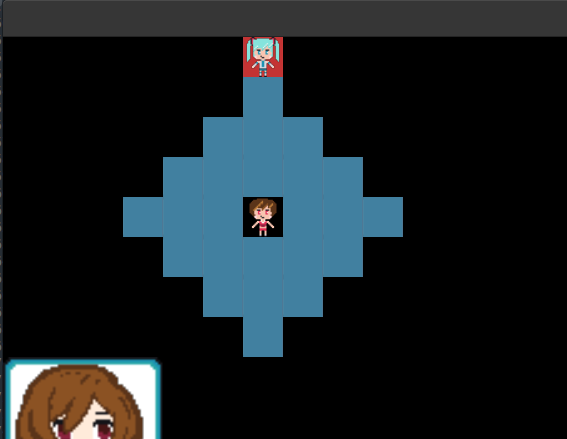
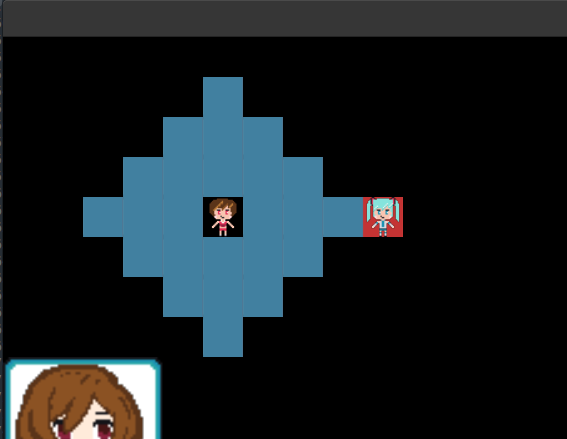
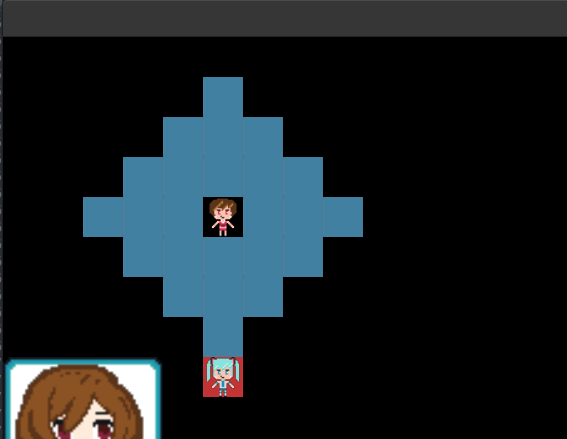
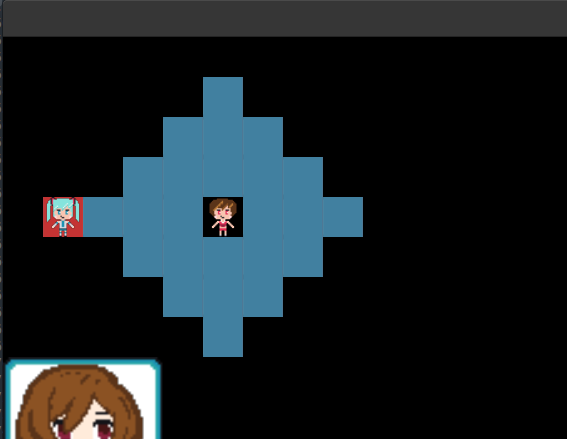
So that's great. Returning to our bigger question though. We still require the user to move, then attack, since we don't allow an attack that's out of range of our starting position. The real question becomes if we try to fix that, or we leave that as a future-polishing type operation for gameplay improvements after we get, you know, an actual proper game going.
Given that this matches how I like to play tactics games, I'm inclined to leave it. But when I'm playing I also have this sort of "move then attack range" information available to me as well when I'm selecting my move in the first place, so, let's go ahead and allow for this calculation by adding one extra loop:
let max_attack_range = *attack_range.end() as isize;
let min_attack_range = *attack_range.start() as isize;
for destination in reachable.clone().iter() {
    let (dr, dc) = destination;
    for row in dr - max_attack_range..=dr + max_attack_range {
        for column in dc - max_attack_range..=dc + max_attack_range {
            let location = (row, column);
            if start_row == row && start_column == column {
                continue;
            }
            let Some(tile) = map_instance.get(location) else {
                continue;
            };
            if tile.occupant.is_none() {
                continue;
            }
            let manhatten_d = (dr - row).abs() + (dc - column).abs();
            if manhatten_d <= max_attack_range && manhatten_d >= min_attack_range {
                reachable.insert(location);
            }
        }
    }
}
Seeing an N cubed loop sitting in front of your face should probably make you go "oh uh are we going to have performance issues?".
In this particular case, I don't think so. Primarily because the map is generally sparsely populated, so there's not that
many occupied units around you. So even though our range might consider a diamond around each destination tile, we're going
to hit that continue a ton. I'm also pretty sure, if we wanted to get really complicated with our conditionals,
that you could combine the BFS for the move and the attack range tile calculation into one go and do it in one shot, but I
honestly don't think it's worth the effort until we see a performance issue show up.
The primary reason I'm thinking this is that the whole "minimum range" for a weapon causes a lot more trickiness than I want to handle. Since that means you have to consider the tile not just as reachable via walking, but also, is it possible to be too close to an enemy to attack them? Like, is there a way to move around the map, but for all of those moves to result in not being able to get enough distance between you and the enemy? We'd probably have to change our queue to not just be tuples of places to try to reach, but be tuples of places we want to reach from a specific tile or range, which, is just the loop we have above anyway.
Optimizations we're not doing aside, we now have a new problem though. In order to attack we need to move the unit! So, now there's a little bit of movement code that needs to happen when we eventually process the attack command. As the cost for our information is now additional complexity from a move + attack, rather than just an attack. So, a new BFS is required I suppose, or maybe not.
My first instinct is to seek from our current unit to the attacking unit, check the range along each step, and then stop when we've reached the first tile that we can use to attack. But what if we reverse this instead? What if, we compute the set of tiles that can be used to attack the given target, then diff them with the reachable set, and then just choose the farthest one from the enemy? That actually sounds, relatively simple, which is kind of nice. Speaking of simplifying, let's get a helper for the manhatten distance:
pub fn manhatten(p1: (isize, isize), p2: (isize, isize)) -> isize {
    (p1.0 - p2.0).abs() + (p1.1 - p2.1).abs()
}
this will save us a bit of typing 6 and make the code more readable. Now, like I said, working backwards is easier so, let's compute where an attacker can attack from any given position:
pub fn destination_can_be_attacked_from(
    attack_range: &RangeInclusive<usize>,
    attacker_position: Coordinate,
    map_instance: &MapInstance,
) -> HashSet<(isize, isize)> {
    let mut reachable = HashSet::new();
    let (dr, dc) = attacker_position;
    let max_attack_range = *attack_range.end() as isize;
    let min_attack_range = *attack_range.start() as isize;
    for row in dr - max_attack_range..=dr + max_attack_range {
        for column in dc - max_attack_range..=dc + max_attack_range {
            let location = (row, column);
            if dr == row && dc == column {
                continue;
            }
            let Some(tile) = map_instance.get(location) else {
                continue;
            };
            // Only an occupied tile can be attacked
            if tile.occupant.is_none() {
                continue;
            }
            let manhatten_d = manhatten(location, attacker_position);
            if manhatten_d <= max_attack_range && manhatten_d >= min_attack_range {
                reachable.insert(location);
            }
        }
    }
    reachable
}
If you're thinking this code looks familiar. You're right! It's the same code we had at the bottom of the
previous function, just pulled out. To flip things around and work backwards from a defenders position, the
code is nearly the same. The main difference is the tile.occupant check. From the previous function,
we need an occupied tile to attack. But, from the defenders perspective, to BE attacked we need to have an open
slot to stand in.
pub fn defender_can_be_attacked_from(
    attack_range: &RangeInclusive<usize>,
    attacker_position: Coordinate,
    defender_position: Coordinate,
    map_instance: &MapInstance,
) -> HashSet<(isize, isize)> {
    let mut reachable = HashSet::new();
    let (dr, dc) = defender_position;
    let max_attack_range = *attack_range.end() as isize;
    let min_attack_range = *attack_range.start() as isize;
    for row in dr - max_attack_range..=dr + max_attack_range {
        for column in dc - max_attack_range..=dc + max_attack_range {
            let location = (row, column);
            if dr == row && dc == column {
                continue;
            }
            let Some(tile) = map_instance.get(location) else {
                continue;
            };
            let manhatten_d = manhatten(defender_position, location);
            if attacker_position == (row, column) {
                if manhatten_d <= max_attack_range && manhatten_d >= min_attack_range {
                    reachable.insert(attacker_position);
                }
            }
            // Only an empty tile can be moved into for when we attack
            // unless it's the above case where we're already in position and therefore occupy the space
            if tile.occupant.is_some() {
                continue;
            }
            if manhatten_d <= max_attack_range && manhatten_d >= min_attack_range {
                reachable.insert(location);
            }
        }
    }
    reachable
}
The other non-obvious aspect of the helper is that when we're figuring out if the defender can be attacked from a position, we need to make sure that the attack's position is taken into consideration before we check if the tile is empty. In 99% of the cases we want the space to be empty so the attacker can move into that position, but if they're already there, then we shouldn't skip them. With these two sets, we can more easily express figuring out where a unit needs to move to in order to attack a given location:
pub fn choose_tile_to_attack_from(
    unit_data: &UnitData,
    at: Coordinate,
    target: Coordinate,
    map_instance: &MapInstance,
    asset_catalog: &AssetCatalog,
) -> Option<(isize, isize)> {
    let attack_range = if let Some(weapon) = unit_data
        .weapon
        .and_then(|wid| asset_catalog.id_to_weapon(wid).ok())
    {
        weapon.range
    } else {
        return None;
    };
    let mut engage_points = defender_can_be_attacked_from(&attack_range, at, target, map_instance);
    let mut reachable = reachable_by_unit(unit_data, at, map_instance, asset_catalog);
    // 'reachable' considers an attackable unit in range as a reachable tile, but you obviously
    // can't stand on top of a target when attacking.
    reachable.remove(&target);
    // we can only insert ourselves if the weapon range allows for it (minimum > 1 means stand away)
    if attack_range.contains(&(manhatten(at, target) as usize)) {
        reachable.insert(at);
        engage_points.insert(at);
    }
    let mut potential: Vec<(isize, isize)> =
        engage_points.intersection(&reachable).cloned().collect();

    // try to find the closet to our current position place we can attack from so a range
    // unit doesn't do something like attack from 2 spaces away when they can attack from 3 instead
    potential.sort_by_key(|p| manhatten(at, *p));
    potential.into_iter().next()
}
It took quite a bit of unit testing to sort this out, and even after all my unit tests were passing, it still took booting the game up and clicking and testing to discover a few other weird bugs and things to sort out. While we can't do ALL the things we need to do for an attack yet, calling our helper is the main thing we need to do to verify things:
Some(ActionState::Attack(attacker, defender)) => {
    let (attacker_uid, attacker_position) = attacker;
    let (defender_uid, defender_position) = defender;

    let catalog = game_context
        .asset_loader
        .as_ref()
        .map(|a| a.get_catalog())
        .expect("no catalog?"); // TODO: convert to Result and err out

    if let Some(unit_data) = map_state.units.get(&attacker_uid) {
        let move_to = choose_tile_to_attack_from(
            unit_data,
            attacker_position,
            defender_position,
            map_instance,
            catalog.as_ref(),
        );
        if let Some(move_to) = move_to {
            eprintln!("{:?} attacks {:?} from {:?}", attacker, defender, move_to);
            map_instance.move_unit_to(attacker_uid, attacker_position, move_to)?;
        }
        // TODO: apply attack, update HP, give XP?
    }

    map_state.action = None;
    map_state.selectable_tiles = HashSet::new();
    self.current_portrait = None;
}
and this produces the behavior you see here:
Since we don't really have any sort of animation or sign of damage or anything yet, I figure a full view of the terminal would be helpful in understanding what I'm talking about this time. You can see that Meiko, when we tell her to attack Miku, moves away from her. That's because she's got a bow with a range of 4 just like before. Similar, the second move where Miku attacks results in her automatically stepping forward towards Meiko to close the gap. The last one is similar, just with Meiko moving far enough away that she's not already in range, so she has to move forward. Note that she doesn't move as close as possible, but rather keeps her distance. I think that makes the most sense for an archer unit on auto.
I haven't made a helper for the attack command handling like I have the others yet because there's still more to do! Better to leave things open until we've got a lot more sorted out I think; and for our next trick… Health!
pub struct UnitData {
    ...
    pub health: usize,
}
Simple enough to add into the unit's data. And then fix the compilation errors where-ever they may be. Mostly unit tests. I suppose it would be nice to figure out units in the same sort of way we do weapons eventually. But I don't think that's strictly needed yet. I think we'll need to do that once we've got a map to load things onto dynamically and all that. But for the time being, we can just make Miku and Meiko have 10 health each in our setup code and deal with the rest later.
Once units have health, we can probably think about how to reduce that health with the attack. Simple math could work, just say that the attack power is exactly how much you hit for. That's simple, but also seems kind of underwhelming. Though, maybe that's fine. We don't have an actual GAME yet, so why overcomplicate things with critical hits, strength or defense stats, or even weapon triangles for effectiveness boosts? Right. Let's keep things simple for the time being, but maybe also a bit flexible for future stuff:
pub fn calculate_health_after_attack(
    attacker: &UnitData,
    defender: &UnitData,
    asset_catalog: &AssetCatalog,
) -> usize {
    // TODO: include armor or similar such things once we have
    let attacker_weapon_power = attacker
        .weapon
        .and_then(|wid| asset_catalog.id_to_weapon(wid).ok())
        .and_then(|weapon| Some(weapon.attack))
        .unwrap_or(0);
    let health = defender.health;
    health.saturating_sub(attacker_weapon_power)
}
I briefly considered having the other units weapon get factored in somehow, but eh, I don't think that's a good idea. I mean, sure, you could say that a clash of the weapons could influence their output. But also, it just seems sort of like the thing that could get away from me and end up causing a soft lock where your weapons aren't good enough to do damage or something weird like that. So, like I said before, for now we'll just take the attack power away from your health.
Doing this isn't too hard, though it did result in my fighting the borrow checker a bit. My initial attempt, which doesn't work, looked like this:
if let Some(attacker) = map_state.units.get(&attacker_uid) {
    if let Some(move_to) = choose_tile_to_attack_from(
        attacker,
        attacker_position,
        defender_position,
        map_instance,
        catalog.as_ref(),
    ) {
        eprintln!("{:?} attacks {:?} from {:?}", attacker, defender, move_to);
        map_instance.move_unit_to(attacker_uid, attacker_position, move_to)?;
    }

    if let Some(defender) = map_state.units.get_mut(&defender_uid) {
        let new_health = calculate_health_after_attack(attacker, defender, catalog.as_ref());
        eprintln!("defender now has health {}", new_health);
        defender.health = new_health;
    }
}
It would have been so nice if this could work. But sadly,
error[E0502]: cannot borrow `map_state.units` as mutable because it is also borrowed as immutable
   --> src/scene/test_screen.rs:401:49
    |
388 | ...er) = map_state.units.get(&attacker_uid) {
    |          --------------- immutable borrow occurs here
...
401 | ...fender) = map_state.units.get_mut(&defender_uid) {
    |              ^^^^^^^^^^^^^^^^^^^^^^^^^^^^^^^^^^^^^^ mutable borrow occurs here
402 | ...alth =
403 | ...ate_health_after_attack(attacker, defender, catalog.as_ref());
    |                            -------- immutable borrow later used here
and this is unhappy because we do a mutable borrow to get the defender while we still have
the borrow of the attacker and we're using both in our arguments to calculate_health_after_attack.
Now, we could fix this by not doing a mutable borrow. After all, the calculate_health_after_attack
function only needs immutable references to our two units to work with. So, we could structure the code like this:
if let Some(attacker) = map_state.units.get(&attacker_uid) {
    if let Some(move_to) = choose_tile_to_attack_from(
        attacker,
        attacker_position,
        defender_position,
        map_instance,
        catalog.as_ref(),
    ) {
        eprintln!("{:?} attacks {:?} from {:?}", attacker, defender, move_to);
        map_instance.move_unit_to(attacker_uid, attacker_position, move_to)?;
    }

    if let Some(defender) = map_state.units.get(&defender_uid) {
        let new_health = calculate_health_after_attack(attacker, defender, catalog.as_ref());
        eprintln!("defender now has health {}", new_health);
        if let Some(d) = map_state.units.get_mut(&defender_uid) {
            d.health = new_health;
        }
    }
And this works because the mutable borrow against the defender happens after
we're done using the attacker, and so the borrow checker doesn't punch us in the back
of the head or beat us with a stick.
But while it works, and that'd be good for a lot of people, I really really don't like it. Like, I understand
that the borrow checker can't statically prove that the two .get calls don't ask for the same
value, and so yes, you shouldn't have references to it because that'd be kinda wrong and bad if you mutated
it, but doing two gets and then a get_mut inside of one of them? Ew. The best
alternative I've come up with so far, is this:
if let Some(attacker) = map_state.units.get(&attacker_uid) {
    if let Some(move_to) = choose_tile_to_attack_from(
        attacker,
        attacker_position,
        defender_position,
        map_instance,
        catalog.as_ref(),
    ) {
        eprintln!("{:?} attacks {:?} from {:?}", attacker, defender, move_to);
        map_instance.move_unit_to(attacker_uid, attacker_position, move_to)?;
    }

    let new_health = map_state.units.get(&defender_uid).map(|defender| {
        calculate_health_after_attack(attacker, defender, catalog.as_ref())
    });

    if let Some(defender) = map_state.units.get_mut(&defender_uid) {
        defender.health = new_health.unwrap_or(defender.health);
        eprintln!("defender now has health {:?}", defender.health);
    }
}
Which still does the two immutable borrows and then the last mutable one. But at least it
doesn't nest things so much. I do find it kind of annoying that I end up with an Option
for the new_health that I then have to resolve. Like, sure, I guess we can read this
code in plain text like
- Move the unit to the target they should attack from
- calculate the health of the defender after we attack
- set the health if the defender exists on the board
And it's sort of 1, 2, 3. Boom boom boom. But it's also just awkward because even while writing the
pseudo description there, I had to qualify the last two after we attack and if the defender…
and that's just because the types are awkward. But because I can't put the attack calculation inside
of the scope where we have the defender as mutable, we have to split it up into this awkward construction
of Some and unwraps and a conditional unwrap that will never fail.
And I can be pretty confident about that, because if you recall, the way we compute the actions that we're
allowed to take are based on what's on the board during our interaction. There isn't any multi-threading,
there's nothing asynchronous, and so if we have a reference to a defender's uid from a tile that we clicked on,
then guess what. The unit exists and we could probably .expect instead of being careful with the
gets and pattern guards before we take actions. But nooo…
Anyway. The ability to decrement the health is all well and good, but nothing actually happens when it reaches zero. It just stays that way because we're doing a saturating subtraction against a usize type. It's not hard to make the enemy disappear once we hit this point though, just un-occupy its space:
if let Some(defender) = map_state.units.get_mut(&defender_uid) {
    defender.health = new_health.unwrap_or(defender.health);
    eprintln!("defender now has health {:?}", defender.health);
    if defender.health == 0 {
        map_instance
            .get_mut(defender_position)
            .and_then(|tile| tile.occupant.take());
        eprintln!("unit {:?} defeated", defender_uid);
    }
}
We could probably compute experience based on that defender we've taken at this point, award it to the attacker, and then exit the current state so that we return the overall state machine to normal. Which is pretty much what I've been doing at the end of any sort of "cancel"ing action state thing:
map_state.action = None;
map_state.selectable_tiles = HashSet::new();
self.current_portrait = None;
I've thought about moving this to a helper method of sorts, but it hasn't become bothersome enough to do so yet.
No, we've got something far more bothersome to tackle, and something which may or may not require us to do some refactoring (Spoiler: it probably will). While we haven't quite touched on the idea of "tapping" units, aka, limiting units to only a certain number of actions per turn, I think that before we get around to even having a concept of a turn we need to sort out the fact that right now everything is instantaneous. Which is great for testing, much less great for any of the little TODOs I've been writing as we go along like
// For now, just move instantly.
// TODO: advance the unit along a computed path
// and when they reach the <to> then trigger move_unit_to
// or something similar.
Command lists ↩
A pretty important part of any tactics game worth its salt is the ability to review what's happened so far, and especially in recent Fire Emblem games, reversing that list if the player has the special ability to do so. Being able to undo an action is useful for both cases of "ah damnit I misclicked" as well as a way to show in-game lore that certain characters have cool abilities like time manipulation or similar. Even beyond the lore specific abilities like that, it's also very much worth it to allow a player to back out of a move they're thinking about making but haven't yet:
If you think about the code we've written so far. It can't do this. I mean, it can't do a lot of things. But structurally speaking, it's not able to support this type of behavior from the expectations of the game itself. While there's probably ways to do this that I haven't seen before, such as entirely breaking out the game engine state from the displayed state and then doing things to sync 'em up, the pattern that my mind reaches towards is the one we used to pretty good success in the Match 3 tutorial from a few years ago.
The command pattern.
In fancy terms: the command pattern allows us to reify a function call. In slightly-less fancy terms, the command pattern allows us to decouple a function call in time. In straightforward terms, we're going to store a list of things we want to do later and then make that happen on a later game tick. And to hammer the point home. In code, we'll create a trait:
#[derive(Debug)]
pub struct BattleData {
    pub map_instance: MapInstance,
    pub map_state: MapState,
}

trait Command {
    fn tick_duration(&self) -> u32;
    fn apply(&self, state: &mut BattleData) -> GameResult<()>;
    fn undo(&self, state: &mut BattleData) -> GameResult<()>;
}
and then implement this trait to turn the act of moving into something we can hold onto and apply when we want:
pub struct MoveCommand {
    pub unit_id: UnitId,
    pub from: Coordinate,
    pub to: Coordinate,
}

impl Command for MoveCommand {
    fn tick_duration(&self) -> u32 {
        15
    }
    fn apply(&self, state: &mut BattleData) -> GameResult<()> {
        state
            .map_instance
            .move_unit_to(self.unit_id, self.from, self.to)?;
        Ok(())
    }
    fn undo(&self, state: &mut BattleData) -> GameResult<()> {
        state
            .map_instance
            .move_unit_to(self.unit_id, self.to, self.from)?;
        Ok(())
    }
}
We can then create one of these commands instead of doing the move_unit_to function call.
Granted, just making the call and applying it instantly doesn't actually change anything. Like
I described, we need to store the command and apply it later. So, storage wise, we can update our test
scene to hold onto a list, and to avoid applying things instantly, we can also use a ReadyState
to wait a certain number of game ticks before applying the action.
#[derive(Default)]
pub struct TestScene {
    ...
    command_log: Vec<Box<dyn Command>>,
    command_tick: Option<ReadyState>,
    command_idx: usize,
}
lastly, we'll also include the index of where we are in that log for reasons that will become apparent in a bit. Now, if I update the move action code like this:
Some(ActionState::Move(unit_id, from, to)) => {
    map_instance.move_unit_to(unit_id, from, to)?;
    let command = MoveCommand { unit_id, from, to };
    self.command_log.push(Box::new(command));
    map_state.action = Some(ActionState::DrainCommandQueue);
}
and then create code to handle this new ActionState I've just referenced:
Some(ActionState::DrainCommandQueue) => {
    match self.command_log.get(self.command_idx) {
        None => {
            // There is no ticking command, so reset ui state
            map_state.action = Some(ActionState::ClearAction);
        }
        Some(command) => {
            // Have we started this command yet?
            match self.command_tick.as_mut() {
                None => {
                    // Nope. Set it up.
                    self.command_tick = Some(ReadyState::Cooldown {
                        wait_for: command.as_ref().tick_duration(),
                        ticks_waited: 0,
                    });
                }
                Some(ready_state) => {
                    *ready_state = ready_state.advance(ticks);
                    if matches!(ready_state, ReadyState::Ready) {
                        let _ = command.apply(battle_data)?;
                        self.command_tick = None;
                        self.command_idx += 1;
                    }
                }
            }
        }
    }
}
The ClearAction code by the way is simply the clearing of that various contextual
bits in the test screen so that we stop drawing the selected unit portrait, tiels, and all that
jazz. It's nothing special:
Some(ActionState::ClearAction) => {
    map_state.action = None;
    map_state.selectable_tiles = HashSet::new();
    self.context_menu = None;
    self.current_portrait = None;
}
But more importantly, the movement code still behaves exactly like it did before, just now takes place after a little bit of delay: Though, there's still one flaw in it.
Do you know what it is?
Well, to be fair, there's nothing actually different from what's going on right now and what we had before beyond that delay. But the thing I'm referring to is the fact that we move 3 spaces at a time. That's no fun! It'd be a lot better if instead of jumping from (3,4) to (3,7), we instead walked along the path of (3,4), (3,5), (3,6), (3,7) as our set of actions to take. Thankfully for us, this now possibly to express using the commands! Unfortunately for us, we haven't written the code to give us that path yet!
But before we do that, as that's polish and not mechanics, let's circle back to the command_idx.
The reason I'm holding onto that is because I didn't include the creation of the undo method for no
reason! I want us to be able to rewind actions if the user changes their mind. Given that we don't have a concept of a
"turn" still, or a limited number of actions for a unit to take, we don't really have a good seam point to do a
"cancel" yet. But, just to demonstrate that everything works as expected, let's just make our currently test
button trigger a rewind:
if let Some(btn) = self.btn_prototype.as_mut() {
    let layout = TestScene::layout(game_context);
    btn.update(ticks, game_context, &layout);
    if btn.clicked {
        if let Some(battle_data) = self.map.as_mut() {
            eprintln!("{:?}", self.command_log.len());
            battle_data.map_state.action = Some(ActionState::RewindCommandQueue(0));
        }
    }
}
the RewindCommandQueue(0) is yet another action state for the scene to match and operate against.
But in this case, we want to apply all the undo actions instantly, no need to make the player slowly wait for
a character to walk backwards:
Some(ActionState::RewindCommandQueue(to)) => {
    map_state.action = Some(ActionState::ClearAction);
    assert!(to <= self.command_idx);
    while self.command_idx >= to {
        self.command_idx = self.command_idx.saturating_sub(1);
        if let Some(command) = self.command_log.pop() {
            let _ = command.undo(battle_data)?;
        }

        if self.command_idx == 0 || self.command_idx < to {
            break;
        }
    }
}
Working against the assumption that we'll always be rewinding from the most recently applied actions backwards,
we can pop the command log's tail off until we hit the desired index (inclusive) or the end of the list. I suppose I
could probably write this as a while let pop sort of guy, but at the moment I like the explicit
break in here because we do have the awkward construction of having the command index start at 0 even when
the command log vector is empty. The command_idx, as written right now, is technically keeping track of
what the next command is to apply. A bit strange perhaps. But I didn't want to use an isize and
have to a. cast it each time, and b. check a -1 as a flag. I also didn't want to use an Option
because it feels like I'm begging for it to desync with some of the other data the moment I introduce a bug.
I'm still mulling over what I want here, this is a test scene after all!
The other thing I'm still mulling over is the fact that draining the queue at the moment is an explicit action to take.
I do like that this potentially allows us to let a user enter multiple actions before canceling something, but
I'm also not certain it's actually the right thing to do. It might be better to instead just have a drain on the command
log outside of this long match arm and for it to just process the queue each tick if there's anything to be done, which
we'd determine by checking to see if the command_idx was less than the length of the command list. 7
Decisions decisions. Anyway, before we swap back to the whole pathing thing, behold, the reset works as you'd expect it to:
In the terminal (not shown) the eprintln for the command log length displays 5 which is
correct, and if I click it a second time afterwards it displays 0. The drain works and we are now circling
the potentials of rewinding as a game mechanic! Though, we've only handled one action. We should deal with
attacking as well! Similar to the move command, we can examine our current code to determine what we need to lift the
action out of time and into our log:
if let Some(attacker) = map_state.units.get(&attacker_uid) {
    if let Some(move_to) = choose_tile_to_attack_from(
        attacker,
        attacker_position,
        defender_position,
        map_instance,
        catalog.as_ref(),
    ) {
        eprintln!("{:?} attacks {:?} from {:?}", attacker, defender, move_to);
        map_instance.move_unit_to(attacker_uid, attacker_position, move_to)?;
    }

    let new_health = map_state.units.get(&defender_uid).map(|defender| {
        calculate_health_after_attack(attacker, defender, catalog.as_ref())
    });

    if let Some(defender) = map_state.units.get_mut(&defender_uid) {
        defender.health = new_health.unwrap_or(defender.health);
        eprintln!("defender now has health {:?}", defender.health);
        if defender.health == 0 {
            map_instance
                .get_mut(defender_position)
                .and_then(|tile| tile.occupant.take());
            eprintln!("unit {:?} defeated", defender_uid);
        }
    }
}
There's really two things going on here, and we can make that extremely obvious by refactoring this code a bit. For example, the update to the health can be moved to its own function easily enough:
fn update_defender_health(
    defender: Defender,
    new_health: usize,
    map_instance: &mut MapInstance,
    map_state: &mut MapState,
) -> GameResult<()> {
    let (defender_uid, defender_position) = defender;
    let Some(defender) = map_state.units.get_mut(&defender_uid) else {
        return Err(format!("defending unit does not exist in units list {defender_uid:?}").into());
    };
    defender.health = new_health;
    eprintln!("defender now has health {:?}", defender.health);
    if defender.health == 0 {
        map_instance
            .get_mut(defender_position)
            .and_then(|tile| tile.occupant.take());
        eprintln!("unit {:?} defeated", defender_uid);
    }
    Ok(())
}
and likewise, we can move that movement code and health post-attack value calculation into
another one of helper methods that uses Option to express actions to take:
fn determine_move_to_and_new_health(
    attacker: Attacker,
    defender: Defender,
    map_instance: &MapInstance,
    map_state: &MapState,
    asset_catalog: &AssetCatalog,
) -> Option<(Option<Coordinate>, usize)> {
    eprintln!("{:?} wants to attack {:?}", attacker, defender);
    let (attacker_uid, attacker_position) = attacker;
    let (defender_uid, defender_position) = defender;

    let attacker = map_state.units.get(&attacker_uid)?;
    let move_to = choose_tile_to_attack_from(
        attacker,
        attacker_position,
        defender_position,
        map_instance,
        asset_catalog,
    );

    let new_health = map_state
        .units
        .get(&defender_uid)
        .map(|defender| calculate_health_after_attack(attacker, defender, asset_catalog))
        .unwrap_or(0);

    Some((move_to, new_health))
}
and then the ActionState handler can express things in a way that helps (to me)
visualize what sort of commands we might want:
Some(ActionState::Attack(attacker, defender)) => {
    eprintln!("{:?} wants to attack {:?}", attacker, defender);
    let (attacker_uid, attacker_position) = attacker;
    let catalog = game_context
        .asset_loader
        .as_ref()
        .map(|a| a.get_catalog())
        .expect("no catalog?");

    match determine_move_to_and_new_health(
        attacker,
        defender,
        map_instance,
        map_state,
        catalog.as_ref(),
    ) {
        None => { /* Weird state. The attacker or defender dont exist */ }
        Some((Some(required_move), new_health)) => {
            /* Lazy player, requested attack that requires a unit to move first */
            map_instance.move_unit_to(
                attacker_uid,
                attacker_position,
                required_move,
            )?;
            update_defender_health(defender, new_health, map_instance, map_state)?;
        }
        Some((None, new_health)) => {
            update_defender_health(defender, new_health, map_instance, map_state)?;
        }
    }

    map_state.action = Some(ActionState::ClearAction);
}
Look at that. Attacking is sometimes a move and attack, and other times just an attack.
Well we already have the move command, so that's easy, and therefore we just need to have a way
to apply the new health to the defending unit. I will note that I've been waffling around
a little bit about if "new health" is the right way to go versus "apply damage" as the operation here.
If we go with the new_health the apply method is easy enough to create for
the attack command:
pub struct AttackCommand {
    pub defender: Defender,
    pub new_health: usize,
}

impl Command for AttackCommand {
    fn apply(&self, state: &mut BattleData) -> GameResult<()> {
        let (defender_uid, defender_position) = self.defender;
        let Some(defender) = state.map_state.units.get_mut(&defender_uid) else {
            return Err(
                format!("defending unit does not exist in units list {defender_uid:?}").into(),
            );
        };
        defender.health = self.new_health;
        if defender.health == 0 {
            state
                .map_instance
                .get_mut(defender_position)
                .and_then(|tile| tile.occupant.take());
        }
        Ok(())
    }
But the question becomes, how do you do undo? The obvious answer to new_health is old_health,
but we're not computing that anywhere right now. So, to do it this way, we'll need to modify our existing helper code to return both
the old and the new health so that we can re-apply it.
fn determine_move_to_and_new_health(
...
) {
    ...
    let new_health = map_state
        .units
        .get(&defender_uid)
        .map(|defender| {
            (
                calculate_health_after_attack(attacker, defender, asset_catalog),
                defender.health,
            )
        })
        .unwrap_or((0, 0));
    ...
}
Though, we'd need to tweak the name of this function, determine_move_to_and_new_health
doesn't really properly describe it anymore. But still, we could then update the attack command to track
both new and old and have undo look like:
fn undo(&self, state: &mut BattleData) -> GameResult<()> {
    let (defender_uid, defender_position) = self.defender;
    let Some(defender) = state.map_state.units.get_mut(&defender_uid) else {
        return Err(
            format!("defending unit does not exist in units list {defender_uid:?}").into(),
        );
    };
    defender.health = self.old_health;
    if self.new_health == 0 {
        state.map_instance.get_mut(defender_position).map(|tile| {
            tile.occupant = Some(defender_uid);
        });
    }

    Ok(())
}
This works and all. But it's a little bothersome I think. Like, I can't think of a good reason to have to track two things when one will suffice. So, we can rewrite the code to just use the damage:
pub struct AttackCommand {
    pub defender: Defender,
    pub damage: usize,
}

impl Command for AttackCommand {
    fn tick_duration(&self) -> u32 {
        15
    }
    fn apply(&self, state: &mut BattleData) -> GameResult<()> {
        let (defender_uid, defender_position) = self.defender;
        let Some(defender) = state.map_state.units.get_mut(&defender_uid) else {
            return Err(
                format!("defending unit does not exist in units list {defender_uid:?}").into(),
            );
        };
        defender.health = defender.health.saturating_sub(self.damage);
        if defender.health == 0 {
            state
                .map_instance
                .get_mut(defender_position)
                .and_then(|tile| tile.occupant.take());
        }
        Ok(())
    }
    fn undo(&self, state: &mut BattleData) -> GameResult<()> {
        let (defender_uid, defender_position) = self.defender;
        let Some(defender) = state.map_state.units.get_mut(&defender_uid) else {
            return Err(
                format!("defending unit does not exist in units list {defender_uid:?}").into(),
            );
        };
        let new_health = defender.health.saturating_add(self.damage);
        if defender.health == 0 && new_health > 0 {
            state.map_instance.get_mut(defender_position).map(|tile| {
                tile.occupant = Some(defender_uid);
            });
        }
        defender.health = new_health;
        Ok(())
    }
}
The only slight disadvantage to this is determine_move_to_and_new_health needs an update.
Besides its name, we need to compute the damage by calculating the change in health:
fn determine_move_to_and_new_health(
    ...
) -> Option<(Option<Coordinate>, usize)> {
    ...
    let damage = map_state
        .units
        .get(&defender_uid)
        .map(|defender| {
            let new_health = calculate_health_after_attack(attacker, defender, asset_catalog);
            defender.health.saturating_sub(new_health)
        })
        .unwrap_or(0);
    Some((move_to, damage))
}
This feels a bit awkward, mostly because what we should probably actually do is change the calculation to return the damage instead. Thinking ahead, I think if we ever added durability into the system, then we'd probably want to return a struct and not a number, which would make life easier to restore such things as well without having to change a bunch of types and stuff. Though by that token, if we did include durability then we'd also still be updating the type of the command to have the attacker coming in as well, so, in my mind, it's probably not worth the time to do that yet. But we will tweak the names of the functions so that they reflect the fact that they compute damage now.
determine_move_to_and_new_health
becomes
determine_move_to_and_damage
and then that match statement obviously gets updated to send along the correct commands:
 match determine_move_to_and_damage(
    attacker,
    defender,
    map_instance,
    map_state,
    catalog.as_ref(),
) {
    None => { /* Weird state. The attacker or defender dont exist */ }
    Some((Some(required_move), damage)) => {
        /* Lazy player, requested attack that requires a unit to move first */
        let command = MoveCommand {
            unit_id: attacker_uid,
            from: attacker_position,
            to: required_move,
        };
        self.command_log.push(Box::new(command));

        let command = AttackCommand { defender, damage };
        self.command_log.push(Box::new(command));
        map_state.action = Some(ActionState::DrainCommandQueue);
    }
    Some((None, damage)) => {
        let command = AttackCommand { defender, damage };
        self.command_log.push(Box::new(command));
        map_state.action = Some(ActionState::DrainCommandQueue);
    }
}
and now both the move commands and the attack commands are in use! No more instant application, and now it's easier to see the rewind in action as it can restore the enemy that dies back which is important I think.
Great! This works, and has been a good refactor, but it's also given us a decent amount of food for thought I think. I'm thinking at least two steps ahead of what I'm writing right now, so at the risk of leaving you all going "huh, wait what are you talking about" I'll just say where I think we're going to end up:
A unit's turn should be made up of a list of actions. A round should be made up of all units turns. A match is all a list of rounds that ultimately stop when some condition is met.
Okay now let me walk back a bit here. You see, that polish that I mentioned, about having the units move across the board tile by tile? It's easy enough to represent as a set of actions. We just need to generate individual commands to move a unit tile by tile. But what does that do to our commands list and what we're undoing? Well, not much from the current implementation side of things, but if you were trying to use that list as a way to log the actions to the user, it would be kind of difficult to do something like this:
See how on the right there's a "so and so moved", "so and so defeated X", and that kind of thing? At the moment, our actions would translate to this pretty easily. However, once we split apart each move into its constituents, then we'll have quite the messy log to view, not to mention that it doesn't really match up with what felt like the actions that a player has taken. So, like I said above, a unit's turn should be made up of a list of actions. And when we want to do an eventual rewind feature, we should be able to rewind turns properly.
The big question is how do we want to implement this? For the time being, it's pretty simple to port a path algorithm from wikipedia such as A*, which is more or less djikstra's algorithm when our cost function is just the Manhattan distance. It's actually pretty easy to port the pseudo code from wikipedia into rust. Really, the only thing that's confusing at all is piecing together some of the handwaving and comments to realize that the wikipedia code doesn't do a great job of making it explicit about what "F score" if vs "G score". To avoid that mistake here, let me walk you through it piece by piece for an initial port, and then we can improve it.
First. The signature is simple enough, we're working in our map instance, so this will be an instance method on that. While we won't initially use the unit, I think that we will use it once we add in factions, so we'll future proof that part of the code in addition to taking in the actual coordinates for the start and end of our desired path:
impl MapInstance {
    pub fn path_between(
        &self,
        unit_id: UnitId,
        from: Coordinate,
        to: Coordinate,
    ) -> GameResult<Vec<Coordinate>> {
        let mut open_set = BinaryHeap::new();
        let mut came_from = HashMap::new();
        let mut g_score = HashMap::new();
        let mut f_score = HashMap::new();
        const INFINITY: isize = isize::MAX;
        ...
These don't really have types yet, but the rust compiler will sort them out once we put some values into them. Hurray for
type resolution! The open_set, as wikipedia notes is our queue of what nodes need to be checked next. It'll
get loaded up with our starting node in a moment, but importantly, this should be priority queue or min-heap that
uses the f_score as its sorting mechanism and is how we control the shape of the search. The g_score
is our memoized score for each node's total cost to reach it from the starting point. The infinity is our upper bound because
wikipedia uses infinity as a default value, and computers are finite, so MAX it is!
        open_set.push(std::cmp::Reverse((0, from)));
        g_score.insert(from, 0);
        f_score.insert(from, 0);
Before we get into the loop, we need to seed it. So, in goes the starting point with a score of 0 alongside
the coordinate we're starting from. Similar, the starting score for that node is nothing, because it costs us
nothing to travel to where we started. But with that in the open set we're ready to kick off the loop:
while let Some(Reverse((last_seen_f_score, coordinate))) = open_set.pop() {
let current = coordinate;
// Avoid looking at a node thats worse scoring than its best score
let g = g_score.get(¤t).unwrap_or(&INFINITY);
if *g > last_seen_f_score {
continue;
}
if current == to {
// construct the path
break;
}
...
As we explore the map, our scores for each node will always be changing. So when we enqueue the node into the open
set, it gets scored in the moment. But when we pop the node off the queue later, we might have found a better
path to the same node. There's no reason to continue processing the node to how djikstra and A* converge towards the
maximum point, so we can just skip that loop then and there. Note, this diverges from the wikipedia implementation but
I'll share why in a moment, we need more code context for that. Before that though, we've got our cheapest known cost
of the node stored in g and are ready to go on as long as we haven't actually reached the terminal point.
            let (r, c) = current;
            for neighbor in [(r - 1, c), (r + 1, c), (r, c - 1), (r, c + 1)] {
                let Some(node) = self.get(neighbor) else {
                    continue;
                };
                if node.occupant.is_some() {
                    continue;
                }
                if !node.is_walkable {
                    continue;
                }
                let h = manhatten(neighbor, to);
                let d = manhatten(current, neighbor);
                ...
In order to decide what to do next, we have to examine our neighboring nodes. In a graph you'd follow edges, but in
our grid based world we can just look at our neighbors to the compass directions. Since we're inside of the MapInstance
we can actually tell if we're in the negative or the row is out of bounds by the use of self.get returning
an Option, which makes life easier. Additionally, if a neighbor is occupied, then we can't step on it8
and so it's safe to skip it, and likewise for if a tile is just not walkable at all. You wouldn't want people to run
across the lava or something, right? Lastly, we compute h and d. Both of these match the
wikipedia definitions, but again, h is our heuristic of "how close is this neighbor node to getting us to
the goal?" and the d variable is how close we are to the node we're neighboring?
If that last one strikes you as a dumb question one a grid. Then congrats on paying attention, yes, technically, d
is always 1, but I think it makes sense, until bothered to by an optimizer, to keep things simple and align things to the manhatten
function's distance even if we know those little tricks already. Lastly, once we've computed those values we can do the
frontier expansion adventure of the search itself:
let g = g_score.get(¤t).unwrap_or(&INFINITY);
let g_neighbor = g_score.get(&neighbor).unwrap_or(&INFINITY);
let tentative_g_score = g.saturating_add(d);
let f_value = tentative_g_score.saturating_add(h);
if tentative_g_score < *g_neighbor {
came_from
.entry(neighbor)
.and_modify(|node| *node = current)
.or_insert(current);
g_score
.entry(neighbor)
.and_modify(|v| *v = tentative_g_score)
.or_insert(tentative_g_score);
f_score
.entry(neighbor)
.and_modify(|v| *v = f_value)
.or_insert(f_value);
open_set.push(Reverse((f_value, neighbor)));
}
}
}
...
As you can see, we're really just computing the cost to get to the node from the start, and the cost it takes to for the overall path from this node potentially to the goal node. Then tossing it into our maps if we don't already have it. Then, into the queue it goes! The wikipedia pseudo code has this:
if tentative_g_score < g_score[neighbor]
    // This path to neighbor is better than any previous one. Record it!
    came_from[neighbor] := current
    g_score[neighbor] := tentative_g_score
    f_score[neighbor] := tentative_g_score + h(neighbor)
    if neighbor not in open_set
        open_set.add(neighbor)
You'll notice in our code we don't have anything like a open_set.contains(...) check like the
pseudo code does. This is on purpose, and is the code context I mentioned we needed a moment ago. Rust's
BinaryHeap, and most binary heaps in general, don't have a way to do a fast contains check. You'd
need to write something like:
open_set
    .iter()
    .find(|(f, n)| *n == neighbor)
    .is_none()
in order to do it. That's a linear scan, inside of the neighbor loop, inside of the overall exploration loop.
So, for every node, we'd scan the entire set of unexplored nodes four times. Yeah.
No. Let's not do that. Instead, we can just always push the nodes onto the exploration, and then do our
if *g > last_seen_f_score { check at the start of the loop to drop anything we don't care
about. We still pay the price of processing some extra nodes, but we don't pay it four times over!
Anyway. The last thing to do, once we've explored the map and found our way to the terminal node (or we ran out of nodes
because there is no path at all), we can build the path from from to to by unwinding the
came_from map:
let mut path: VecDeque<Coordinate> = VecDeque::new();
if let None = came_from.get(&to) {
return Ok(vec![]);
}
path.push_front(to);
let mut current = to;
while let Some(prev) = came_from.get(¤t) {
path.push_front(*prev);
current = *prev;
}
Ok(path.into_iter().collect())
}
and that gets us a path! You might be wondering why I'm not using Err since I did specify that
the signature of the function returns a GameResult. That's more future proofing on my part, like
I said before, we're taking in a unit id, but if there's some nonsensical state, like we give a unit id of a
unit that's not at the starting tile, then we can validate that and return an error. But, no path? That's not
really an error in my mind, it's just a path with 0 nodes in it.
That said. I don't actually like the path this gives us. On our simple grid, the path that implementing wikipedias version of the algorithm, plus using lexigraphical sorting that the default tuple provides results in this path:
Which, I don't know, I just don't like that it's go all the way horizontal, go all the way vertical, lame
straight lines. That's not how people move! If you're trying to get to a point that's diagonal away from
you, you should be trying to get as closer to it with each move (euclidian) as you can! The reason for this
is in the nature of the f_score. We compare the f_score first, but on a big open
empty map, going all the way right first, or up vertical first (or similar) is the same as doing the other
one by that cost. So, we have to tie break, and if we use the tuple, then the tie break compares the coordinate
tuples. Which means that since it's row first, we're always going to prefer smaller row movements.
But we can change that. If we want to, we can introduce a type for the binary heap to use:
struct PathTile {
    f_score: isize,
    coordinate: Coordinate,
}

impl Ord for PathTile {
    fn cmp(&self, other: &Self) -> Ordering {
        self.f_score.cmp(&other.f_score)
    }
}

impl PartialOrd for PathTile {
    fn partial_cmp(&self, other: &Self) -> Option<Ordering> {
        Some(self.cmp(other))
    }
}

impl PartialEq for PathTile {
    fn eq(&self, other: &Self) -> bool {
        self.f_score == other.f_score
    }
}

impl Eq for PathTile {}
Importantly, in the cmp method for the various ordering traits, we're only
ever using f_score, and that's it. Which means that we're going purely by the manhatten
distance and cheapest cost so far for the overall path now, no tie breaker with the coordinate
tuple at all. This only slightly changes the code to pattern match and destructure the data like
so:
while let Some(Reverse(PathTile {
    coordinate,
    f_score: last_seen_f_score,
})) = open_set.pop()
But, interestingly, doing this, results in us getting a path that I like a lot more:
It just feels more like what I'd expect a unit on a grid to move like! So this is great. We've got a working A star search to get us the path to use! Which we can use very simply in the various command creation places like this:
Some(ActionState::Move(unit_id, from, to)) => {
    let path = map_instance.path_between(unit_id, from, to)?;
    let mut pairs = path.windows(2);
    while let Some(&[from, to]) = pairs.next() {
        let command = MoveCommand { unit_id, from, to };
        self.command_log.push(Box::new(command));
    }
    map_state.action = Some(ActionState::DrainCommandQueue);
}
Pretty easy right? The use of rust's pairs method saves us the trouble of having an i
and i + 1 with guard checks and such. Pretty nice. That said, while I was working on this I noticed
that we've got a bit of a bug. And as usual with bugs, it's good to get a unit test in place so that the bug is
squashed and we ensure a lack of infestation in our future:
#[rustfmt::skip]
fn tl_corner() -> HashSet<(isize, isize)> {
    HashSet::from(
        [
            (0,0), (0,1), (0,2),
            (1,0), (1,1),
            (2,0),
        ],
    )
}

#[test]
fn reachable_by_unit_should_not_let_one_walk_through_enemies() {
    let mut m = MapInstance::empty_walkable(10, 10);
    m.get_mut((0, 0)).unwrap().occupant = Some(UnitId(0));
    m.get_mut((0, 1)).unwrap().occupant = Some(UnitId(1));

    let c = fake_catalog();
    let mut u = fake_unit();
    u.weapon = Some(WeaponId(0)); // sword with range 1
    u.move_range = 2;

    eprintln!("cant walk by enemy");
    let reachable = reachable_by_unit(&u, (0, 0), &m, &c);
    let mut expected = tl_corner();
    expected.remove(&(0, 0)); // we are standing at 0,0
    expected.remove(&(0, 2)); // enemy is at 0,1 can't walk through
    assert_eq!(expected, reachable);
}
If it's hard to understand from just reading the unit test, the way things should look once we fix this bug is like this:
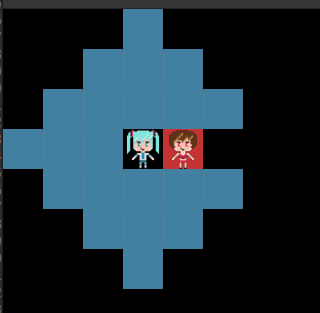
Up until now, we would have allowed the spot behind Meiko on the right which, technically, is out of movement range since we're not allowed to pass through an enemy. Fixing this isn't too hard, though, granted, I had some bad attempts.
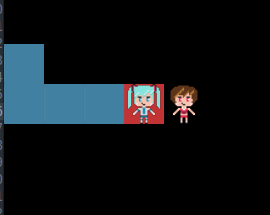
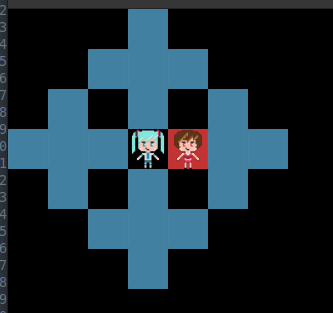
But finally, realized what was going wrong. In our reachable_by_unit function,
we were doing at least two things wrong. Here's the related code of the broken function in case you
want to think about how the breakage is working and how you might fix it:
pub fn reachable_by_unit(
    unit_data: &UnitData,
    at: Coordinate,
    map_instance: &MapInstance,
    asset_catalog: &AssetCatalog,
) -> HashSet<(isize, isize)> {
    let range = unit_data.range as isize;
    let (start_x, start_y) = at;
    let mut queue = VecDeque::from([at]); // FIFO
    let mut seen = HashSet::new();
    let mut reachable = HashSet::new();
    let attack_range = ...
    while let Some(location) = queue.pop_front() {
        if seen.contains(&location) {
            continue;
        }
        seen.insert(location);
        let Some(tile) = map_instance.get(location) else {
            continue;
        };
        if !tile.is_walkable {
            continue;
        }
        let (tx, ty) = location;
        let manhatten_d = manhatten(at, location);
        if manhatten_d <= range {
            if tile.occupant.is_none() {
                reachable.insert(location);
            } else if attack_range.contains(&(manhatten_d as usize)) {
                reachable.insert(location);
            }
        }
        queue.push_front((tx + 1, ty));
        queue.push_front((tx - 1, ty));
        queue.push_front((tx, ty + 1));
        queue.push_front((tx, ty - 1));
    }
    ... the attacker position checks and etc
    reachable
}
The main issue is that we're walking around the map regardless of if we're in range or not. Which means that eventually we walked around to the spot that can see the spot behind Meiko, and then we're seeing that the tile behind her is within our range, and so we add it. So, we need to keep track of the distance we've traveled to get to the tile we're checking (cyan). Additionally, we need to ensure that not only are we within the Manhattan distance but also within the distance we traveled to get to this tile we're considering this iteration (orange). Lastly, we shouldn't consider walking from an already occupied tile (green)founless its the one we started on because, for the time being, we're not allowing units to walk through any other units for the time being. When, we add in unit factions, we can re-consider that and it will probably complicate the logic a bit more but hey, that's why we write unit tests.
pub fn reachable_by_unit(
    unit_data: &UnitData,
    at: Coordinate,
    map_instance: &MapInstance,
    asset_catalog: &AssetCatalog,
) -> HashSet<(isize, isize)> {
    ... same let variable setup ...
    while let Some((location, distance)) = queue.pop_front() {
        if seen.contains(&(location, distance)) {
            continue;
        }
        seen.insert((location, distance));
        let Some(tile) = map_instance.get(location) else {
            continue;
        };
        if !tile.is_walkable {
            continue;
        }
        let manhatten_d = manhatten(at, location);
        if manhatten_d > range {
            continue;
        }
        if distance > range {
            continue;
        }
        let (tr, tc) = location;
        if manhatten_d <= range
            && (tile.occupant.is_none() || attack_range.contains(&(manhatten_d as usize)))
        {
            reachable.insert(location);
        }
        // You cannot stand on top of another unit to walk elsewhere, so don't consider the next frontier
        if tile.occupant.is_some() && location != at {
            continue;
        }
        queue.push_front(((tr + 1, tc), distance + 1));
        queue.push_front(((tr - 1, tc), distance + 1));
        queue.push_front(((tr, tc + 1), distance + 1));
        queue.push_front(((tr, tc - 1), distance + 1));
    }
    ... attack loop ...
    reachable
}
Note that the condition check on the manhatten_d <= range changed form because of clippy's
lints, but it's still the same code at its heart. With the distance traveled being taken into consideration
rather than just the pure range from the starting point, we've solved the bug!

Tapping units and turns ↩
With that bug out of the way and the ability to path make units walk around. Let's shift back to my prior thought about where I want to go here:
A unit's turn should be made up of a list of actions. A round should be made up of all units turns. A match is all a list of rounds that ultimately stop when some condition is met.
Let's tackle that first one. Just thinking about it from a struct perspective, it's simple enough:
pub struct UnitActions {
    unit_id: UnitId,
    commands: Vec<Box<dyn Command>>,
}
There are some questions that come to mind when we consider this though. Specifically, where is the correct place to create this? Do we build it up when we handle the actions in our match statements? Do we wait until we've got a fully formed action? Once we have it, do we process it during the drain command? And since we're not dealing with a flat list of commands anymore, what do we need to refactor to allow the drain to do its job properly?
Of course, the other question, is where do you store these? We could store them in a big list, just like the commands list we've made previously. We could also consider starting in on the implementation of a turn and construct a container like this:
pub struct PlayerTurn {
    units_tapped: HashSet<UnitId>,
    unit_actions: Vec<UnitActions>,
}
Which would allow us to start getting into the concepts of exhausting a unit after it's been used. But the extra
layer also means the draining would have to work across multiple layers. So. More to do. I think it makes sense to take baby steps.
So let's focus on just the idea of making the UnitActions handle advancing through its commands and
signaling properly when it's done.
A thought that occurs to me is that we could implement the Command trait for the UnitActions
itself. The only trouble with this being that the tick duration doesn't really work for this case. Sure, you can get
the total number of ticks for the full set of actions to take:
impl Command for UnitActions {
    fn tick_duration(&self) -> u32 {
        self.commands.iter().map(|c| c.tick_duration()).sum()
    }
}
But that doesn't help you at all when it comes to processing the command since apply doesn't take in a tick,
and our surrounding drain loop would call apply only after the total tick duration, so that's no good either. Maybe we're
approaching the issue wrong altogether. I mean, maybe we should just clone the set of commands and pass them to our existing
code, and then only use the aggregated list per unit as an audit trail or for undoing actions later on, rather than holding
onto an index of where we append to next?
No, let's take a step back. Let's think about what these structs do, and what we're trying to do. Doodling a bit I've got idea one and idea two:
On the right, with idea two, that's the structs nesting structs inside of each other. The little red, green, and blue boxes (the smallest ones) are the commands. Then wrapping them up in unit actions is the box around them and the idea of a turn as a struct itself.
On the left, idea one, is the idea that we just keep the flat list of commands. But track the offsets for the boundaries of each unit's actions. There's less nesting this way, and we don't have any weird game ticking through multiple layers and leak abstractions, but we're now on the hook for bookkeeping a bit. But, we can automate that a little bit by still pursuing the idea of a struct wrapper around the commands for the units, but simple.
#[derive(Default)]
pub struct CommandLog {
    commands: Vec<Box<dyn Command>>,
    unit_actions: Vec<UnitAction>,
    index: usize,
    ticker: Option<ReadyState>,
}

#[derive(Debug, PartialEq)]
pub struct UnitAction {
    pub unit_id: UnitId,
    pub start_offset: usize,
    pub end_offset: usize,
}

#[derive(Debug)]
pub enum CommandLogState {
    Exhausted,
    Running,
}
Refactoring our existing code is mostly straightforward. Starting with the lift and shift, we can move
the body of the match arm into an update method that ticks the commands along just like before:
impl CommandLog {
    pub fn has_next(&self) -> bool {
        self.commands.get(self.index).is_some()
    }
    pub fn update(&mut self, ticks: u32, state: &mut BattleData) -> GameResult<CommandLogState> {
        // note that the update command must be called at least once per command, you can't process multiple commands in a single step
        if !self.has_next() {
            return Ok(CommandLogState::Exhausted);
        }
        let command = self.commands.get(self.index).expect("has_next lied");
        match self.ticker.as_mut() {
            None => {
                self.ticker = Some(ReadyState::Cooldown {
                    wait_for: command.tick_duration(),
                    ticks_waited: 0,
                });
            }
            Some(ready_state) => {
                *ready_state = ready_state.advance(ticks);
                if matches!(ready_state, ReadyState::Ready) {
                    let _ = command.apply(state);
                    self.index = self.index.saturating_add(1);
                    self.ticker = None;
                }
            }
        }
        Ok(CommandLogState::Running)
    }
}
Given that the command log in the test screen will disappear and we'll use the CommandLog struct, we
also need to support the rewind! This is another simple port, however, we're also tracking those unit action
boundaries too! So when we rewind we need to be mindful of each as we pass them by so that we keep the action
offsets in sync with the command logs:
pub fn rewind(&mut self, to: usize, state: &mut BattleData) -> GameResult<CommandLogState> {
    // instant rewind for now.
    while self.index > to {
        self.index = self.index.saturating_sub(1);
        if let Some(command) = self.commands.pop() {
            let _ = command.undo(state)?;
        }

        self.unit_actions
            .pop_if(|UnitAction { start_offset, .. }| *start_offset == self.index);

        if self.index == 0 || self.index < to {
            break;
        }
    }
    Ok(CommandLogState::Exhausted)
}
That middle section around the unit_actions makes a bit more sense when you see how we add those
boundaries in in the first place:
pub fn add_unit_actions(&mut self, unit_id: UnitId, commands: Vec<Box<dyn Command>>) {
    let start_offset = self.commands.len();
    let end_offset = start_offset + commands.len() - 1;
    for c in commands {
        self.commands.push(c);
    }
    self.unit_actions.push(UnitAction {
        unit_id,
        start_offset,
        end_offset,
    });
}
pub fn get_unit_actions(&self) -> std::slice::Iter<'_, UnitAction> {
    self.unit_actions.iter()
}
pub fn get_command_at(&self, position: usize) -> Option<&Box<dyn Command>> {
    self.commands.get(position)
}
Rather than having the test screen append directly, we're going to keep the command_log encapsulated
privately inside, so that we can make sure the bookkeeping we do stays in line with how we need things to line up
to be used. Like, we don't want to partially rewind an action for example, and we want to keep track of both the
start, and the end of the boundaries. Why? Simple! Because that's what contributes the description to the rewind
buttons we'd offer the user of course!
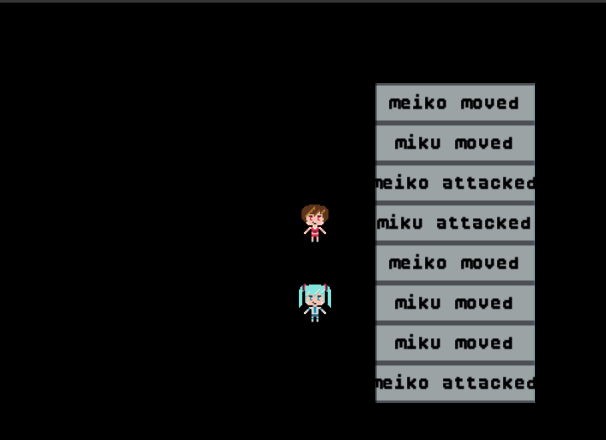
Ok, it doesn't look great, I know, but as you can see, we need to be able to say "Meiko attacked". When the player
selects attack directly, and the game computes the move and then the attack commands for them, then its the last
action we take which matters for display purposes! I thought about using a RangeInclusive for a bit,
but I don't think its a Copy type yet so let's not
do that. The simple UnitAction struct will work just fine for us.
The helpers for getting back references to the actions and the individual commands exist to help support creating those buttons, and while I doubt this will be the final form of the code, we can make the buttons exist and also make them functional by adding the buttons and their target to the scene struct:
#[derive(Default)]
pub struct TestScene {
    ...
    command_log: CommandLog,
    undo_buttons: Vec<(Button, usize)>,
}
and then we can compute those buttons based on the command log, an anchor point, and the same closure trick we used before for the context menu to compute the offset:
impl TestScene {
    fn compute_undo_buttons(&self, anchor: Rect) -> Vec<(Button, usize)> {
        let actions = self.command_log.get_unit_actions();
        let strings = actions.map(|unit_action| {
            let UnitAction {
                unit_id,
                start_offset,
                end_offset,
            } = unit_action;
            let name = self.map.as_ref().and_then(|battle_data| {
                battle_data
                    .map_state
                    .units
                    .get(unit_id)
                    .map(|unit| unit.name.clone())
            });
            let action = self
                .command_log
                .get_command_at(*end_offset)
                .map(|cmd| cmd.description());
            (
                format!(
                    "{} {}",
                    name.expect("name to exist"),
                    action.expect("action to exist")
                ),
                start_offset,
            )
        });
        let mut y_offset = 0;
        let mut next_rect = || {
            let mut rect = anchor;
            rect.y += y_offset;
            y_offset += 1;
            rect
        };
        strings
            .filter_map(|(btn_text, cmd_offset)| {
                new_btn(&self.btn_prototype, btn_text, next_rect()).map(|btn| (btn, *cmd_offset))
            })
            .collect()
    }
    ...
}
Note that this is relying on a description field in the Command trait to
work properly. But those aren't really worth explaining, they're pretty simple and obvious:
impl Command for AttackCommand {
    ...
    fn description(&self) -> &str {
        "attacked"
    }
}
impl Command for MoveCommand {
    ...
    fn description(&self) -> &str {
        "moved"
    }
}
so its not really worth noting. The two expects are bad form, but I was prototyping and wanted
to confirm that the above button generation worked as expected with some simple button handling:
for (btn, rewind_to) in &mut self.undo_buttons {
    let layout = TestScene::layout(game_context);
    btn.update(ticks, game_context, &layout);
    if btn.clicked {
        if let Some(battle_data) = self.map.as_mut() {
            battle_data.map_state.action = Some(ActionState::RewindCommandQueue(*rewind_to));
        }
    }
}
and the result?
Each button resets the game back to the state it was in prior! Just what we wanted! So, if we can now rewind the clock, it means we can start sorting out the turns and exhausting of unit actions within those turns without having to restart the program every time! A much better place to start the next chunk of functionality than not.
First off, we need factions. In the most recent Fire Emblem there's regular skirmishes where it's you, wild animals, and then the enemy. Given that I'm not trying to make a MASSIVE game here, and really I just want to do a proof of concept of story-battle-story, I think we'll keep it very simple and just have player and computer as the factions. So, that sounds like a simple enum:
#[derive(Debug, PartialEq, Eq, Hash, Copy, Clone)]
pub enum Faction {
    Player,
    Computer,
}
and I started updating the UnitData to track which faction the unit belongs to
#[derive(Debug)]
pub struct UnitData {
    pub name: String,
    ...
    pub faction: Faction,
}
But then I stopped. Am I doing the same mistake as before? The same mistake that said, nest structs in structs and construct
layers to dig through like we did with the unit actions? Does a unit have a faction? Or does a faction have a unit?
Thinking about some of the existing code that we already know will change: does having the faction on the UnitData
make our life simpler or harder when it comes to refactoring, say, the selection code? Or the map code to compute paths between?
Well, unless the UnitId starts tracking a faction, we're going to have to pass something into those functions
that will cross reference against those ids. If we attach the faction to the unit data, we need to pass in whatever holds
the unit data, aka the map state we already have:
#[derive(Debug, Default)]
pub struct MapState {
    pub units: HashMap<UnitId, UnitData>,
    pub selectable_tiles: HashSet<(isize, isize)>,
    pub action: Option<ActionState>,
}
but thinking about the case of "turn is over because everyone is tapped" it makes me think maybe a stack you pop off
as you do actions would be needed, and I guess you have to populate it at the start of each turn by traversing the units
from the map state? The other thing, which is currently giving me choice paralysis, is that since CommandLog
owns the add_unit_actions function which tracks the action taken by the units, I feel somewhat pulled to make
the command log be the one that adds the tapped unit to the list. But I don't know if I'm entirely convinced that's a good
idea either.
So much waffling I could open a breakfast shop. I'm going to add the untapped unit list to the BattleData
struct. We can also make a little helper to easily construct the list from whatever units are still live on a map. After all,
you wouldn't want to consider a defeated unit as one you could still tap. Especially if we can trigger the turn swapping logic
based on when the untapped units set is empty!
#[derive(Debug)]
pub struct BattleData {
    pub map_instance: MapInstance,
    pub map_state: MapState,
    pub untapped_units: HashSet<UnitId>,
}

pub fn units_of(map_state: &MapState, faction: Faction) -> HashSet<UnitId> {
    let mut set = HashSet::new();
    for (unit_id, unit_data) in &map_state.units {
        if unit_data.faction == faction {
            set.insert(*unit_id);
        }
    }
    set
}
It's actually not that hard to implement the block we need from the "tapping" of units either. Given that all our logic flows downward from one point, we can consolidate the logic on if you can, or cannot use a unit on if they're selectable at all or not. That's simple, though, well, our signature still sucks terribly and we should probably refactor it… Ahem! Easy additions first!
fn check_if_unit_selected_action<'a>(
    game_context: &GameContext,
    map_instance: &MapInstance,
    map_state: &'a MapState,
    untapped_units: &HashSet<UnitId>,
) -> Option<(
    Option<ActionState>,
    Option<&'a UnitData>,
    HashSet<(isize, isize)>,
)> {
    ...
    if let Some(uid) = tile.occupant {
        // Clicking on a spent unit does nothing.
        if tile
            .occupant
            .is_some_and(|uid| !untapped_units.contains(&uid))
        {
            return None;
        }
        if let Some(unit_data) = map_state.units.get(&uid) {
            let position = (r as isize, c as isize);
            let action = Some(ActionState::UnitSelected(uid, position));
            let reachable_positions =
                reachable_by_unit(unit_data, position, map_instance, catalog.as_ref());
            return Some((action, Some(unit_data), reachable_positions));
        }
    } else {
        return Some((None, None, HashSet::new()));
    }
    None
}
Then you can't click on a tapped unit, and in order to "untap" them, we can just update the
action locations to modify the battle data state. For example, the move action, we just add
in the new line after the call to add_unit_actions to the command log.
Some(ActionState::Move(unit_id, from, to)) => {
    let path = map_instance.path_between(unit_id, from, to)?;
    ...
    self.command_log.add_unit_actions(unit_id, commands);
    untapped_units.remove(&unit_id);
    map_state.action = Some(ActionState::DrainCommandQueue);
}
Similar for the attack actions
Some((None, damage)) => {
    let command = AttackCommand { defender, damage };
    self.command_log
        .add_unit_actions(attacker_uid, vec![Box::new(command)]);
    untapped_units.remove(&attacker_uid);
    map_state.action = Some(ActionState::DrainCommandQueue);
}
Although, this doesn't really scale very well. Development-wise I mean. Sure, touching the
untapped units here in the match arms of the update method is a convenient place
to test, but it also means that as we add in more arms or more ways to interact with this
scene, we have to keep remembering to make sure the units get tapped or not. So, rather than
tweaking the arms, we can update the commands instead! For example, the move command is
simple since we already have the unit id in place, so the apply is simple:
fn apply(&self, state: &mut BattleData) -> GameResult<()> {
    state
        .map_instance
        .move_unit_to(self.unit_id, self.from, self.to)?;
    state.untapped_units.remove(&self.unit_id);
    Ok(())
}
and the undo is just the reverse so I'll elide it. For the AttackCommand
we need to add a new field though:
#[derive(Debug, Clone)]
pub struct AttackCommand {
    pub defender: Defender,
    pub damage: usize,
    pub attacker_uid: UnitId,
}
but thankfully the creation sites all have the units we need, and the apply method is much the same as before.
fn apply(&self, state: &mut BattleData) -> GameResult<()> {
    let (defender_uid, defender_position) = self.defender;
    let Some(defender) = state.map_state.units.get_mut(&defender_uid) else {
        return Err(
            format!("defending unit does not exist in units list {defender_uid:?}").into(),
        );
    };
    defender.health = defender.health.saturating_sub(self.damage);
    if defender.health == 0 {
        state
            .map_instance
            .get_mut(defender_position)
            .and_then(|tile| tile.occupant.take());
    }
    state.untapped_units.remove(&self.attacker_uid);
    Ok(())
}
The other bonus, beyond not having to remember the arm updates, is that now when we rewind, the unit gets untapped! That's pretty good since the only other way we'd be able to untap is if say, we tweak our test button to restore the units to full action status:
if let Some(btn) = self.btn_prototype.as_mut() {
    let layout = TestScene::layout(game_context);
    btn.update(ticks, game_context, &layout);
    if btn.clicked
        && let Some(battle_data) = self.map.as_mut()
    {
        battle_data.untapped_units = units_of(&battle_data.map_state, Faction::Player);
    }
}
but of course, it'd be better if we had this happen automatically as each faction finishes
their turn. To facilitate that, I'm going to add a new field to our battle data. Why the
BattleData struct? You'll see!
#[derive(Debug)]
pub struct BattleData {
    pub map_instance: MapInstance,
    pub map_state: MapState,
    pub untapped_units: HashSet<UnitId>,
    pub active_faction: Faction,
}
Now, if that that value is in the battle data, we can easily create… this!
#[derive(Debug, Clone)]
pub struct ChangeTurnCommand {
    pub to_faction: Faction,
    pub from_faction: Faction,
}

impl Command for ChangeTurnCommand {
    fn description(&self) -> &str {
        match self.to_faction {
            Faction::Player => "Player turn started",
            Faction::Computer => "Computer turn started",
        }
    }
    fn tick_duration(&self) -> u32 {
        15
    }
    fn apply(&self, state: &mut BattleData) -> GameResult<()> {
        state.active_faction = self.to_faction;
        state.untapped_units = units_of(&state.map_state, self.to_faction);
        Ok(())
    }
    fn undo(&self, state: &mut BattleData) -> GameResult<()> {
        state.active_faction = self.from_faction;
        state.untapped_units = units_of(&state.map_state, self.from_faction);
        Ok(())
    }
}
That's right! A command! With a command in place, we can queue it up, display some text on the screen, and then swap and refresh the list of units that can move again. The only question is where and how we want to insert this. I don't think it makes sense to try to jam it into the command list we build per each unit action, after all, we use the last command for a user to decide what's shown, so we don't want to end with our new command. Besides, then we'd have to repeat adding it in each match arm again.
Also, it'd be a bit of a pain if you had to use all your units each turn though. Sometimes you just want to wait and let enemies come to you after all. So, that implies an action to be taken to end your turn. Which obviously means:
#[derive(Debug)]
pub enum ActionState {
    ...
    SwapFaction,
}
and then we can create a new arm in the state matching branch:
Some(ActionState::SwapFaction) => {
    self.command_log
        .add_command(Box::new(active_faction.swap_command()));
    map_state.action = Some(ActionState::DrainCommandQueue);
}
Which is using a little helper method to create the command based on the current faction so that we don't have to clutter up the block of code with extra cruft to think about:
impl Faction {
    pub fn to_string(&self) -> &str {
        match self {
            Faction::Player => "Player",
            Faction::Computer => "Computer",
        }
    }
    pub fn swap_command(&self) -> ChangeTurnCommand {
        let to = match self {
            Faction::Player => Faction::Computer,
            Faction::Computer => Faction::Player,
        };
        ChangeTurnCommand {
            to_faction: to,
            from_faction: *self,
        }
    }
}
and in order to get there, the only place that really seems to fit properly is in the drain arm of our update:
Some(ActionState::DrainCommandQueue) => {
    match self.command_log.update(ticks, battle_data) {
        Ok(CommandLogState::Exhausted) => {
            if battle_data.untapped_units.is_empty() {
                battle_data.map_state.action = Some(ActionState::SwapFaction);
            } else {
                battle_data.map_state.action = Some(ActionState::ClearAction);
            }
        }
        other => {
            other?;
        }
    }
}
The main reason being that this is the only place we know that all the units
have updated the untapped_units list. If we checked if it was empty in
say, the move command's branch, then the command wouldn't be applied yet and so we'd
have to do something silly like check if the unit acting was the only one left. Or do
the check within every single command and trigger a faction swap, that just sounds silly
I think. It's much better feeling, in my mind, to just handle it after all other actions
have cleared like this.
The risk of an infinite loop flip flopping back and forth exists if both factions have no units. But I suppose that's why we need to make sure that the game ends once there are no units left alive. Before we start thinking about that though, let me show you the faction swap in action:
As you can see, I drew some text into the corner so that it's more obvious when which faction is active. And for now, assigned Miku and Meiko to opposite factions. One of the things that might not be obvious, but I tried to indicate with some mouse wiggling, is that when the faction is not active for the unit I'm trying to click on, nothing happens. Which we added into the selection logic. Nice when things work as expected!
So, putting aside that the computer can't actually act on its own yet or anything like that, we do indeed have turns! Let's move on to the next logical piece of the puzzle.

Win or Lose Conditions ↩
Games are player centric, so I think victory should be asymmetrical. By this I mean that it's not that the computer wins, it's that you lose. Without getting too fancy, I don't think I'm going to try to do anything like "get unit to position X to win" here9, just a straight: "defeat all enemies!" for the victory condition. But, similar to the faction change command, the logical place to check this is after we've drained the commands so that we check the state of the world after a unit finishes their turn.
There's at least two ways to figure out if a faction is exhausted or not. One, we can iterate all the tiles in the map to collect all the occupying unit ids on the map, and then verify the faction groups by crossreferencing this with the unit data. That means, once all enemy units are no longer present, we win! And then the second option would be …
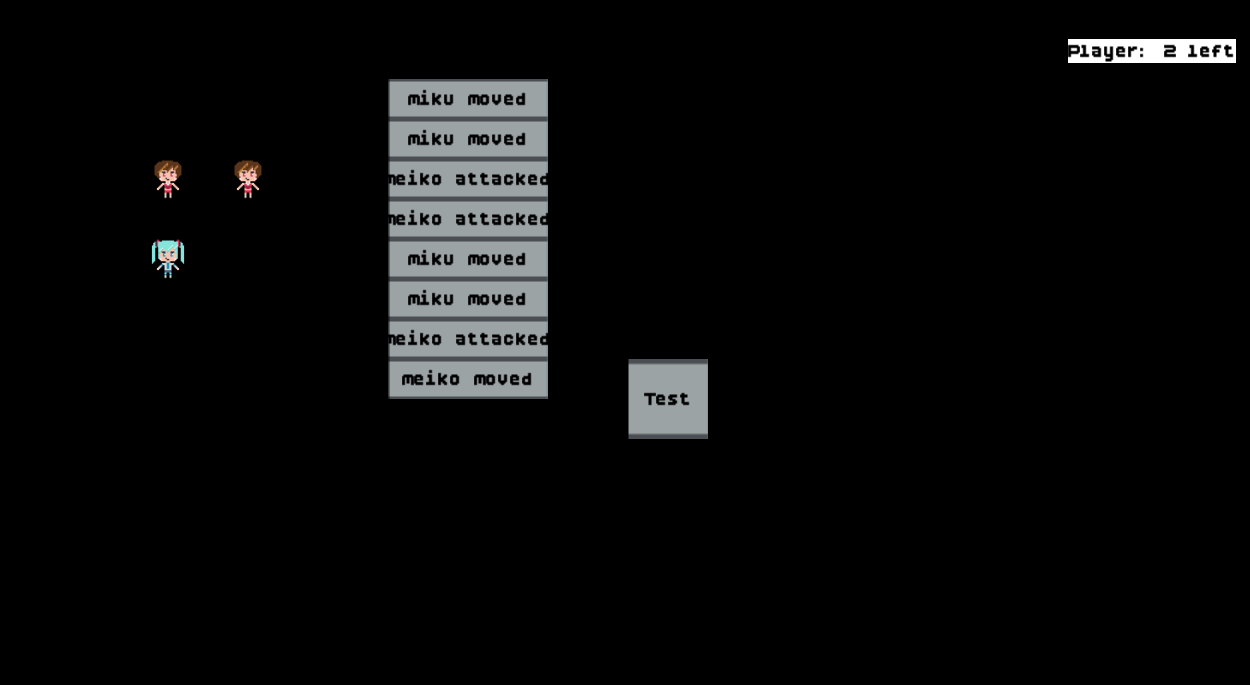
Let's divert. While reviewing my own code for the second idea I thought I had, I realized that we've got a bug in computing the tapped units. Specifically, we've got a bug in this function:
pub fn units_of(map_state: &MapState, faction: Faction) -> HashSet<UnitId> {
    let mut set = HashSet::new();
    for (unit_id, unit_data) in &map_state.units {
        if unit_data.faction == faction {
            set.insert(*unit_id);
        }
    }
    set
}
the issue becomes more apparent when you consider the attacking command:
fn apply(&self, state: &mut BattleData) -> GameResult<()> {
    let (defender_uid, defender_position) = self.defender;
    let Some(defender) = state.map_state.units.get_mut(&defender_uid) else {
        return Err(
            format!("defending unit does not exist in units list {defender_uid:?}").into(),
        );
    };
    defender.health = defender.health.saturating_sub(self.damage);
    if defender.health == 0 {
        state
            .map_instance
            .get_mut(defender_position)
            .and_then(|tile| tile.occupant.take());
    }
    state.untapped_units.remove(&self.attacker_uid);
    Ok(())
}
Do you see it? If not, hint: what happens to a dead unit?

Thankfully, it's a pretty easy bug to fix. And we can still avoid iterating the entire map as well!
pub fn units_of(map_state: &MapState, faction: Faction) -> HashSet<UnitId> {
    let mut set = HashSet::new();
    for (unit_id, unit_data) in &map_state.units {
        if unit_data.faction == faction && unit_data.health > 0 {
            set.insert(*unit_id);
        }
    }
    set
}
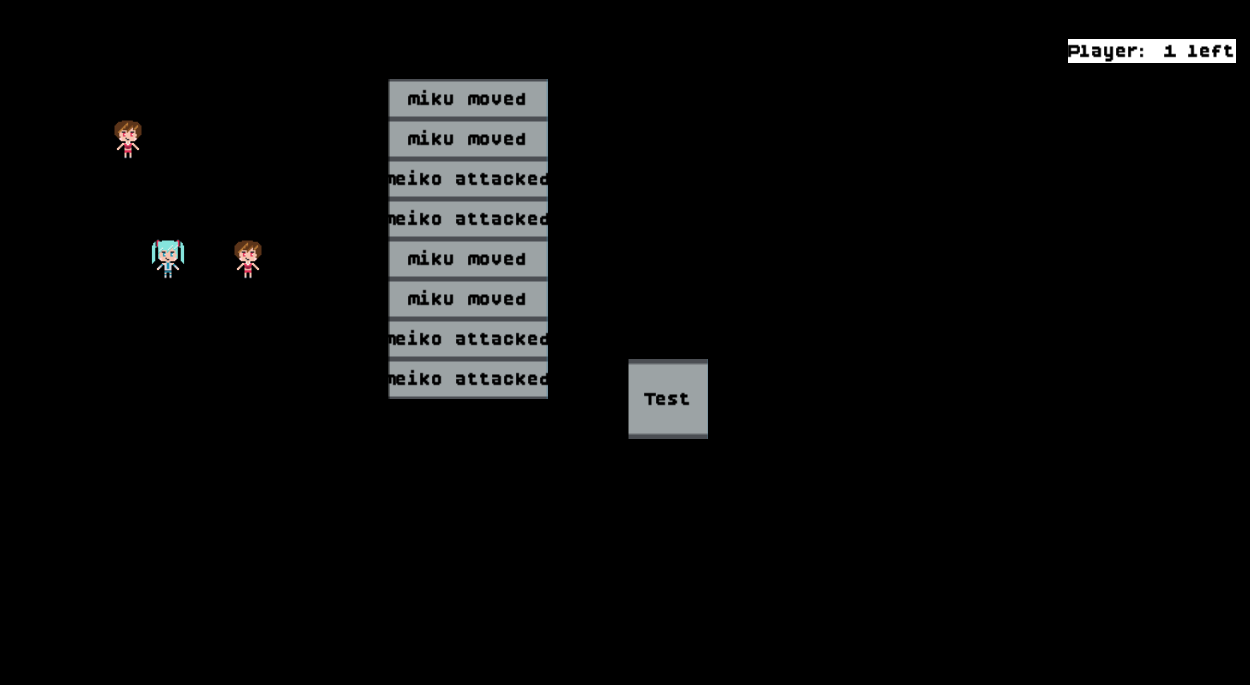
Great! Meiko defeating one of the 2 Mikus in the above scenario results in the tapped units becoming 1 for the factions turn that contains them. I know that might not be super obvious from the screenshots, but basically I just made two of each units and split the factions down the middle. So, the screenshot above is the final state after the moves noted in the rewind list have been done. Hence the miku miku and meiko meiko in the list, since the factions take turns.
Anyway. Now that the untapped unit set takes into account the liveness of a unit, we can circle back to the overall faction's status. It's easy enough, and my first instinct is to write up a quick little loop to determine which faction has lost:
pub fn loser(map_state: &MapState) -> Option<Faction> {
    let mut player_health = 0;
    let mut computer_health = 0;
    for (unit_id, unit_data) in &map_state.units {
        match (unit_data.health, unit_data.faction) {
            (h, Faction::Player) => player_health += h,
            (h, Faction::Computer) => computer_health += h,
        }
    }
    // Bias towards being nicer to the human by returning cpu first
    if computer_health == 0 {
        return Some(Faction::Computer);
    }
    if player_health == 0 {
        return Some(Faction::Player);
    }
    None
}
My second instinct, of course, is to Yak shave for fun, we could also write it like this:
pub fn loser(map_state: &MapState) -> Option<Faction> {
    let (player_health, computer_health) =
        map_state
            .units
            .values()
            .fold((0, 0), |(p, c), unit| match unit.faction {
                Faction::Player => (p + unit.health, c),
                Faction::Computer => (p, c + unit.health),
            });
    // Bias towards being nicer to the human by returning cpu first
    match (computer_health == 0, player_health == 0) {
        (true, _) => Some(Faction::Computer),
        (_, true) => Some(Faction::Player),
        _ => None,
    }
}
To be honest, I like the ending match statement a bit, even though its a little more implicit about the
returns and such. I'm not in love with the reduction via fold though. That one sort of
feels like it takes a little bit more mental effort to parse than the first loop with two mutable variables.
So, I'll just combine the two
pub fn loser(map_state: &MapState) -> Option<Faction> {
    let mut player_health = 0;
    let mut computer_health = 0;
    for (unit_id, unit_data) in &map_state.units {
        match (unit_data.health, unit_data.faction) {
            (h, Faction::Player) => player_health += h,
            (h, Faction::Computer) => computer_health += h,
        }
    }
    // Bias towards being nicer to the human by returning cpu first
    match (computer_health == 0, player_health == 0) {
        (true, _) => Some(Faction::Computer),
        (_, true) => Some(Faction::Player),
        _ => None,
    }
}
I suppose you could also split the loop out and compute the health values for each faction separately, but that seems like a waste of CPU to do two loops (not that it would matter much given the size of our loops). And similar to before, we can use this function to check for a loser after we've processed all the commands, override a faction swap if we need to:
Some(ActionState::DrainCommandQueue) => {
    match self.command_log.update(ticks, battle_data) {
        Ok(CommandLogState::Exhausted) => {
            if battle_data.untapped_units.is_empty() {
                battle_data.map_state.action = Some(ActionState::SwapFaction);
            } else {
                battle_data.map_state.action = Some(ActionState::ClearAction);
            }
            if let Some(losing_faction) = loser(&battle_data.map_state) {
                battle_data.map_state.action =  Some(ActionState::GameOver(losing_faction));
            }
        }
        other => {
            other?;
        }
    }
}
Given that someone could quit the game whenever they want and forfeit a match or something, it makes sense to me that we could also consider game over to be an action state. Not just because of the idea of the quit button either, but that once we enter that phase, we'd probably need to show some buttons to have a continue or retry sort of action state for people to take as well. So, with that in mind, we could easily use this state to construct the buttons to move onto the next… well, scene or whatever we'd need to do:
Some(ActionState::GameOver(losing_faction)) => {
    let mut y_offset = 0;
    let anchor =
        Rect::new(map_instance.width / 2 - 1, map_instance.height / 2, 3, 1);
    let mut next_rect = || {
        let mut rect = anchor;
        rect.y += y_offset;
        y_offset += 1;
        rect
    };
    match losing_faction {
        Faction::Computer => {
            self.continue_btn =
                new_btn(&self.btn_prototype, "Continue".to_owned(), next_rect());
        }
        Faction::Player => {
            self.retry_btn =
                new_btn(&self.btn_prototype, "Retry".to_owned(), next_rect());
        }
    }
    self.quit_btn = new_btn(&self.btn_prototype, "Quit".to_owned(), next_rect());
    map_state.action = Some(ActionState::ClearAction);
}
and with the right updates to draw the buttons, we get this (working) mess on our screen:
We're not winning any awards here, but we do have a way to detect that a given faction has won or lost, and present the options to the player for what to do next. A retry button is simple, we have a working rewind mechanic after all, and so we can just rewind back to 0. The quit button would probably just be a scene change back to the title, and the continue? Queue up the next scene to show for the visual novel machine and have at you!

Lets load a map↩
I don't actually need to make the buttons work yet. I think we'll save that for later, but what we do need to sort out I think is the fact that poor little Miku and Meiko have been chilling in a black void this whole time. They've been good, haven't complained at all, but I'd really like to help them feel a little more grounded you know?
Eh? Eh?
Ok, bad puns aside, we need to sort out what exactly is going to go into our map before we can
load it. When we made the tower defense map, we drew the grass across the whole map, and then
drew the path that the enemies would walk along by defining the path with some Rects
fn initial_path() -> Vec<Rect> {
    (0..32)
        .rev()
        .flat_map(move |c| {
            (0..18).filter_map(move |r| {
                if r == 16 && c > 3 && c < 28 {
                    Some(Rect::new(c, r, 40, 40))
                } else if r < 16 && c == 27 {
                    Some(Rect::new(c, r, 40, 40))
                } else {
                    None
                }
            })
        })
        .collect()
}
but, even though the scope of the game I want to make this time really only includes one battle, I don't want to just hardcode the map again. But I also don't want to use something like tiled either. Granted, tiled would probably be a very sensible thing to use. But, putting that aside because its fun to make things ourselves, let's talk about terrain types.
Typically there's attributes to terrain that can give or take an advantage from you. Like, providing a defensive boost, regenerating health per turn, damaging per turn (like lava or poison), reducing movement range, or granting you greater changes of being able to dodge attacks. Our current damage formula is extremely simplistic, so a lot of these maybe aren't things to consider adding. But, we do at least want to be able specify what to show on the map, like grass, rocks, etc, and probably be able to say if the tile is walkable or not.
I really like the idea of run-length encoding some of this, as we'll likely have plenty of stretches of one type of tile.
Maps are also small, 32x18 tiles for the full screen. But being able to write out something like G32 and let
that just be the entire row would be neat. Though, the question is if I want to be able to write the map to a text file
with just simple characters and numbers, or if we want to define the various types of map with bitfields and use those
instead, like say that the bottom 5 bits are the length, and then use the other bits to represent if the tile is walkable
or not as well as the type of tile. Which I think would also be cool, but might be harder to type out by hand.
There's also the idea of defining the grid in an ascii map of sorts and then doing something like advent of code has done in the past like:
..WWW..
..W....
..W....
.......
Where W stands for Wall or something similar, and then the dots are the grass. Then you can see the maps in
ASCII form and we just need to define a limited vocabulary of what is what, or maybe have a sort of metadata header to
define what each thing is in relation to a spritesheet, like say:
SHEET:grassland
W:water
.:grass
R:rock
------
WWWWWW
W....W
W..R.W
W....W
WWWWWW
And then this sort of lets us define maps with ascii characters related to tags in a spritesheet or similar. That'd also be kind of cool. We could even extend this idea to some extent to maybe declare the metadata and the map as two files and then combine them together when we build the manifest file or something like that. There are just so many different ideas on how to load up and design maps. It's hard to choose!
.jpg)
But if I spend all my time coming up with ideas on how we could do it, I won't ever actually finish the project and no one will ever get to enjoy the wonders and joy of Miku tactically doing stuff!
.jpg)
So let's focus in on the last thing to decide. We need to have the tiles be walkable or not, I like the idea of a header metadata section for the map file, because it means I don't have to repeat a symbol or similar to indicate each tile, and instead we can probably just associate whether or not a tile is impassable based on its terrain. Granted, perhaps we might have a breakable wall or something at some point, but honestly, I'd probably just spawn that as an enemy to be taken out since you can't walk through them anyway.
You might be asking yourself, "hey how come we haven't talked about how to represent enemies on the maps yet?", and there's a good reason for that!10 My thought so far, ever since we created the visual novel scripting for the hungry hungry miku game, was that we'd use that to handle spawning the enemies in and whatnot. As I figure that it would make sense to have story as part of the battle, so of course we'd extend our visual novel language. The other reason is that the enemies move around, so we need to represent what the terrain is like regardless of an enemy is there or not, and if we placed enemies inline with the description of the world, that'd make it harder to define what was under each units feet.
So, with that in mind, I think we can put aside placing enemies as a separate line item for our TODO list and instead focus in on just the terrain parsing and loading. To actually have something useful to show, we'll need to make a spritesheet for the terrain:
And we'll have to hold our nose at my terrible drawing skills for the time being. Next though, let's define our file
format. I think a simple thing like first line is the name of the sheet in the maps folder11, then key value pairs separated by tags for each symbol and tag pair will work just fine. We could then separate the
drawing of the ascii map out, or the run length encoding idea, into something past either a marker like ---
or just have an empty line. Thinking about the rust code we'll likely need to deal with, let's just use an empty line,
that'll be easier to parse. So, let's define our first map!
palette:grassland
.:grass 1
w:water 0
O:rock 0

wwwwwwwwwwwwwwwwwwwwwwwwwwwwwwww
OOOOOOOOOOOOOOOwwOOOOOOOOOOOOOOO
O..............ww............OOO
O..............ww............OOO
O..............ww............OOO
O..............ww.............OO
O...............w..............O
O...............w..............O
O...............wwww...........O
O..............................O
O..................w...........O
O..................ww..........O
O...................w..........O
O...................ww.........O
O....................www......OO
O............................OOO
OOOOOOOOOOOOOOOOOOOOOOOOOOOOOOOO
wwwwwwwwwwwwwwwwwwwwwwwwwwwwwwww
Am I winning any awards for innovative map design. Nope. Definitely not. But I think this should at least be a good example to use for both the loading, as well as making sure our mapping functions don't choke too much on cases where the path to and from a point might have quite a bit of wall in the way. Or well, water in this case.
As far as the metadata goes, 1 means passable, 0 means impassable. This isn't strictly
to map one to true and zero to false, but rather that I think if we enumerate the potential attributes for a tile
with a simple number, then it'll make it easier to extend if we choose to later in the future. So, now, we can write
some code! First up, we need a way to indicate which texture a tile should have.
#[derive(Debug)]
pub struct Tile {
    pub is_walkable: bool,
    pub occupant: Option<UnitId>,
    pub texture_id: Option<TextureId>,
}
This, unsurprisingly, breaks the empty_walkable helper method, but since we've defined
the texture as optional, it's a simple fix to just pass None. Though I will admit, I
don't really like the fact that its optional. Generally speaking, I don't like most of the cases where
we've used None for simplicity of types and loading. But also, I think a future refactor could try to
address that sort of thing. For now, path of least resistance says "fill it in later" and so we do.
But sooner than later, we need to parse the text into something, and for now I think the most sensible place in our current system is to declare those types and parse it as part of the manifest file.
pub struct Manifest {
    pub spritesheets: Vec<Spritesheet>,
    pub sounds: Vec<FileAsset>,
    pub music: Vec<FileAsset>,
    pub scenes: Vec<FileAsset>,
    pub weapons: Vec<Weapon>,
    pub maps: Vec<?>
}
But what type is it? Do we want to declare it as a file asset, like we did the csvs for weapons before? If we do that, we delay the parse and validation to runtime. If we transform our file into some form of struct, then we can ensure we never compile a build that's missing an asset for a map. We also make it potentially easier to write code to load that data into our exisiting map instance because we're passing around structs, not catalogs and strings. Decisions, decisions.
#[derive(Debug, Clone)]
pub struct TerrainMap {
    pub name: String,
    pub sheet: String,
    pub tile_definitions: HashMap<String, TerrainTile>,
    pub grid: String,
}

#[derive(Debug, Clone)]
pub struct TerrainTile {
    pub tag_name: String,
    pub flags: usize,
}
For now, I'll roll with the hybrid approach. I don't really want to declare a huge list for the ascii grid, and a hashmap for the definitions should work well enough to convert each character I think. Adding the above types to the manifest results in our JSON serialization breaking though, and to fix that we have to define trait implementations
impl TryFrom<&JsonValue> for TerrainMap { ... }
impl TryFrom<&JsonValue> for TerrainTile { ... }
impl From<TerrainMap> for JsonValue { ... }
impl From<TerrainTile> for JsonValue { ... }
The only thing of interest in this mix is how we parse out a HashMap
from the jzon library:
impl TryFrom<&JsonValue> for TerrainMap {
    type Error = Box<dyn Error>;
    fn try_from(obj: &JsonValue) -> AssetResult<TerrainMap> {
        let Some(name) = obj["name"].as_str() else {
            return Err("missing or invalid name field in file asset".into());
        };
        ...
        let tile_definitions: HashMap<String, TerrainTile> = obj["tile_definitions"]
            .entries()
            .filter_map(|(key, value)| {
                let v: Option<TerrainTile> = value.try_into().ok();
                v.map(|v| (key.to_owned(), v))
            })
            .collect();

        Ok(TerrainMap {
            name: name.to_owned(),
            sheet: sheet.to_owned(),
            grid: grid.to_owned(),
            tile_definitions,
        })
    }
}
I'm eliding a bit here since the other fields are all just strings. But it took a bit of effort to sort out
the fact that you can call entries on the JsonValue class if its an object, and
then you have to map each value to a set of tuples, then collect to convert it. Sort of a weird
way to do it, but it does work, so, we'll be able to parse a TerrainMap out of the manifest file
at the end of it all. Granted, we have to actually put one in there first. Which we can do via the build.rs
file, first up, I'll save my maps into the assets folder called maps. Surprising, I know, and then
we can pull them out for processing during the build process:
fn load_map_assets(assets_dir: &Path, spritesheets: &Vec<Spritesheet>) -> Vec<TerrainMap> {
    let in_dir = assets_dir.join("maps");
    let mut map_files = vec![];
    let entries = fs::read_dir(&in_dir).unwrap_or_else(|_| {
        panic!(
            "could not read input directory for read_dir {}",
            in_dir.display()
        )
    });
    for result in entries {
        let Ok(entry) = result else {
            continue;
        };
        if let Ok(metadata) = entry.metadata()
            && metadata.is_dir()
        {
            let entries = load_map_assets(&entry.path(), spritesheets);
            for map in entries {
                map_files.push(map);
            }
        } else {
            if !entry.file_name().to_string_lossy().ends_with("map") {
                continue;
            }
            let path = entry.path();
            let map = parse_map_file(&path);
            validate_map(&map, spritesheets).expect("invalid map");
            map_files.push(map);
        }
    }
    map_files
}
I'm not planning on having maps within folders or anything, but it doesn't hurt to handle that case with a little recursion. The parsing of the ascii grid and the other parts of the map file isn't too hard, and we can liberally use expect since this is a compile time process and not a runtime one. But it's probably best ingested in chunks, so, dear reader, let's go part by part here:
fn parse_map_file(path: &Path) -> TerrainMap {
    let terrain_name = path
        .file_name()
        .expect("no filename?")
        .to_string_lossy()
        .into_owned()
        .split_once('.')
        .map(|(name, _)| name.trim())
        .expect("palette line incorrect")
        .to_owned();
The name of the terrain is just based on the filename, sans .map. With that in hand, we can start parsing the file for the key pairs to collect the spritesheet name, which should always be the first line:
    let raw = fs::read_to_string(path).expect("could not load map file to string");
    let mut lines = raw.lines();
    let spritesheet_name = lines
        .next()
        .expect("expected palette to start map file line")
        .split_once(':')
        .map(|(_, name)| name.trim())
        .expect("palette line incorrect");
and then we can construct the list of tile definitions and whether each is walkable or not from the lines up until the first empty one that separates those headers from the ASCII map.
    let mut defs = HashMap::new();
    for line in lines.by_ref() {
        // Stop at first empty line (the line before the grid)
        if line.is_empty() {
            break;
        }
        let (key, rest) = line.split_once(':').expect("invalid tile definition");
        let (tag_name, flag_str) = rest
            .rsplit_once(' ')
            .expect("could not parse flag and tag name");
        let flags: usize = flag_str.parse().expect("could not parse flags to number");
        defs.insert(
            key.to_owned(),
            TerrainTile {
                tag_name: tag_name.to_owned(),
                flags,
            },
        );
    }
Last, the ASCII grid itself is pretty easy to walk via the usual chars
call on the string and we can do validation that the spritesheet we referenced in the
header does include the tags we expect it to for rendering purposes:
    let mut grid = String::with_capacity(raw.len());
    let mut buf = [0; 4]; // avoid str allocation per character
    for (line_number, line) in lines.enumerate() {
        for (char_number, c) in line.chars().enumerate() {
            let key = c.encode_utf8(&mut buf);
            assert!(
                defs.contains_key(key),
                "key '{c}' at grid row {line_number}, column {char_number} not found in definitions",
            );
            grid.push(c);
        }
        grid.push('\n');
    }

    TerrainMap {
        name: terrain_name,
        sheet: spritesheet_name.to_owned(),
        tile_definitions: defs,
        grid,
    }
}
And that gives us a terrain map, validated and ready to go, in our manifest to be loaded at runtime.
Which means we now have both the TerrainMap and the MapInstance to use in
our game. As a reminder, here's all of those:
#[derive(Debug, Clone)]
pub struct TerrainMap {
    pub name: String,
    pub sheet: String,
    pub tile_definitions: HashMap<String, TerrainTile>,
    pub grid: String,
}

#[derive(Debug, Clone)]
pub struct TerrainTile {
    pub tag_name: String,
    pub flags: usize, // (I added an is_walkable helper too flags == 1)
}

#[derive(Debug)]
pub struct MapInstance {
    pub width: isize,
    pub height: isize,
    pub tiles: Vec<Tile>,
}

#[derive(Debug)]
pub struct Tile {
    pub is_walkable: bool,
    pub occupant: Option<UnitId>,
    pub texture_id: Option<TextureId>,
}
As far as loading the map up at runtime. It's pretty easy to do some hard coding around that
to test that everything is working as expected. Though I do really feel like I'm making quite
the mess in the codebase. Holding my nose though, we can create a MapInstance from
a terrain by iterating the ascii map and checking if the tiles are walkable or not according to
their flags:
// inside of impl MapInstance {
pub fn from_terrain(
    asset_loader: &dyn AssetLoader,
    terrain_map: &TerrainMap,
) -> GameResult<MapInstance> {
    let catalog = asset_loader.get_catalog();
    let texture_id = catalog.get_texture_id_for_sprite(&terrain_map.sheet)?;

    let rows = terrain_map.grid.lines();
    let mut height = 0;
    let mut width = 0;
    let mut buf = [0; 4]; (2)
    let mut tiles = vec![];
    for row in rows {
        width = 0;
        height += 1; (1)
        for c in row.chars() {
            width += 1;
            let key = c.encode_utf8(&mut buf);
            let Some(def) = terrain_map.tile_definitions.get(key) else {
                return Err(format!("cant find tile definition for key {key}").into());
            };
            let is_walkable = def.is_walkable();
            tiles.push(Tile {
                is_walkable,
                occupant: None,
                texture_id: Some(texture_id),
            });
        }
        if width == 0 {
            return Err("map had missing columns in grid".into());
        }
    }
    if height == 0 {
        return Err("map had no rows in grid".into());
    }
    Ok(MapInstance {
        width,
        height,
        tiles,
    })
}
As you can see, its just a simple loop over the characters, and since the manifest stores the grid as one big string with the line endings to delimit the rows, we can use that to calculate the height and width of the map instance directly (1). There's no validation that everything is the same size, but that's not something I'm too concerned with since I feel like doing a bunch of extra validation here might not be worth it. Like, if you mess up a map, then it will be pretty obvious I think.
One notable thing I marked with (2) is the use of a small buffer to do the look ups against
the tile definitions. Since the hashmaps are keyed by String, but we have char as our tiles,
we can re-use the same little buffer of memory repeatedly instead of allocating a new string on the heap each time. I
could also just store the hashmap's key as a character I suppose, but I feel like I'm in too deep with the strings right
now, so this'll do. We'll use this key buffer trick again in a minute, but first, we have to sigh heavily at something
our weird little designs have cornered us into.

Where to start? So, The tile definitions we've made for the map instance have been using a single texture id.
But, the texture we need is just the spritesheet. So really, we're sort of wasting space at the moment since
every tile is the same texture id. Also, the way to select the correct part of the texture is via the
tag, and therefore via a SpriteInfo struct which we can then update to cause any animation to happen.
This means that we sort of have to reconcile the terrain map's HashMap from key and tag to key and
sprite, which we can do like this:
fn make_terrain(
    asset_loader: &mut dyn AssetLoader,
    terrain_map: &str,
) -> GameResult<(TerrainMap, HashMap<String, (SpriteInfo, TextureId)>)> {
    let catalog = asset_loader.get_catalog();
    let map = catalog.name_to_terrain_map(terrain_map)?;
    let mut hashmap = HashMap::new();
    for (k, v) in map.tile_definitions.iter() {
        let tuple = sprite_tuple(&map.sheet, Some(&[&v.tag_name])
            , asset_loader)?;
        hashmap.insert(k.clone(), tuple);
    }
    Ok((map, hashmap))
}
This isn't too annoying, and reusing our sprite_tuple function like this also means that the
spritesheet will be ensured during the init step and loaded for rendering. But it does feel like
we've got an awkward API when it takes this many hops and skips to do things like this. Doubly so when you consider
the awkward type we then need to store into the test scene:
#[derive(Default)]
pub struct TestScene {
    ...
    terrain: Option<(TerrainMap, HashMap<String, (SpriteInfo, TextureId)>)>,
}
Obviously we could make a struct to store this stuff, but as we grasp and feel around in the dark like this, I think it's helpful to get a feel for what feels good or not. I'd rather not scratch my brain thinking about a good name for this tuple until it's proven itself as something useful. So anyway, populating the option during the init method is simple enough:
impl Scene for TestScene {
    fn init(&mut self, game_context: &mut GameContext) -> GameResult<()> {
        let Some(asset_loader) = game_context.asset_loader.as_mut() else {
            return Err("cannot init scene if asset_loader is not set".into());
        };

        let terrain_map_name = "grassland";
        let mut the_map = make_map(asset_loader.as_ref(), "grassland")?;
        self.terrain = Some(make_terrain(asset_loader.as_mut(), "grassland")?);
        ...
Obviously, we could set the name from a battle script or something once we make that dynamic, but for now we've
only got the one map, so that's all we need to use. The make_map helper is just a wrapper around
what was a call to making an empty 32x18 map before, but now uses our helper method to create one from the
terrain:
fn make_map(asset_loader: &dyn AssetLoader, terrain_map: &str) -> GameResult<MapInstance> {
    let catalog = asset_loader.get_catalog();
    let map = catalog.name_to_terrain_map(terrain_map)?;
    MapInstance::from_terrain(asset_loader, &map)
}
With that terrain created, we can run the SpriteInfo through the update
method, similar to how we do everything else:
if let Some((_, terrain_sprites)) = self.terrain.as_mut() {
    for (_, (sprite_info, _)) in terrain_sprites.into_iter() {
        sprite_info.advance(ticks);
    }
}
And yes, if you're paying attention, there's one mutable SpriteInfo per tile type, which means
that they'll all move in sync with each other. Which is handy both as a flyweight pattern for reducing memory
usage, and also nice for water that animation that would loop with itself rather than be totally chaotic and
such.
Drawing the tiles is, well, done in draw_map as you'd expect. But the tricky thing is that because
the map instance which handles who's occupying which tile where is in MapInstance and the terrain
is stored in TerrainMap's ASCII grid, which then gets translated to the sprites, there's an
iteration across both to do it:
...
let Some((terrain_map, terrain_sprite_map)) = scene.terrain.as_ref() else {
    return;
};
let mut tile_key = terrain_map.grid.chars().filter(|c| !c.is_whitespace());
let mut key_buf = [0; 4];
for row in 0..map_instance.height {
    for column in 0..map_instance.width {
        let Some(tile) = map_instance.get((row, column)) else {
            continue;
        };
        // Background texture
        let tile_key = tile_key
            .next()
            .expect("loaded terrain does not align to map");
        let key = tile_key.encode_utf8(&mut key_buf);
        if let Some((sprite_info, texture_id)) = terrain_sprite_map.get(key) {
            let src = sprite_info.get_rect();
            let dst = layout.cell_rect(row as usize, column as usize);
            renderer.send_command(RenderCommand::DrawRect {
                texture_id: *texture_id,
                source: src,
                destination: dst,
            });
        }
        // Occupant drawing we had before below here ...
Given that the MapInstance is created from the terrain, they should always be in
sync with each other, and so I don't feel bad using the expect here to pull out the tile
key. But this sort of compounds the feeling that the design of our system here isn't very good. Like,
it feels a little brittle and like things that want to live together are currently being separated from
each other. As far as how to fix that, I have some ideas,12
but I don't know if I have the motivation or energy to do so as part of this project. 13
With this code in place though, we can now boot up the game again and see what looks more like a real game and less like a messy test void of black and buttons.
It's still a mess of buttons and noise. But now it looks like less of one. We've got a bit of a UX problem there at the end, where the rewind buttons hide the ability to actually click on the units. Obviously, we're not going to leave the rewind buttons there, and the test button we'll toss out too. Same for the portrait, right now we just always show it, but obviously we shouldn't show it the whole time. Only when a character has something to say. Which brings us around to the next thing in our adventure to think about.

Combining text and combat ↩
We've got a map! We've got the ability to move things around that map! We're still missing quite a few things, but units can destroy each other at least and we can signal that we should be exiting the battle. However, we don't really have any way to tell the user what's going on, do we? There's no feedback when you tell a unit to attack someone and the damage is applied.
There's at least two things we can do here. First, is displaying the amount of damage or similar about the unit that is being affected somewhere close to it. The second, is displaying some sort of battle cry or similar thing when we select a unit or tell them to attack. We've already got some of the pieces for that in place already, what with how we display the portrait when we select a unit. So, let's start with the first one since it's a bit smaller than the other one.
When we made the hungry hungry miku tower game we made some reuseable pieces like the TextBox
struct that we should be able to leverage for our purposes here, so we can add that to our grab bag of
ideas in the test scene:
use crate::ReadyState;
use crate::scene::story::text::LineSpeed;
use crate::scene::story::text::TextBox;
use crate::scene::story::text::text_box_bounds_on_grid;
...
pub struct TestScene {
    ...
    text_box: Option<(TextBox, ReadyState)>,
}
You might be curious about the ReadyState here, I'm thinking that for things like the damage
numbers and whatnot, that they don't last very long and there's no real reason to have a button to interact
to dismiss them either. So instead they should appear and then disappear automatically. The ReadyState
here can be used as our generic timer to handle that clean up for us.
The other thing I'm thinking about is that for displaying character battle cries and whatnot, it might make sense to re-use the entire story scene from our other game. After all, it's already set up to do things like display portraits and display dialogue that can be advanced through and whatnot. We could use that to display the results to the user and it'd be a great way to re-use and combine the previous project and this one together.
Let's start with the easy one first though, when a unit attacks it does damage and we know that, so let's setup the damage display after an attack occurs! Which… is easier than it sounds, because if you remember, the place where we do an attack is decoupled temporally with where the attack itself is applied. This does imply the solution as well though, we should make the damage display itself a command that can be decoupled just like the attack, or perhaps as part of the attack itself.
The problem with that implication is that our commands only operate on the BattleData right now,
not on something in the test scene like our new text_box. What we could do, is sort of queue things
in the scene instead, though I also don't really like this idea either since it means there's nothing keeping the
commands and scene related stuff together in sync, but it would work! If we set an option in the test scene for the
test scene, and then only consume it after the commands have drained or as part of that process, then we'd have the
illusion of the two things operating together, even if they're not strictly bound to each other.
I admit though. It feels like spaghetti and I'm once again having to remind myself that our test scene is just that, a test scene, and I shouldn't try to treat it as the end all be all for how all our ideas should form up together. At least, that's what I'm telling myself anyway.

Well, let's embrace the spaghetti for now, and we can construct a down and dirty method to create a text box for the damage display. If we ignore the placement issues that we handled with the context menu's anchor before, we can get something popping up pretty quickly:
fn damage_display(
    damage: usize,
    defender_position: Coordinate,
    game_context: &GameContext,
) -> Option<(TextBox, ReadyState)> {
    let text = format!("{damage} damage!");

    let ready_state = ReadyState::Cooldown {
        wait_for: 60,
        ticks_waited: 0,
    };

    let (row, column) = defender_position;
    let layout = TestScene::layout(game_context);
    let tl = layout.cell_rect(row as usize, 1 + column as usize);
    let (cw, ch) = layout.cell_size();
    let bounds = Rect::new(tl.x, tl.y, cw * 4, ch * 1);
    let font_id = FontId::BoldPixelScaled { pixel_size: 24 };
    let font_library = game_context.font_library.as_ref()?;
    let loaded_font = font_library.get(font_id)?;
    let tb = TextBox::new(bounds, text, loaded_font, LineSpeed::Instant);
    Some((tb, ready_state))
}
We can use our layout to sort out the exact screen coordinates for overlaying the damage number near the
enemy being hit. Our test scene doesn't have a font stored into an option anywhere, though we do make a
24px size font in init so I can reasonably load one up in our gross code above to prove out
that this works before we do any refactoring. Within the code that handles creating the commands for the
attack commands, we can configure the text box then and there:
Some((None, damage)) => {
    let command = AttackCommand {
        defender,
        damage,
        attacker_uid,
    };
    self.command_log
        .add_unit_actions(attacker_uid, vec![Box::new(command)]);
    map_state.action = Some(ActionState::DrainCommandQueue);
    self.text_box = damage_display(damage, defender.1, game_context);
}
Then it's just the usual updates to both the update and draw methods:
fn draw(&mut self, game_context: &mut GameContext) -> GameResult<()> {
    ...
    if let Some((text_box, _)) = self.text_box.as_mut() {
        text_box.draw(game_context);
    }
    ...
}
fn update(&mut self, ticks: u32, game_context: &mut GameContext) -> GameResult<()> {
    ...
    if let Some((text_box, ready_state)) = self.text_box.as_mut() {
        *ready_state = ready_state.advance(ticks);
        text_box.text.update(ticks);
        if matches!(ready_state, ReadyState::Ready) && text_box.text.is_visible() {
            self.text_box = None;
            self.current_portrait = None;
        }
    }
    ...
}
The reason I'm setting the current_portrait to None is because we
can also use the textbox to display text for the selected unit pretty easily using some similar
code as the text box creation above, though we need to actually define the text that a
unit would say! We're currently hard coding the various units on the map, so we'll be hardcoding
the dialogue too. But, in the interest of thinking about how these things could work out better
in the future, I'll define an enum:
#[derive(Debug, PartialEq)]
pub enum DialogueType {
    BattleCry,
    VictoryLine,
    DefeatLine,
    Generic,
}
Then we can associate some text with the context of the line:
#[derive(Debug)]
pub struct UnitDialogue {
    pub dialogue_type: DialogueType,
    pub text: String,
}
And then make some simple helpers for easy defining elsewhere:
impl UnitDialogue {
    pub fn battle_cry(text: String) -> Self {
        UnitDialogue {
            dialogue_type: DialogueType::BattleCry,
            text,
        }
    }
    ... similar for each type ...
}
and then update the UnitData with the dialogue lines:
#[derive(Debug)]
pub struct UnitData {
    pub name: String,
    pub sprite_data: UnitSpriteData,
    pub move_range: usize,
    pub health: usize,
    pub weapon: Option<WeaponId>,
    pub faction: Faction,
    pub dialogue: Vec<UnitDialogue>,
}
which breaks the build until we go update our text data to have something in place:
... in init while setting up miku and meiko ...
let unit_data = UnitData {
    ...
    dialogue: vec![UnitDialogue::battle_cry(
        "I'll get you, huzzah!".to_owned(),
    )],
};
then, with that data available, we can finally construct the box at the same moment as we set the portrait:
self.current_portrait = selected_portrait_from(unit_data);
self.text_box =
    select_battle_cry(unit_data).and_then(|(text, ready_state)| {
        let layout = TestScene::layout(game_context);
        let bounds = portrait_text_box_bounds(8, &layout);
        let font_id = FontId::BoldPixelScaled { pixel_size: 24 };
        let font_library = game_context.font_library.as_ref()?;
        let loaded_font = font_library.get(font_id)?;
        let tb = TextBox::new(bounds, text, loaded_font, LineSpeed::Normal);
        Some((tb, ready_state))
    });
as you can tell, I'm doing the font id loading nonsense again. We should probably push that LoadedFont
instance up into the scene at some point, but for now, let's just wrap up choosing the line into a simple
first one or fallback setup:
fn select_battle_cry(unit_data: Option<&UnitData>) -> Option<(String, ReadyState)> {
    // TODO: make it use rng at some point.
    let unit_data = unit_data?;
    let line = unit_data
        .dialogue
        .iter()
        .find(|line| line.dialogue_type == DialogueType::BattleCry)
        .or_else(|| {
            unit_data
                .dialogue
                .iter()
                .find(|line| line.dialogue_type == DialogueType::Generic)
        })?;
    Some((
        line.text.clone(),
        ReadyState::Cooldown {
            wait_for: 180,
            ticks_waited: 0,
        },
    ))
}
Once we actually have some RNG I think we'd be able to choose a random line, but since Rust doesn't ship random numbers by default, let's just choose the first one of our hardcoded lines and move along from there. Displaying the damage text was fine without any background I think. But for dialogu underneath the portrait, we'll want to toss a simple background behind it. And to do that, we need to know what the bounding box for the text is!
We can base it off of the portrait code we wrote before, taking in the anchoring row to make calculations easier, and then just choosing an arbitrary size that looks sort of okay with the one line of dialogue we've made so far:
fn portrait_text_box_bounds(row: usize, layout: &GridLayout) -> Rect {
    let tl = layout.cell_rect(row, 0);
    let (cw, ch) = layout.cell_size();
    let portrait_box_height = ch * 4;
    let portrait_box_width = cw * 4;
    let dst = Rect::new(
        tl.x,
        tl.y + portrait_box_height,
        portrait_box_width * 2,
        ch * 3,
    );
    dst
}
using a helper like this is handy, since now the helper to draw the portrait can call it to quickly construct a white background for easy viewing of the text:
fn draw_portrait(scene: &TestScene, layout: &GridLayout, renderer: &mut dyn Renderer) -> usize {
    ...
    renderer.send_command(RenderCommand::DrawRect {
        texture_id: *texture_id,
        source: src,
        destination: dst,
    });
    let bg_for_text = portrait_text_box_bounds(row, layout);
    renderer.send_command(RenderCommand::FillRect {
        color: crate::renderer::Color::white(),
        destination: bg_for_text,
    });
    ...
and this is the same method that was called in the self.text_box = assignment, which leaves them
aligned. We already updated the draw code to show the text box, and while sharing the two does seem, maybe a little
funny, I think it's fine. I mean, if you select a unit, they start talking, but if you tell them to attack, they
shut up and attack. The whole thing ends up looking this:
You can see in the final Meiko attack, how the damage text appears and the dialogue for selection disappears.
Though the box and portrait don't, so there's that. Again. We are working on all of this within a TestScene
struct. So, the obvious "real" thing to do is probably to make sure that there's more than one textbox and we don't
share these things. In fact, the whole portrait + text thing feels like it wants to be its own smaller struct that
we could setup and then pass unit information and text down to display rather than having to do all these checks and
whatnot.
But we're still faced with a bit of an annoying problem. The coupling of time, commands, and display that we're juggling here. I'm not really satisfied with this, and I'm finding myself thinking more about some other ideas I was talking to some people about before. Pining to implement those ideas rather than continue with this pool of test structs and spaghetti in front of me. And so, let's return to our initial premise.

What have we learned ↩
This may seem like an odd place to stop, after all, if you look at just the video, it looks like we're really really close to having a "real" game! And that is sort of true. I know what else I need to do to get things settled, like integrating the visual novel scripting language with a way to load a battle, configuring a way to do unit and enemy placement, and of course, actually having some form of AI for the computer player to fight against the player and take their turns. The milestones along the path to building another game for the challenge are surmountable I think.
But, while I can list those things off, the problem is that our foundation sucks. And it makes me annoyed to
work around our API, which has its merits, but also which feels clunky to use. Granted, we called the struct
TestScene so that mentally I don't get too attached to it. And the reason for that is because we're going
to throw it out. I feel like we've learned a decent amount from this prototyping experience, and we can pick out the
things we like, and then I can circle around like a vulture and take the tastiest bits of meat from the dead prototype
and go vomit them to the baby that is the next attempt.

Alright that was a terrible metaphor.
To bleach our brains of that image, let's highlight the various interesting bits since we've covered a lot and it's probably a good idea to review the ideas so that we can stay away from the bad ones next time.
-
The fixed button behavior is good, but I do also feel like there are better ways to do it. When I compare what we put together
for our buggy button fixes to something like the java code for the
MenuButtonin the match 3 game, I really like the enumeration of states and such there in comparison to the lists of conditions and flags. It makes me want, for my next attempt, to parameterize button behavior more and make it possible to choose whether a button's behavior is act on press or act on lift, as well as make it simpler to hook into things for re-use. Granted, the sound global call in the java is a bit hard in rust world huh. -
When we worked through issuing orders to our units via the context menu click interactions, the options started
to pile up, and that tuple of
Option<(SpriteInfo, TextureId)>smelled, but we did it for testing, and it kept smelling bad and is one of the chief things I dislike about all of this. -
That said, I do like that we established a clear sort of state-like behavior for how one moves between
the interactions, and how this enabled us to write pretty clear branch arms for each
ActionState. This was also sort of mirrored later in how we could decide what was selectable or not based on how we made the right choices upstream of the data and then let that be solid implicit foundations for us to stand on when doing unit pathing. -
While I'm not a fan of all the options and sprite infos and that stuff and think we can do better next time,
I do like my system with
get_sprite_with_tags("portrait", &["miku", "talking-idle"])where we can narrow down the tags in the ase files to fetch out the right stuff. I think it's really neat! So I'll keep it and probably want to keep thinking about how we can do that without all the options involved in the future. 14 -
Also I think this is where we found a really unpleasant thing that came with the prototyping, those gross signatures like
fn check_if_unit_selected_action<'a>(
    game_context: &GameContext,
    map_instance: &MapInstance,
    map_state: &'a MapState,
    untapped_units: &HashSet<UnitId>,
) -> Option<(
    Option<ActionState>,
    Option<&'a UnitData>,
    HashSet<(isize, isize)>,
)>
worked well enough, but they're also great candidates to be turned into structs, and really, it'd be better if we could formalize them into proper types. Probably enums or some such thing to help tell the system what to do and how to go to the next step of the process for dealing with interactions and all that. - While we were working through the range finding and path exercises of the code, having the map and battle data split in the way they were made some aspects easy, and some hard. I'm really curious if using traits would have provided a better way to manage things later on when we were doing the tile loading and drawing. In this case, I think prototyping with minimal types hurt us a bit, and so my thought around traits is if we could build the various range finding, and path finding operations against a trait interface instead of the actual struct, perhaps the struct with more of the data we needed in some places could have just implemented the trait?
-
easier. The
next_rectclosure was pretty handy and provided a nice way to express "this button is on top of this button" and such. That said, I'm strongly considering if these things should be split, like, buttons and their drawing cohorts. The combination of logical state with the drawing aspects of the button feels busy and messy. It works, but it doesn't spark joy and I feel like there's an interesting pattern sitting around somewhere for me to find… we just have to find it. -
Similar, I think we need a more generic helper for the
anchorcode we made. Having to move things around to ensure One thing I did like, shown by the refactoring section for the buttons, was the use of the closure to make creating buttons they fit isn't just a button problem. And one of the things that had me sighing and wishing while working on the portraits and textboxes for the battle cries was that very thing. What I want is to easily be able to say "draw the thing over there, anchored to this point" and that anchoring handle the annoying nuisance of "I'm too close to the wall, shift slightly" and all that. - Speaking of UI components, that's another thing. I think I want to take some time to really dig into making re-usable menu pieces or something similar becauase the rewind button list literally got in the way of testing somethings. Being able to toss it into a scrolled window would have been great! When we did the logic paint game we used egor and it had a lot of built ins that made life super easy to prototype and work with. While I like SDL3, it's very minimal in what's provided since its just a toolkit and not trying to be a full on framework, so it all makes sense, and it's fun to make our own stuff. But it's also one of those rake-to-the-face of "aw man I wish I had x" and then next you know you're down a deep deep rabbithole of something you maybe didn't want to do at all blocking you until you can get back to the thing you wanted.
- When we dug into weapon and attacks, we didn't even have any way to generate RNG, which makes things boring. Not to mention we didn't have any attack formulas either. It's just one of those things that sort of glazes my brain over. When we did the miku miku tower game we dug into some game balancing stuff, and it's a lot of math and testing and checking and most importantly it's not interesting to me. I like programming, validating the crazy balance or lack thereof, less so. Yes I know it's important, but that doesn't mean I have to like it.
- Speaking of weapons, the CSV loading was good and fun I thought, but I got a better idea from the crafting interpreters book that I want to give a shot next time. It will cost us some compilation, but I think it will lead to a potentially better programming experience overall, so look forward to that.
-
Moving along to another nice thing, the command list work we did and how that naturally enabled the rewind mechanic was pretty
satisfying. It's fun when you get to apply your favorite design pattern and you get cool things for free from it. That said,
the problem with it is context. Like, later on when we wanted to be able to show damage text, there wasn't a good way to do that
because the commands were limited impacting the
BattleDatacode only. It feels like we need a larger river to swim in, or a bigger pool to dive into, or some other metaphor for a priority queue on a higher level that can feed multiple systems. Because then we could have the core game play, the audio, and hell, maybe even the visual aspects, all get powered by commands and that'd be a pretty impressively powerful thing! -
We sort of attested to that kind of design with how we did the turn swapped as well.
Being able to queue up a
ActionState::SwapFactioncommand is sort of similar to the idea I just said. Though it's not going to a bigger queue, but it does sort of sit into the action state queue of 1 that the test scene was using to control how it behaved. We can definitely do better next time! -
I also like the idea of generating the maps from flexible headers, validated at build time, that turn ascii maps into
nice places for Miku and her friends to frolic amongst the bloodbath. Though I do think that we could do better than
what we have. I think it might have been a mistake to make a partially parsed value for the manifest file, and I think
perhaps I should have just done validation at run time (and build time) and used a
FileAssetinstead for the loading part. HashMaps have no consistent ordering, and seeing the git status change every time I go to commit include a random part of the manifest is really annoying. - and lastly, in the name of prototyping I feel like I sort of jumped from one place to another without actually fully finishing anything. Like, damage formula? Partially done enough until we could move on. UnitData fields? Iterated on, appended to, not actually pulled from anything like the weapons or anything, and units aren't really unique at all. RNG? Never added. Doing something after winning or losing? Println'd and that's it.
So, a lot to think about. But most importantly, I don't think it was wasted effort. One of the important things about programming is to experiment and learn about what works well and what doesn't. Your tastes change over time, and code you thought was amazing today, you'll think is garbage in a few years. Everythings sort of contextual in that way, and also stuff flips and flops on what's right for each individual project too. It's part of the fun I think, and for a programmer like myself, someone who enjoys the journey more than the end result, doing prototyping like this is a fun exercise.
Of course, I'm also very stubborn. I've known people who embrace the Tabula rasa" mentality in large parts of their lives, where they just delete whole swaths of data. Do fresh installs and bring along nothing new. Or travel with the clothes on their back, buy new ones on location, and donate them before traveling back home. It's not for me. Interesting! But not for me. The way this applies is that I do often want to keep old code around or to bend it into something usable again rather than just throw it all away. You can learn so much from reading old code sometimes, not just about the systems, but about the people who wrote it.
Like, for example seeing parts of a code base that all use regular for loop syntax to iterate, then later seeing newer code using foreach or map and other functional concepts. In some places those come from the language getting updated to include those, but in other cases, they come from a developer branching out of their usual experienced language and trying something new like haskell or scala and bringing those ideas back with them. Playing around with code is just as fun and important to learning as is the rigid type of rote learning done when you read documentation to figure out very specific things.
Anyway, since we're shifting into philosophy and not about the code anymore, let's wrap it up here. Unlike before, there's no game for me to give you today. But I can, and will, give you the test file in the repository. So, pull it down. Read the awful mess I've made. Maybe tie things back here and there to the blog post, or think about how you'd prefer the code to be and make something yourself. Learning what didn't work is just as important as learning what does I think!
Enjoy! I'll be eagerly awaiting all your clever ideas in my suggestion box!
Github repository is here